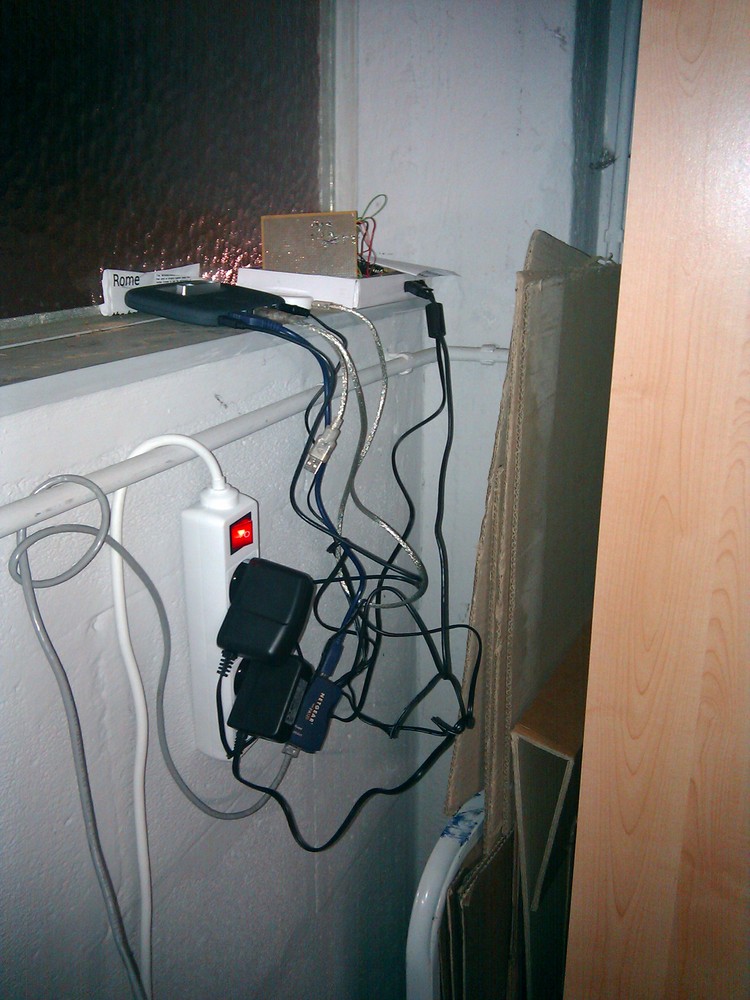
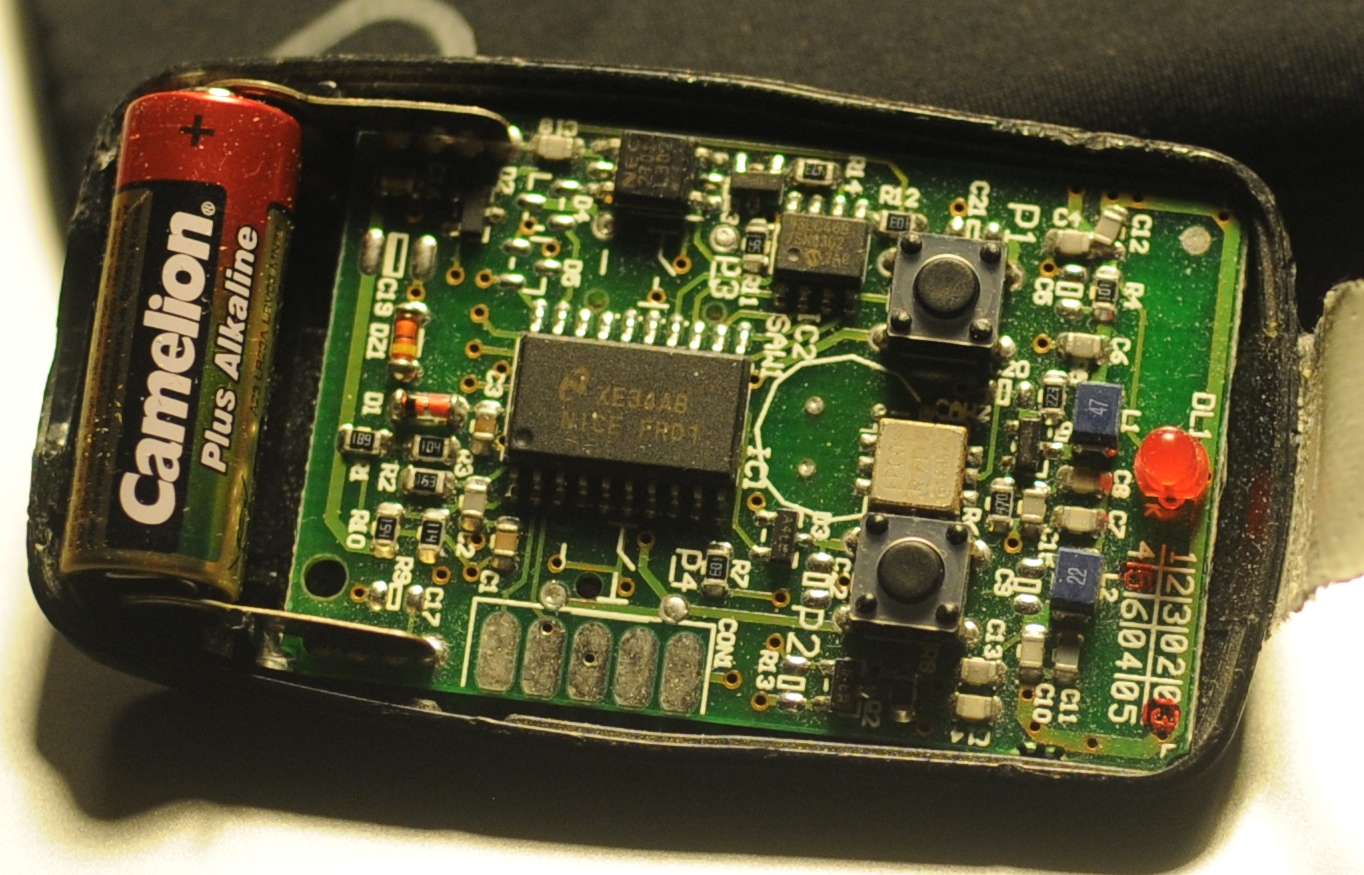
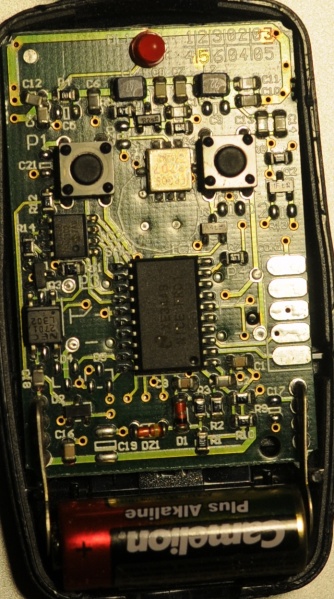
The problem: There is a group of people that want access to Hackerspace Ghent but there is only one remote to open the gate.
The solution: Build a system that reacts to a phone call by opening the gate if the number of the caller is whitelisted.
What you need:
A BeagleBoard or some BeagleBoard alternative with a Linux distribution running on it. Any server running a unix like operating system should be usable.
A Huaweii e220 or an alternative GSM that supports (a subset of) AT commands and has a USB port.
A team of hackers that know how to solder something togeher. E.g. The hardware guys of hackerspace Ghent.
A “python script”:[gatekeeper.py] that reacts to calls.
The Hack: First of all try to get caller id working by following the Caller ID with Linux and Huawei e220 tutorial. If this works you can listen to the serial communication using pySerial and react to a call. The following python code shows the wait for call method:
```ruby\
def wait_for_call(self):\
self.data_channel.open()\
call_id_pattern = re.compile(‘.CLIP.”\+([0-9]+)”,.*’)\
while True:\
bytes = self.data_channel.inWaiting()\
buffer = self.data_channel.readline(bytes)\
call_id_match = call_id_pattern.match(buffer)\
if call_id_match:\
number = call_id_match.group(1)\
self.handle_call(number)\
```
The handle_call method … handles the call.
The second thing that is needed is a way to send a signal from the beagle board to the remote. Sending a signal from the beagle board using Linux is really simple. The following bash commands initialize, activate and deactivate a pin.
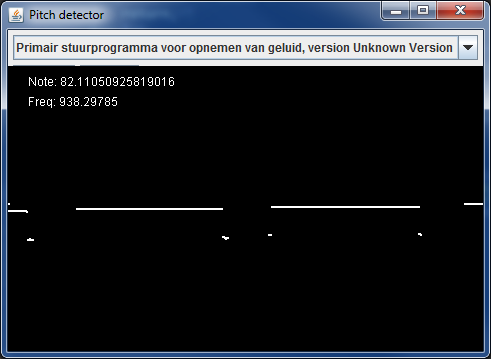
Today I created a spectrogram application using Tarsos. The application listens to an audio input, computes an FFT and at the same time calculates pitch. The expected pitch is overlaid on the spectrogram. All this happens real-time and is implemented using JAVA.
This is the scenario: you have a Huawei e220, a linux computer and you want to react to a call from a set of predefined numbers. E.g. ordering a pizza when you receive a call from a certain number.
The Huawei e220 supports a subset of the AT commands, which subset is an enterprise secret of te Huawei company. So there is no documentation available for the device I bought, thanks Huawei. Anyhow when you attach the e220 to a Linux machine you should get two serial ports:
```ruby\
/dev/ttyUSB0\
/dev/ttyUSB1\
```
To connect to the devices you can use a serial client. GNU Screen can be used as a serial client like this: screen /dev/ttyUSB0 115200. The first device, ttyUSB0 is used to control ttyUSB1, so to enable caller ID on te Huawei e220 you need to send this message to ttyUSB0:
```ruby\
AT+CLIP=1\
```
To check for calls you should listen to ttyUSB1. A serial session for ttyUSB1 looks like:
The RING and CLIP messages are the most interesting. The RING signifies an incoming call, the CLIP is the caller ID. The BOOT and RSSI are some kind of ping messages. The following Python script demonstrates a complete session that enables caller ID, waits for a phone call and prints the number of the caller.
```python\
#!/usr/bin/env python\
import serial, re
ser = serial.Serial(\
port=’/dev/ttyUSB1’,\
baudrate=9600,\
parity=serial.PARITY_NONE,\
stopbits=serial.STOPBITS_ONE,\
bytesize=serial.EIGHTBITS\
)
ser.open()
pattern = re.compile(‘.CLIP.”\+([0-9]+)”,.*’)
while 1:\
buffer = ser.read(ser.inWaiting()).strip()\
buffer = buffer.replace(“\n”,””)\
match = pattern.match(buffer)\
if match:\
number = match.group(1)\
print number\
```
To make Tarsos more portable I wrote a pitch tracker in pure JAVA using the YIN algorithm based on the implementation in C of aubio. The implementation also uses some code written by Karl Helgasson and Teun de Lange of the Jazzperiments project.
It can be used to perform real time pitch detection or to analyse files. To use it as a real time pitch detector just start the “JAR-file”:[pitch_detector_yin.jar] by double clicking. To analyse a file execute one of the following. The first results in a list of annotations (text), the second shows the annotations graphically.

 Code, 0110.be, Hackerspace Ghent, and Projecten
 gatekeeper.py

 This is the scenario: you have a Huawei e220, a linux computer and you want to react to a call from a set of predefined numbers. E.g.