Monday, I’ll give a small presentation about Latex and Version Control for the research team at the University College Gent, Faculty of Music. The idea is to give a pragmatic overview of working with Latex and version control. The “presentation about Latex & Version control (in Dutch)”:[latex_svn_presentatie.pdf] can be downloaded. The presentation itself is created using Latex and “the source of the presentation”:[latex_svn_presentatie.zip] is also available. A good description of Latex can be found here:
LaTeX (pronounced “latech”) is a document preparation system for high-quality typesetting based on, and succeeding TeX formatting. It is a very popular format in academia, as it allows advanced document formatting capabilities not found in other common document formatting systems. Some of these capabilities include table figure notations, bibliography formatting (see BibTeX), and an advanced macro language.
Eclipse: an IDE (Integrated Development Environment) which can be used as Latex editor with version control by installing the TeXclipse and Subclipse plugins.
This post contains links to genuinely useful software to do signal based audio analysis.
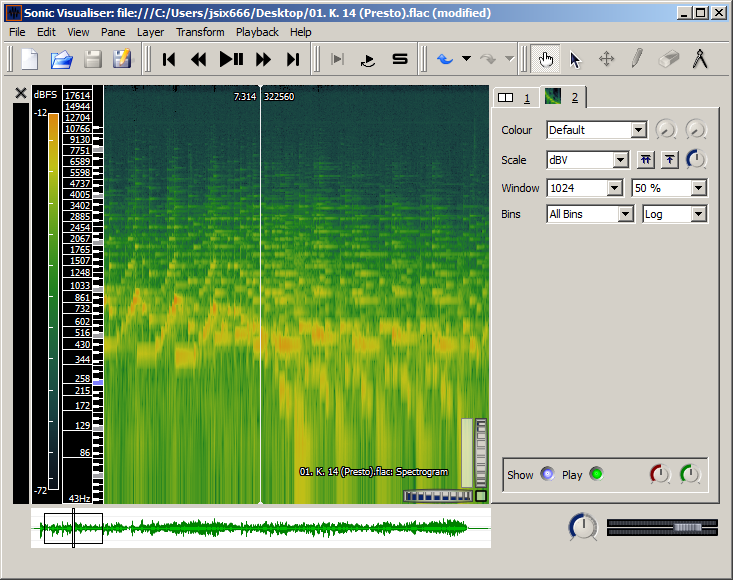
Sonic Visualizer: As its name suggests Sonic Visualizer contains a lot different visualisations for audio. It can be used for analysis (pitch,beat,chroma,…) with VAMP-plugins. To quote “The aim of Sonic Visualiser is to be the first program you reach for when want to study a musical recording rather than simply listen to it”. It is the swiss army knife of audio analysis.
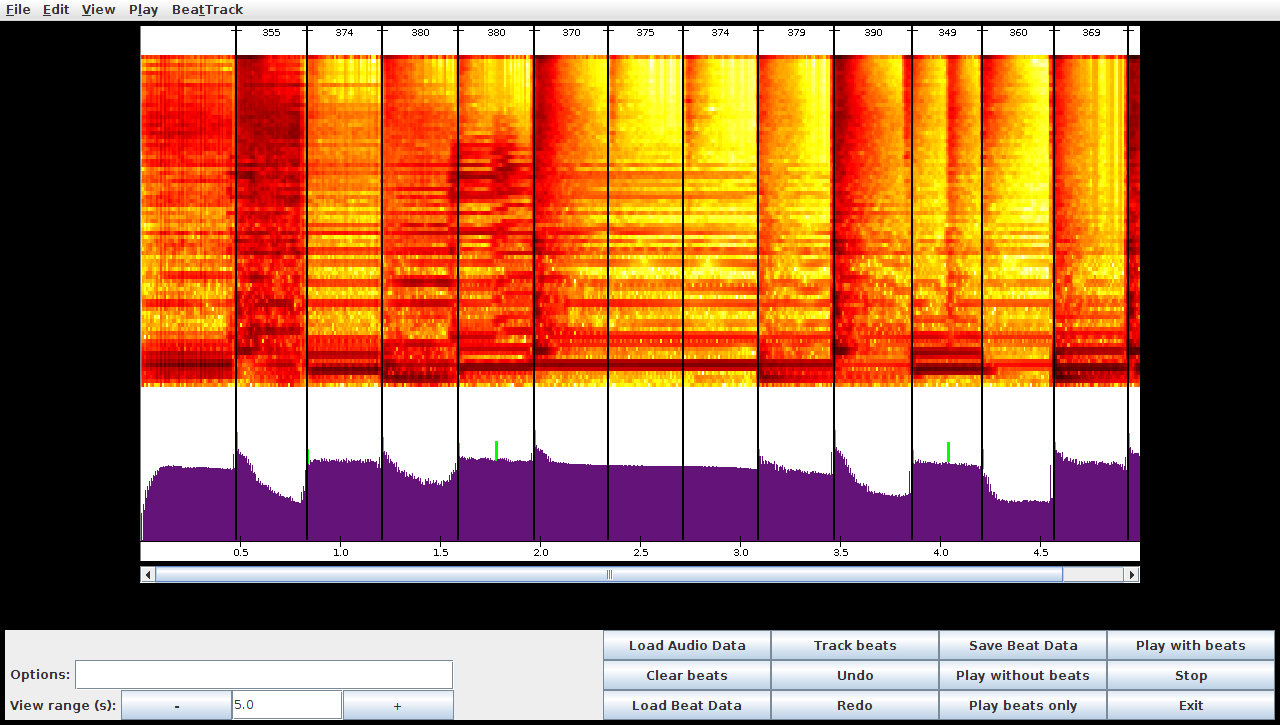
BeatRoot is designed specifically for one goal: beat tracking. It can be used for e.g. comparing tempi of different performances of the same piece or to track tempo deviation within one piece.
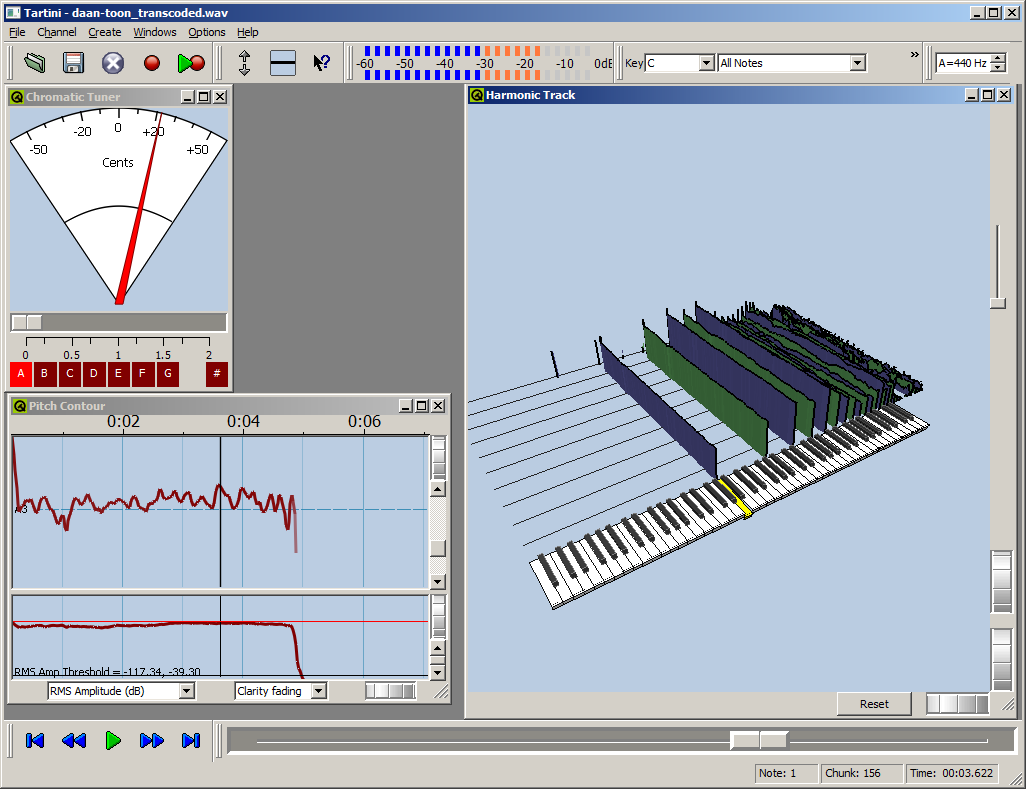
Tartini is capable to do real-time pitch analysis of sound. You can e.g. play into a microphone with a violin and see the harmonics you produce and adapt you playing style based on visual feedback. It also contains a pitch deviation measuring apparatus to analyse vibrato.
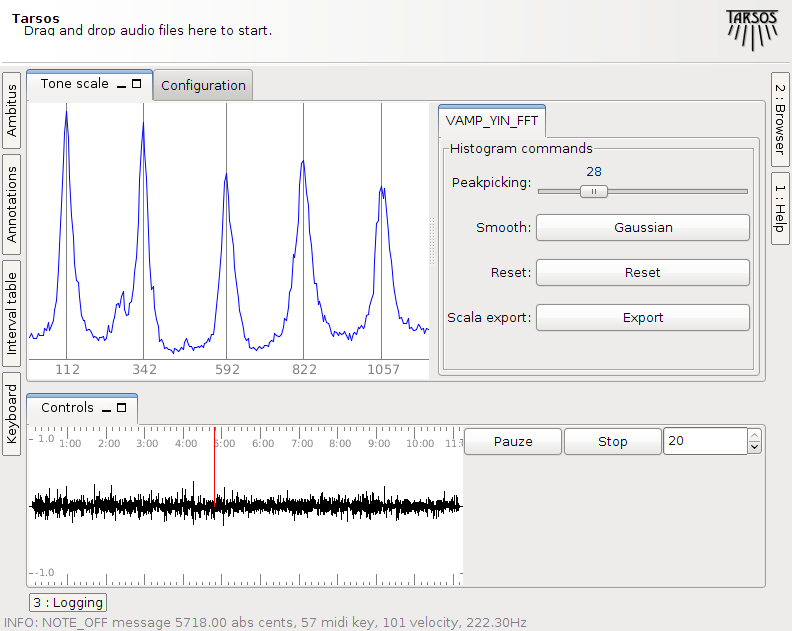
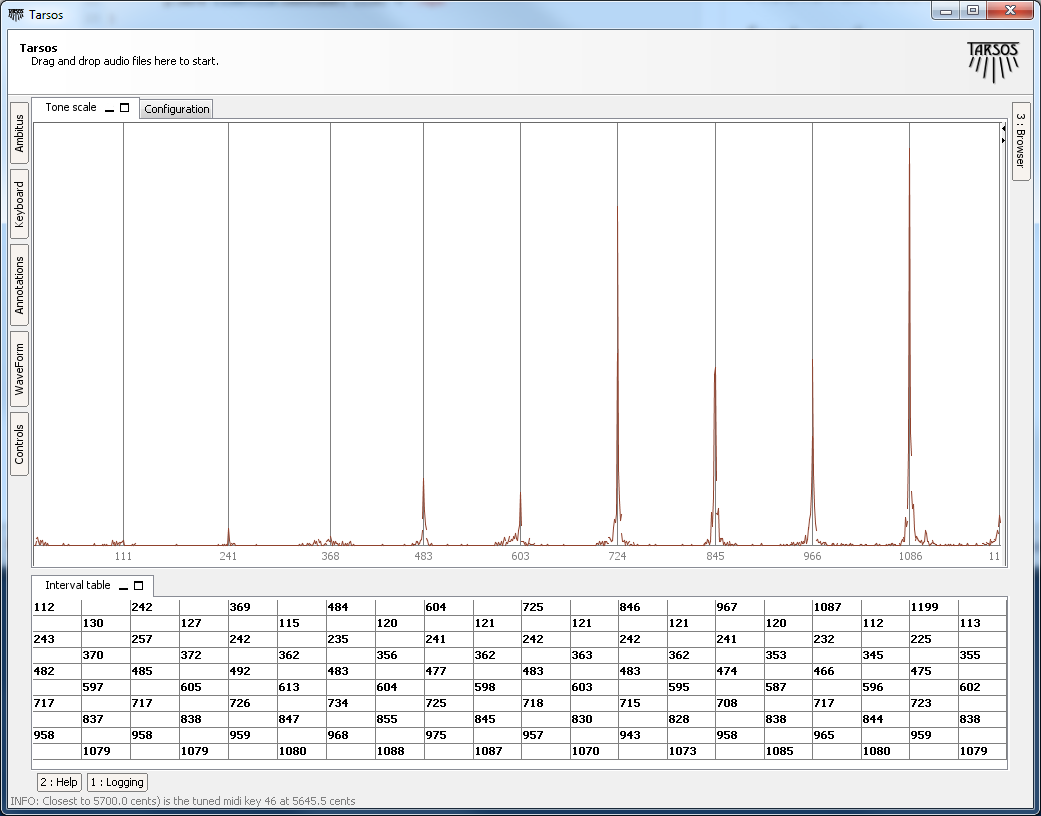
Tarsos is software for tone scale analysis. It is useful to extract tone scales from audio. Different tuning systems can be seen, extracted and compared. It also contains the ability to play along with the original song with a tuned midi keyboard .
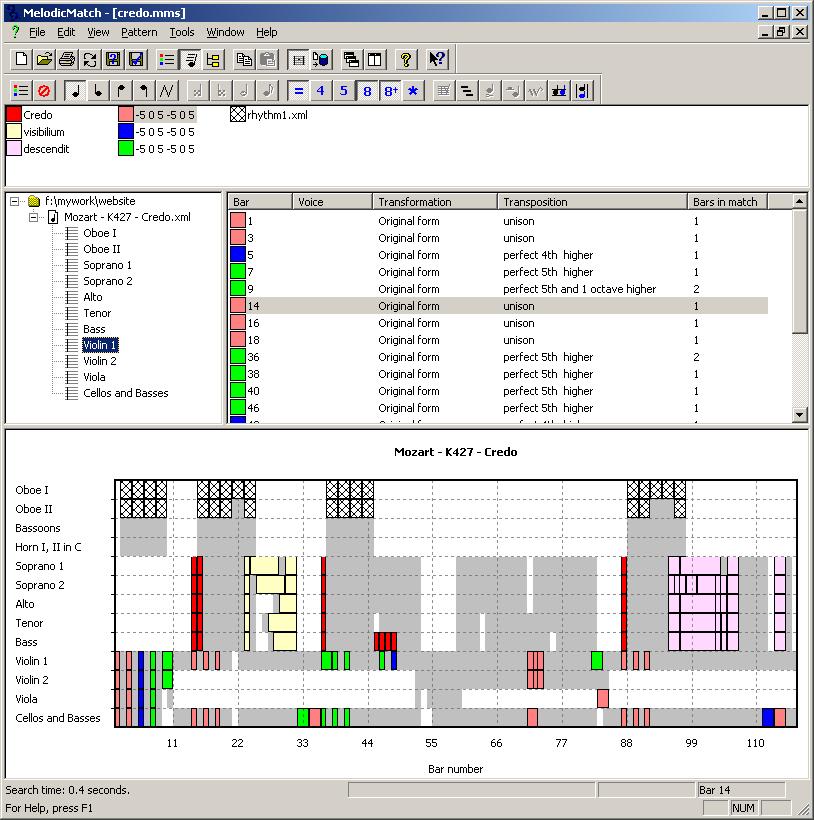
Melodic Match is a different beast. It does not work on signal level but processes symbolic audio. More to the point it searches through MusicXML files - which can be created from MIDI-files. See its website for use cases. Melodic Match is only available for Windows.
During a lecture at the University College Gent, Faculty of Music these tools were presented with some examples. “The slides (Slides in Dutch)”:[presentatie.pdf] and “a zip-file with audio samples, slides and software”:[Tarsos-presentatie.zip] are available for reference. Most of the time was given to Tarsos, the software we developed.
Olmo Cornelis also gave a lecture about his own research and how Tarsos fits in the bigger picture. “His presentation (Slides in English)”:[lezing_Olmo_Cornelis_zonder_audio.ppt] and “the presentation with audio”:[lezing_Olmo_Cornelis_met_audio.zip] are also available here.
There is more to Tarsos then meets te eye. The graphical user interface only exposes some functionality; the API (Application Programmer Interface) exposes all of Tarsos’ capabilities.
Tarsos is programmed in Java so the API is accessible trough Java and other programming languages targeting the JVM (Java Virtual Machine) like JRuby, Scala and Groovy. The following examples use the Groovy programming language because I find it the most aesthetically pleasing with regards to interoperability and it gets the job done without getting in your way.
To run the examples a copy of the Tarsos JAR-file needs to be added to the Classpath and the Groovy runtime must be installed correctly. I’ll leave this as an exercise for the reader: godspeed to you, brave soul. Quick protip: placing a copy of the jar in the extensions directory seems to work best, e.g. see important java directories on mac OS X.
The first example extracts pitch class histograms from a bunch of files and saves them as EPS (Encapsulated PostScript)-files. It iterates a directory recursively and handles each file that matches a given regular expression. In this example the regular expression matches all WAV-files. Batch processing is one of those things scripting is ideal for, doing the same thing with the user interface would be tedious or even mind-numbingly boring, not groovy at all indeed.
FileUtils.glob(dir,”.*.wav”,true).each { file ->\
audioFile = new AudioFile(file)\
pitchDetector = PitchDetectionMode.TARSOS_YIN.getPitchDetector(audioFile)\
pitchDetector.executePitchDetection()\
//get some annotations\
annotations = pitchDetector.getAnnotations()\
//create an ambitus and tone scale histogram\
ambitusHistogram = Annotation.ambitusHistogram(annotations)\
toneScaleHisto = ambitusHistogram.toneScaleHistogram()\
//plot a smoothed version of the histogram\
p = new SimplePlot()\
p.addData 0, toneScaleHisto.gaussianSmooth(0.2)\
p.save FileUtils.basename( file) + “.eps”\
}\
```
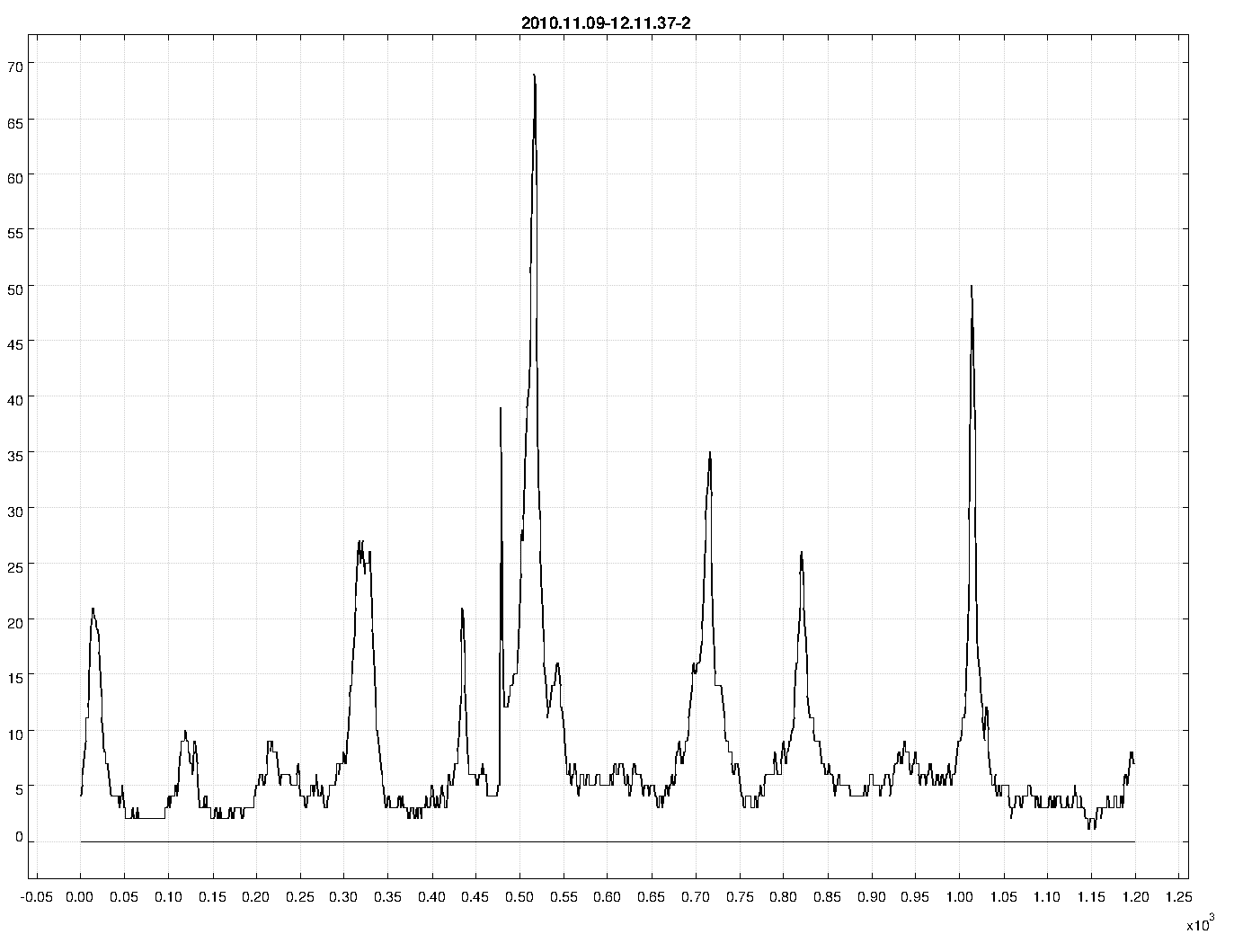
The second example uses functionality that is currently only available trough the API. It takes a MIDI-file and synthesizes it to a wave file using an arbitrary scale. In this case 10-TET. The heavy-work is done by the Gervill synthesizer. The resulting file is available for download, micro—macro?—tonal Bach is great: “BWV 1013 in 10-TET”:[BWV_1013_10-TET.mp3]. The result of “an analysis with Tarsos on the synthesized audio”:[120.png] clearly shows an interval of 120 cents with some deviations.
midiFile = new File(“BWV_1013.mid”)\
outFile = new File(“out.wav”)
tuning = [0,120,240,360,480,600,720,840,960,1080] as double []
MidiToWavRenderer renderer\
renderer = new MidiToWavRenderer()\
renderer.setTuning(tuning)\
renderer.createWavFile(midiFile, outFile)\
```
An extended version of this second example script could be used to generate a dataset with audio and corresponding tone scale information on the fly. The dataset could then be used as a baseline.
The API is not yet well documented and is still in flux or more correctly: superflux. Note to self: I will provide documentation and a number of useful examples when the dust settles down. I’m not even sure if I will stick with Groovy. Scala has a nice Lispy feel to it and seems more developed. Groovy has a less steep learning curve, especially if you have some experience with Ruby. JRuby is also nice but the interoperability with legacy Java looks like an ugly hack.

 Presentation and HoGent
 latex_svn_presentatie.zip, latex_icon.png, and latex_svn_presentatie.pdf