TarsosDSP: a Java Library for Audio Processing
TarsosDSP is a Java library for audio processing. Its aim is to provide an easy-to-use interface to practical music processing algorithms implemented, as simply as possible, in pure...
Below you can find links to the open source software I developed during my research. It is always nice to hear how this software is used, don’t hesitate to drop me a line. Bug reports are welcomed as well.
TarsosDSP is a Java library for audio processing. Its aim is to provide an easy-to-use interface to practical music processing algorithms implemented, as simply as possible, in pure...
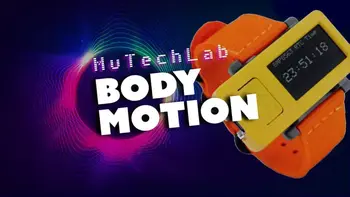
MI-Kit is a low-cost, open-source system for controlling music production software through body movement. Designed for creative music practice and embodied music interaction research. EMI-Kit can be used...
Panako is an extendable acoustic fingerprinting framework. The aim of acoustic fingerprinting is to find small audio fragments in large audio databases. Panako contains several acoustic fingerprinting algorithms...
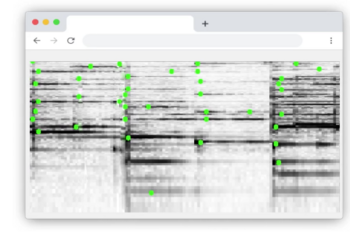
Olaf is a portable, landmark-based, acoustic fingerprinting system released as open source software. Olaf runs on embedded platforms, traditional computers and in the browser. Olaf is able to...
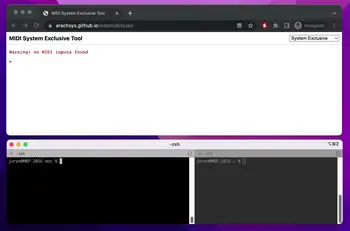
mot consists of several MIDI and OSC command line tools. These are mainly of interest to debug and check OSC messages and MIDI devices. The tools are written...
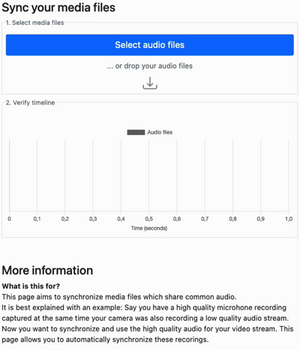
Thanks to WebAssembly it is possible to repurpose software for use on the web, even if it was originally designed with other use in mind. I have developed...
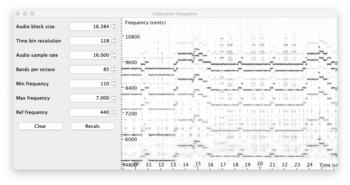
This library calculates fine-grained constant-Q spectral representations of audio signals quickly from Java. The spectral transform can be visualized or further processed in a (Music Information Retrieval) processing...
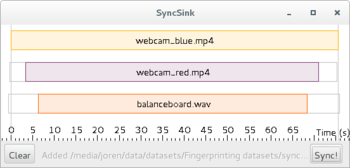
SyncSink is able to synchronize video and audio recordings of the same event. As long as some audio is shared between the multimedia files a reliable synchronization solution...
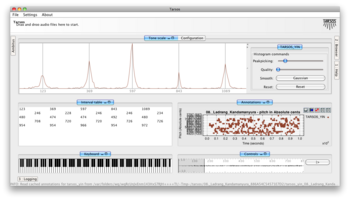
Tarsos is a software tool to analyze and experiment with pitch organization in all kinds of musics. Most of the analysis is done using pitch histograms and octave...

TarsosLSH is a Java library implementing Locality-sensitive Hashing (LSH), a practical nearest neighbor search algorithm for multidimensional vectors that operates in sublinear time. It supports several LSH families:...
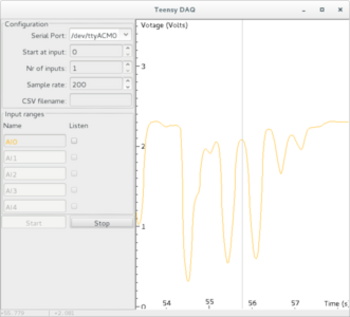
TeensyDAQ is a Java application to quickly visualize and record analog signals with a Teensy micro-controller and some custom software. It is mainly useful to quickly get an...
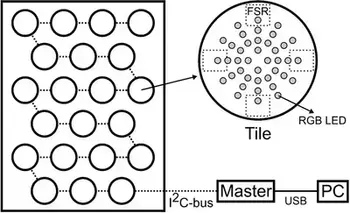
The idea behind AMPEL (by Lousin Moumdjian, Marc Leman, Peter Feys) is to combine both motor and cognitive rehabilitation in a single combined ‘embodied learning’ paradigm. To this...
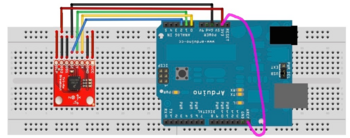
The Pidato experiment demonstrates a rather straightforward method to handle vibrato on a digital piano. It ‘solves’ the age-old problem on what to do with the enigmatic “vibrato”...
Recently, researchers released the complete connectome of a male fruit fly: a map of the neural connections in its brain and nerve cord. The accompanying paper describes this work. I have connected a simplified version of part of that connectome to a 3D model of a fly and now have a fly zooming around on my mac. It flies around the desktop, lands on windows, and is scared of the mouse cursor.
I have called it Dewey. That way it should at least like part of its own name: Drosophila means “dew-loving”.
I am not sure what Dewey feels or thinks about being stuck in the matrix. To make it less lonely, I have built in an option to at least add a few friends. There are deeper philosophical questions to raise about simulating neural circuits. Is it purely reflexive? At what point might there be something more? These questions become especially worrying if we start doing this with a social species such as a bee, or eventually animals with more complex nervous systems. Imagining the Umwelt of an animal, is difficult enough in the real world. What an Umwelt would look like in a virtual world breaks my brain.
Seeing Dewey fly around is nice. The process of creating Dewey, much less so. I prompted a recent LLM to connect the brains to a body and essentially guided the process until Dewey appeared. A mere year ago, getting such a result would have taken me days, if not weeks. I would also have had to learn a lot more about neural activation patterns and the intricacies of rendering and animating a 3D fly. Now, I am much less motivated to do that deep dive, since the result is already there. The fly flies. The cursor scares it. I can add friends. There is still plenty to learn, but the immediate reason to learn it has disappeared. If a reward without much effort is within reach, it takes a discipline to go the extra mile, discipline I seem to lack. I have gained a desktop fly and missed out on part of the process of making one.
Anyway, check out the paper, run Dewey on your Mac, or have a look at the code on GitHub.
 UGent, Code, and Projecten
Over the last few weeks I have been improving Olaf. Olaf is an audio fingerprinting system with its core algorithm written in C. I have been focusing on ergonomics that make the C core easy to use: bindings, sensible CLI interfaces, and a REST interface. The updates:
The updates were an ideal fit for the recent Astra and Opus 5.5 AI models: fingerprinting is a very testable workload, and the already established context makes tasks clear to LLMs. The tech stack also helps: Zig interfacing with a C core have often clear errors during compilation. The risk of things going wrong is also small, since the main functionality in the core is essentially untouched.
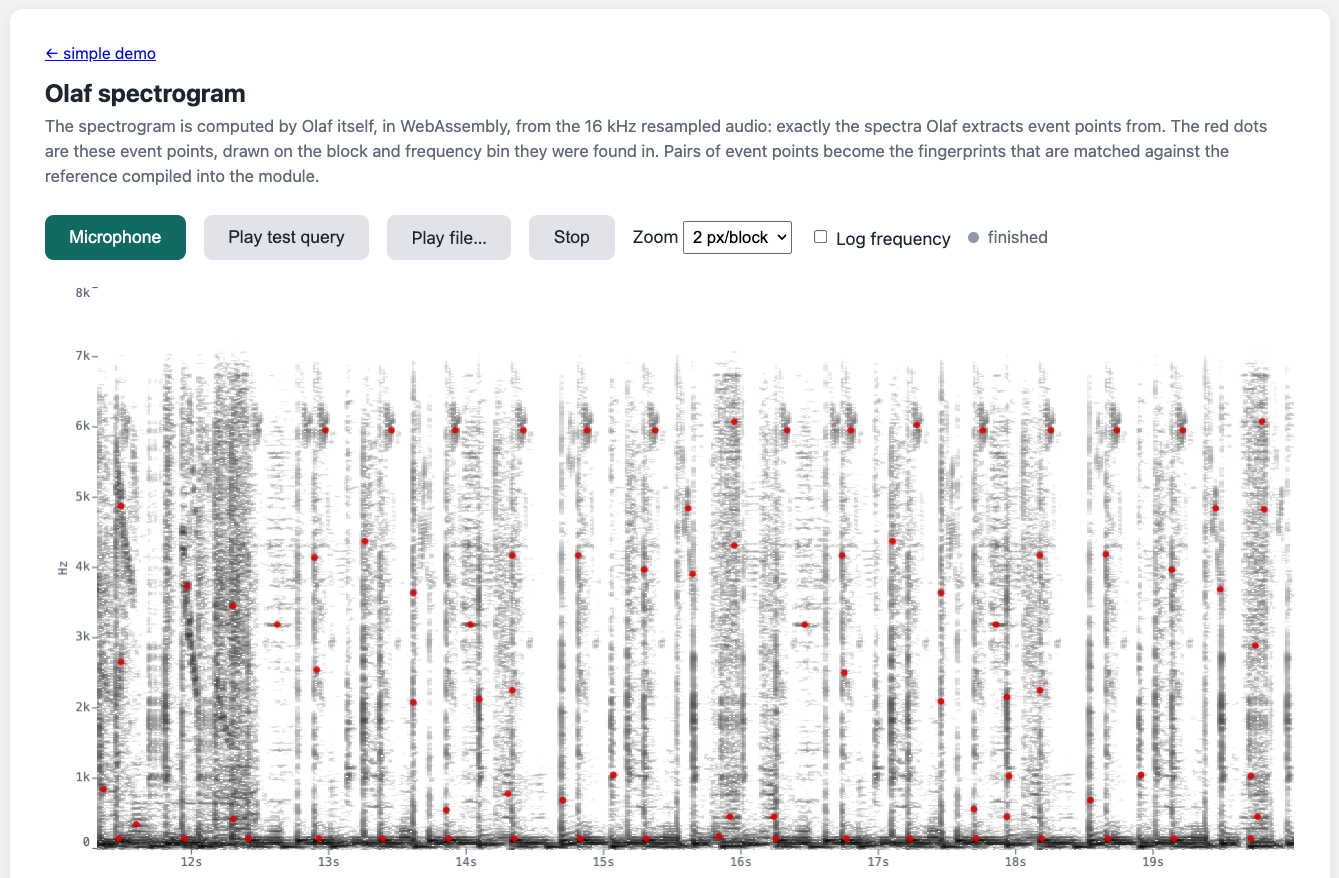
Check out the OLAF repository on GitHub to explore the code, try the new CLI, REST API, and Python bindings, or run the WASM demo here. Feedback, bug reports, and pull requests are very welcome.
UGent and Code
The SEMANTiCS conference took place in Ghent from 15 to 17 September 2026. Our contribution was a collaboration between GhentCDH and the Semantic Computing Research Group at Aalto University on publishing humanities data with Sampo-UI and Ontop.
Sampo-UI Meets Ontop: Publishing Relational Digital Humanities Data on the Semantic Web, Joren Six¹, Jahid Chetti¹, Annastiina Ahola², Frederic Lamsens¹, Heikki Rantala², Eero Hyvönen²
¹ Ghent University, Ghent Centre for Digital Humanities (GhentCDH)
² Aalto University, Department of Computer Science, Semantic Computing Research Group (SeCo)
At GhentCDH, we often publish research datasets in the digital humanities. Several projects need similar search filters, map visualizations and data exports. Sampo-UI makes it possible to reuse these components when the data is available as Linked Data. In collaboration with the original Sampo-UI team, we worked on modernizing the framework. Our first contribution separates the shared core from project-specific configuration, making updates and reuse more manageable. The second uses Ontop to expose existing relational databases through a SPARQL endpoint. This lets us use Sampo-UI while keeping the database infrastructure and tooling we already have. Having one fewer database system to maintain is welcome.
Abstract: The Sampo model and its Sampo-UI framework have become an established approach for publishing Cultural Heritage and Digital Humanities data on the Semantic Web. Sampo-UI enables exploration of data originating from SPARQL endpoints through faceted search across multiple views with seamlessly integrated visualization and data analytic tools. Here, we present two contributions to the Sampo-UI ecosystem: (i) a separation of Sampo-UI core from application-specific configuration; decoupling core and application simplifies updates and facilitates reuse of efforts, and (ii) the use of Ontop — a virtual knowledge graph system — to expose relational databases through a SPARQL endpoint and Sampo-UI. The use of relational databases and reuse of tooling and expertise around relational databases lower the operational burden of publishing small-to-medium-sized datasets typical of digital humanities projects. These contributions originated outside the original Sampo-UI team but were developed in collaboration with it, and are being prepared for upstream integration. We illustrate the approach with two projects at Ghent University: one on Roman coin finds in Belgium (NuMAD) and one on historic Belgian company data (BelHisFirm). Both portals run the same Sampo-UI core with a different configuration, and operate on existing institutional relational database infrastructure without a dedicated graph database.
The demo below shows the NuMAD portal for exploring Roman coin finds in Belgium through the modernized Sampo-UI. Another demo presents historical records of Belgian companies through the BelHisFirm portal. Both portals run the same Sampo-UI core with different configurations, demonstrating the flexibility of the system.
Alongside the Sampo-UI Meets Ontop paper, a conference poster on Sampo-UI that I prepared is also available.
Video: NuMAD — exploring Roman coin finds in Belgium.
UGent, Code, Presentation, and GhentCDH
 Fig: Gemini imagining the age of AI exploits.
 The following text puts into words a change that I have seen happening the last month. At the Ghent Centre for Digital Humanities we manage a fleet of virtual servers on the Ghent University network and have first-hand experience with security incidents appearing regularly now. It has a different tone than other posts here: it was sent in as a letter for a newspaper but was not published. Let’s see in a few years if the tone was too alarmist or if it holds up:
The newest generation of AI coding tools is a great asset for software developers. They help with understanding complex codebases, and assist in writing code. Used properly, AI coding tools increase software quality and developer productivity. Unfortunately, these powerful tools can also be used with bad intentions. AI coding tools are now sufficiently advanced to find and exploit bugs in software. They pose a threat to essentially all computing systems that form the underpinning of modern infrastructure: banking, aviation, industry, and education.
While earlier reports still used conditional terms to describe these threats, now — only a couple of weeks later — the first effects are already here. With the help of AI coding tools, three bugs were found in Linux, an open-source operating system: Copy.fail, Dirty Frag, and Fragnesia. These first AI-discovered exploits in a broadly deployed system form a watershed moment. The bugs led to service outages, but diligent IT teams quickly patched systems, limiting the impact. The effects of Mythos — widely considered the most capable system for finding bugs in software — are now also clear. Mozilla reported finding and fixing around four hundred bugs last month, where in a typical month around twenty similar bugs are discovered and patched. Not every bug is exploitable, but every exploit starts with a bug. The age of AI exploits is here.
The transition to this new age will be painful. Many unmaintained systems are connected to the internet and will not receive security updates: IoT devices, orphaned servers, smartphones and proprietary systems locked in time. It will become easier to gain illegitimate access to these machines. The skills needed to break into such systems are diminishing. What previously required highly specialized experts or state actors is now within reach of a much broader pool of bad actors, due to the very tools that are meant to help developers.
What can be done? Companies need more stringent cybersecurity policies today. The broader public needs awareness of this evolution and basic cybersecurity hygiene to keep devices up to date. And we need a regulatory framework that holds producers of computing systems responsible for updates over a longer lifespan. Unfortunately, we can not afford to collectively ignore this emerging reality.
UGent and Code
Since a couple of months FFmpeg supports audio transcription via OpenAI Whisper and Wisper-cpp. This allows to automatically transcribe interviews and podcasts or generate subtitles for videos. Most packaged versions of the command line tool ffmpeg do not ship with this option enabled. Here we show how to do this on macOS with the Homebrew package manager. On other platforms similar configuration will apply.
On macOS there is a prepared Homebrew keg which allows to enable or disable the many ffmpeg options. If you already have ffmpeg without options installed you may need to uninstall the current version and install a version with chosen options. See below on how to do this:
  1
2
3
4
5
6
7
8
9
10
11
12
13
14
15
16
17
18
19
20
21
22
23
24
25
26
27
28
29
30
31
32
33

  # check if you already have ffmpeg with whisper enabled
ffmpeg --help filter=whisper

# uninstall current ffmpeg, it will be replaced with a version with whisper
brew uninstall ffmpeg

# add a brew tap which provides options to install ffmpeg from source
brew tap homebrew-ffmpeg/ffmpeg

# this commands adds most common functionality and other default functions
brew install homebrew-ffmpeg/ffmpeg/ffmpeg \
--with-fdk-aac \
--with-jpeg-xl \
--with-libgsm \
--with-libplacebo \
--with-librist \
--with-librsvg \
--with-libsoxr \
--with-libssh \
--with-libvidstab \
--with-libxml2 \
--with-openal-soft \
--with-openapv \
--with-openh264 \
--with-openjpeg \
--with-openssl \
--with-rav1e \
--with-rtmpdump \
--with-rubberband \
--with-speex \
--with-srt \
--with-webp \
--with-whisper-cpp
Installation will take a while since many dependencies are required for the many options. Once the build is finished the whisper filter should be available in FFmpeg. See below on how this should look, once correctly installed:
  1
2
3
4
5
6
7
8
9
10
11
12
13
14
15
16
17
18
19
20
21

  ffmpeg version 8.0 Copyright (c) 2000-2025 the FFmpeg developers
  built with Apple clang version
        ...
Filter whisper
  Transcribe audio using whisper.cpp.
    Inputs:
       #0: default (audio)
    Outputs:
       #0: default (audio)
whisper AVOptions:
   model             <string>     ..F.A...... Path to the whisper.cpp model file
   language          <string>     ..F.A...... Language for transcription ('auto' for auto-detect) (default "auto")
   queue             <duration>   ..F.A...... Audio queue size (default 3)
   use_gpu           <boolean>    ..F.A...... Use GPU for processing (default true)
   gpu_device        <int>        ..F.A...... GPU device to use (from 0 to INT_MAX) (default 0)
   destination       <string>     ..F.A...... Output destination (default "")
   format            <string>     ..F.A...... Output format (text|srt|json) (default "text")
   vad_model         <string>     ..F.A...... Path to the VAD model file
   vad_threshold     <float>      ..F.A...... VAD threshold (from 0 to 1) (default 0.5)
   vad_min_speech_duration <duration>   ..F.A...... Minimum speech duration for VAD (default 0.1)
   vad_min_silence_duration <duration>   ..F.A...... Minimum silence duration for VAD (default 0.5)
I’ve just pushed some updates to mot — a command-line application for working with OSC and MIDI messages. My LLM tells me that these are exciting updates but I am not entirely sure that this is the case. Let me know if this ticks your box and seek professional help.
I have implemented a MIDI processor that lets you transform, filter, and generate MIDI messages using Lua scripts.
Why is this useful? MIDI processors act as middlemen between your input devices and output destinations.You can do the following on incoming MIDI messages:
The processor reads incoming MIDI from a physical device, processes it through your Lua script, and outputs the modified messages to a virtual MIDI port that your DAW or synth can receive. Some examples:
  1
2
3
4
5

  # Generate chords from single notes
mot midi_processor --script scripts/chord_generator.lua 0 6666

# Transpose notes up by one octave
mot midi_processor --script scripts/example_processor.lua 0 6666
OSC receivers now advertise themselves on the network using mDNS/Bonjour with the _osc._udp service type.
This makes mot compatible with the EMI-kit — the Embodied Music Interface Kit developed at IPEM, Ghent University. OSC-enabled devices can automatically discover mot receivers on your network, eliminating manual configuration if the OSC sources add this functionality.
Installation via Rust’s cargo:
  1
2
3
4

  git clone https://github.com/JorenSix/mot.git
cd mot
cargo install --path .
mot midi_processor -h
Check out the mot repository for full documentation and example Lua scripts!
UGent, Code, and Music Information Retrieval
 Last Friday, I had the pleasure of facilitating a hands-on workshop in Luxembourg as part of MuTechLab workshop series, organized by Luc Nijs at the University of Luxembourg. Together with Bart Moens from XRHIL and IPEM, we presented a system to control musical parameters with body movement.
MuTechLab is a series of workshops for music teachers who wish to dive into the world of music technology. Funded by the Luxembourgish National Research Fund (FNR, PSP-Classic), the initiative brings together educators eager to explore how technology can enhance music education and creative practice.
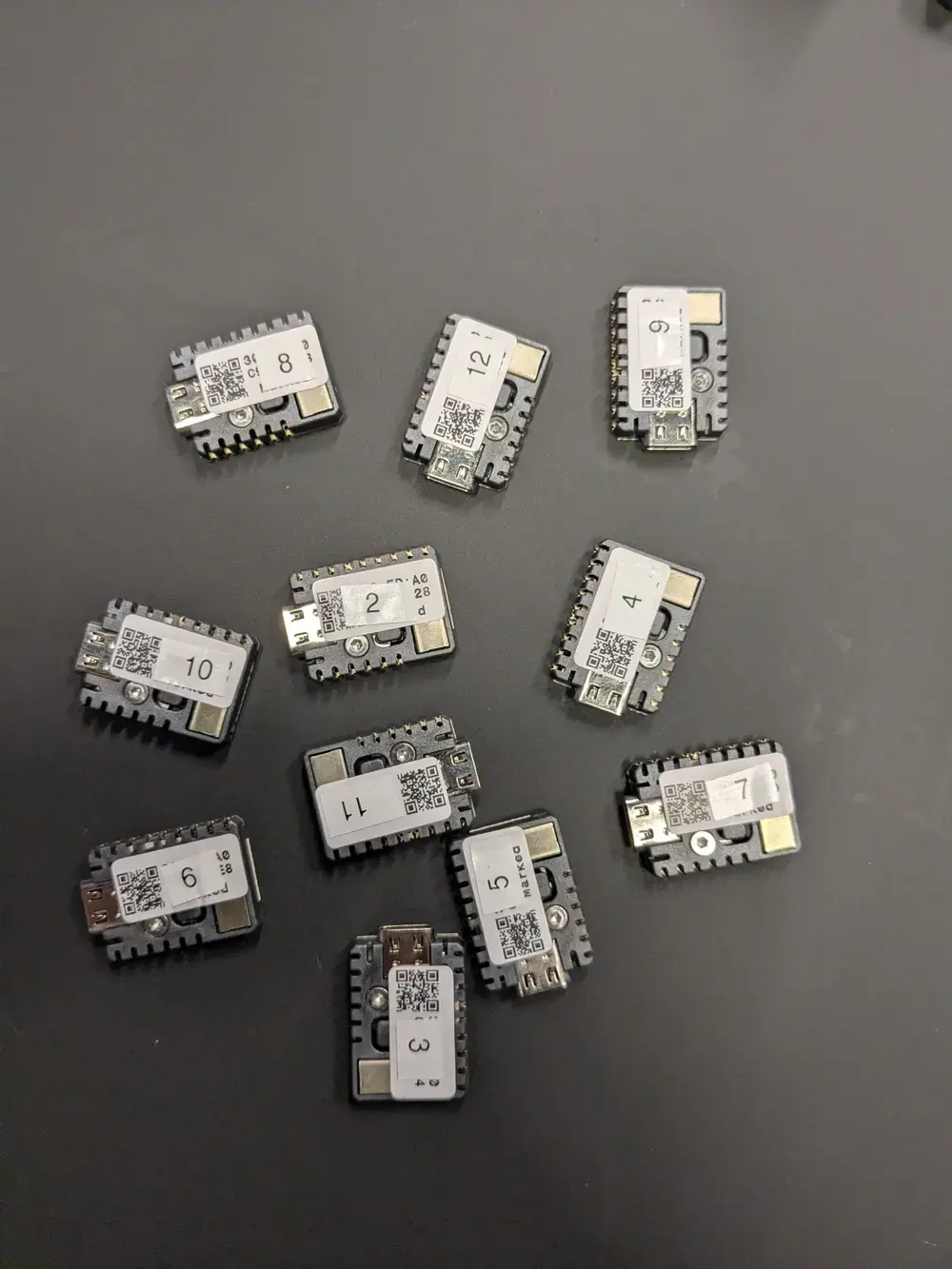
During the workshop, participants got hands-on experience with the EMI-Kit (Embodied Music Interface Kit) – an open-source, low-cost system that allows musicians to control Digital Audio Workstation (DAW) parameters through body movement.
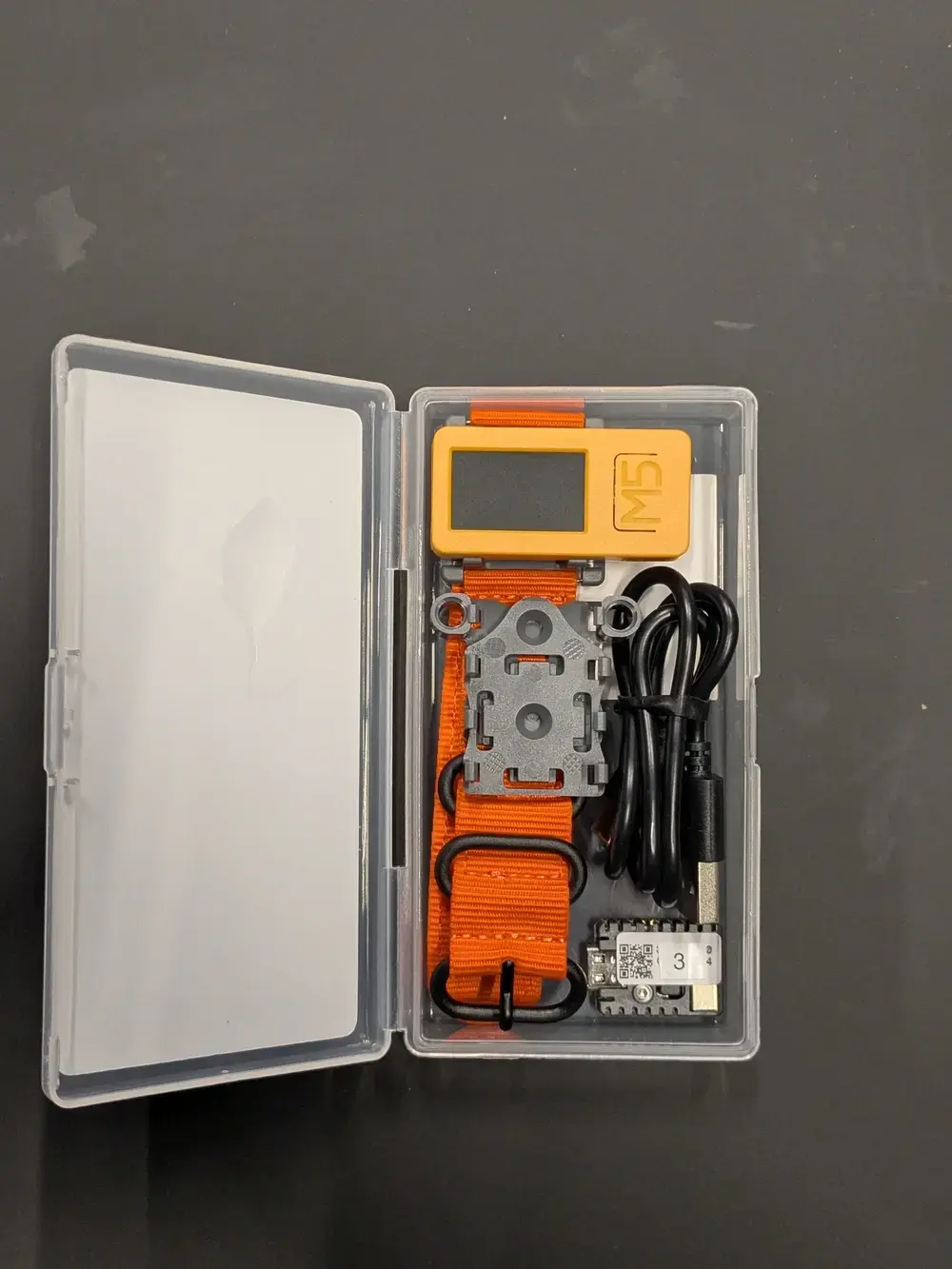
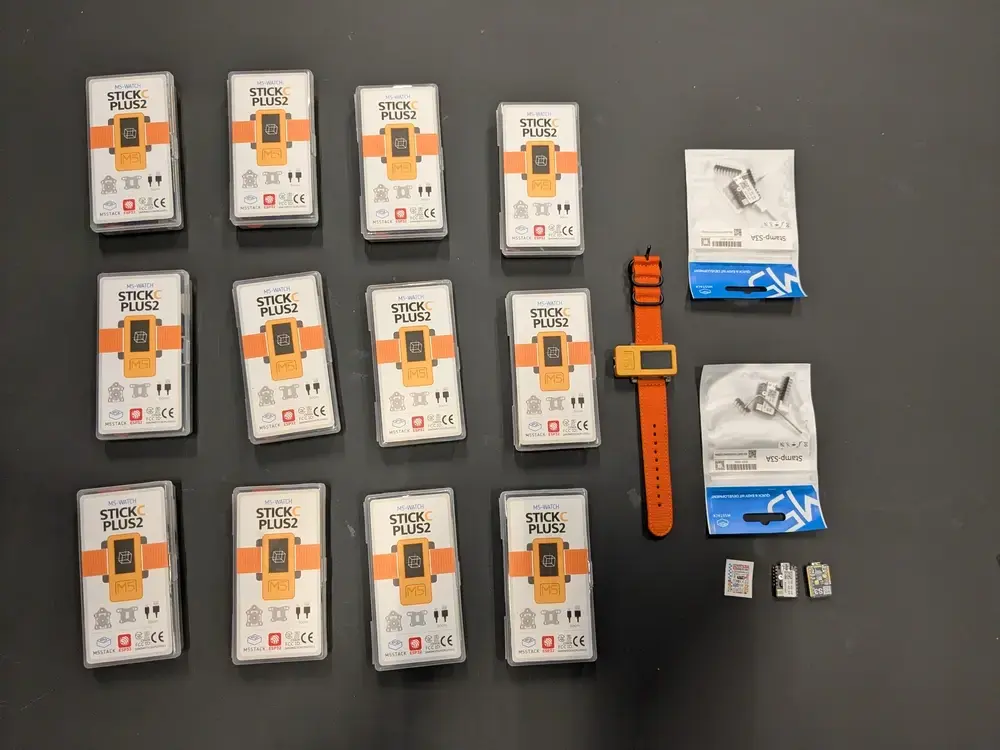
The EMI-Kit consists of: - A wearable sensor device (M5StickC Plus2) that captures body orientation and gestures - A receiver unit (M5Stack STAMP S3A) that converts sensor data to MIDI messages
Unlike expensive commercial alternatives, EMI-Kit is fully open source, customizable, and designed specifically for creative music practice and embodied music interaction practice and research.
Teachers experimented with mapping natural body movements – pitch, yaw, roll, and tap gestures – to various musical parameters in their DAWs. The low-latency wireless system made it possible to move and control sound, opening up new possibilities for expressive musical performance and pedagogy.
Interested in exploring embodied music interaction yourself? Check out:
The EMI-Kit project as-is is a demonstrator to inspire educators to embrace these tools and imagine new ways of teaching and creating music. The EMI-Kit as a platform can - with some additional programming - be a good basis to control musical parameters using various sensors. Have fun with checking out the EMI-Kit.
 UGent, Code, and Projecten
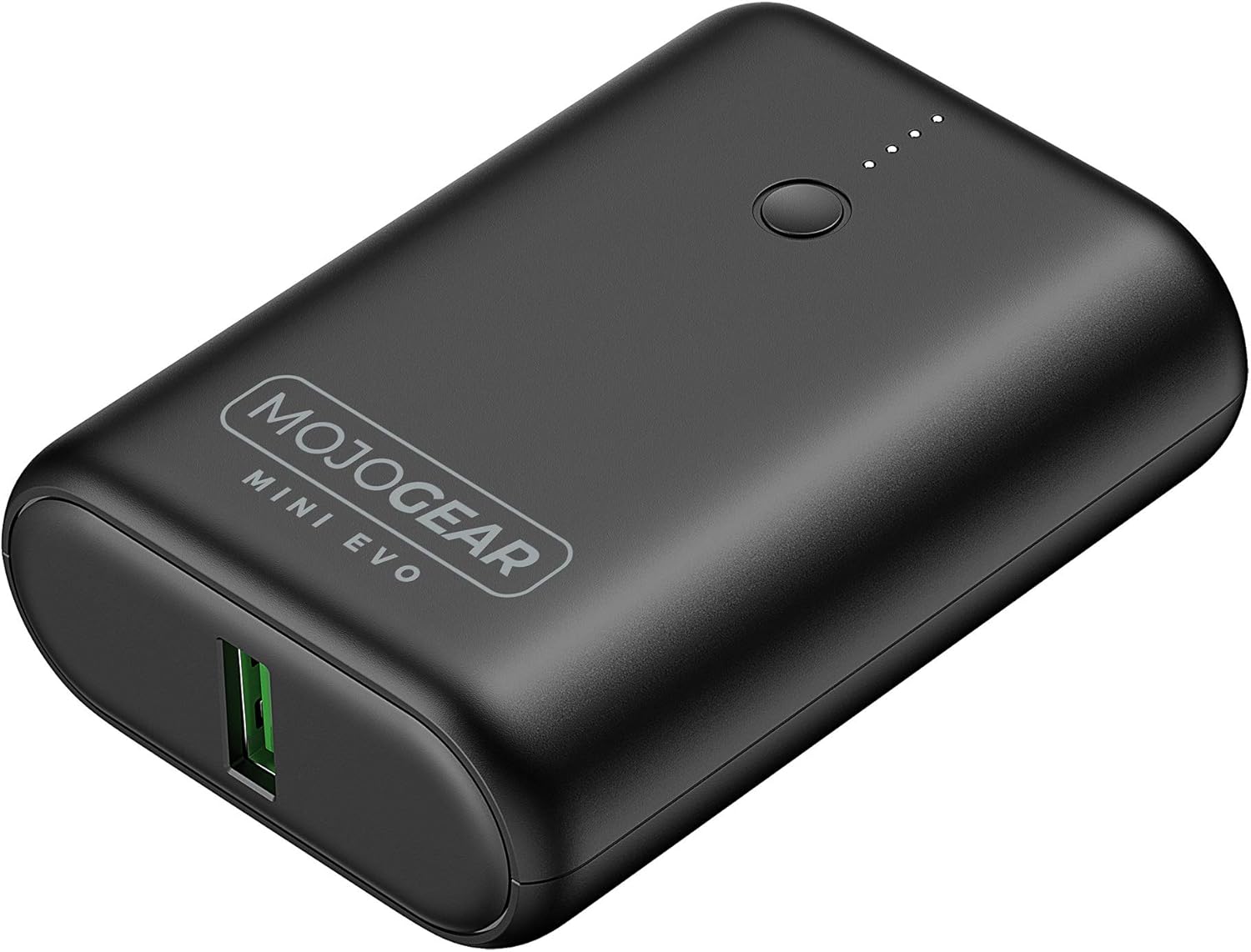 Power banks have become a staple for charging smartphones, tablets, and other devices on the go. They seem ideal to power small microcontroller projects but, they often pose a problem for low-current applications. Most modern power banks include an auto-shutdown feature to conserve energy when they detect a current draw below a specific threshold, often around 50–200mA. The idea being that the power bank can shut off after charging a smartphone. However, if you rely on power banks to power DIY electronics projects or remote applications with low current draw, this auto-off feature can be a significant inconvenience.
To address this issue, consider using power banks designed with an “always-on” or “low-current” mode. These power banks are engineered to sustain power delivery even when the current draw is minimal. Look for models that explicitly mention support for low-power devices in their specifications. If replacing a power bank isn’t an option, you can add a small load resistor or a USB dummy load to artificially increase the current draw. It works, but feels wrong and dirty.
For a previous electronics project I bought a power bank randomly. After a bit of testing, I determined that the minimal power draw was around 150mA, so I added a resistor to increase current draw. Only afterwards did I check the manual of the power bank and noticed, luckily, that there was a low-current mode. I removed the resistor and improved the battery life of the project considerably. If you want to power your DIY Arduino or electronics project, first check the manual of the power bank you want to use!
Edit: after further testing it seemed that the low current mode of this specific power bank still shuts down after a couple of hours. Your mileage may vary, and the main point of this post still holds: check the manual of your power bank. Eventually I went with a solution designed for electronics projects.
UGent, Code, and Projecten
 In my house, I have a few smart home features: to control ventilation, to open and close solar screens, and to switch a few smart sockets. Up until a couple of days ago, the ventilation and screen controllers operated using custom software running on an ESP32. However, configuring, maintaining, upgrading, and integrating with this custom software gradually became a headache.
Recently, I switched from custom software to Tasmota, an open-source smart home platform targeting ESP32 devices. Tasmota includes a web UI, flexible configuration options, OTA upgrades, and scripting features. The scripting functionality allows devices to be extended with additional commands, which is especially practical for controlling my solar screens. These screens use pulses to toggle between up-stop-down-stop states. By default, Tasmota only supports enabling or disabling a relay, not enabling it for a very brief period (e.g., 150 milliseconds). With a short ‘Berry’ script, such functionality is quickly added.
I appreciate the effort of the Tasmota team to lower the entry barrier for users. They provide ample documentation and a web installer, making setup straightforward. Simply connect your ESP32 via USB, flash it with Tasmota, and configure it—all from your browser. It’s a surprisingly simple process compared to installing a dedicated toolchain. While this might not be what Tim Berners-Lee envisioned 35 years ago, it certainly simplifies the user experience. Lowering the entry barrier even further, some manufacturers even offer smart home devices with Tasmota preinstalled, such as the Nous A1 smart sockets. Eternal september is here.
If you’re managing custom ESP32 smart home devices, consider switching to Tasmota. Its robust features, ease of setup, and active community support make it an excellent choice for both beginners and advanced users.
UGent, Code, and Projecten
There is something about surprising interfaces: clapping to switch on lights is more fun than a flipping a switch. Pressing a panic-button to order a pizza is more fun than ordering via an app. Recently I came across this surprising interface: a flute controlled mouse cursor for a first person shooter. I recognize a good idea when I see one, and immediately wanted replicate the idea and make it freely available. So I got to work:
What do we need for flute-based mouse? First we need a way to determine if a note is being played and if a note is produced, we need to be able to determine which note is being played by the musician. Next, we need to hijack and control a cursor via the detected note and trigger a click event when a specific note is played. Finally we need to play a flute, preferably a recorder, to move the mouse cursor in an obviously superior and relaxed fashion. It is not strictly required to use a recorder but a recorder is very much advised.
The note determination can be done by a fundamental frequency detector. A detector returns a frequency in Hertz and a confidence score which tells you how reliable the detection is. With some filtering, this is exactly what we need. If the frequency is close enough to a configured value, a note is detected. The confidence score tells us to either accept or ignore the detection. With this info it is possible to connect a note-detection to an action - like moving a cursor left or right, up or down.
Finally we need to move the mouse cursor. There are a few ways to do this.

A portable way to move a mouse cursor is to let a micro-controller impersonate as a standard mouse, a ‘USB Human Interface Device’. Once the micro-controller is attached via USB it registers as a mouse and allows to move the cursor and register click events. To build a flute-based mouse, the micro-controller then needs a microphone and a pitch estimator to finally send cursor events.
I based my project on an RP2040 - a micro-controller chip designed by Raspberry Pi - since it offers a simple way to present itself to an operating system as a mouse. Just include PluggableUSBHID.h and USBMouse.h and use the Mouse API to control the mouse. For me it only behaved as a standard mouse if Serial is not used at the same time: in other words the dual USB profile does not seem to work reliably.
Sending mouse events from your code looks, for example, like ` Mouse.move(-4, 7)` to move the mouse minus four units in the horizontal and seven units in the vertical direction. Click events have a similarly straightforward API. The RP2040 also has a built-in microphone, which makes it ideal for audio applications, or so it seems.
Unfortunately, the RP2040 chip performs poorly for computationally heavy audio processing workloads. Such applications need to perform many floating point operations per second, but the RP2040 lacks a hardware floating point unit (FPU) which makes it relatively slow. When attempting to run a pitch-detection algorithm, the RP2040 was too slow to run the algorithm in real-time. After profiling the pitch estimation algorithm there was a clear place where most float operations occurred. Replacing those with much quicker fixed point operations makes the algorithm faster than real-time and usable on the RP2040.lt
To give a sens of the difference in speed between fixed point and floating point operations on the RP2040: with the default arduino build process, a million floating point operations take over 883 000 microseconds, a million fixed point operations take 8 microseconds. Fixed point operations are around 5 orders of magnitude faster!
I have named released the code under the name Pitch perfect pointer positioning or PiPePoPo for short. For the details, please do check the source code repository. Perhaps the most intresting, reusable component is the ANSI C implementation of the YIN pitch estimator, both in floating point and sped up with fixed point operations.
The hardware based solution works reliably but, evidently, it needs a piece of hardware. To make sure everybody can enjoy a solution in software is provided in this section in the form of a chrome browser extension.
Moving a cursor is not possible in a browser: if a pointer location could be modified it would open a whole range of possibilities for abuse. A surprisingly easy workaround, however, is to hide the actual cursor and show a replacement cursor-like icon. This fake cursor can be moved programmatically. With the position of this fake cursor known, a click event can be triggered and result in, for example, following a link.
To take this idea to its logical next step, I implemented a chrome browser plug-in for flute-based web-browsing. I also relased this on GitHub under the Pitch perfect Pointer Positioning or PiPePoPo brand. Check the installation instructions in the PiPePoPo repository. Perhaps most of interest is how audio processing is handled by a Web Audio API Audio Worklet.
Join the flute-based web-browsing revolution today and experience web browsing like never before and install PiPePoPo.
I am not sure how but PiPePoPo was also featured on HackADay and the official Arduino Blog.
UGent and Code