TarsosDSP: a Java Library for Audio Processing
TarsosDSP is a Java library for audio processing. Its aim is to provide an easy-to-use interface to practical music processing algorithms implemented, as simply as possible, in pure...

Below you can find links to the open source software I developed during my research. It is always nice to hear how this software is used, don’t hesitate to drop me a line. Bug reports are welcomed as well.
TarsosDSP is a Java library for audio processing. Its aim is to provide an easy-to-use interface to practical music processing algorithms implemented, as simply as possible, in pure...
MI-Kit is a low-cost, open-source system for controlling music production software through body movement. Designed for creative music practice and embodied music interaction research. EMI-Kit can be used...
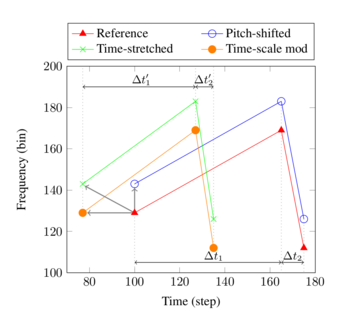
Panako is an extendable acoustic fingerprinting framework. The aim of acoustic fingerprinting is to find small audio fragments in large audio databases. Panako contains several acoustic fingerprinting algorithms...
Olaf is a portable, landmark-based, acoustic fingerprinting system released as open source software. Olaf runs on embedded platforms, traditional computers and in the browser. Olaf is able to...
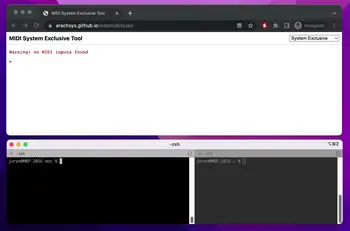
mot consists of several MIDI and OSC command line tools. These are mainly of interest to debug and check OSC messages and MIDI devices. The tools are written...
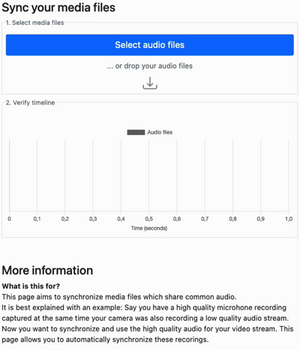
Thanks to WebAssembly it is possible to repurpose software for use on the web, even if it was originally designed with other use in mind. I have developed...
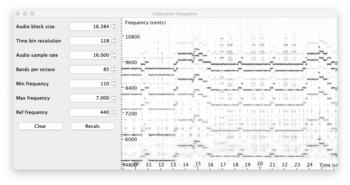
This library calculates fine-grained constant-Q spectral representations of audio signals quickly from Java. The spectral transform can be visualized or further processed in a (Music Information Retrieval) processing...
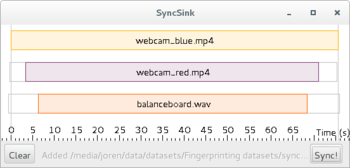
SyncSink is able to synchronize video and audio recordings of the same event. As long as some audio is shared between the multimedia files a reliable synchronization solution...
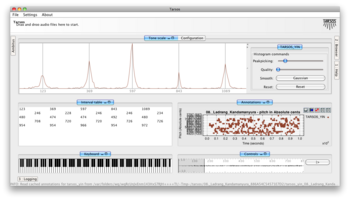
Tarsos is a software tool to analyze and experiment with pitch organization in all kinds of musics. Most of the analysis is done using pitch histograms and octave...

TarsosLSH is a Java library implementing Locality-sensitive Hashing (LSH), a practical nearest neighbor search algorithm for multidimensional vectors that operates in sublinear time. It supports several LSH families:...
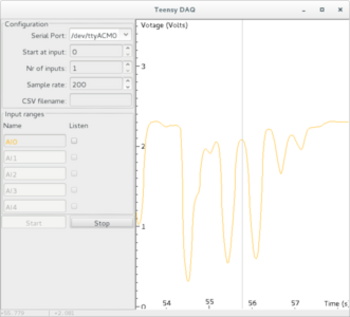
TeensyDAQ is a Java application to quickly visualize and record analog signals with a Teensy micro-controller and some custom software. It is mainly useful to quickly get an...
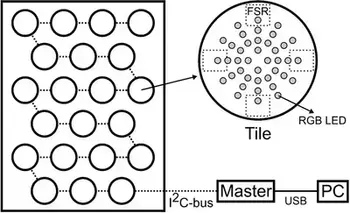
The idea behind AMPEL (by Lousin Moumdjian, Marc Leman, Peter Feys) is to combine both motor and cognitive rehabilitation in a single combined ‘embodied learning’ paradigm. To this...
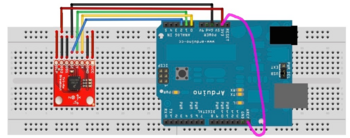
The Pidato experiment demonstrates a rather straightforward method to handle vibrato on a digital piano. It ‘solves’ the age-old problem on what to do with the enigmatic “vibrato”...
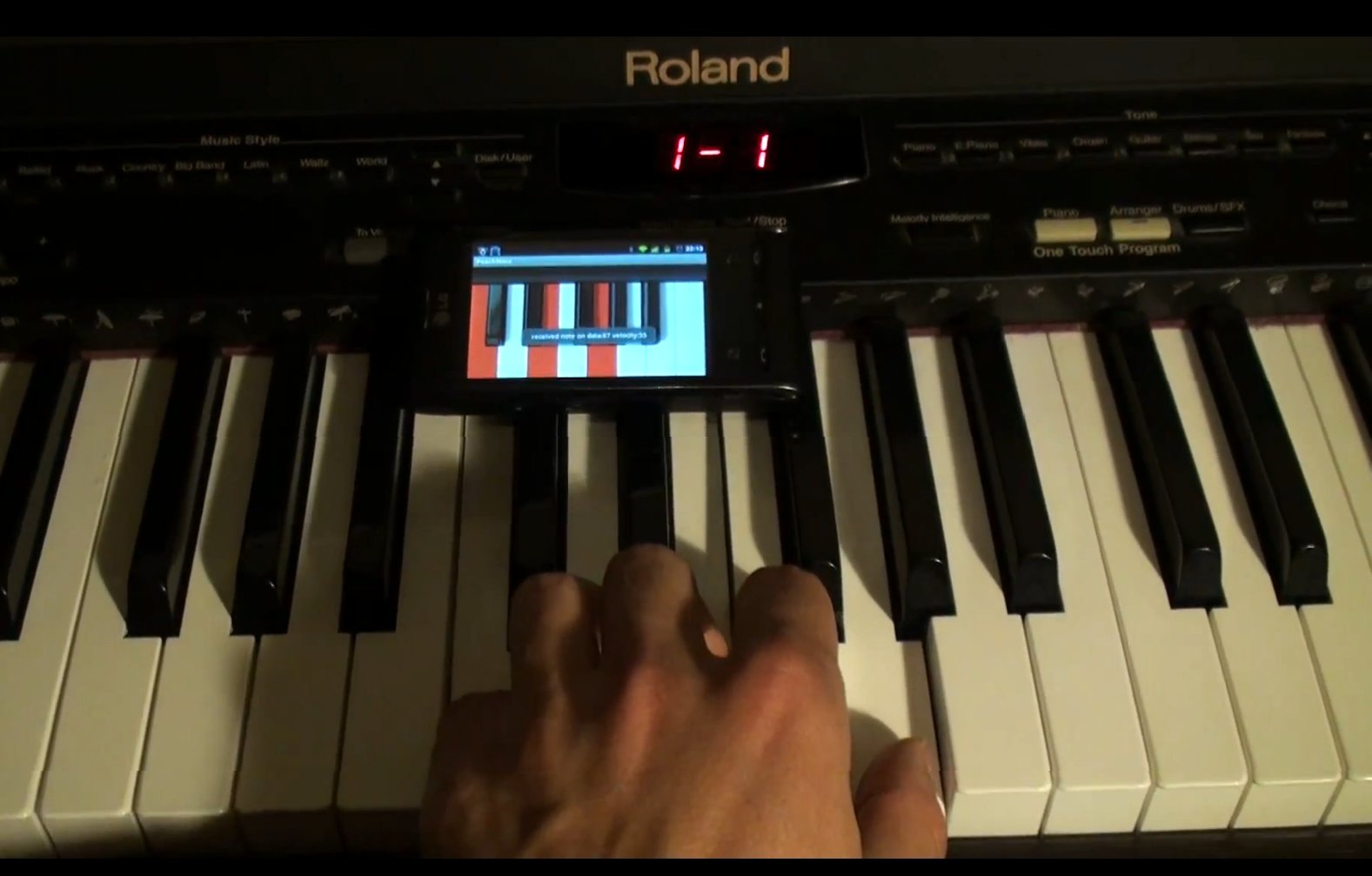
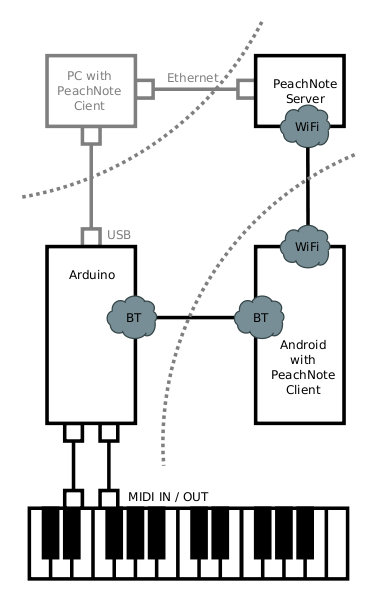 This is about PeachNote Piano, a project only tangentially related to Tarsos. PeachNote Piano aims to capture as many piano practice sessions as possible and offer useful services using this data. The system does this by capturing and redirecting MIDI events on a Bluetooth enabled smartphone. It is done together with Vladimir Viro and builds on the existing PeachNote infrastructure.
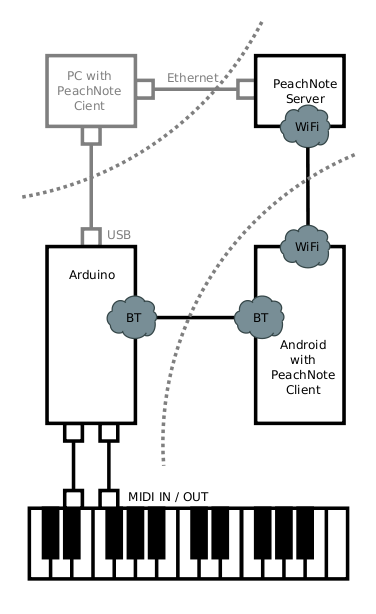
The schema - right - shows the components of the PeachNote Piano system. At the bottom you have a MIDI keyboard connected to the MIDI-Bluetooth-bridge. A smartphone (middle left) receives these MIDI events via Bluetooth and controls the communication to the server (top left). An alternative path goes through a standard computer (top right).
The Arduino based Bluetooth to MIDI bridge is an improvement on the work by Peter Brinkmann. The video below shows communication between USB-MIDI, Bluetooth MIDI and MIDI IN/OUT ports.
As an example application of the PeachNote Piano system we implemented a “Continue a Melody” service which works as follows: a user plays something on a keyboard, maybe just a few notes, and pauses for a few seconds. In the meantime, the server searches through a large database of MIDI piano recordings, finds the longest fuzzy match for the user’s most recent input, and, after a short silence on the users part, starts streaming the continuation of the best matched performance from the database to the user. This mechanism, in fact, is way of browsing a music collection. Users may play a known leitmotiv or just improvise something, and the system continues playing a high quality recording, “replying” to the musical proposition of the user.
The melody matching is done on the server, which is implemented in Javascript in the Node.js framework. The whole dataset (about 350 hours of piano recordings) resides in memory in two representations: as a sequence of pitches, and as a sequence of “densities” at the corresponding places of the pitch sequence dataset. This second array is used to store the rough tempo information (number of notes per second) absent in the pitch sequence data.\ By combining the two search criteria we can achieve reasonable approximation of the tempo-aware search without its computational complexity.
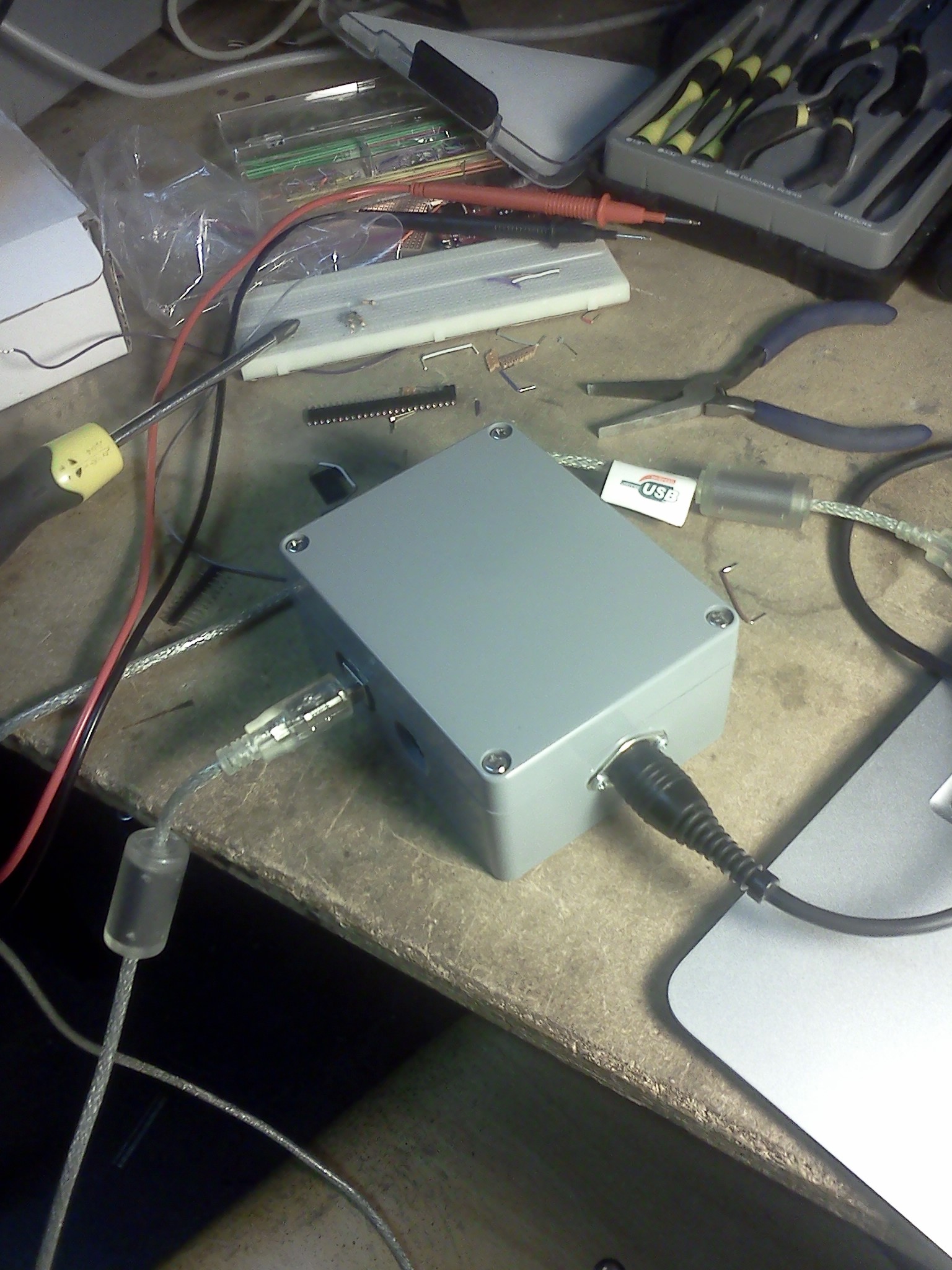
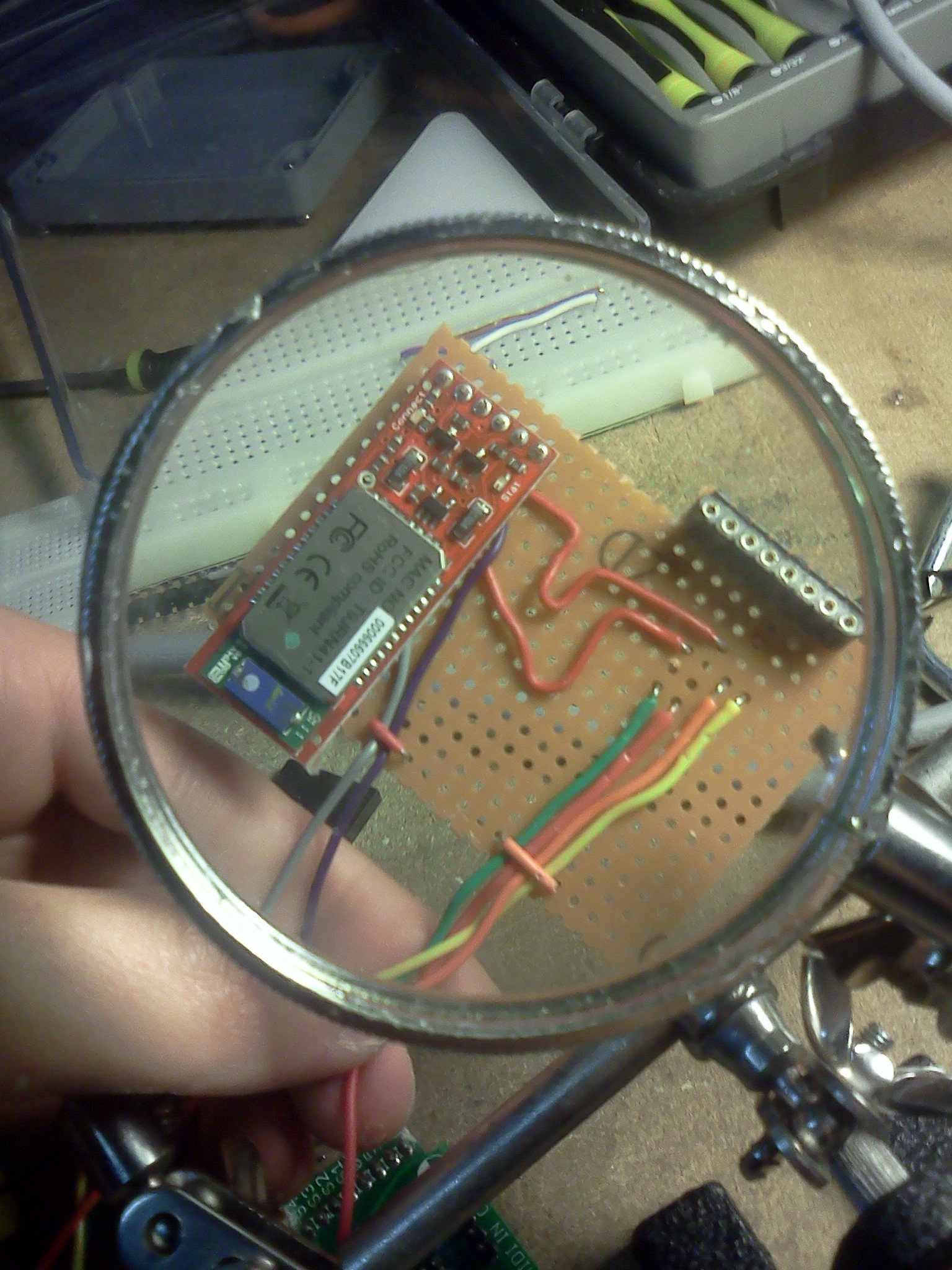
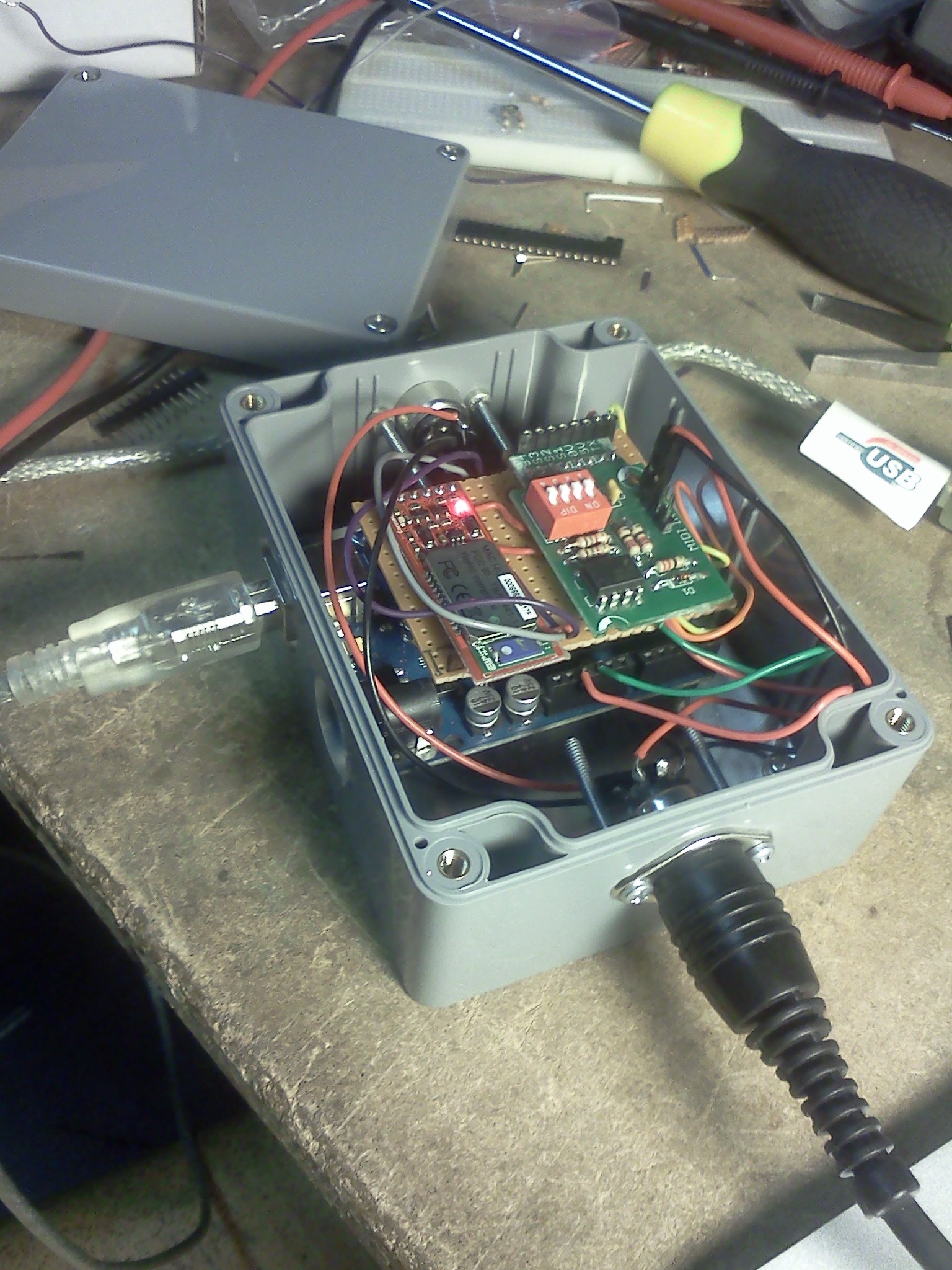
The implementation of the hardware is based on the open-source electronic prototyping platform Arduino. Optocoupled MIDI ports (IN/OUT) and the BlueSMiRF Bluetooth module were attached to the main board, as can be seen in the middle left block of the schema. The BlueTooth module is configured to use the Serial Port Profile (SPP) which emulates RS-232. The software on the Arduino manages bi-directional, low latency message passing between three serial ports: USB (through an FTDI chip), BlueTooth and the hardware MIDI-IN and OUT port.
The standard Arduino firmware has been replaced with firmware that implements the “Universal Serial Bus Device Class Definition for MIDI Devices”: when attached to a computer via USB, the Arduino shows up as a standard MIDI device, which makes it compatible with all available MIDI software. The software client currently works on the Android smartphone platform. It is represented using the middle right block in the schema. The client can send and receive MIDI events over its Bluetooth port. Pairing, connecting and communicating with the device is done using the Amarino software library. The client communicates with the Peachnote Piano server using TCP sockets implemented on the Dalvik Java runtime.
 Code, Java, Presentation, PeachNote Piano, and HoGent
This article describes how to do makam recognition with a script that uses the Tarsos API.
The task we want to do is to find the tone scales most similar to the one used in recorded music. To complete this task you need a small set of theoretical scales and a large set of music, each brought in one of the scales. To make it more concrete, an example of Turkish classical music is used.
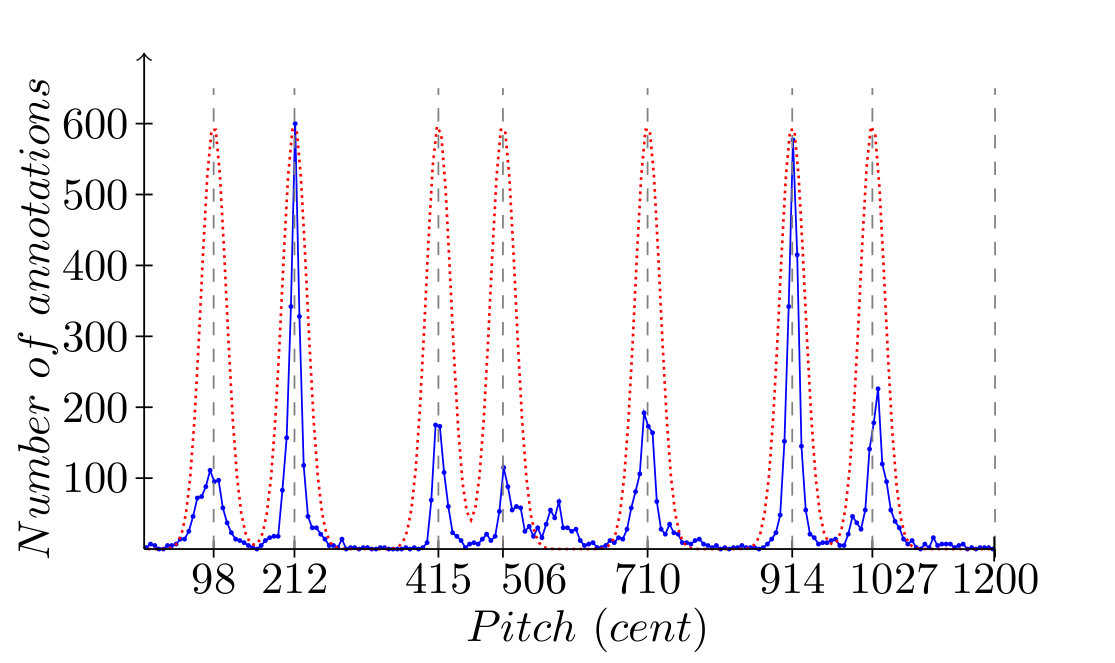
In an article by Bozkurt pitch histograms are used for - amongst other tasks - makam recognition. A maqam defines rules for a composition or performance of classical Turkish music. It specifies melodic shapes and pitch intervals, the scale. The task is to identify which of nine makams is used in a specific song. A simplified, generalized implementation of this task is shown here. In our implementation there is no tonic detection step. Also here we use only theoretical descriptions of the tone scales as a template and do not construct a template using the audio itself, as is done by Bozkurt. Ioannidis Leonidas wrote an interesting master thesis about makam recognition. Since no knowledge of the music itself is used the approach is generally applicable.
The following is an implementation in Scala a general purpose programming language that is interoperable with Jave . The first step is to write the Scala header. This is just some boilerplate code to be able to run the script from the command line - it assumes a UNIX-like environment and tarsos.jar in the same directory:
```ruby\ #!/bin/sh\ exec scala -cp tarsos.jar -savecompiled “$0” “$@”\ !#\ import be.hogent.tarsos.util._\ //other import statements\ ```
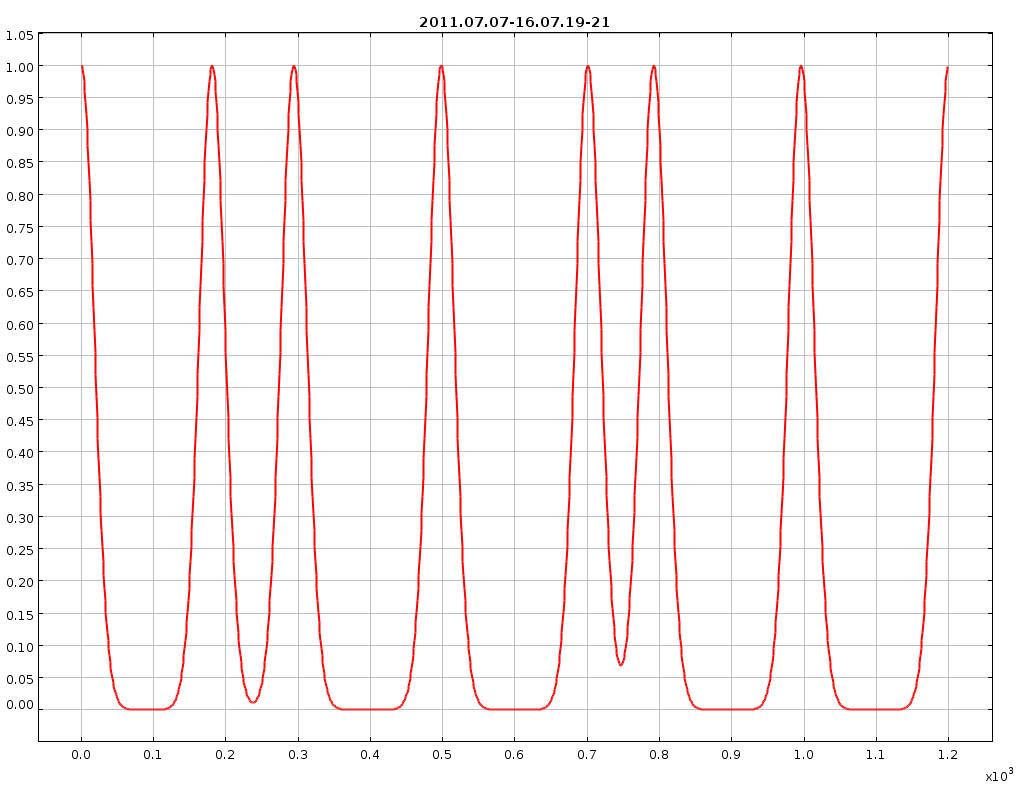
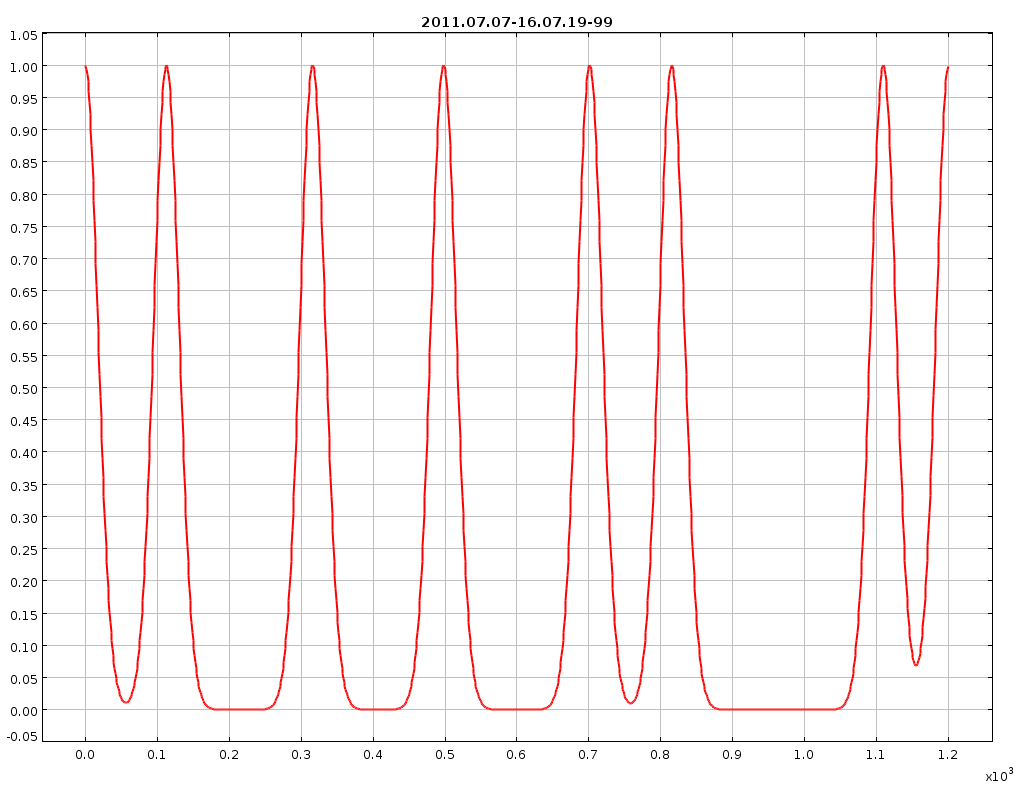
The second step constructs the templates the capability of Tarsos to create\ theoretical tone scale templates using Gaussian kernels is used, line 8. See the attached images for some examples.
```ruby\ val makams = List( “hicaz”,”huseyni”,”huzzam”,”kurdili_hicazar”,\ “nihavend”,”rast”,”saba”,”segah”,”ussak”)
var theoreticKDEs = Map[java.lang.String,KernelDensityEstimate]()\ makams.foreach{ makam =>\ val scalaFile = makam + “.scl”\ val scalaObject = new ScalaFile(scalaFile);\ val kde = HistogramFactory.createPichClassKDE(scalaObject,35)\ kde.normalize\ theoreticKDEs = theoreticKDEs + (makam -> kde)\ }\ ```
The third and last step is matching. First a list of audio\ files is created by recursively iterating a directory and matching each file to\ a regular expression. Next, starting from line 4, each audio file is processed.\ The internal implementation of the YIN pitch detection\ algorithm is used on the audio file and a pitch class histogram is created\ (line 6,7). On line 10 normalization of the histogram is done, to\ make the correlation calculation meaningful. Line 11 until 15 compare the\ created histogram from the audio file with the templates calculated beforehand.\ The results are stored, ordered and eventually printed on line 19.
```ruby\ val directory = “/home/joren/turkish_makams/”\ val audio_pattern = “.*.(mp3|wav|ogg|flac)”\ val audioFiles = FileUtils.glob(directory,audio_pattern,true).toList
audioFiles.foreach{ file =>\ val audioFile = new AudioFile(file)\ val detectorYin = PitchDetectionMode.TARSOS_YIN.getPitchDetector(audioFile)\ val annotations = detectorYin.executePitchDetection()\ val actualKDE = HistogramFactory.createPichClassKDE(annotations,15);\ actualKDE.normalize\ var resultList = List[Tuple2[java.lang.String,Double]]()\ for ((name, theoreticKDE) <- theoreticKDEs){\ val shift = actualKDE.shiftForOptimalCorrelation(theoreticKDE)\ val currentCorrelation = actualKDE.correlation(theoreticKDE,shift)\ resultList = (name -> currentCorrelation) :: resultList\ }\ //order by correlation\ resultList = resultList.sortBy{_._2}.reverse\ Console.println(file + “ is brought in tone scale “ + resultList(0)._1)\ }\ ```
A complete version of this script can is available: “Tone scale matching script”:[guess_makam.scala] Results of the script when ran on Bozkurt’s dataset can be seen in the attached spreadsheet (“openoffice format”:[makam_recognition_results.ods] or “excel format”:[makam_recognition_results.xls]).
 Computational ethnomusicology, Code, Java, Music Information Retrieval, Tarsos, and HoGent
 guess_makam.scala, makams.zip, makam_recognition_results.ods, and makam_recognition_results.xls
 A paper about Tarsos was submitted for review at the 12th International Society for Music Information Retrieval Conference which will be held in Miami. The paper “Tarsos - a Platform to Explore Pitch Scales in Non-Western and Western Music”:[tarsos_ismir_2011.pdf] was reviewed and accepted, it will be published in this year’s proceedings of the ISMIR conference. It can be read below as well.
An oral presentation about Tarsos is going to take place Tuesday, the 25 of October during the afternoon, as can be seen on the ISMIR preliminary program schedule.
If you want to cite our work, please use the following data:
```ruby\ \@inproceedings{six2011tarsos,\ author = {Joren Six and Olmo Cornelis},\ title = {Tarsos - a Platform to Explore Pitch Scales\ in Non-Western and Western Music},\ booktitle = {Proceedings of the 12th International\ Society for Music Information Retrieval Conference,\ ISMIR 2011},\ year = {2011},\ publisher = {International Society for Music Information Retrieval}\ }\ ```
Computational ethnomusicology, Research papers, Music Information Retrieval, Code, featured, Tarsos, ISMIR, and HoGent
tarsos_ismir_paper.bibtex.txt and tarsos_ismir_2011.pdf
Tarsos, a software package to analyse pitch organization in music, contains a new output modality. Now it is possible to export resynthesized pitch annotations, detected by a pitch detection algorithm and compare those with the original sound. This can be interesting to see which errors a pitch detection algorithm makes.
Below you can listen to an example of synthesized pitch detection results compared with the original flute piece. The file starts with only the original flute sound (on the right channel) and gradually changes so only the synthesized annotations (on the left channel) can be heard.
Resynthesis of Pitch Detection Annotations on a Flute Piece by Joren Six
Computational ethnomusicology, Music Information Retrieval, Code, Java, Tarsos, and HoGent
flute_resynth.wav
This article describes how to make sun-java6 play nice with the PulseAudio sound sytem on Ubuntu with an x64 processor architecture. With some changes the method should also work with other operating systems and other platforms.
The default way sun-java6 operates with respect to sound on Ubuntu is, well unrespectfull. When playing audio it claims an audio device, which then can not be used any more by other applications trying to access the same device. This is far from ideal. Also changing audio interfaces (by e.g. plugging in a USB audio interface) goes wrong most of the time.

These problems are addressed by PulseAudio and there is a way to make sun-java6 aware of PulseAudio on Ubuntu. The OpenJDK does this automatically but it has some other, unrelated, issues. If you want to use PulseAudio with java6 on Ubuntu x64 you need copy “pulse-java.jar”:[pulse-java.jar] and platform dependent “libpulse-java.so”:[libpulse-java.so] file to correct JVM directories. To make it easy you can execute these commands:
```ruby\ wget http://tarsos.0110.be/attachment/cons/255/libpulse-java.so\ sudo cp libpulse-java.so /usr/lib/jvm/java-6-sun/jre/lib/amd64
wget http://tarsos.0110.be/attachment/cons/256/pulse-java.jar\ sudo cp pulse-java.jar /usr/lib/jvm/java-6-sun/jre/lib/ext\ ```
From this moment on the “PulseAudio Mixer” is available for Java applications. Sharing, switching and assigning audio devices to Java programs is as a result smooth. To use the PulseAudio Mixer by default you need to change sound.properties which can be found at /usr/lib/jvm/java-6-sun/jre/lib/sound.properties. Details can be found here.
Code, Java, and HoGent
libpulse-java.so, pulse-java.jar, and pulseaudio_logo.png
Vorige zaterdag werd Apps For Ghent georganiseerd: een activiteit om het belang van open data te onderstrepen in navolging van onder meer Apps For Amsterdam en New York City Big App. Tijdens de voormiddag kwamen er verschillende organisaties hun open gestelde data voorstellen de namiddag werd gereserveerd voor een wedstrijd. Het doel van de wedstrijd was om in enkele uren een concept uit te werken en meteen voor te stellen. Het uitgewerkte prototype moest gedeeltelijk functioneren en gebruik maken van (Gentse) open data.
Luk Verhelst en ikzelf hebben er TwinSeats voorgesteld.
TwinSeats is een website / online initiatief om nieuwe mensen te leren kennen. Met hen deel je dezelfde culturele interesse en ga je vervolgens samen naar deze of gene voorstelling. Door events centraal te stellen kan TwinSeats uitzonderlijke cultuurburen zoeken. Leden vinden die cultuurburen dankzij een gezamenlijke voorliefde voor een artiest of attractie of eender welke bezigheid in de vrijetijdssfeer.
Het prototype is ondertussen terug te vinden op TwinSeats.be. Let wel dit is in enkele uren in elkaar geflanst en is verre van ‘af’, het achterliggende concept is belangrijker.
Samen met Wa Kank Doen van SumoCoders werden we door de jury tot winnaar uitgeroepen. Maandag verscheen er een artikel in de Standaard over AppsForGhent met een vermelding van TwinSeats. Op de Apps For Ghent site is uiteraard ook iets te vinden over TwinSeats ook het juryverslag is er te vinden. Zoals het hoort bij die categorie evenementen werd ook wat afgetweet.
Er is ook een publieksprijs verbonden aan AppsForGhent die wordt over enkele weken uitgereikt.
Code, Projecten, Portfolio, Hackerspace Ghent, and 0110.be
TarsosDSP is a collection of classes to do simple audio processing. It features an implementation of a percussion onset detector and two pitch detection algorithms: Yin and the Mcleod Pitch method.
Its aim is to provide a simple interface to some audio (signal) processing algorithms implemented in JAVA.
To make some of the possibilities clear I coded some examples.
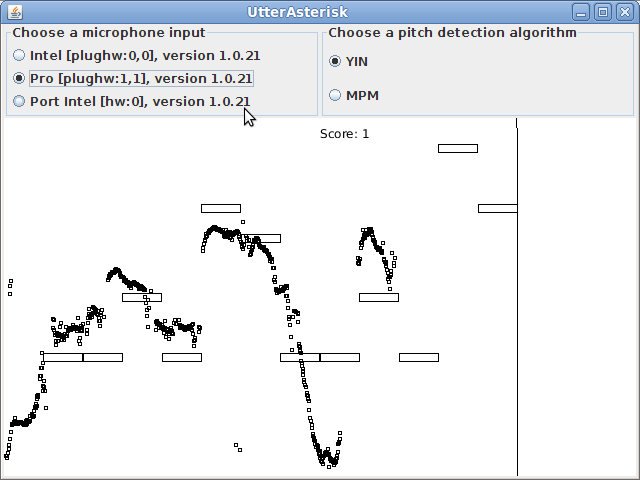
“TarsosDSP UtterAsterisk”:[UtterAsterisk.jar] a game that shows real-time pitch detection with YIN.
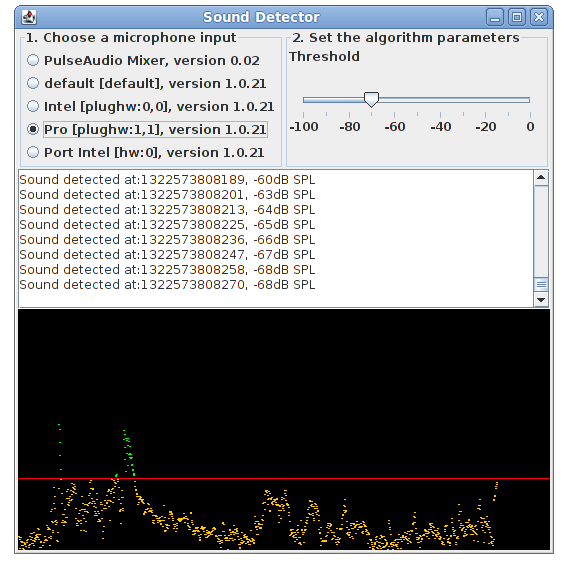
“TarsosDSP Sound Detector”:[SoundDetector.jar] is simply to show how to react when (loud) sound is available.
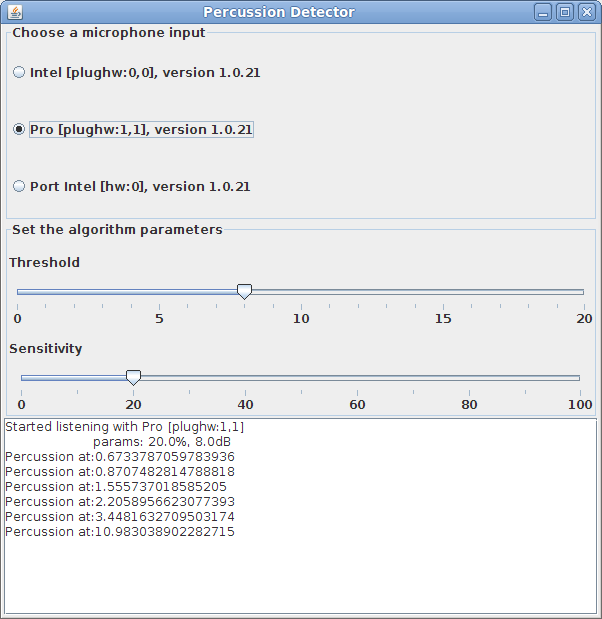
“TarsosDSP Percussion Detector”:[PercussionDetector.jar] is capable of detecting percussion onsets using the method described here. It plays a sound from freesound.org when percussion is detected.
The source code of TarsosDSP is available on github.
Saturday the 25th of March TarsosDSP was presented at Newline, a small conference organized by whitespace. Here you can download “the slides I used to present TarsosDSP”:[tarsosDSP_presentation.pdf], I also created “an introductory text on sound and Java”:[sound_and_java.pdf].
 Code, Java, featured, TarsosDSP, Tarsos, and HoGent
PitchDetector.jar, PercussionDetector.jar, tarsosDSP_presentation.pdf, sound_and_java.pdf, UtterAsterisk.jar, and SoundDetector.jar
Code, Java, featured, TarsosDSP, Tarsos, and HoGent
PitchDetector.jar, PercussionDetector.jar, tarsosDSP_presentation.pdf, sound_and_java.pdf, UtterAsterisk.jar, and SoundDetector.jar

With this post I would like to draw attention to the fact that remote port forwarding with OpenSSH 4.7 on Ubuntu 8.04.1 does not work as expected.
If you follow the instructions of a SSH remote port forwarding tutorial everything goes well until you want to allow everyone to access the forwarded port (not just localhost). The problem arises when binding the forwarded port to an interface. Even with GatewayPorts yes present in /etc/ssh/sshd_config the following command shows that it went wrong:
```ruby\ user@local$ssh -R 2222:localhost:22 user@remote\ user@remote$sudo netstat -lntp #on the remote server\ Active Internet connections (only servers)\ Proto Recv-Q Send-Q Local Address Foreign Address State\ tcp6 0 0 ::1:2222 :::* LISTEN\ ```
It listens only via IPv6 and only on localhost an not on every interface (as per request by defining GatewayPorts yes). The netstat command should yield this output:
```ruby\ user@local$ssh -R 2222:localhost:22 user@remote\ user@remote$sudo netstat -lntp #on the remote server\ Active Internet connections (only servers)\ Proto Recv-Q Send-Q Local Address Foreign Address State\ tcp 0 0 0.0.0.0:2222 0.0.0.0:* LISTEN\ ```
I do not really know here it goes wrong but there is an easy workaround. By defining both
```ruby\ GatewayPorts yes\ AddressFamily inet\ ```
in /etc/ssh/sshd_config remote port forwarding works fine but you lose IPv6 connectivity (this due to the AddressFamily setting). Another solution is to use more up to date software: the bug is not present in Ubuntu 10.04 with OpenSSH 5.3 (I don’t know if it is an Ubuntu or OpenSSH bug, or even a configuration issue.
I have been struggling with this issue for a couple of hours and, with this blog post, I hope I can prevent someone else from doing the same.
Code and 0110.be
ssh-copy-id is a practical bash script, installed by default on Ubuntu. The script is used to distribute public keys. The following oneliner makes it available on Mac OS X:
```ruby\ sudo bash < <( curl —silent http://0110.be[install-ssh-copy-id.bash] )\ ```\ This oneliner does three things:
It copies ssh-copy-id from this website to /bin/ssh-copy-id.
It makes sure that ssh-copy-id is executable, using chmod.
There is no three
The install procedure needs superuser rights because it writes in the /bin folder. Executing scripts from untrusted sources with superuser rights is actually really, really, extremely dangerous. But in this case it is rather innocent.
The ssh-copy-id script is the one provided with Ubuntu and Debian, I assume it is GPL’ed. I have not modified it for Mac OS X but it seems to behave as expected. I have only tested the install script and behavior on 10.6.5, YMMV (Your Mileage May Vary).
Code, Mac OS X, and 0110.be
ssh-copy-id.txt, install-ssh-copy-id.bash, and install-ssh-copy-id.bash

There is more to Tarsos then meets te eye. The graphical user interface only exposes some functionality; the API (Application Programmer Interface) exposes all of Tarsos’ capabilities.
Tarsos is programmed in Java so the API is accessible trough Java and other programming languages targeting the JVM (Java Virtual Machine) like JRuby, Scala and Groovy. The following examples use the Groovy programming language because I find it the most aesthetically pleasing with regards to interoperability and it gets the job done without getting in your way.
To run the examples a copy of the Tarsos JAR-file needs to be added to the Classpath and the Groovy runtime must be installed correctly. I’ll leave this as an exercise for the reader: godspeed to you, brave soul. Quick protip: placing a copy of the jar in the extensions directory seems to work best, e.g. see important java directories on mac OS X.
The first example extracts pitch class histograms from a bunch of files and saves them as EPS (Encapsulated PostScript)-files. It iterates a directory recursively and handles each file that matches a given regular expression. In this example the regular expression matches all WAV-files. Batch processing is one of those things scripting is ideal for, doing the same thing with the user interface would be tedious or even mind-numbingly boring, not groovy at all indeed.
```ruby\ import be.hogent.tarsos.*\ import be.hogent.tarsos.util.*\ import be.hogent.tarsos.util.histogram.ToneScaleHistogram\ import be.hogent.tarsos.sampled.pitch.Annotation\ import be.hogent.tarsos.sampled.pitch.PitchDetectionMode
dir = “/home/joren/audio”
FileUtils.glob(dir,”.*.wav”,true).each { file ->\ audioFile = new AudioFile(file)\ pitchDetector = PitchDetectionMode.TARSOS_YIN.getPitchDetector(audioFile)\ pitchDetector.executePitchDetection()\ //get some annotations\ annotations = pitchDetector.getAnnotations()\ //create an ambitus and tone scale histogram\ ambitusHistogram = Annotation.ambitusHistogram(annotations)\ toneScaleHisto = ambitusHistogram.toneScaleHistogram()\ //plot a smoothed version of the histogram\ p = new SimplePlot()\ p.addData 0, toneScaleHisto.gaussianSmooth(0.2)\ p.save FileUtils.basename( file) + “.eps”\ }\ ```
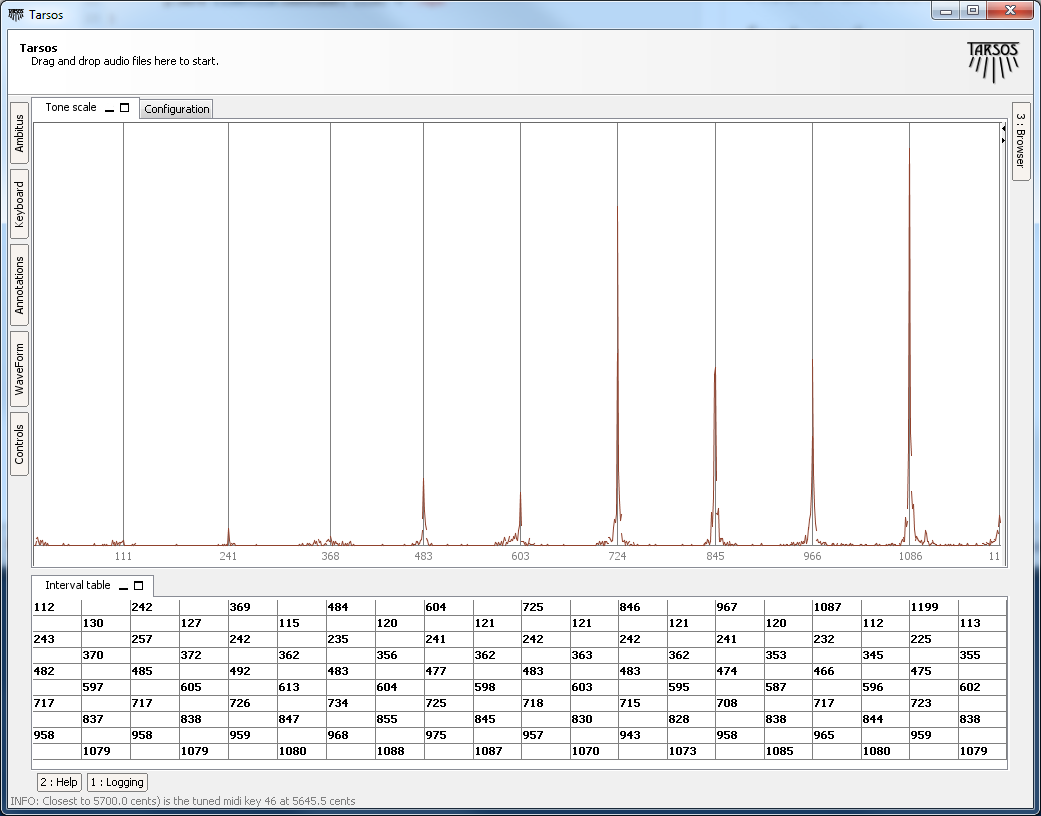
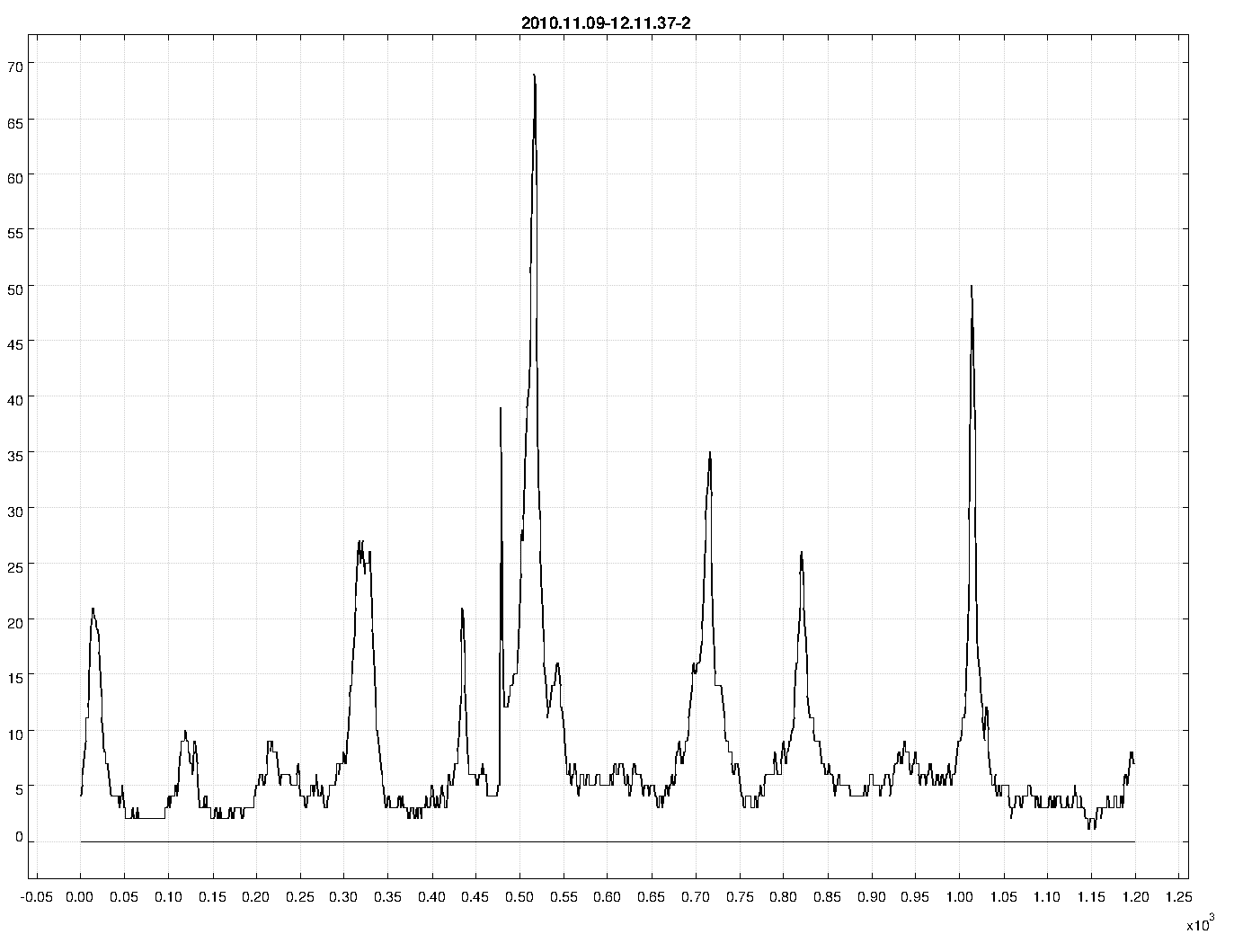
The second example uses functionality that is currently only available trough the API. It takes a MIDI-file and synthesizes it to a wave file using an arbitrary scale. In this case 10-TET. The heavy-work is done by the Gervill synthesizer. The resulting file is available for download, micro—macro?—tonal Bach is great: “BWV 1013 in 10-TET”:[BWV_1013_10-TET.mp3]. The result of “an analysis with Tarsos on the synthesized audio”:[120.png] clearly shows an interval of 120 cents with some deviations.
```ruby\ import java.io.File\ import be.hogent.tarsos.midi.MidiToWavRenderer\ import be.hogent.tarsos.util.ScalaFile
midiFile = new File(“BWV_1013.mid”)\ outFile = new File(“out.wav”)
tuning = [0,120,240,360,480,600,720,840,960,1080] as double []
MidiToWavRenderer renderer\ renderer = new MidiToWavRenderer()\ renderer.setTuning(tuning)\ renderer.createWavFile(midiFile, outFile)\ ```
An extended version of this second example script could be used to generate a dataset with audio and corresponding tone scale information on the fly. The dataset could then be used as a baseline.
The API is not yet well documented and is still in flux or more correctly: superflux. Note to self: I will provide documentation and a number of useful examples when the dust settles down. I’m not even sure if I will stick with Groovy. Scala has a nice Lispy feel to it and seems more developed. Groovy has a less steep learning curve, especially if you have some experience with Ruby. JRuby is also nice but the interoperability with legacy Java looks like an ugly hack.
 Code, Java, featured, Tarsos, and HoGent
medium.png, 120.png, and BWV_1013_10-TET.mp3
Code, Java, featured, Tarsos, and HoGent
medium.png, 120.png, and BWV_1013_10-TET.mp3