TarsosDSP: a Java Library for Audio Processing
TarsosDSP is a Java library for audio processing. Its aim is to provide an easy-to-use interface to practical music processing algorithms implemented, as simply as possible, in pure...
Below you can find links to the open source software I developed during my research. It is always nice to hear how this software is used, don’t hesitate to drop me a line. Bug reports are welcomed as well.
TarsosDSP is a Java library for audio processing. Its aim is to provide an easy-to-use interface to practical music processing algorithms implemented, as simply as possible, in pure...
MI-Kit is a low-cost, open-source system for controlling music production software through body movement. Designed for creative music practice and embodied music interaction research. EMI-Kit can be used...
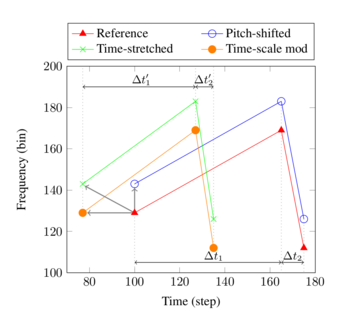
Panako is an extendable acoustic fingerprinting framework. The aim of acoustic fingerprinting is to find small audio fragments in large audio databases. Panako contains several acoustic fingerprinting algorithms...
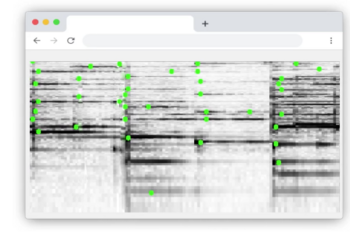
Olaf is a portable, landmark-based, acoustic fingerprinting system released as open source software. Olaf runs on embedded platforms, traditional computers and in the browser. Olaf is able to...
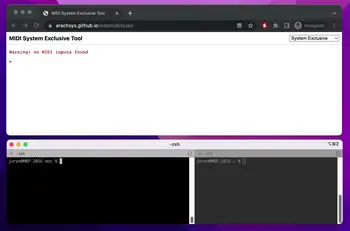
mot consists of several MIDI and OSC command line tools. These are mainly of interest to debug and check OSC messages and MIDI devices. The tools are written...
Thanks to WebAssembly it is possible to repurpose software for use on the web, even if it was originally designed with other use in mind. I have developed...
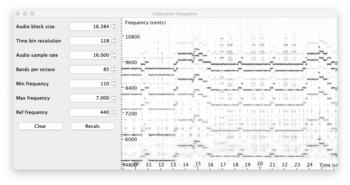
This library calculates fine-grained constant-Q spectral representations of audio signals quickly from Java. The spectral transform can be visualized or further processed in a (Music Information Retrieval) processing...
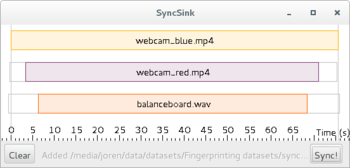
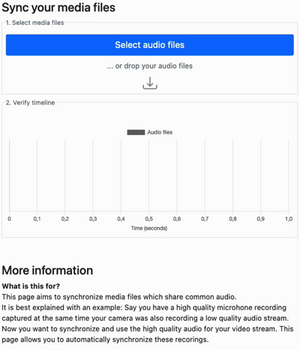
SyncSink is able to synchronize video and audio recordings of the same event. As long as some audio is shared between the multimedia files a reliable synchronization solution...
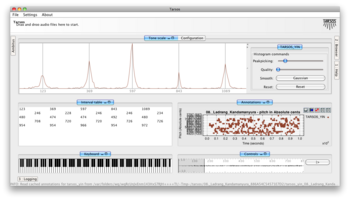
Tarsos is a software tool to analyze and experiment with pitch organization in all kinds of musics. Most of the analysis is done using pitch histograms and octave...

TarsosLSH is a Java library implementing Locality-sensitive Hashing (LSH), a practical nearest neighbor search algorithm for multidimensional vectors that operates in sublinear time. It supports several LSH families:...
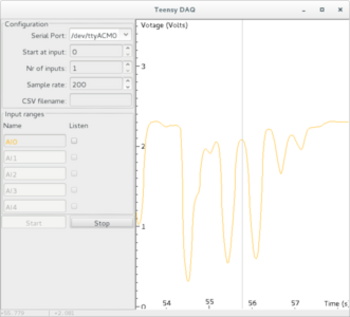
TeensyDAQ is a Java application to quickly visualize and record analog signals with a Teensy micro-controller and some custom software. It is mainly useful to quickly get an...
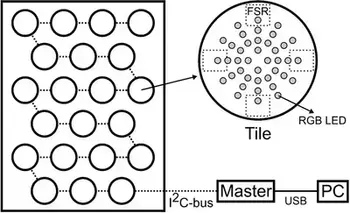
The idea behind AMPEL (by Lousin Moumdjian, Marc Leman, Peter Feys) is to combine both motor and cognitive rehabilitation in a single combined ‘embodied learning’ paradigm. To this...
The Pidato experiment demonstrates a rather straightforward method to handle vibrato on a digital piano. It ‘solves’ the age-old problem on what to do with the enigmatic “vibrato”...
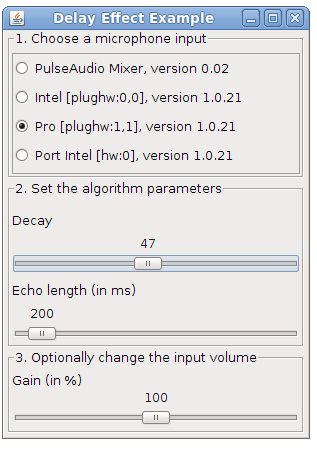
The DSP library for Taros, aptly named TarsosDSP, now includes an implementation of an audio echo effect. An echo effect is very simple to implement digitally and can serve as a good example of a DSP operation.
The implementation of the effect can be seen below. As can be seen, to achieve an echo one simply needs to mix the current sample i with a delayed sample present in echoBuffer with a certain decay factor. The length of the buffer and the decay are the defining parameters for the sound of the echo. To fill the echo buffer the current sample is stored (line 4). Looping through the echo buffer is done by incrementing the position pointer and resetting it at the correct time (lines 6-9).
```java\ //output is the input added with the decayed echo\ audioFloatBuffer[i] = audioFloatBuffer[i] + echoBuffer[position] * decay;\ //store the sample in the buffer;\ echoBuffer[position] = audioFloatBuffer[i];\ //increment the echo buffer position\ position;\ //loop in the echo buffer\ if(position == echoBuffer.length)\ position = 0;\ ```
To test the application, download and execute the “Delay.jar”:[Delay.jar] file and start singing in a microphone.
The source code of the Java implementation can be found on the TarsosDSP github page.
 TarsosDSP, Code, Java, and HoGent
 Delay.jar and echo_or_delay_effect.png
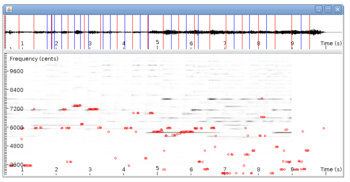
This is post presents a better version of the spectrogram implementation. Now it is included as an example in TarsosDSP, a small java audio processing library. The application show a live spectrogram, calculated using an FFT and the detected fundamental frequency (in red).
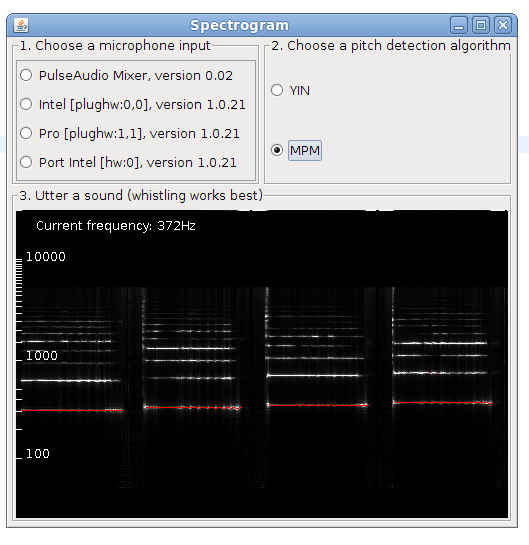
To test the application, download and execute the “Spectrogram.jar”:[Spectrogram.jar] file and start singing in a microphone.
There is also a command line interface, the following command shows the spectrum for in.wav:
\
java -jar Spectrogram.jar in.wav\
The source code of the Java implementation can be found on the TarsosDSP github page.
 Code, Java, Computational musicology, TarsosDSP, and HoGent
Spectrogram.jar and spectrogram.png
Code, Java, Computational musicology, TarsosDSP, and HoGent
Spectrogram.jar and spectrogram.png
 Tarsos contains a couple of useful command line applications. They can be used to execute common tasks on lots of files. Dowload Tarsos and call the applications using the following format:
java -jar tarsos.jar command [argument...] [--option [value]...]
The first part java -jar tarsos.jar tells the Java Runtime to start the correct application. The first argument for Tarsos defines the command line application to execute. Depending on the command, required arguments and options can follow.
java -jar tarsos.jar detect_pitch in.wav --detector TARSOS_YIN
To get a list of available commands, type java -jar tarsos.jar -h. If you want more information about a command type java -jar tarsos.jar command -h
Detects pitch for one or more input audio files using a pitch detector. If a directory is given it traverses the directory recursively. It writes CSV data to standard out with five columns. The first is the start of the analyzed window (seconds), the second the estimated pitch, the third the saillence of the pitch. The name of the algorithm follows and the last column shows the original filename.
Synopsis
--------
java -jar tarsos.jar detect_pitch [option] input_file...

Option                                  Description
------                                  -----------
-?, -h, --help                          Show help
--detector <PitchDetectionMode>         The detector to use [VAMP_YIN |
                                          VAMP_YIN_FFT |
                                          VAMP_FAST_HARMONIC_COMB |
                                          VAMP_MAZURKA_PITCH | VAMP_SCHMITT |
                                          VAMP_SPECTRAL_COMB |
                                          VAMP_CONSTANT_Q_200 |
                                          VAMP_CONSTANT_Q_400 | IPEM_SIX |
                                          IPEM_ONE | TARSOS_YIN |
                                          TARSOS_FAST_YIN | TARSOS_MPM |
                                          TARSOS_FAST_MPM | ] (default:
                                          TARSOS_YIN)
The output of the command looks like this:
Start(s),Frequency(Hz),Probability,Source,file
0.52245,366.77039,0.92974,TARSOS_YIN,in.wav
0.54567,372.13873,0.93553,TARSOS_YIN,in.wav
0.55728,375.10638,0.95261,TARSOS_YIN,in.wav
0.56889,380.24854,0.94275,TARSOS_YIN,in.wav
A small part of Tarsos has been turned into a audio fingerprinting application. The idea of audio fingerprinting is to create a condensed representation of an audio file. A perceptually similar audio file should generate similar fingerprints. To test how robust a fingerprinting technique is, a data set with audio files that are alike in some way is practical.
SoX - Sound eXchange is a command line utility for sound processing. It can apply audio effects to a sound. Using these effects and a set of unmodified songs an audio fingerprinting data set can be created. To generate such a data set SoX can be used to:
Trim the first x seconds of a file
Speed-up or slow-down the audio
Change the pitch of a file without modifying the tempo
Generate background noise (white noise is used)
Reverse the audio stream
```ruby\ #Trim the first 10 seconds\ sox input.wav output.wav trim 10
sox input.wav output.wav speed 1.10
#without changing the tempo\ sox input.wav output.wav pitch 100
sox input.wav noise.wav synth whitenoise\ #mix the white noise with the input to generate noisy output\ #-v defines how loud the white noise is\ sox -m input.wav -v 0.1 noise.wav output.wav
sox input.wav output.wav reverse\ ```
A ruby script to generate a lot of these files can be found “attached”:[audio_fingerprinting_dataset_generator.rb.txt].
Code and HoGent
audio_fingerprinting_dataset_generator.rb.txt
The aim of acoustic fingerprinting is to generate a small representation of an audio signal that can be used to identify or recognize similar audio samples in a large audio set. A robust fingerprint generates similar fingerprints for perceptually similar audio signals. A piece of music with a bit of noise added should generate an almost identical fingerprint as the original. The use cases for audio fingerprinting or acoustic fingerprinting are myriad: detection of duplicates, identifying songs, recognizing copyrighted material,…
Using a pitch class histogram as a fingerprint seems like a good idea: it is unique for a song and it is reasonably robust to changes of the underlying audio (length, tempo, pitch, noise). The idea has probably been found a couple of times independently, but there is also a reference to it in the literature, by Tzanetakis, 2003: Pitch Histograms in Audio and Symbolic Music Information Retrieval:
Although mainly designed for genre classification it is possible that features derived from Pitch Histograms might also be applicable to the problem of content-based audio identification or audio fingerprinting (for an example of such a system see (Allamanche et al., 2001)). We are planning to explore this possibility in the future.
Unfortunately they never, as far as I know, did explore this possibility, and I also do not know if anybody else did. I found it worthwhile to implement a fingerprinting scheme on top of the Tarsos software foundation. Most elements are already available in the Tarsos API: a way to detect pitch, construct a pitch class histogram, correlate pitch class histograms with a pitch shift,… I created a GUI application which is presented here. It is, probably, the first open source acoustic / “audio fingerprinting system based on pitch class histograms”:[AudioFingerprinter.jar].
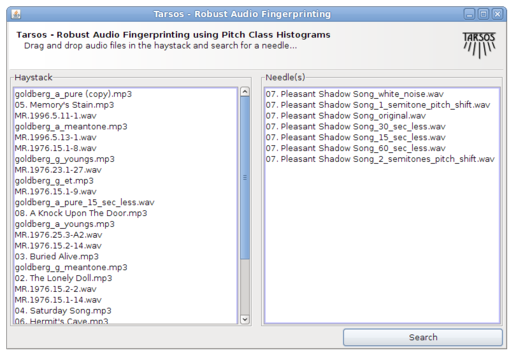
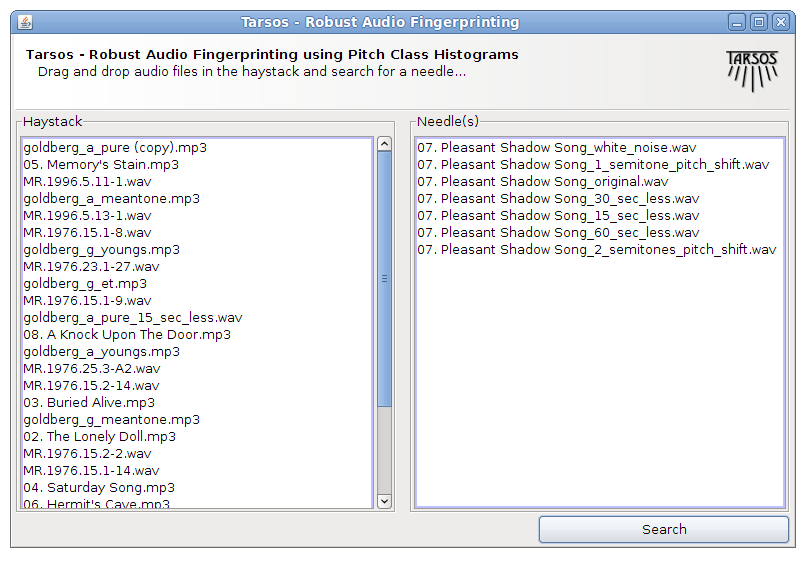
It works using drag and drop and the idea is to find a needle (an audio file) in a hay stack (a large amount of audio files). For every audio file in the haystack and for the needle pitch is detected using an optimized, for speed, Yin implementation. A pitch class histogram is created for each file, the histogram for the needle is compared with each histogram in the hay stack and, hopefully, the needle is found in the hay stack.
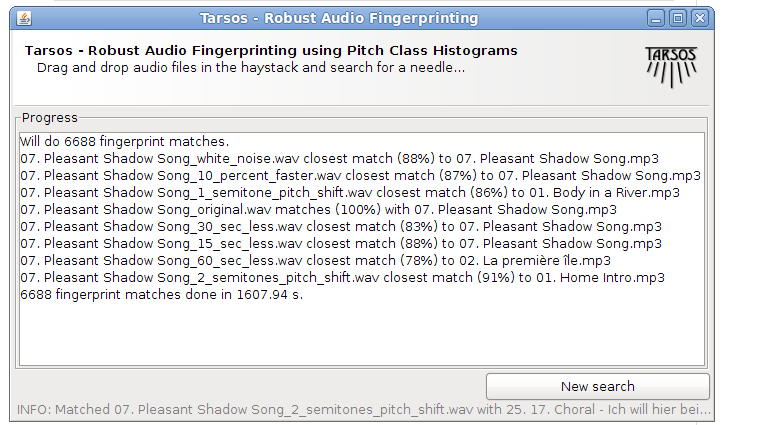
Unfortunately I do not have time for rigorous testing (by building a large acoustic fingerprinting data set, or an other decent test bench) but the idea seems to work. With the following modifications, done with audacity effects the needle was still found a hay stack of 836 files :
A 10% speedup
15 and 30 seconds removed form the needle (a song of 4 minutes 12 seconds)
White noise added
Reversed the audio (This is, I believe, a rather unique property of this fingerprinting technique)
GSM reencoded
The following modifications failed to identify the correct song:
A one semitone pitch shift
A two semitone pitch shift
60 seconds removed from the needle
The original was also found. No failure analysis was done. The hay stack consists of about 100 hours of western pop, the needle is also a western pop song. If somebody wants to pick up this work or has an acoustic fingerprinting data set or drop me a line at
.
The source code is available, as always, on the Tarsos GitHub page.

 Code, Java, Music Information Retrieval, featured, Tarsos, and HoGent
x360-dc445.audio_fingerprinting_query.png and AudioFingerprinter.jar
Code, Java, Music Information Retrieval, featured, Tarsos, and HoGent
x360-dc445.audio_fingerprinting_query.png and AudioFingerprinter.jar
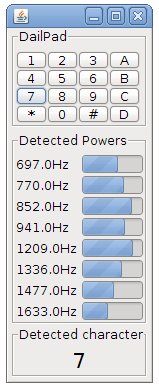 The DSP library of Tarsos, aptly named TarsosDSP, now contains an implementation of the Goertzel Algorithm. It is implemented using pure Java.
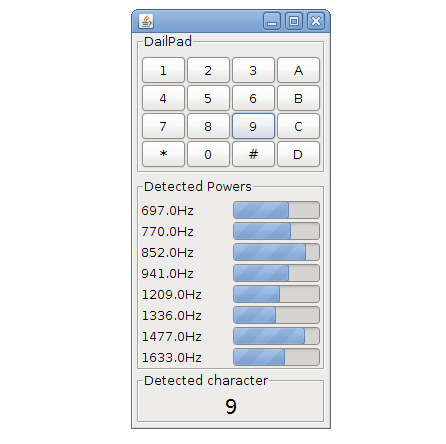
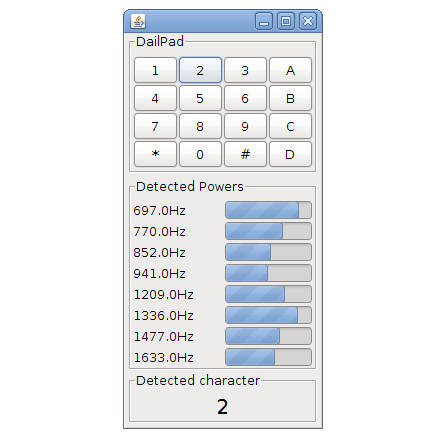
The Goertzel algorithm can be used to detect if one or more predefined frequencies are present in a signal and it does this very efficiently. One of the classic applications of the Goertzel algorithm is decoding the tones generated on by touch tone telephones. These use DTMF (Dual tone multi frequency)-signaling.
To make the algorithm visually appealing a Java Swing interface has been created(visible right). You can try this application by running the “Goertzel DTMF Jar-file”:[GoertzelDTMF.jar]. The souce code is included in the jar and is avaliable as a separate “zip file”:[GoertzelDTMF_src.zip]. The TarsosDSP github page also contains the source for the Goertzel algorithm Java implementation.
 Code, Java, TarsosDSP, and HoGent
goertzel_DTMF_java_7.png, GoertzelDTMF.jar, and GoertzelDTMF_src.zip
Code, Java, TarsosDSP, and HoGent
goertzel_DTMF_java_7.png, GoertzelDTMF.jar, and GoertzelDTMF_src.zip
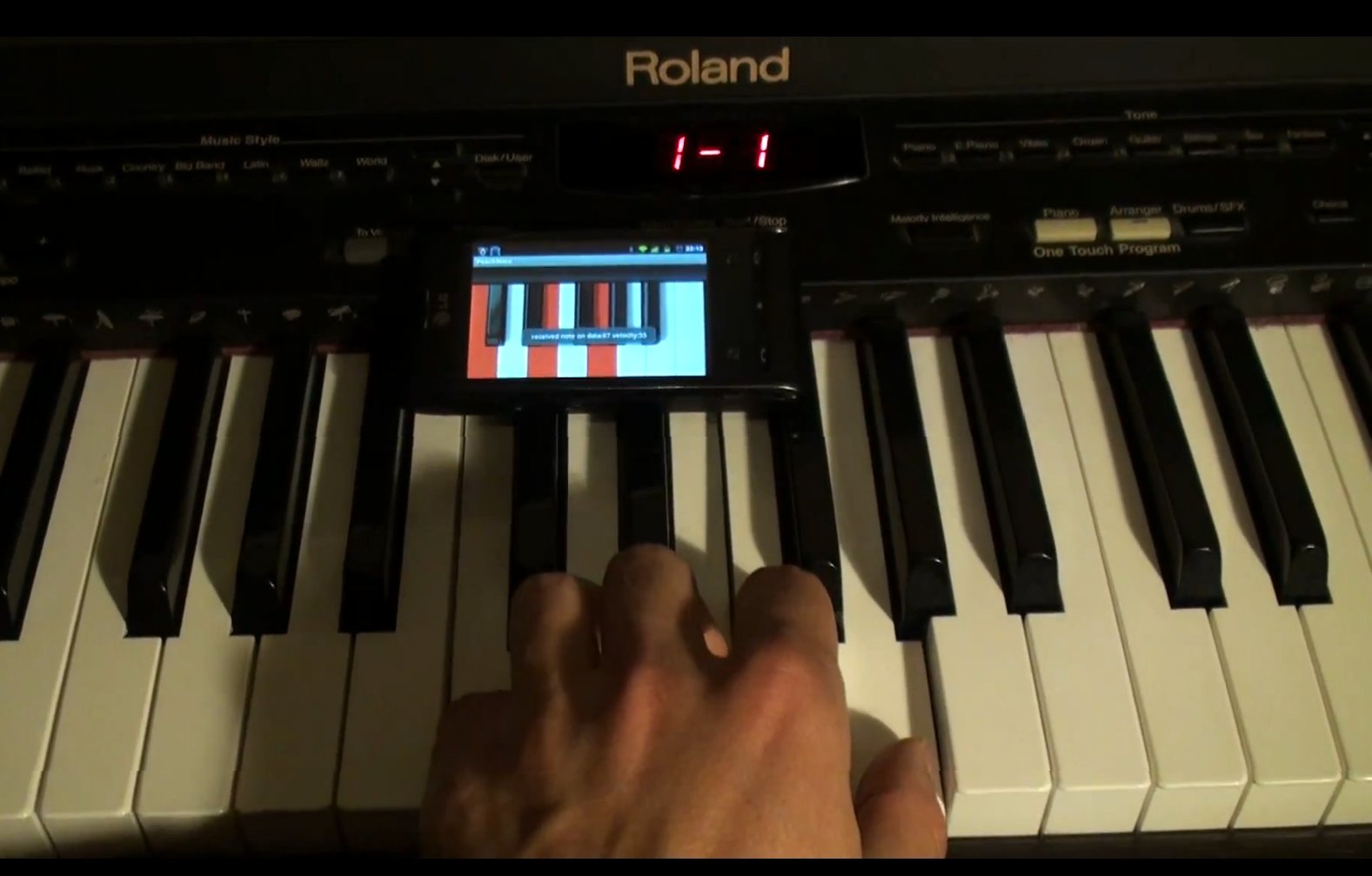
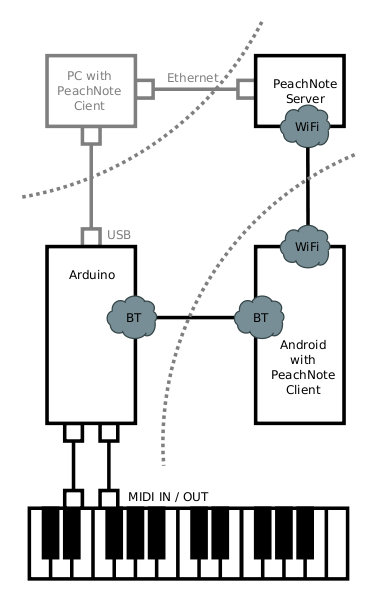 The extended abstract about PeachNote Piano has been accepted as a demonstration presentation to appear at the ISMIR (International Society for Music Information Retrieval) 2011 conference in Miami. To know more about PeachNote Piano come see us at our demo stand (during the Late Breaking and Demo Session) or read the paper: “Peachnote Piano: Making MIDI instruments social and smart using Arduino, Android and Node.js”:[PeachNote_Piano_ISMIR_Demo.pdf]. What follows here is the introduction of the extended abstract:
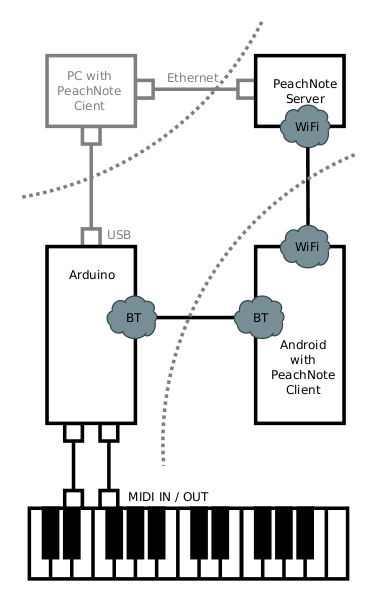
Playing music instruments can bring a lot of joy and satisfaction, but not all apsects of music practice are always enjoyable. In this contribution we are addressing two such sometimes unwelcome aspects: the solitude of practicing and the "dumbness" of instruments. The process of practicing and mastering of music instruments often takes place behind closed doors. A student of piano spends most of her time alone with the piano. Sounds of her playing get lost, and she can't always get feedback from friends, teachers, or, most importantly, random Internet users. Analysing her practicing sessions is also not easy. The technical possibility to record herself and put the recordings online is there, but the needed effort is relatively high, and so one does it only occasionally, if at all. Instruments themselves usually do not exhibit any signs of intelligence. They are practically mechanic devices, even when implemented digitally. Usually they react only to direct actions of a player, and the player is solely responsible for the music coming out of the insturment and its quality. There is no middle ground between passive listening to music recordings and active music making for someone who is alone with an instrument. We have built a prototype of a system that strives to offer a practical solution to the above problems for digital pianos. From ground up, we have built a system which is capable of transmitting MIDI data from a MIDI instrument to a web service and back, exposing it in real-time to the world and optionally enriching it.
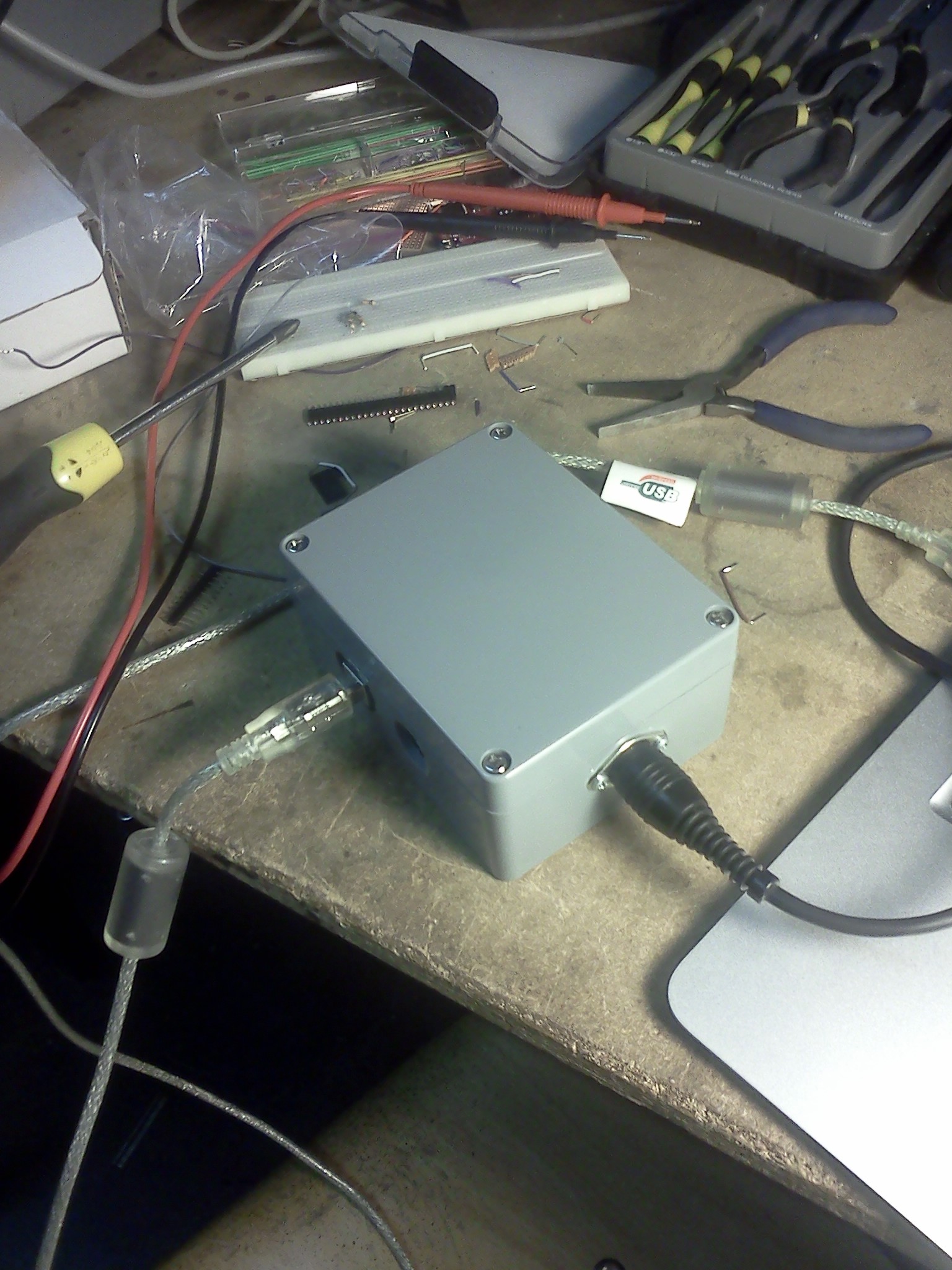
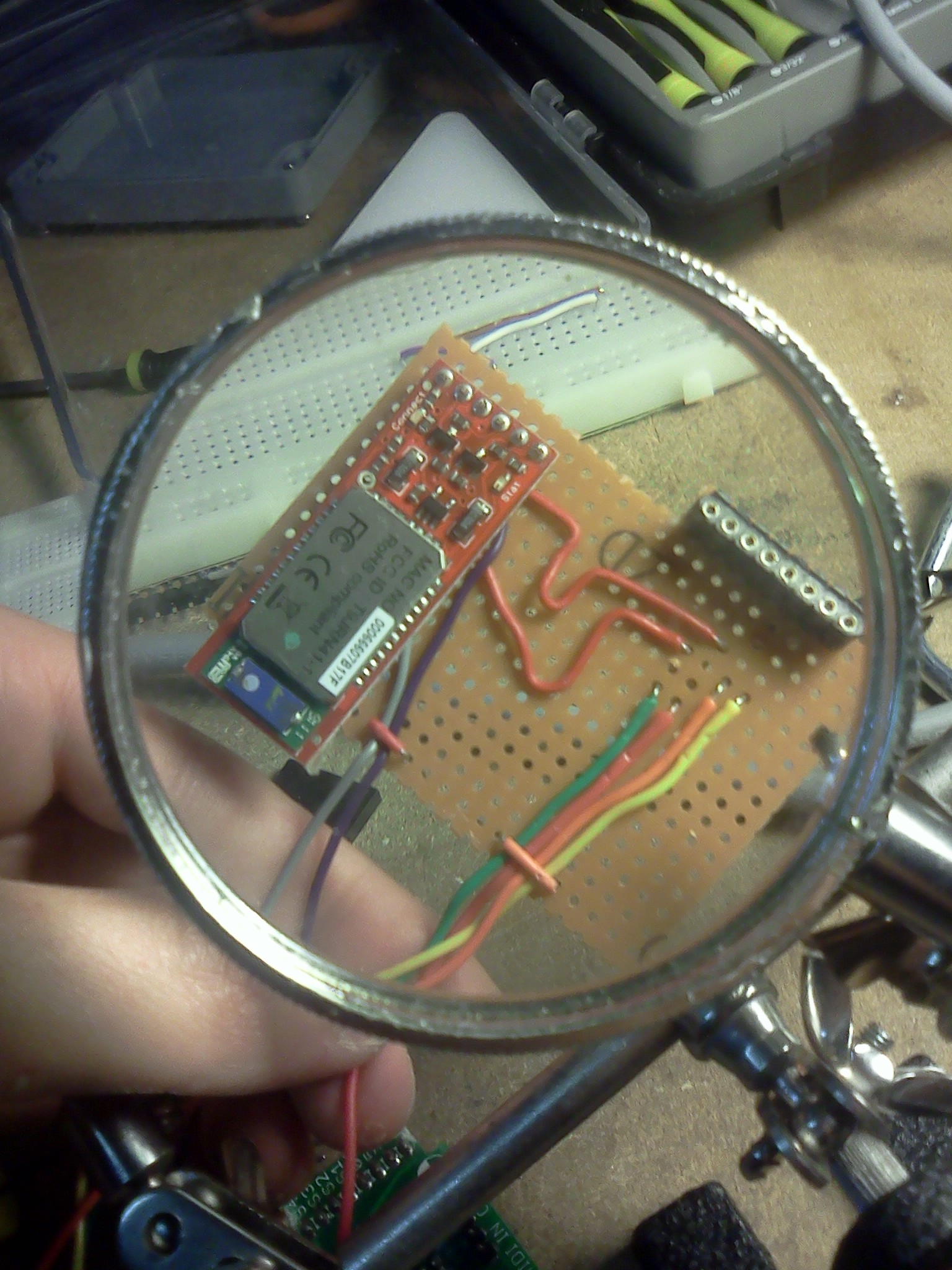
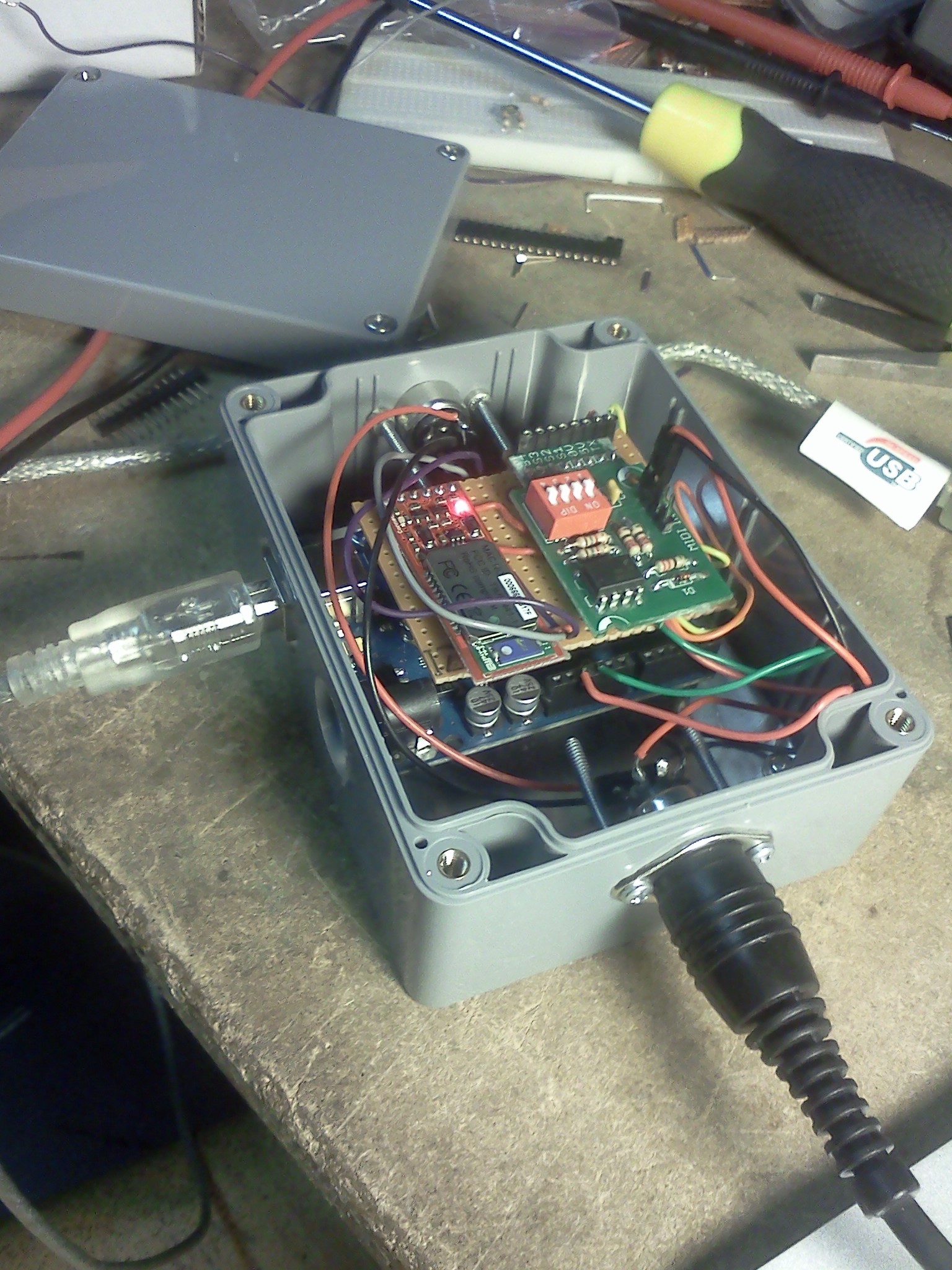
A previous post about PeachNote Piano has more technical details together with a video showing the core functionality (quasi-instantaneous USB-BlueTooth-MIDI communication). Some photos can be found below.
 Research papers, Music Information Retrieval, Code, Computational musicology, Presentation, PeachNote Piano, ISMIR, and HoGent
PeachNote_Piano_ISMIR_Demo.pdf
Research papers, Music Information Retrieval, Code, Computational musicology, Presentation, PeachNote Piano, ISMIR, and HoGent
PeachNote_Piano_ISMIR_Demo.pdf
 While working on a Latex document with several collaborators some problems arise:
Who has the latest version of the TeX-files?
Which LaTeX distributions are in use (MiKTeX, LiveTex,…)
Are all LaTeX packages correctly installed on each computer?
Why is the bibliography, generated with BiBTeX, not included or incomplete?
How does the final PDF look like when it is build by one of the collaborators, with a different LaTeX distribution?
Especially installing and maintaining LaTeX distributions on different platforms (Mac OS X, Linux, Windows) in combination with a lot of LaTeX packages can be challenging. This blog post presents a way to deal with these problems.
The solution proposed here uses a build-server. The server is responsible for compiling the LaTeX source files and creating a PDF-file when the source files are modified. The source files should be available on the server should be in sync with the latest versions of the collaborators. Also the new PDF-file should be distributed. The syncing and distribution of files is done using a Dropbox install. Each author installs a Dropbox share (available on all platforms) which is also installed on the server. When an author modifies a file, this change is propagated to the server, which, in turn, builds a PDF and sends the resulting file back. This has the following advantages:
Everyone always has the latest version of files;
Only one LaTeX install needs to be maintained (on the server);
The PDF is the same for each collaborator;
You can modify files on every platform with Dropbox support (Linux, Mac OS X, Windows) and even smartphones;
Compiling a large LaTeX file can be computationally intensive, a good task for a potentially beefy server.
The implementation of this is done with a couple of bash-scripts running on Ubuntu Linux. LaTeX compilation is handeled by the LiveTeX distribution. The first script compile.bash handles compilation in multiple stages: the cross referencing and BiBTeX bibliography need a couple of runs to get everything right.
```ruby\ #!/bin/bash\ #first iteration: generate aux file\ pdflatex -interaction=nonstopmode —src-specials article.tex\ #run bibtex on the aux file\ bibtex article.aux\ #second iteration: include bibliography\ pdflatex -interaction=nonstopmode —src-specials article.tex\ #third iteration: fix references\ pdflatex -interaction=nonstopmode —src-specials article.tex\ #remove unused files\ rm article.aux article.bbl article.blg article.out\ ```
The second script watcher.bash is more interesting. It watches the Dropbox directory for changes (only in .tex-files) using the efficient inotify library. If a modification is detected the compile script (above) is executed.
```ruby\ #!/bin/bash\ directory=/home/user/Dropbox/article/\ #recursivly watch te directory\ while inotifywait -r $directory; do\ #find all files changed the last minute that match tex\ #if there are matches then do something…\ if find $directory -mmin –1 | grep tex; then\ #tex files changed => recompile\ echo “Tex file changed… compiling”\ /bin/bash $directory/compile.bash\ #sleep a minute to prevent recompilation loop\ sleep 60\ fi\ done\ ```
To summarize: a user-friendly way of collaboration on LaTeX documents was presented. Some server side configuration needs to be done but the clients only need Dropbox and a simple text editor and can start working togheter.
Research papers, Code, LaTeX, and HoGent
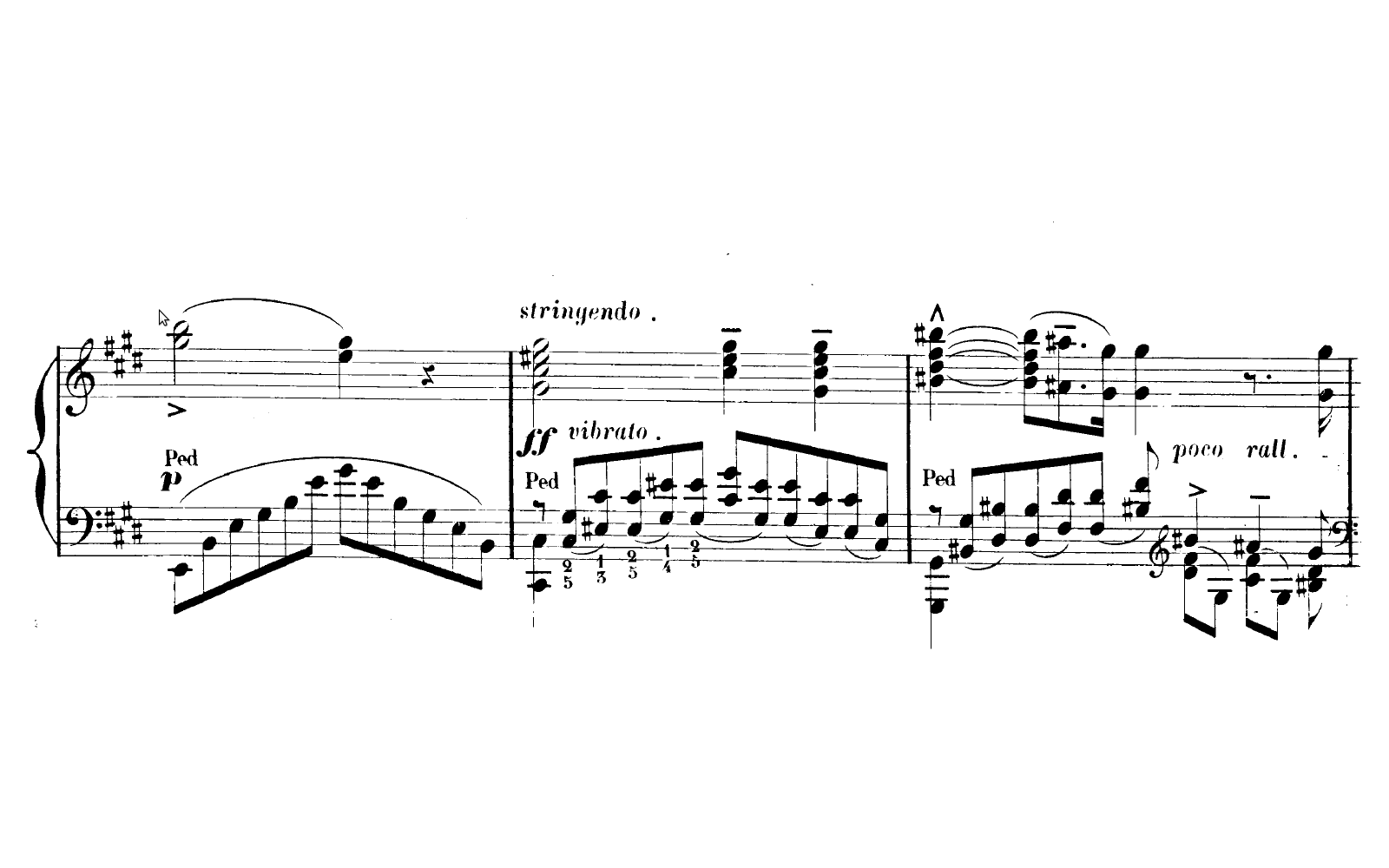
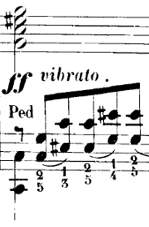 The Pidato experiment demonstrates a rather straightforward method to handle vibrato on a digital piano. It solves the age-old problem on what to do with the enigmatic “vibrato” instructions on some piano solo scores of Franz Liszt. The figure on the right is an exerpt of sonetto 104 del Petrarca.
Since there is no way to perform vibrato on an analogue piano there are all kinds of different interpretations. Interpretations of the ‘vibrato’ instruction include: vibrating the pedal, vibrating the key, simply ignoring it, a vibrato like wiggling with a psychological sounding effect, … A pianist specialized in 19th century music, explains his embodied use of vibrato in a youtube video: Brian Ganz on piano vibrato. Those solutions all seem a bit halfhearted, so I created an alternative approach which resulted in the Pidato experiment.
Pidato is a portmanteau of piano and vibrato, the d, a and o hint to the use of an Arduino. Pidato is also Indonesian for speech, expression. To get a feel of what it actually does I created the video below. Please note that this is a technical demonstration, not an artistic performance… in any way.
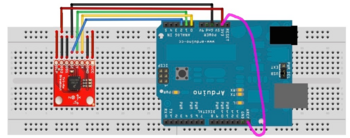
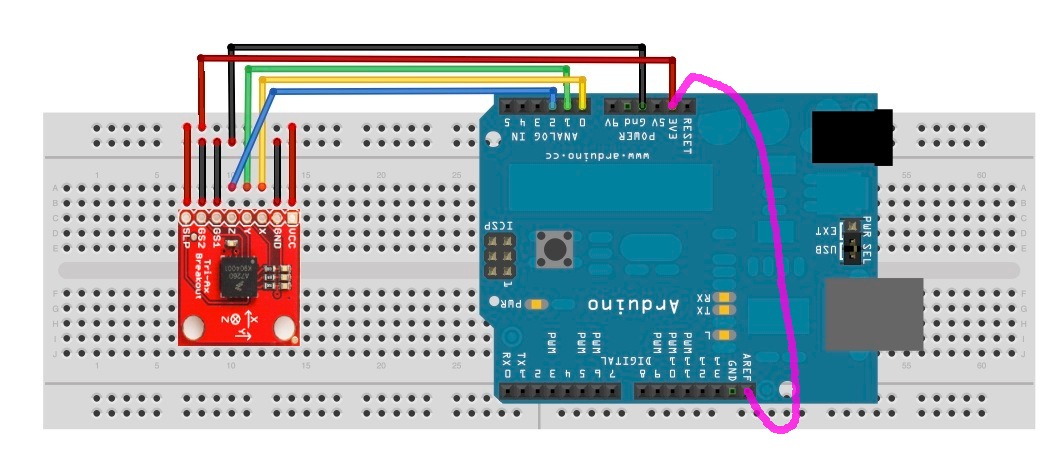
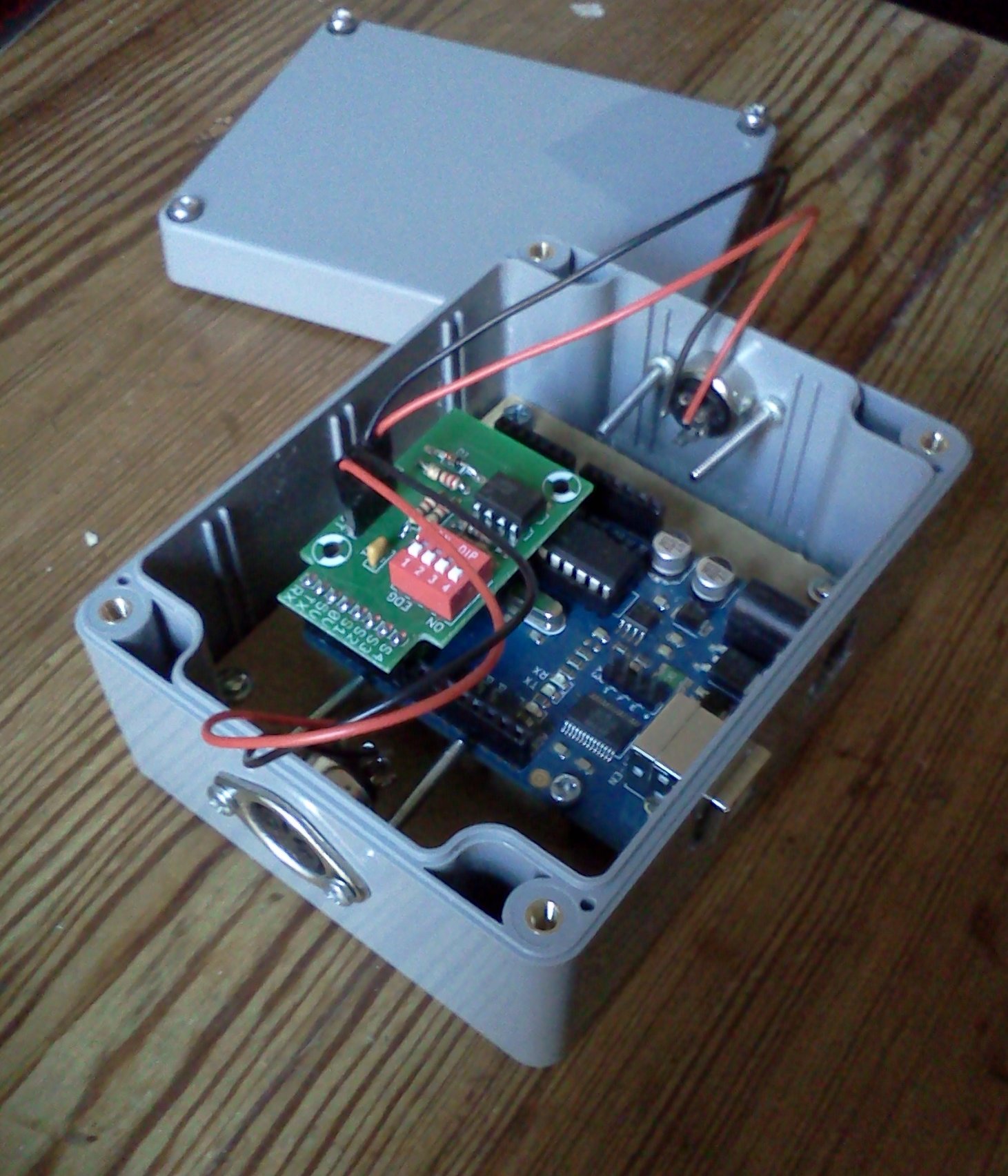
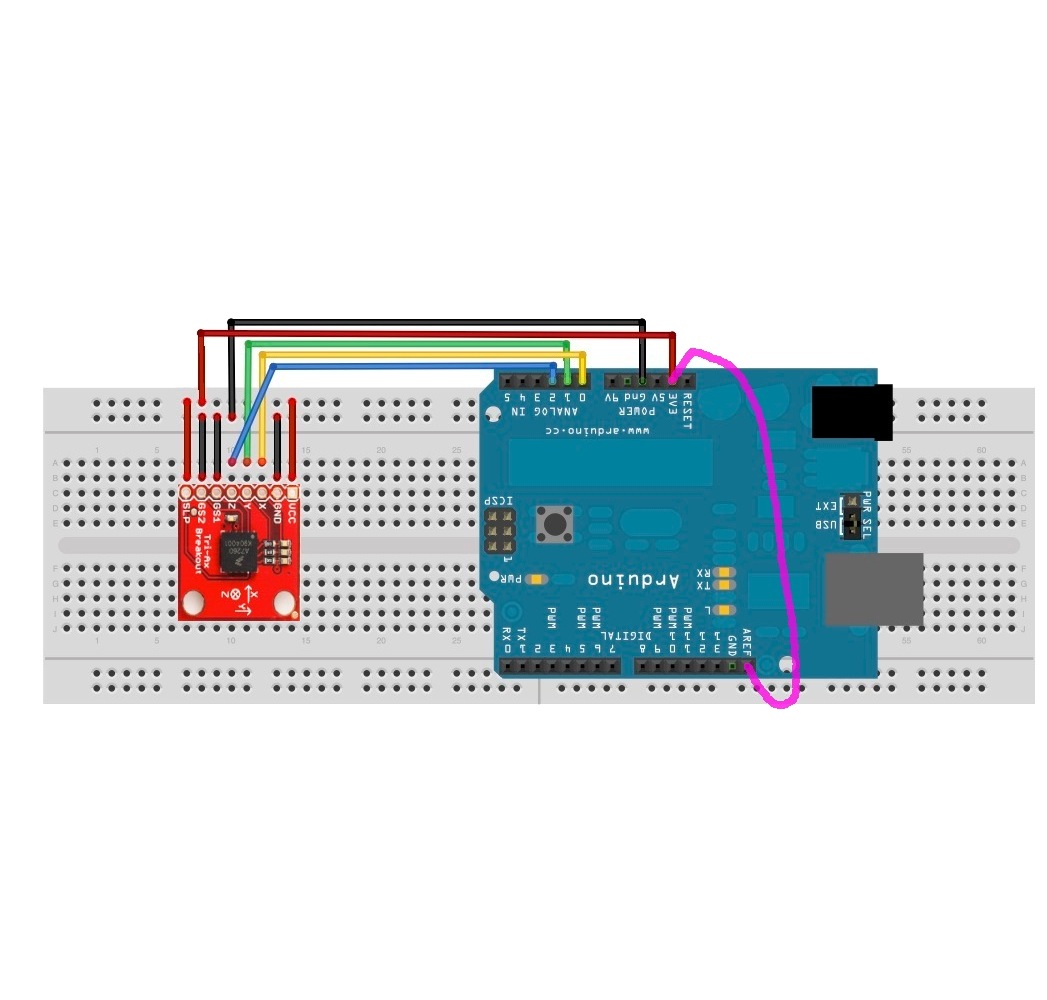
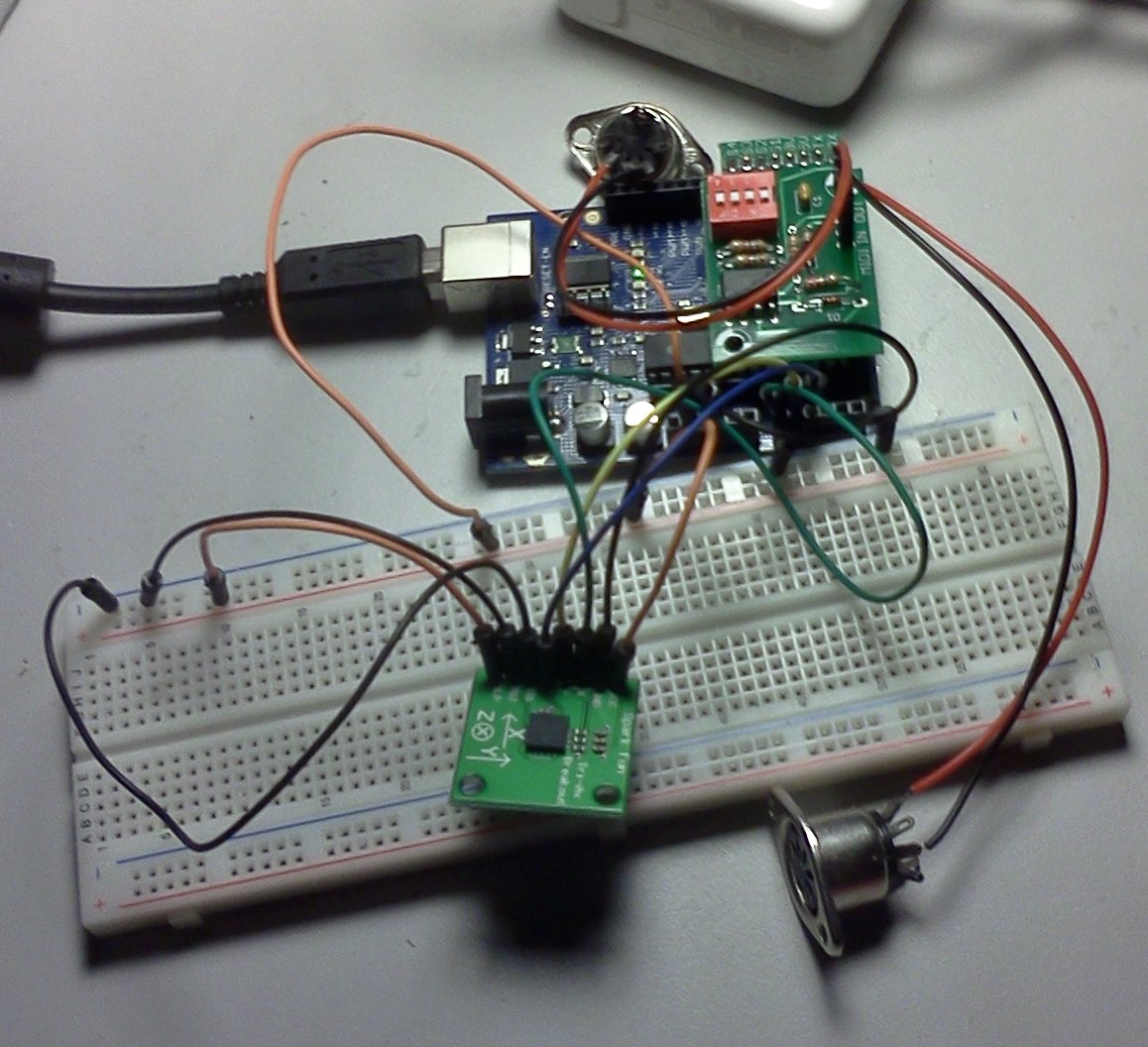
The way it works is by translating movement (accelerometer data) to MIDI messages. The hardware consists of an Arduino, MIDI-ports and a three axis accelerometer. The MIDI-ports are provided by this MIDI IN & OUT Arduino shield. The accelerometer is a MMA7260Q from Sparkfun. Attaching the MMA7260Q and the arduino is done by following the instructions here. One change was made: by attaching the 3.3V output to AREF and executing analogReference(EXTERNAL); fluctuations in power supply cease to have an influence on accelerometer data readings. It is represented by the purple wire in the diagram below.
The software should know when a vibrato like movement is made and how to translate such movement to MIDI messages. The software therefore contains a periodicity estimator and frequency detector to detect how periodic a movement is and how fast the movement is repeated. This was done with the YIN algorithm (more commonly used in audio signal analysis). A periodicity threshold was determined experimentally so the system does not yield false positives when playing the piano in the usual way. Another interesting bit of code is the interrupt setup that samples the accelerometer at a fixed sample rate and sends MIDI messages, also at a fixed rate.
MIDI messaging is done over a serial connection. From the Arduino sending a MIDI message is as simple as calling Serial.print with the correct data. For the task at hand (sending vibrato) Pitch Bend messages were used. The standard Arduino UNO firmware is replaced with Arduino MIDI firmware. This makes the Arduino appear as a standard MIDI device when connected to a computer, which makes interfacing with it practical.
The YIN algorithm is encapsulated in a reusable Arduino library and can be used to detect periodicity and frequency for any signal. This guy used his implementation to create a chromatic tuner. The source code for both the Yin Arduino library and Pidato experiment can be found on github or “here (zip)”:[Pidato.src.zip].
The Pidato experiment was done with the help the friendly hackers at Hackerspace Ghent.
This piano vibrato hack was also covered by hackaday.com and posted to the Hackerspace Ghent blog.
 Code and HoGent
Pidato.src.zip, vibrato_ff.png, accelerometer_wire_piano_vibrato.jpg, The_Pidato_experiment-Vibrato_on_a_Digital_Piano_using_an_Arduino.mp4, and The_Pidato_experiment-Vibrato_on_a_Digital_Piano_using_an_Arduino.webp
Code and HoGent
Pidato.src.zip, vibrato_ff.png, accelerometer_wire_piano_vibrato.jpg, The_Pidato_experiment-Vibrato_on_a_Digital_Piano_using_an_Arduino.mp4, and The_Pidato_experiment-Vibrato_on_a_Digital_Piano_using_an_Arduino.webp
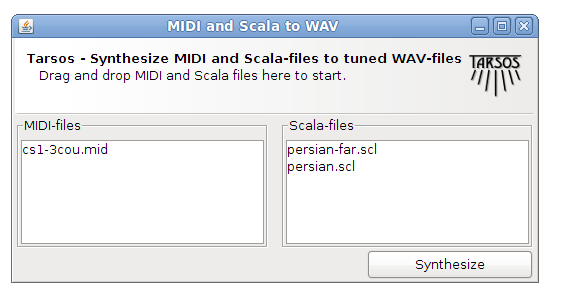
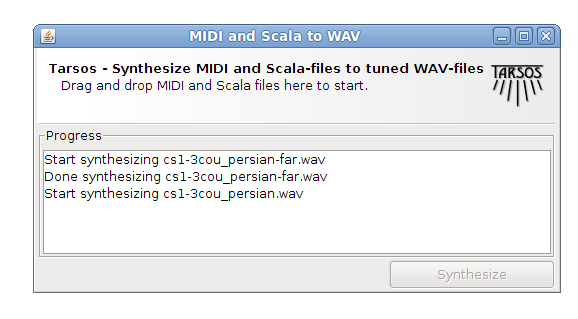
Tarsos can be used to render MIDI files to audio (WAV) files using arbitrary tone scales. This functionallity can be used to (automatically) verify tone scale extraction from audio files. Since I could not find a dataset with audio and corresponding tone scales creating one using MIDI seemed a good idea.
MIDI files can be found in spades (for example on piano-midi.de or kunstderfuge.com), tone scales on the other hand are harder to find. Luckily there is one massive source, the Scala Tone Scale Archive: A large collection of over 3700 tone scales.
Using Scala tone scale files and a midi files a Tone Scale - Audio dataset can be generated. The quality of the audio depends on the (software) synthesizer and the SoundFont used. Tarsos currently uses the Gervill synthesizer. Gervill is a pure Java software synthesizer with support for 24bit SoundFonts and the MIDI tuning standard.\
A recent version of the JRE (Java Runtime Environment) needs to be installed on your system if you want to use Tarsos. Tarsos itself can be downloaded in the form of the “MIDI and Scala to Wav - JAR Package”:[MidiToWav.jar].
To test the program you can use “a MIDI file”:[MIDI_file.mid] and “a Scala file”:[persian.scl.txt] and drag and drop those on the graphical interface.
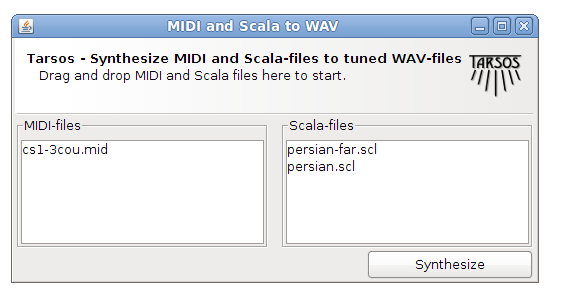
The result should sound like this:
To summarize: by rendering audio with MIDI and Scala tone scale files a dataset with tone scale - audio information can be generated and tone scale extraction algorithms can be tested on the fly.
 Code, Java, Computational musicology, and HoGent
MidiToWav.jar, MIDI_file.mid, and persian.scl.txt
Code, Java, Computational musicology, and HoGent
MidiToWav.jar, MIDI_file.mid, and persian.scl.txt