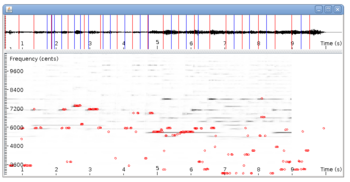
TarsosDSP: a Java Library for Audio Processing
TarsosDSP is a Java library for audio processing. Its aim is to provide an easy-to-use interface to practical music processing algorithms implemented, as simply as possible, in pure...

Below you can find links to the open source software I developed during my research. It is always nice to hear how this software is used, don’t hesitate to drop me a line. Bug reports are welcomed as well.
TarsosDSP is a Java library for audio processing. Its aim is to provide an easy-to-use interface to practical music processing algorithms implemented, as simply as possible, in pure...

MI-Kit is a low-cost, open-source system for controlling music production software through body movement. Designed for creative music practice and embodied music interaction research. EMI-Kit can be used...
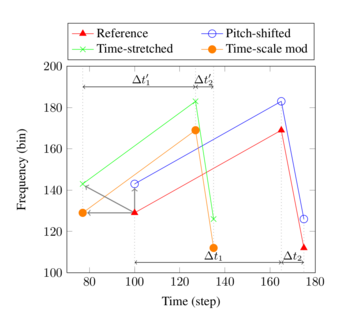
Panako is an extendable acoustic fingerprinting framework. The aim of acoustic fingerprinting is to find small audio fragments in large audio databases. Panako contains several acoustic fingerprinting algorithms...
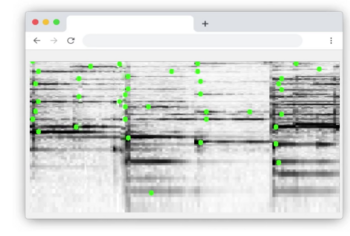
Olaf is a portable, landmark-based, acoustic fingerprinting system released as open source software. Olaf runs on embedded platforms, traditional computers and in the browser. Olaf is able to...
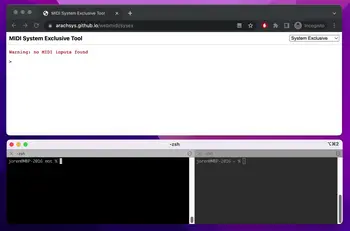
mot consists of several MIDI and OSC command line tools. These are mainly of interest to debug and check OSC messages and MIDI devices. The tools are written...
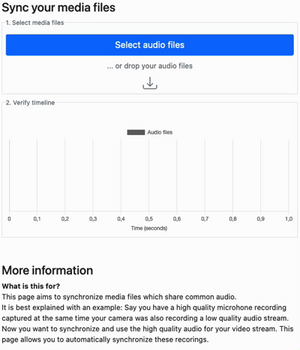
Thanks to WebAssembly it is possible to repurpose software for use on the web, even if it was originally designed with other use in mind. I have developed...
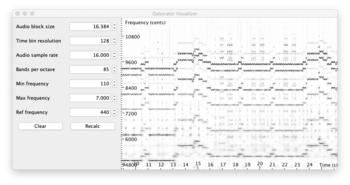
This library calculates fine-grained constant-Q spectral representations of audio signals quickly from Java. The spectral transform can be visualized or further processed in a (Music Information Retrieval) processing...
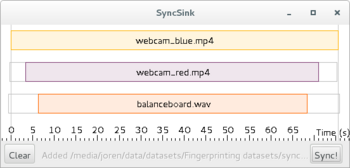
SyncSink is able to synchronize video and audio recordings of the same event. As long as some audio is shared between the multimedia files a reliable synchronization solution...
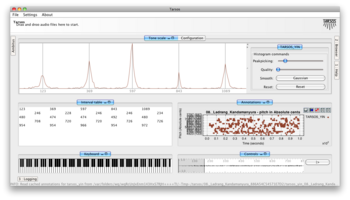
Tarsos is a software tool to analyze and experiment with pitch organization in all kinds of musics. Most of the analysis is done using pitch histograms and octave...

TarsosLSH is a Java library implementing Locality-sensitive Hashing (LSH), a practical nearest neighbor search algorithm for multidimensional vectors that operates in sublinear time. It supports several LSH families:...
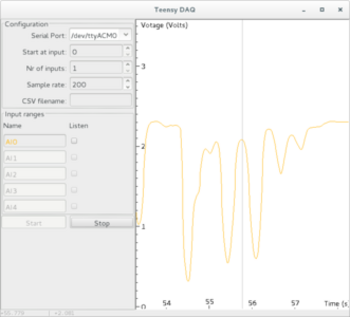
TeensyDAQ is a Java application to quickly visualize and record analog signals with a Teensy micro-controller and some custom software. It is mainly useful to quickly get an...
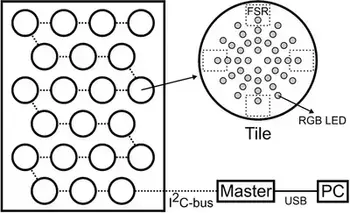
The idea behind AMPEL (by Lousin Moumdjian, Marc Leman, Peter Feys) is to combine both motor and cognitive rehabilitation in a single combined ‘embodied learning’ paradigm. To this...
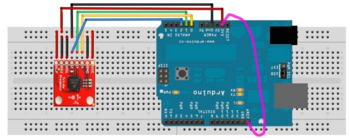
The Pidato experiment demonstrates a rather straightforward method to handle vibrato on a digital piano. It ‘solves’ the age-old problem on what to do with the enigmatic “vibrato”...
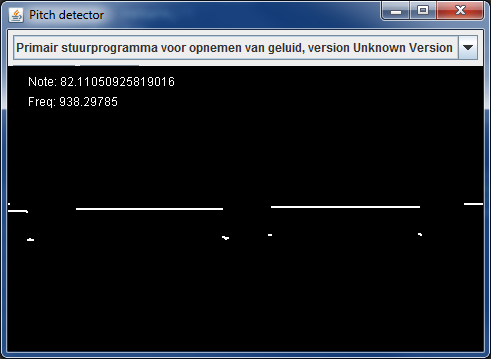
To make Tarsos more portable I wrote a pitch tracker in pure JAVA using the YIN algorithm based on the implementation in C of aubio. The implementation also uses some code written by Karl Helgasson and Teun de Lange of the Jazzperiments project.
It can be used to perform real time pitch detection or to analyse files. To use it as a real time pitch detector just start the “JAR-file”:[pitch_detector_yin.jar] by double clicking. To analyse a file execute one of the following. The first results in a list of annotations (text), the second shows the annotations graphically.
```ruby\ java -jar pitch_detector_yin.jar flute.novib.mf.C5B5.wav\ java -jar pitch_detector_yin.jar —file flute.novib.mf.C5B5.wav\ ```
The provided “flute sample”:[flute.novib.mf.C5B5.wav] is from The Musical Samples library of the University of Iowa and converted to mono wav. The source code of the pitch tracker can be found below.
Update: the Yin implementation in Java has been incorporated into the TarsosDSP project. An open source, Real-Time Audio Processing Framework in Java.
 Muziek, Code, Cultuur, Projecten, and 0110.be
 pitch_detector_yin.jar, pitch_detector_yin_src.zip, and flute.novib.mf.C5B5.wav
The JAVA software program we are developing is called Tarsos and can now be found on GitHub. GitHub is a web-based hosting service for projects that use the Git version control system.
Currently Tarsos is a collection of Java classes to create, compare and process pitch-frequency data using histograms. In it’s current state it is not usable for end-users.
Tarsos is developed at University College Ghent, Faculty of Music and uses a number of open source libraries:
Gervill: a software sound synthesizer, supports the MIDI Tuning Standard. API.
Apache Commons Math: a library of lightweight, self-contained mathematics and statistics components API.
JASS: a unit generator based audio synthesis programming environment. API.
Java-getopt: a port of the GNU getopt family of functions. API.
Computational ethnomusicology, featured, Code, Java, Tarsos, and HoGent
			<object classid="java:Boids.class"
        			type="application/x-java-applet"
        			archive="/files/attachments/1/Boids.jar,/files/attachments/1/peasycam.jar,/files/attachments/1/core.jar"
        			width="550" height="600"
        			standby="Loading Processing software..." >

				<param name="archive" value="/files/attachments/1/Boids.jar,/files/attachments/1/peasycam.jar,/files/attachments/1/core.jar" />

				<param name="mayscript" value="true" />
				<param name="scriptable" value="true" />

				<param name="image" value="loading.gif" />
				<param name="boxmessage" value="Loading Processing software..." />
				<param name="boxbgcolor" value="#FFFFFF" />

				<param name="test_string" value="outer" />
		<!--<![endif]-->

			<object classid="clsid:8AD9C840-044E-11D1-B3E9-00805F499D93"
					codebase="http://java.sun.com/update/1.5.0/jinstall-1_5_0_15-windows-i586.cab"
					width="550" height="600"
					standby="Loading Processing software..."  >

				<param name="code" value="Boids" />
				<param name="archive" value="/files/attachments/1/Boids.jar,/files/attachments/1/peasycam.jar,/files/attachments/1/core.jar" />

				<param name="mayscript" value="true" />
				<param name="scriptable" value="true" />

				<param name="image" value="/files/attachments/1/loading.gif" />
				<param name="boxmessage" value="Loading Processing software..." />
				<param name="boxbgcolor" value="#FFFFFF" />

				<param name="test_string" value="inner" />
			</object>

		<!--[if !IE]> -->
			</object>
		<!--<![endif]-->
Recently I bought a big shiny red USB-button. It is big, red and shiny. Initially I planned to use it to deploy new versions of websites to a server but I found a much better use: ordering pizza. Graphically the use case translates to something akin to:
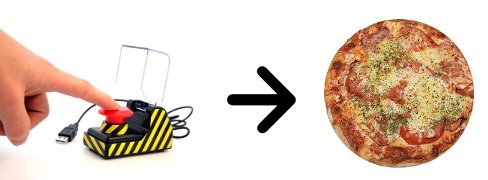
If you would like to enhance your life quality leveraging the power of a USB pizza-button: you can! This is what you need:
A PC running Linux. This tutorial is specifically geared towards Debian-based distos. YMMV.
A big, shiny red USB button. Just google “USB panic button” if you want one.
A location where you can order pizzas via a website. I live in Ghent, Belgium and use just-eat.be. Other websites can be supported by modifying a Ruby script.
Technically we need a driver to check when the button was pushed, a way to communicate the fact that the button was pushed and lastly we need to be able to react to the request.
The driver: on the internets I found a driver for the button. Another modification was done to make the driver process a daemon.

The communication: The original Python script executed another script on the local pc. A more flexible approach is possible using sockets. With sockets it is possible to notify any computer on a network.
```ruby\ if PanicButton().pressed():\ # create a TCP socket\ s = socket.socket(socket.AF_INET, socket.SOCK_STREAM)\ # connect to server on the port\ s.connect((SERVER, SERVER_TCP_PORT))\ # send the order (margherita at restaurant mario)\ s.send(“mario: [margherita_big]\n”)\ ```
The reaction: a ruby TCP server waits for message from the driver. When it does it automates a HTTP session on a website. It executes a series of HTTP-GET’s and POST’s. It uses the mechanize library.
```ruby\ login_url = “http://www.just-eat.be/pages/member/login.aspx”\ a = WWW::Mechanize.new\ a.get(login_url) do |login_page|\ #post login_form\ login_form = login_page.forms.first\ login_form.txtUser = “username”\ login_form.txtPass = “password”\ a.submit(login_form, login_form.buttons[1])\ end\ ```
Some libraries are needed. For python you need the usb library, the python deamons lib needs to be installed seperatly. Setuptools are needed to install the deamons package.
```ruby\ sudo apt-get install python-usb python-setuptools\ ```
Ruby needs rubygems to install the needed mechanize and daemons library. Mechanize needs the libxslt-dev package. You also need the build-essential package to build mechanize.
```ruby\ sudo apt-get install rubygems libxslt-dev\ sudo gem install mechanize daemons\ ```
To automatically start the daemons on boot you can use the crontab \@reboot directive of the root user. E.g.:
```ruby\
reboot /opt/pizza_service/pizza_daemon.rb
reboot /opt/pizza_service/pizza_button_driver.py\
```
Code, Poging tot humor, Projecten, Hackerspace Ghent, and 0110.be
order_pizza_with_panic_button.jpg, pizza_daemon.rb.txt, pizza_server.rb, usb-panic-button.png, and pizza_button_driver.py

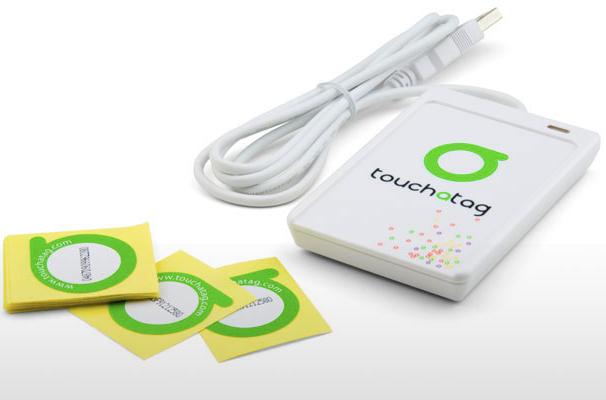
This blog post is about how to use the Touchatag RFID reader hardware on Ubuntu Linux without using the Touchatag web service.
An RFID reader with tags can used to fire events. With a bit of scripting the events can be handled to do practically any task.
Normally a Touchatag reader is used together with the Touchatag web service but for some RFID applications the web service is just not practical. E.g. for embedded Linux devices without an Internet connection. In this tutorial I wil document how I got the Touchatag hardware working under Ubuntu Linux.
To follow this tutorial you will need:
Touchatag hardware: the USB reader and some tags
A Ubuntu Linux computer (I tested 9.10 Karmic Koala and 8.04 )
SVN to download source code from a repository
The touchatag USB reader works at 13.56MHz (High Frequency RFID) and has a readout distance of about 4 cm (1.5 inch) when used with the touchatag RFID tags. Internally it uses an ACS ACR122U reader with a SAM card. A Linux driver is readily available so when you plug it in lsusb you should get something like this:
```ruby\ lsusb
Bus 007 Device 001: ID 1d6b:0001 Linux Foundation 1.1 root hub\ Bus 005 Device 004: ID 072e:90dd Advanced Card Systems, Ltd\ ```
lsusb recognizes the device incorrectly but that’s not a problem. To read RFID-tags and respond to events additional software is needed: tagEventor is a software library that does just that. It can be downloaded using an svn command:
```ruby\ svn export http://tageventor.googlecode.com svn/trunk/ tageventor\ ```
To compile tagEventor a couple of other software packages or header files should be available on your system. Te tagEventor software dependencies are described on the tagEventor wiki. On Ubuntu (and possibly other Debian based distro’s the installation is simple:
```ruby\ sudo aptitude install build-essential libpcsclite-dev build-essential pcscd libccid\ #if you need gnome support\ #sudo aptitude install libgtk2.0-dev\ ```
Now the tricky part. Two header files of the pcsclite package need to be modified (update: this bug is fixed see here). tagEventor builds and can be installed:
```ruby\ cd tageventor\ make\ …\ tagEventor BUILT (./bin/Release/tagEventor)
sudo ./install.sh\ …\ ```
When tagEventor is correctly installed the only thing left is … to build your application. When an event is fired tagEventor executes the /etc/tageventor/generic script with three parameters (see below). Using some kind of IPC (Inter Process Communication) an application can react to events. A simple and flexible way to propagate events (inter-processes, over a network, platform and programming language independent) uses sockets. The code below is the /etc/tageventor/generic script (make sure it is executable), it communicates with the server: the second script. To run the server execute ruby /name/of/server.rb
```ruby\ #!/usr/bin/ruby
$1 = SAM (unique ID of the SAM chip in the smart card reader if exists, “NoSAM” otherwise
$2 = UID (unique ID of the tag, as later we may use wildcard naming)
$3 = Event Type (IN for new tag placed on reader, OUT for tag removed from reader)
require ‘socket’
data = ARGV.join(‘|’)\ puts data
streamSock = TCPSocket.new( “127.0.0.1”, 20000 )\ streamSock.send(data, 0)\ streamSock.close\ ```
```ruby\ require “socket”\ dts = TCPServer.new(‘localhost’, 20000)\ loop do\ Thread.start(dts.accept) do |s|\ puts s.gets\ s.close\ end\ end\ ```
The tagEventor software is made by the Autelic Association a Non-Profit association dedicated to making technology easier to use for all. I would like to thank Andrew Mackenzie, the founder and president of the association for creating the software and the support.
 Code, Harde waren, Projecten, and 0110.be
Ik heb in opdracht van scholengroep Sperregem een website gemaakt die het vinden van kandidaten voor korte vervangingen vlotter doet verlopen. Mensen met interesse voor vacatures in het onderwijs in West-Vlaanderen kunnen zich er op inschrijven.
De website heeft enkele voordelen voor verschillende scholen in de scholengroep:
Het zoeken van kandidaten is erg eenvoudig: na het invoeren van een vacature komt er een lijst met kandidaten met een geschikt profiel die tijdens de vacature beschikbaar zijn.
Er kunnen e-mail of SMS-berichten verstuurd worden om kandidaten op de hoogte te brengen van een vacature.
Profielen van kandidaten zijn altijd up-to-date: de kandidaten zijn er zelf verantwoordelijk voor en kandidaten lange tijd niets van zich laten horen worden automatisch op non-actief gezet.
De historiek van kandidaten wordt automatisch bijgehouden en kan opgezocht worden.
Ook voor de aspirant onderwijzers is de website handig:
De vacatures zijn publiek zichtbaar, kandidaten kunnen dus actief solliciteren.
Ze kunnen zelf hun profiel beheren en bijvoorbeeld een vernieuwde versie van hun C.V. uploaden.
Voor elke kandidaat is een gepersonaliseerde lijst met vacatures beschikbaar (ook via RSS), afgestemd op hun profiel.
Daarnaast is het ook voor de personeelsdienst een handige tool: die kan nu een beter overzicht bewaren over de vacatures en de invulling ervan in de verschillende scholen.
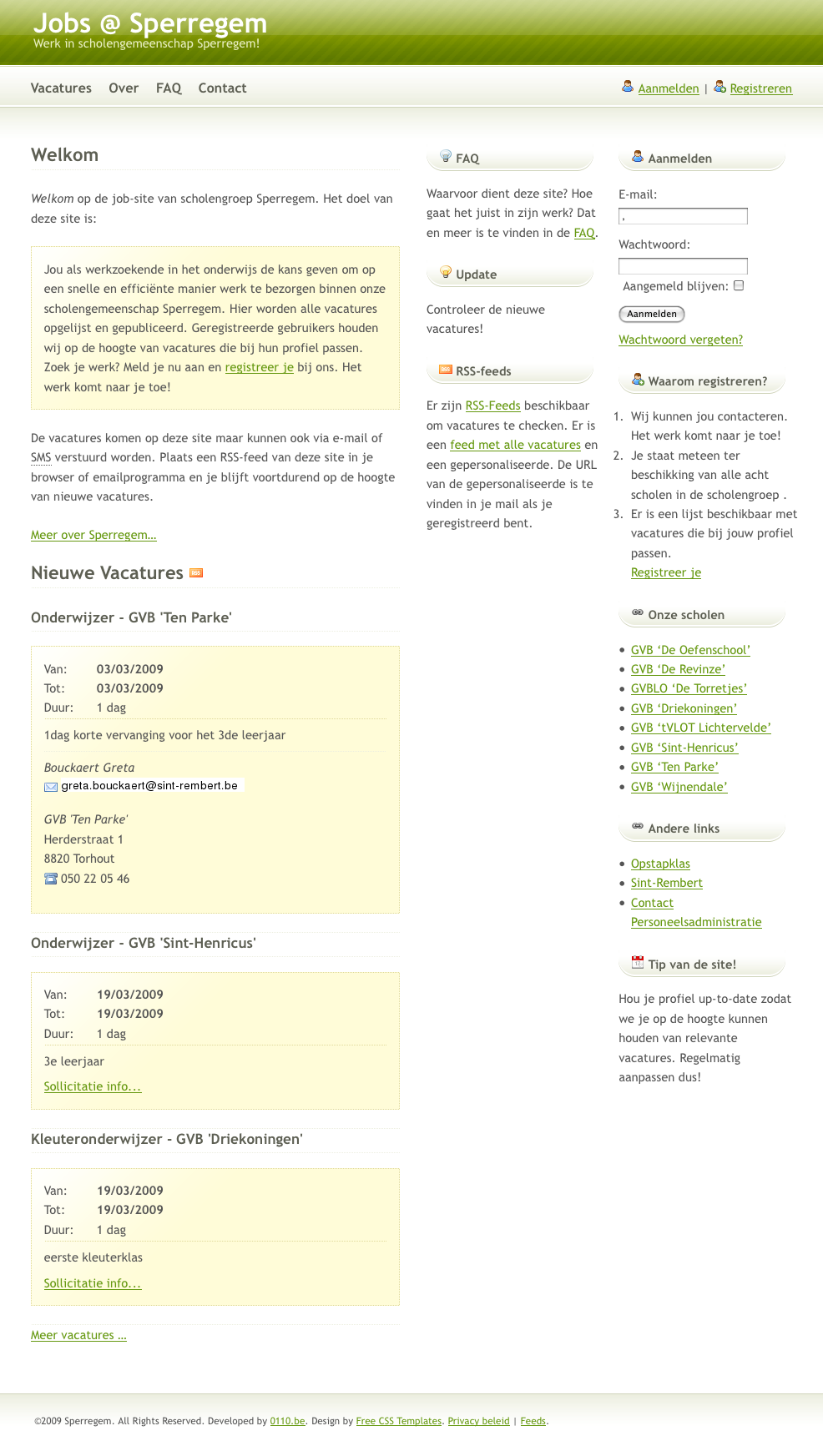
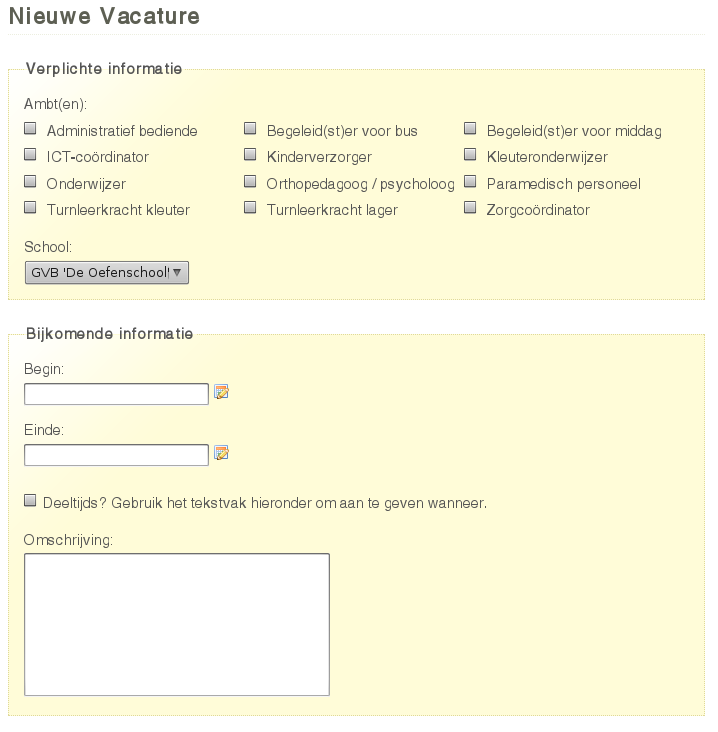
Hieronder staan enkele screenshots.
 Code, Projecten, Portfolio, and 0110.be

Vandaag is de vernieuwde vooruitwebsite gelanceerd:
We bieden je nog meer video’s, foto’s, audiotracks en tekstmateriaal en hebben ook jouw persoonlijke voordelen uitgebreid. Wanneer je lid wordt van www.vooruit.be, kan je nog steeds je kalender aanvullen, vrienden maken en reacties posten, maar daarnaast krijg je ook aanbevelingen op maat, kan je voorstellingen tippen en kan je berichten sturen naar vrienden *.
Het gepersonaliseerde aanbevelingssysteem is door Greet Dolvelde en mezelf in het kader van onze thesis: Collaborative Filtering: Onderzoek & implementatie [pdf] ontwikkeld. Dus waar wacht je nog op? Word lid, check de aanbevelingen bij concerten en vooral je gepersonaliseerde aanbevelingen.
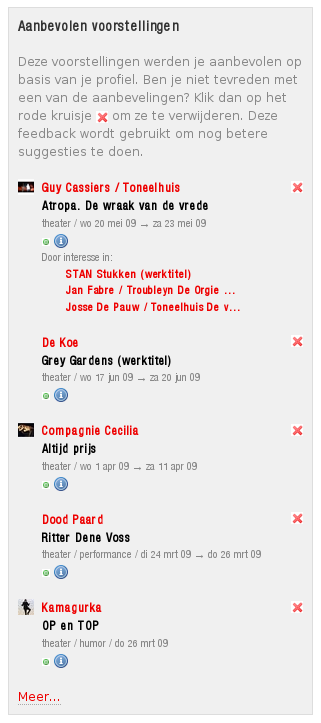
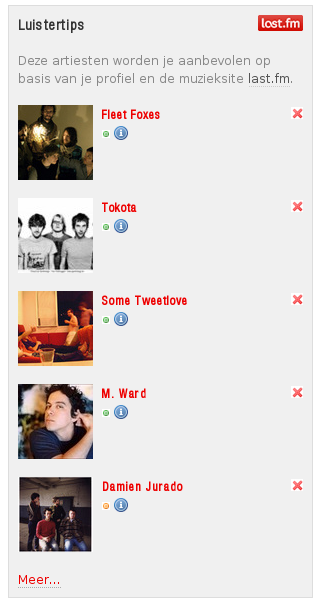
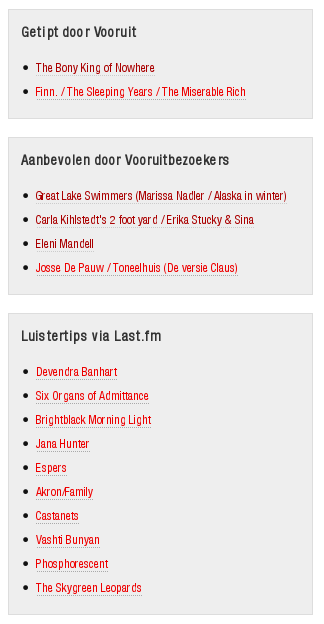
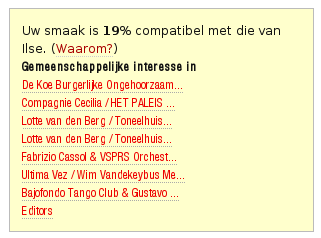
Voor de iets minder enthousiaste doorklikkikkers staan hieronder wat screenshots van de verschillende soorten aanbevelingen op www.vooruit.be:



 Code, Cultuur, Vooruit, and 0110.be
Waarschijnlijk heb je het al gemerkt: deze site gaat nu heel wat sneller. Dit is te danken aan een verhuis. 0110.be wordt nu gehost op een VPS (Virtual Private Server).
De virtuele server heeft Ubuntu 8.04 LTS Server als besturingssysteem en draait op een Xen hypervisor. De fysieke server zelf bevat een achttal Intel® Xeon® E5440 @ 2.83GHz CPU’s.
De server staat in Amsterdam en is rechtstreeks verbonden met het grootste internetknooppunt ter wereld: AMS-IX.
Code, Harde waren, and 0110.be

Uit de lijst van postcodes van alle Belgische steden heb ik een SQL-bestand samengesteld. De gegevens bevatten de postcode zelf, de naam van de stad, de naam van de stad in hoofdletters en een veld “structure” waaruit de gemeente-deelgemeente relatie gehaald kan worden als er op gesorteerd wordt. Dit zijn bijvoorbeeld de deelgemeentes van Chimay.
6460   CHIMAY
6460        Bailièvre
6460        Robechies
6460        Saint-Remy (Ht.)
6460        Salles
6460        Villers-la-Tour
6461        Virelles
6462        Vaulx-lez-Chimay
6463        Lompret
6464        Baileux
6464        Bourlers
6464        Forges
6464        l'Escaillère
6464        Rièzes
\
\
Het sorteren kan in PostgreSQL met deze SQL instructie: order by translate(structure, ' ', 'z'). Het SQL-script zelf is een lijst van INSERT INTO SQL-Statements.
insert into cities(zipcode,name,up,structure)  VALUES ('1790','Affligem','AFFLIGEM','1790   AFFLIGEM');
insert into cities(zipcode,name,up,structure)  VALUES ('9051','Afsnee','AFSNEE','9051        Afsnee');
insert into cities(zipcode,name,up,structure)  VALUES ('5544','Agimont','AGIMONT','5544        Agimont');
...
Dit is het “SQL-bestand met een lijst van alle Belgische postcodes en steden”:[steden.sql.txt]. Hopelijk is hier iemand ooit iets mee.
Code and 0110.be

While working at the Vooruit Arts Centre I got the assignment to create a tool to query an Oracle database with ticketing data. There were a few requirements for the Query Tool, in the current version all of these are met:
First of all it had to be easy to execute complex queries, no knowledge of SQL (Structured Query Language) should be required for the end user.
The results of the queries should be exportable to an easy to analyse format. * Editing queries or adding new ones should be doable, by someone knowledgeable with SQL.
The Query Tool should be easy to configure and database independent.
Should work on Windows, Mac OS X and Linux.
By publishing the Query Tool on my website I hope that the fruits of my labour can be enjoyed by a wider audience. To see it in action you can “give it a spin”:[QueryTool.jar]. A recent version, version 6, of the JRE (Java Runtime Environment) is needed.
The program supports two ways to query a database:
A number of predefined queries can be selected and executed. Depending on the selected query, zero or more parameters are required. E.g. the screen shot below depicts a query with one parameter: a product category. When the query is executed all the products in the selected category are fetched.
The tab “SQL” can be used to execute arbitrary SQL-instructions.
The two buttons below are self explanatory. When the button “CVS Export” is hit a CVS file is created in a configured directory.
Depending on the complexity of a query it can take a long time before results are returned. Because the application is multithreaded the user interface remains responsive and the query can be stopped at any time.
The contents of the tab “log” gives you an idea what the application does. When something goes awry while executing a query a message appears in this tab.
The tab “Config” can be used to set configuration parameters. The tab “Help” contains… helpful information.
### How Do I Add My Own Queries?
The list of predefined queries is constructed by iterating over SQL-files in a configured directory. Adding additional queries to the program is easy, just add an extra SQL-file to the directory. An SQL-file should have the following format, otherwise it is ignored:
TITEL
----
DESCRIPTION
----
SQL-INSTRUCTION with zero or more !{PARAMETERS}!
In the screen shot above this query is visible:
Select products in category
----
Select all the products in a category.
----
SELECT * FROM
products WHERE categoryid = !{category}!
To make the queries dynamic the Query Tool supports different kinds of parameters. A parameter has this form: !{type name}!, the name is optional. If there is a name specified it is used as a label in the interface, otherwise type is used. There are three types of parameters:
Parameters that define a type. For each type a corresponding user interface is rendered. E.g. for the type string a text field is rendered. The supported types are:\
#* !{string}!\
#* !{boolean}!\
#* !{double}!\
#* !{date}!\
#* !{integer}!
Parameters for raw SQL. A textfield is rendered, the contents is directly injected in the SQL-query. It has this format: !{sql}!
Parameters for lists. In the example above a list parameter is used. These lists are fetched from the database. E.g. a list of categories. The SQL-instruction and name of the list parameters can be configured.
If you want to use your own database you need to configure the database connection string. The program uses JDBC to connect to the database. It uses metadata provided by the JDBC layer. If your database has a JDBC driver with support for metadata the Query Tool will work correctly. The JDBC driver must be included in the classpath.
The Query Tool uses the famfamfam mini icons.
For demoing purposes the executable contains a lightweight hsql database. The data in the database is a modified version of the Microsoft Northwind database. The “northwind hsql database”:[northwind.hsql.zip] is created with this “SQL-script”:[northwind.script.txt].
“Java Source code en documentation”:[QueryTool.source.zip]: contains an eclipse project.
“Executable”:[QueryTool.jar]: Contains only the executable.
Code, Vooruit, Portfolio, and 0110.be
ui.png, vooruit_logo.png, northwind.script.txt, northwind.hsql.zip, QueryTool.source.zip, and QueryTool.jar