What follows is about the Conference on Interdisciplinary Musicology (CIM2012) and the 15th international Conference of the Gesellschaft fur Musikfoschung. First this text will give information about our contribution to CIM2012: Revealing and Listening to Scales From the Past; Tone Scale Analysis of Archived Central-African Music Using Computational Means and then a number of highlights of the conference follow. The joint conference took place from the 4th to the 8th of september 2012.
In 2012, CIM will tackle the subject of History. Hosted by the University of Göttingen, whose one time music director Johann Nikolaus Forkel is widely regarded as one of the founders of modern music historiography, CIM12 aims to promote collaborations that provoke and explore new methods and methodologies for establishing, evaluating, preserving and communicating knowledge of music and musical practices of past societies and the factors implicated in both the preservation and transformation of such practices over time.
### Revealing and Listening to Scales From the Past; Tone Scale Analysis of Archived Central-African Music Using Computational Means
Our contribution ton CIM 2012 is titled “Revealing and Listening to Scales From the Past; Tone Scale Analysis of Archived Central-African Music Using Computational Means”:[CIM12_Submission.pdf]. The aim was to show how tone scales of the past, e.g. organ tuning, can be extracted and sonified. During the demo special attention was given to historic Central African tuning systems. The presentation I gave is included below and or available for “download”:[2012.09.05-Revealing_and_listening_to_scales_from_the_past__tone_scale_analysis_of_archived_Central-African_music_using_computational_means..ppt]
The work presented by Rytis Ambrazevicius et al. Modal changes in traditional Lithuanian singing: Diachronic aspect has a lot in common with our research, it was interesting to see their approach. Another highlight of the conference was the whole session organized by Klaus-Peter Brenner around Mbira music.
Rainer Polak gave a talk titled ‘Swing, Groove and Metre. Asymmetric Feels, Metric Ambiguity and Metric Transformation in African Musics’. He showed how research about rhythm in jazz research, music theory and empirical musicology ( amongst others) could be bridged and applied to ethnic music.
The overview Eleanore Selfridge-Field gave during her talk Between an Analogue Past and a Digital Future: The Evolving Digital Present was refreshing. She had a really clear view on all the different ways musicology and digital media can benifit from each-other.
From the concert programme I found two especially interesting: the lecture-performance by Margarete Maierhofer-Lischka and Frauke Aulbert of Lotofagos, a piece by Beat Furrer and Burdocks composed and performed by Christian Wolff and a bunch of enthusiastic students.
At the 2012 AAWM (Analytical Approaches To World Music) conference we presented a way to explore tone scales in the music of Central Africa. Since the audience consisted of (ethno)musicologists, the main focus of the presentation was on the applicication part, the technical aspects were only briefly mentioned.
Today a new version of the TarsosDSP library was released. TarsosDSP is a small library to do audio processing in Java. It features two new pitch detectors. An AMDF (Average Magnitude Difference Function) pitch detector, contributed by Eder Souza of Brazil and a faster implementation of YIN kindly provided by Matthias Mauch of Queen Mary University, London.
[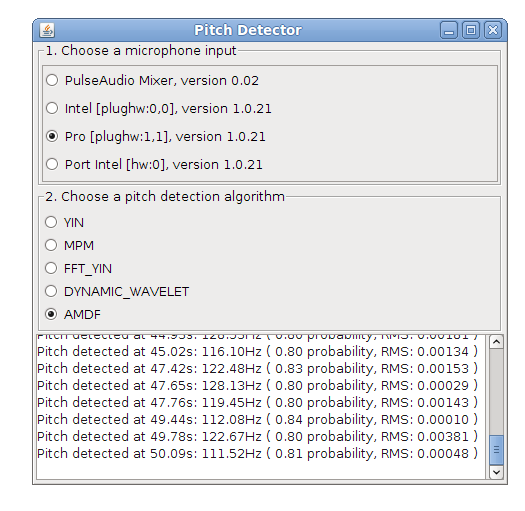](/releases/TarsosDSP/TarsosDSP-1.2/TarsosDSP-1.2-Examples/PitchDetector-1.2.jar)
Thursday the 3th of May I gave a guest lecture titled ‘Ethnic Music Analysis: Challenges & Opportunities’ it featured Tarsos as a Case Study. The goal was to identify the difficulties when dealing with ethnic music and to show a possible approach, the approach implemented by Tarsos.
The invitation to give the guest lecture came from Michael Cuthbert who is one of the driving forces behind music21. The audience was a small group of double majors in both musicology and computer science: the ideal profile to gather useful feedback.
After about a year of development and several revisions TarsosDSP has enough features and is stable enough to slap the 1.0 tag onto it. A ‘read me’, manual, API documentation, source and binaries can be found on the TarsosDSP release directory. The source is present in the\
What follows below is the information that can be found in the read me file:
TarsosDSP is a collection of classes to do simple audio processing. It features an implementation of a percussion onset detector and two pitch detection algorithms: Yin and the Mcleod Pitch method. Also included is a Goertzel DTMF decoding algorithm and a time stretch algorithm (WSOLA).
Its aim is to provide a simple interface to some audio (signal) processing algorithms implemented in pure JAVA. Some TarsosDSP example applications are available.
The following example filters a band of frequencies of an input file testFile. It keeps the frequencies form startFrequency to stopFrequency.
Head over to the TarsosDSP release repository and download the latest TarsosDSP library. To get up to speed quickly, check the TarsosDSP Example applications for inspiration and consult the API documentation. If you, for some reason, want to build from source, you need Apache Ant and git installed on your system. The following commands fetch the source and build the library and example jars: git clone https://JorenSix@github.com/JorenSix/TarsosDSP.git
cd TarsosDSP/build
ant tarsos_dsp_library #Builds the core TarsosDSP library
ant build_examples #Builds all the TarsosDSP examples
ant javadoc #Creates the documentation in TarsosDSP/doc
\
When everything runs correctly you should be able to run all example applications and have the latest version of the TarsosDSP library for inclusion in your projects. Also the Javadoc documentation for the API should be available in TarsosDSP/doc. Drop me a line if you use TarsosDSP in your project. Always nice to hear how this software is used.
Source Code Organization and Examples of TarsosDSP
The source tree is divided in three directories:
src contains the source files of the core DSP libraries.
test contains unit tests for some of the DSP functionality.
build contains ANT build files. Either to build Java documentation or runnable JAR-files for the example applications.
examples contains a couple of example applications with a Java Swing user interface:
SoundDetector show how you loudness calculations can be done. When input sound is over a defined limit an event is fired.
PitchDetector this demo application shows real-time pitch detection. When pitch is detected the hertz value is printed together with a probability.
PercussionDetector show the percussion (onset) dectection. Clapping your hands causes an event. This demo application also shows the influence of the two parameters on the algorithm.
UtterAsterisk a game with the goal to sing as close to a melody a possible. Technically it shows real-time pitch detection with YIN or MPM.
Spectrogram in Java shows a spectrogram and detected pitch, either live or from an audio file. It is interesting to see which frequencies are picked as fundamentals.
Goertzel DTMF decoding an implementation of the Goertzel Algorithm. A fancy user interface shows what goes on under the hood.
Audio Time Stretching -- Implementation in Pure Java Using WSOLA an implementation of a time stretching algorithm. WSOLA makes it possible to change the play back speed of audio without changing the pitch. The play back speed can be changed at any moment, even when there is audio playing.
The Amsterdam Music Hack Day is a full weekend of hacking in which participants will conceptualize, create and present their projects. Music + software + mobile + hardware + art + the web. Anything goes as long as it’s music related
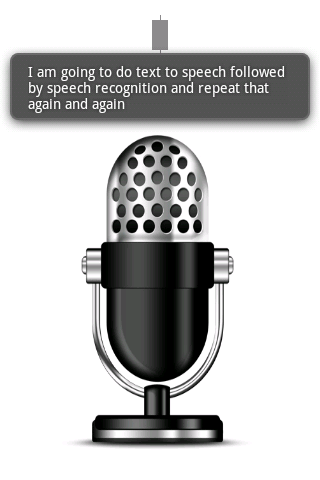
The hackathon was organized at the NiMK(Nederlands instituut voor Media Kunst) the 25th and 24th of May. My hack tries to let a phone start a conversation on its own. It does this by speaking a text and listening to the spoken text with speech recognition. The speech recognition introduces all kinds of interesting permutations of the original text. The recognized text is spoken again and so a dreamlike, unique nonsensical discussion starts. It lets you hear what goes on in the mind of the phone.
The idea is based on Alvin Lucier’s I am Sitting in a Room form 1969 which is embedded below. He used analogue tapes to generate a similar recursive loop. It is a better implementation of something I did a couple of years ago.
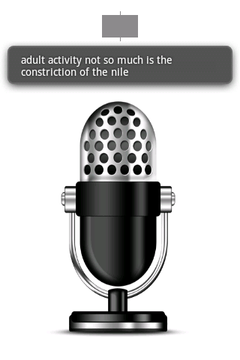
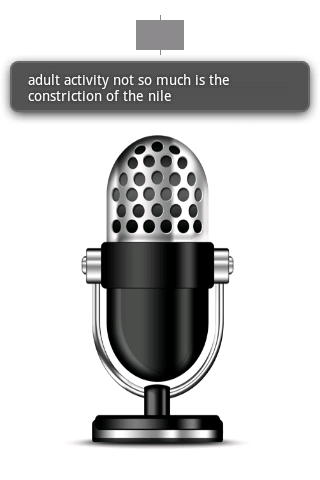
The implementation is done with Android and its API’s. Both speech recognition and text to speech are available on android. Those API’s are used and a user interface shows the recognized text. An example of a session can be found below:
To install the application you can download “Tryalogue.apk”:[Tryalogue.apk] of use the QR-code below. You need Android 2.3 with Voice Recognition and TTS installed. Also needed is an internet connection. “The source”:[Tryalogue.zip] is also up for grabs.
The Dan Ellis implementation is nicely documented here: Robust Landmark-Based Audio Fingerprinting . To download, get info about and decode mp3’s some external binaries are needed:
```bash\
#install octave if needed\
sudo apt-get install octave3.2\
#Install the required dependencies for the script\
sudo apt-get install mp3info curl
mpg123 is not present as a package, install from source:\
wget http://www.mpg123.de/download/mpg123-1.13.5.tar.bz2\
tar xvvf mpg123-1.13.5.tar.bz2\
cd mpg123-1.13.5/\
./configure\
make\
sudo make install\
```
In mp3read.m the following code was changed (line 111 and 112):
```matlab\
mpg123 = ‘mpg123’; % was fullfile(path,[‘mpg123.’,ext]);\
mp3info = ‘mp3info’; % was fullfile(path,[‘mp3info.’,ext]);\
```
Then, the demo program runs flawlessly when executing octave -q demo_fingerprint.m.
Running the demo with the original code with GNU Octave, version 3.2.3 takes 152 seconds on a PC with a Q9650 @ 3GHz processor. A small tweak can make it run almost 8 times faster. When working with larger data sets (10k audio files) this makes a big difference. I do not know why but storing a hash in the large hash table was really slow (0.5s per hash, with 900 hashes per song…). Caching the hashes and adding them all at once makes it faster (at least in Octave, YMMV). The optimized version of “record_hashes.m”:[record_hashes.m.txt] can be found attached. With this alteration the same demo ran in 20s. When caching the data locally the difference is 11.5s to 141s or 12 times faster. The code with all the changes can be found here: “Robust Landmark-Based Audio Fingerprinting - optimized for Octave 3.2”:[fingerprint_fast.zip]. Please note again that the implementation is done by Dan Ellis (2009) ( available on Robust Landmark-Based Audio Fingerprinting) and I did only some small tweaks.
The 29th of February 2012 there was a symposium on Music Information Retreival in Utrecht. It was organized on the occasion of Bas de Haas’ PhD defense. The title of the study day was Harmony and variation in music information retrieval.
During the talk by Xavier Serra rasikas.org was mentioned a forum with discussions about Carnatic Music. Since I could find a couple of discussions about pitch use on that forum I plugged Tarsos there to see if I could gather some feedback.
The DSP library for Taros, aptly named TarsosDSP, now includes an implementation of an audio echo effect. An echo effect is very simple to implement digitally and can serve as a good example of a DSP operation.
"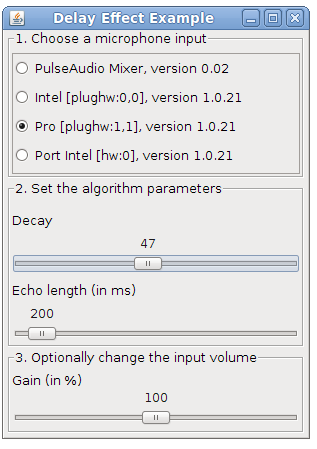":\[Delay.jar\]
The implementation of the effect can be seen below. As can be seen, to achieve an echo one simply needs to mix the current sample i with a delayed sample present in echoBuffer with a certain decay factor. The length of the buffer and the decay are the defining parameters for the sound of the echo. To fill the echo buffer the current sample is stored (line 4). Looping through the echo buffer is done by incrementing the position pointer and resetting it at the correct time (lines 6-9).
```java\
//output is the input added with the decayed echo\
audioFloatBuffer[i] = audioFloatBuffer[i] + echoBuffer[position] * decay;\
//store the sample in the buffer;\
echoBuffer[position] = audioFloatBuffer[i];\
//increment the echo buffer position\
position;\
//loop in the echo buffer\
if(position == echoBuffer.length)\
position = 0;\
```
To test the application, download and execute the “Delay.jar”:[Delay.jar] file and start singing in a microphone.
The source code of the Java implementation can be found on the TarsosDSP github page.
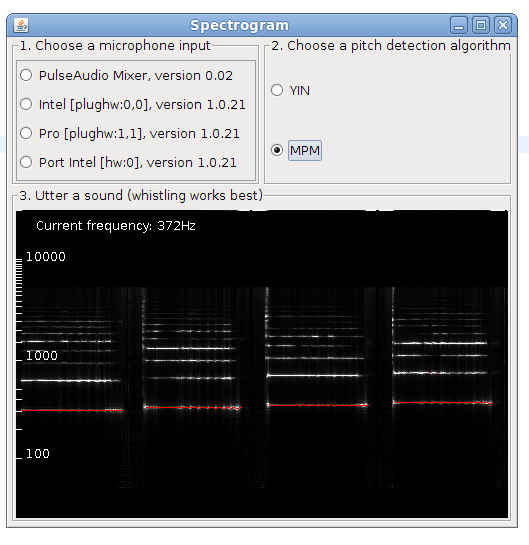
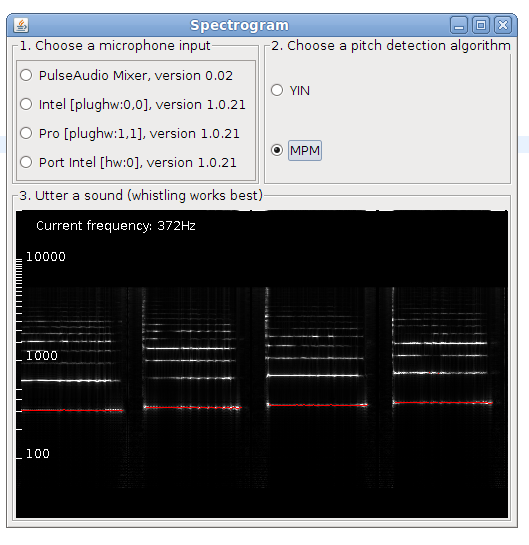
This is post presents a better version of the spectrogram implementation. Now it is included as an example in TarsosDSP, a small java audio processing library. The application show a live spectrogram, calculated using an FFT and the detected fundamental frequency (in red).
To test the application, download and execute the “Spectrogram.jar”:[Spectrogram.jar] file and start singing in a microphone.
There is also a command line interface, the following command shows the spectrum for in.wav:
\
java -jar Spectrogram.jar in.wav\
The source code of the Java implementation can be found on the TarsosDSP github page.
To test the application, download and execute the “WSOLA jar”:[TimeStretch.jar] file and load an audio file. For the moment only 44.1kHz mono wav is allowed. To get started you can try “this piece of audio”:[08._Ladrang_Kandamanyura_10s-20s.wav].
There is also a command line interface, the following command doubles the speed of in.wav:
\
java -jar TimeStretch.jar in.wav out.wav 2.0\
 _______                       _____   _____ _____
|__   __|                     |  __ \ / ____|  __ \
   | | __ _ _ __ ___  ___  ___| |  | | (___ | |__) |
   | |/ _` | '__/ __|/ _ \/ __| |  | |\___ \|  ___/
   | | (_| | |  \__ \ (_) \__ \ |__| |____) | |
   |_|\__,_|_|  |___/\___/|___/_____/|_____/|_|

----------------------------------------------------
Name:
    TarsosDSP Time stretch utility.
----------------------------------------------------
Synopsis:
    java -jar TimeStretch.jar source.wav target.wav factor
----------------------------------------------------
Description:
    Change the play back speed of audio without changing the pitch.

        source.wav  A readable, mono wav file.
        target.wav  Target location for the time stretched file.
        factor      Time stretching factor: 2.0 means double the length, 0.5 half. 1.0 is no change.
The source code of the Java implementation of WSOLA can be found on the TarsosDSP github page.
Tarsos contains a couple of useful command line applications. They can be used to execute common tasks on lots of files. Dowload Tarsos and call the applications using the following format:
The first part java -jar tarsos.jar tells the Java Runtime to start the correct application. The first argument for Tarsos defines the command line application to execute. Depending on the command, required arguments and options can follow.
To get a list of available commands, type java -jar tarsos.jar -h. If you want more information about a command type java -jar tarsos.jar command -h
Detect Pitch
Detects pitch for one or more input audio files using a pitch detector. If a directory is given it traverses the directory recursively. It writes CSV data to standard out with five columns. The first is the start of the analyzed window (seconds), the second the estimated pitch, the third the saillence of the pitch. The name of the algorithm follows and the last column shows the original filename.
For the Folk Music Analyisis (FMA) 2012 conference we (Olmo Cornelis and myself), wrote a paper presenting a new acoustic fingerprint scheme based on pitch class histograms.
The aim of acoustic fingerprinting is to generate a small representation of an audio signal that can be used to identify or recognize similar audio samples in a large audio set. A robust fingerprint generates similar fingerprints for perceptually similar audio signals. A piece of music with a bit of noise added should generate an almost identical fingerprint as the original. The use cases for audio fingerprinting or acoustic fingerprinting are myriad: detection of duplicates, identifying songs, recognizing copyrighted material,…
Using a pitch class histogram as a fingerprint seems like a good idea: it is unique for a song and it is reasonably robust to changes of the underlying audio (length, tempo, pitch, noise). The idea has probably been found a couple of times independently, but there is also a reference to it in the literature, by Tzanetakis, 2003: Pitch Histograms in Audio and Symbolic Music Information Retrieval:
Although mainly designed for genre classification it is possible that features derived from Pitch Histograms might also be applicable to the problem of content-based audio identification or audio fingerprinting (for an example of such a system see (Allamanche et al., 2001)). We are planning to explore this possibility in the future.
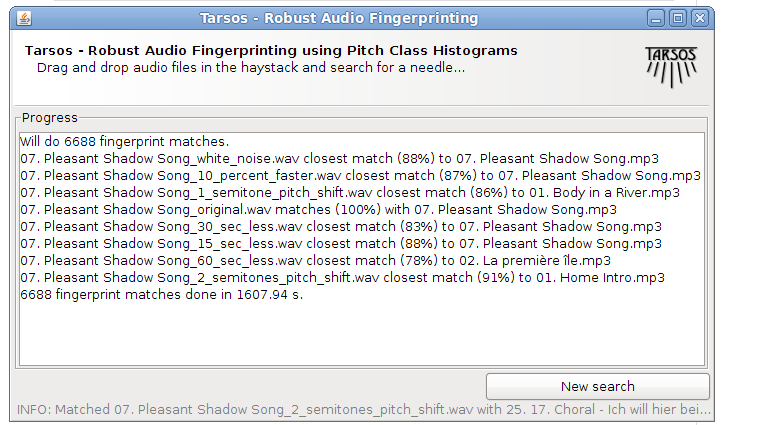
Unfortunately they never, as far as I know, did explore this possibility, and I also do not know if anybody else did. I found it worthwhile to implement a fingerprinting scheme on top of the Tarsos software foundation. Most elements are already available in the Tarsos API: a way to detect pitch, construct a pitch class histogram, correlate pitch class histograms with a pitch shift,… I created a GUI application which is presented here. It is, probably, acoustic / “audio fingerprinting system based on pitch class histograms”:[fingerprinter.jar].
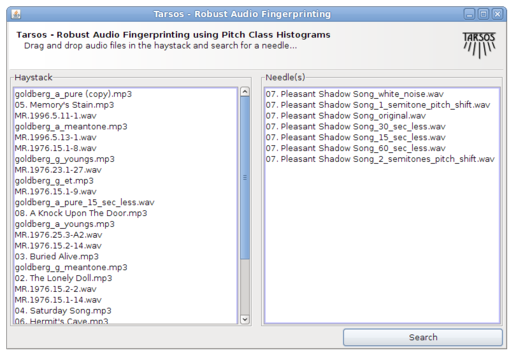
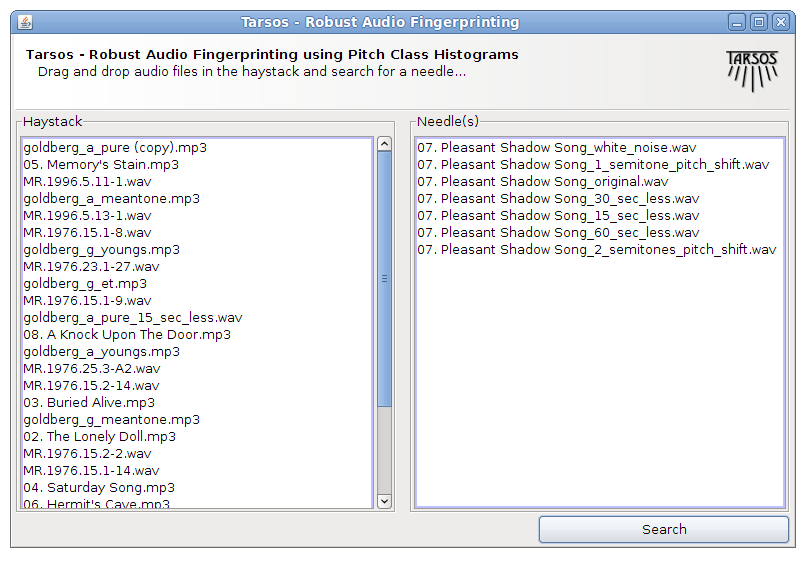
It works using drag and drop and the idea is to find a needle (an audio file) in a hay stack (a large amount of audio files). For every audio file in the haystack and for the needle pitch is detected using an optimized, for speed, MPM implementation. A pitch class histogram is created for each file, the histogram for the needle is compared with each histogram in the hay stack and, hopefully, the needle is found in the hay stack.
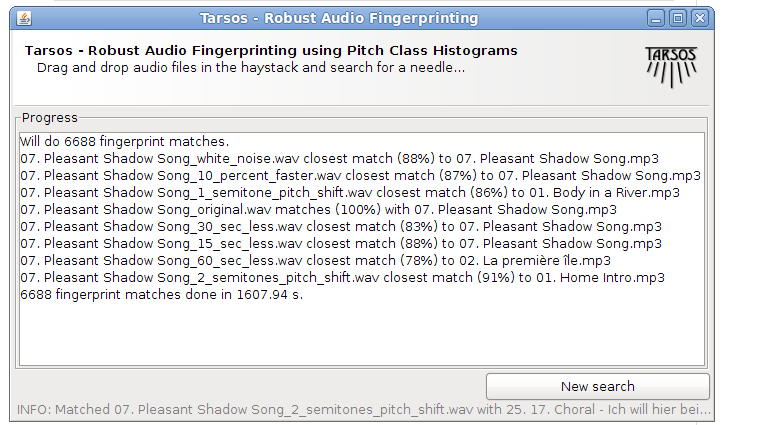
An experiment was done on the audio collection of the museum for Central Africa. A test dataset was generated using SoX with the following “Ruby script”:[audio_fingerprinting_dataset_generator.rb.txt]. The “raw results”:[fingerprinting_results.txt] were parsed with another “Ruby script”:[fingerprinting_results_parser.rb.txt]. With the data “a spreadsheet with the results”:[fingerprinting_on_dekkmma_results.ods] was created (OpenOffice.org format). Those results are mentioned in the paper.
You can try the system yourself by “downloading the fingerprinter”:[fingerprinter.jar].
To prevent confusion about pitch representation in general and pitch representation in Tarsos specifically I wrote a “document about pitch, pitch Interval, and pitch ratio representation”:[pitch_representation.pdf]. The abstract goes as follows:
This document describes how pitch can be represented using various units. More specifically it documents how a software program to analyse pitch in music, Tarsos, represents pitch. This document contains definitions of and remarks on different pitch and pitch interval representations. For good measure we need a definition of pitch, here the definition from \[McLeod 2009\] is used: *The pitch frequency is the frequency of a pure sine wave which has the same perceived sound as the sound of interest.* For remarks and examples of cases where the pitch frequency does not coincide with the fundamental frequency of the signal, also see \[McLeod 2009\] . In this text pitch, pitch interval and pitch ratio are briefly discussed.
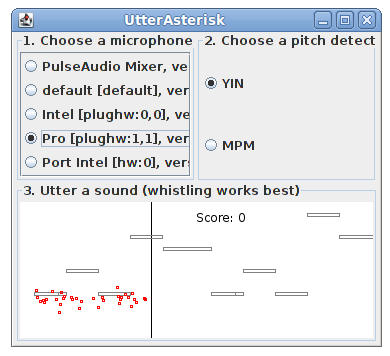
The DSP library of Tarsos, aptly named TarsosDSP, contains an implementation of a game that bares some resemblance to SingStar. It is called UtterAsterisk. It is meant to be a technical demonstration showing real-time pitch detection in pure java using a YIN -implementation.
“Download Utter Asterisk”:[UtterAsterisk.jar] and try to sing (utter) as close to the melody as possible. The souce code for Utter Asterisk is available on github.
The goal of the thesis was to develop an automatic transcription system for monophonic music. You can download the latest version of jAM - Java Automatic Music Transcription.
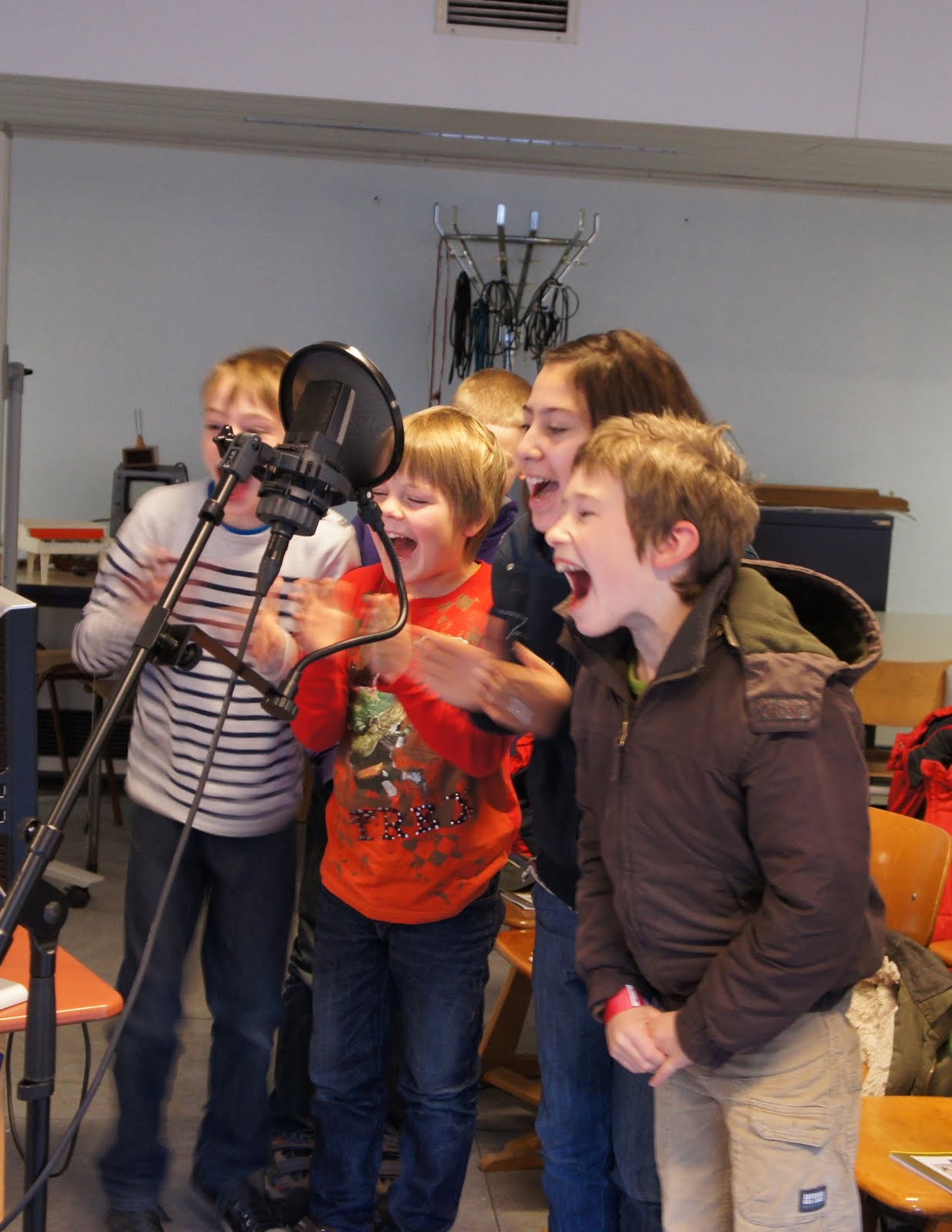
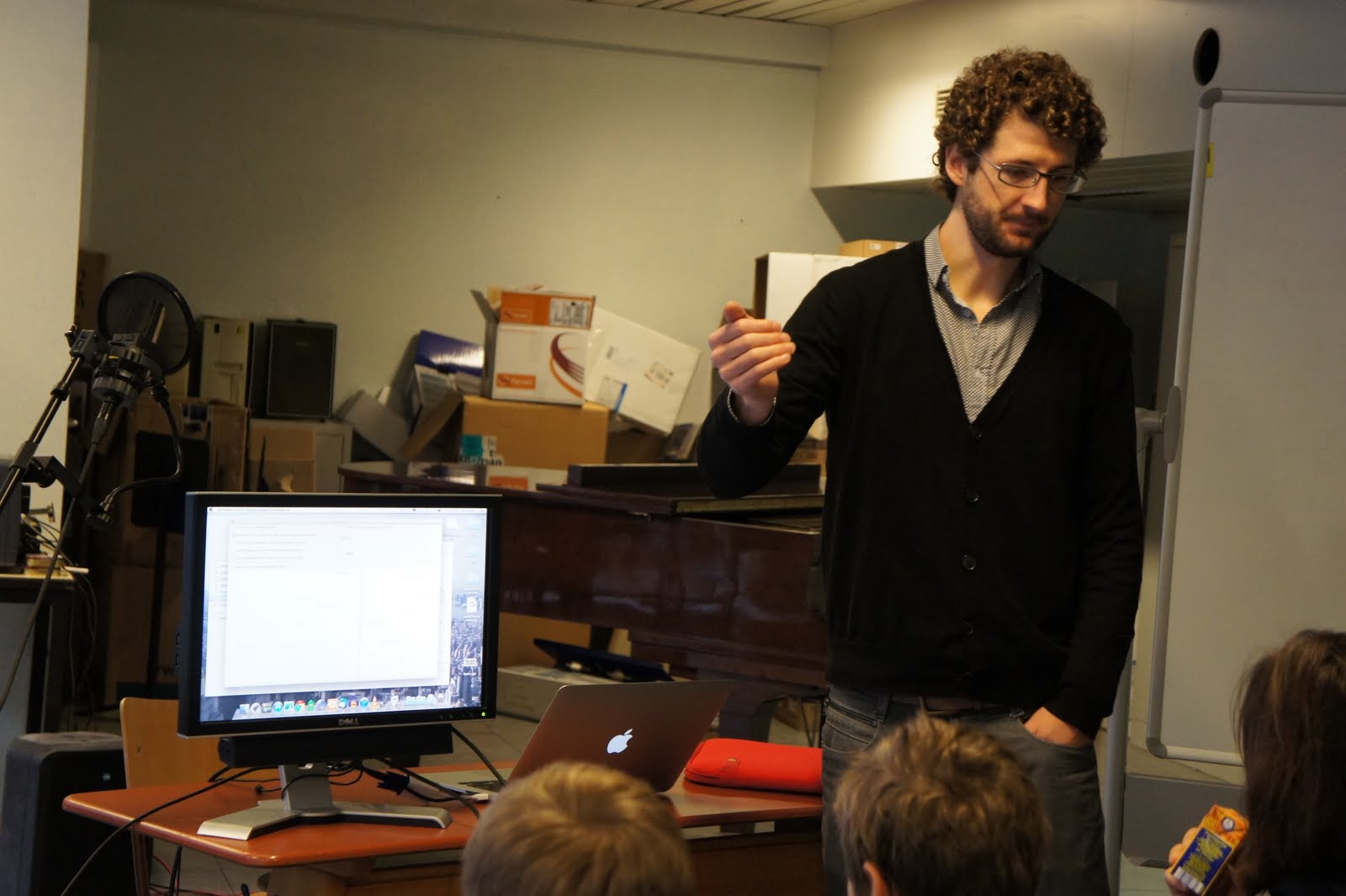
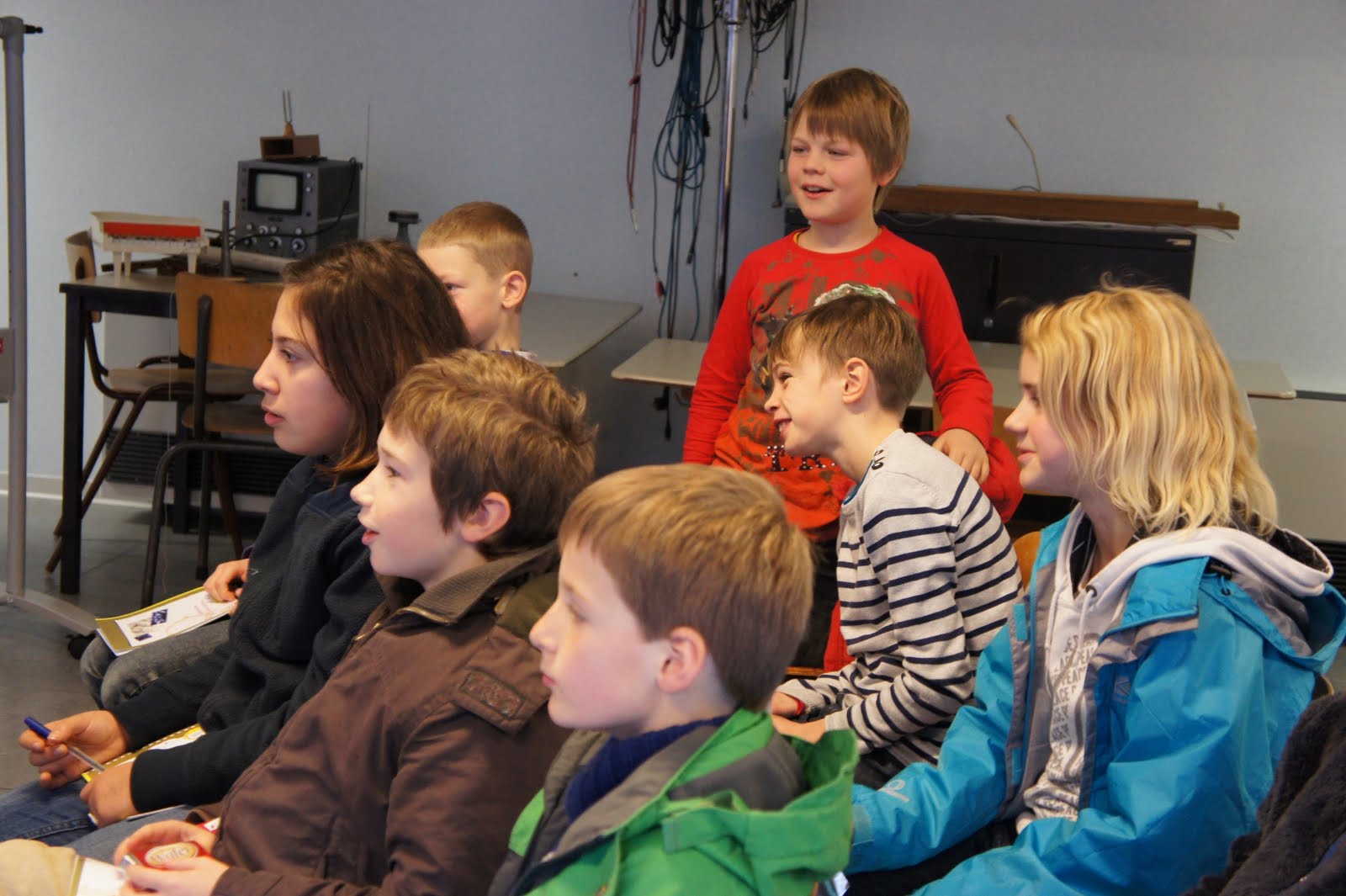
WORKSHOP - Muziek (ont)luisteren op de computer\
Is het mogelijk om piano te spelen op een tafel? Kan een computer luisteren naar muziek en er van genieten? Wat is muziek eigenlijk, en hoe werkt geluid? \
Tijdens deze workshop worden de voorgaande vragen beantwoord met enkele computerprogramma's!
Concreet worden enkele componenten van geluid (en bij uitbreiding, muziek) gedemonstreerd met computerprogrammaatjes gemaakt in het conservatorium:
“Geluidssterkte”:[SoundDetector.jar]: een decibel-meter met een bepaalde drempelwaarde. Probeer zo luid mogelijk te doen en zie hoe moeilijk het is om, eens een bepaald niveau bereikt is, in decibel te stijgen.
“Toonhoogte”:[UtterAsterisk.jar]: een klein spelletje om toonhoogte aan te tonen. Probeer zo juist mogelijk te zingen of te fluiten en vergelijk je score.
“Percussie”:[PercussionDetector.jar]: dit programma reageert op handgeklap. Hoe kan je het onderscheid maken tussen bijvoorbeeld een fluittoon en handgeklap?
A small part of Tarsos has been turned into a audio fingerprinting application. The idea of audio fingerprinting is to create a condensed representation of an audio file. A perceptually similar audio file should generate similar fingerprints. To test how robust a fingerprinting technique is, a data set with audio files that are alike in some way is practical.
SoX - Sound eXchange is a command line utility for sound processing. It can apply audio effects to a sound. Using these effects and a set of unmodified songs an audio fingerprinting data set can be created. To generate such a data set SoX can be used to:
Trim the first x seconds of a file
Speed-up or slow-down the audio
Change the pitch of a file without modifying the tempo
Generate background noise (white noise is used)
Reverse the audio stream
```ruby\
#Trim the first 10 seconds\
sox input.wav output.wav trim 10
speed-up of 10%\
sox input.wav output.wav speed 1.10
change the pitch upwards 100 cents (one semitone)\
#without changing the tempo\
sox input.wav output.wav pitch 100
generate white noise with the length of input.wav\
sox input.wav noise.wav synth whitenoise\
#mix the white noise with the input to generate noisy output\
#-v defines how loud the white noise is\
sox -m input.wav -v 0.1 noise.wav output.wav
reverse the audio\
sox input.wav output.wav reverse\
```
A ruby script to generate a lot of these files can be found “attached”:[audio_fingerprinting_dataset_generator.rb.txt].
The following video shows Bobby McFerrin demonstrating the power of the pentatonic scale. It is a fascinating demonstration of how quickly a (western) audience of the World Science Festival 2009 adapts to an unusual tone scale:
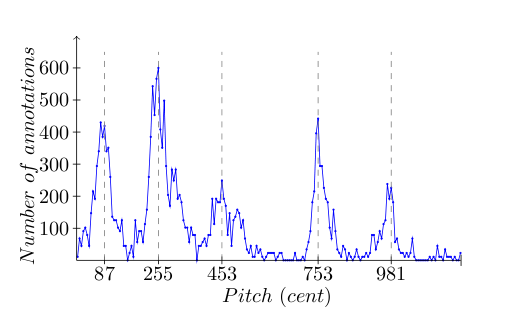
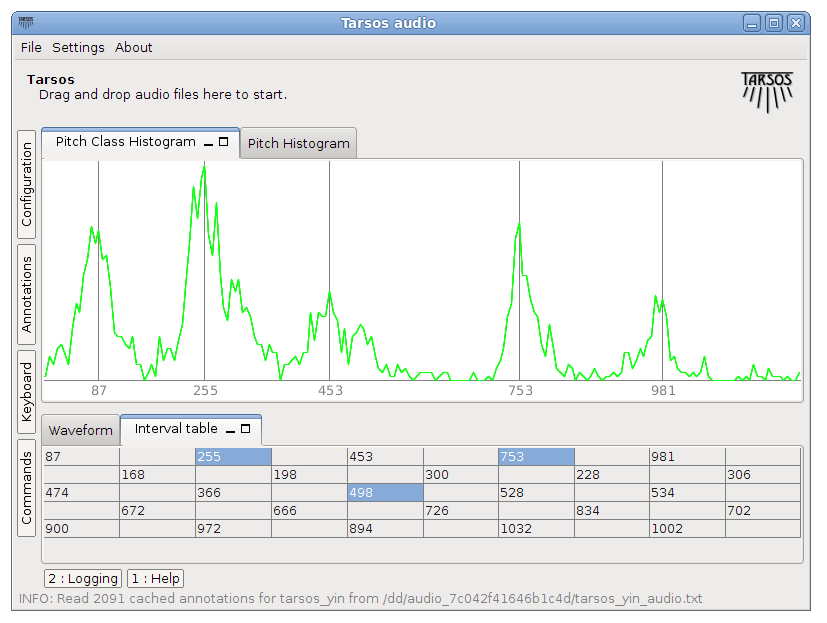
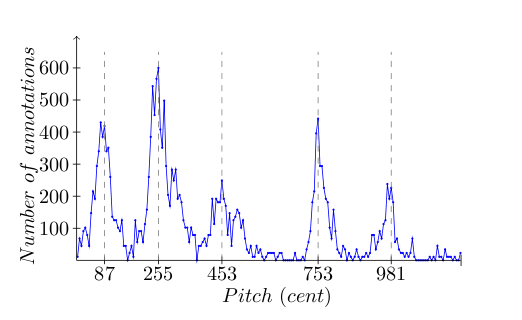
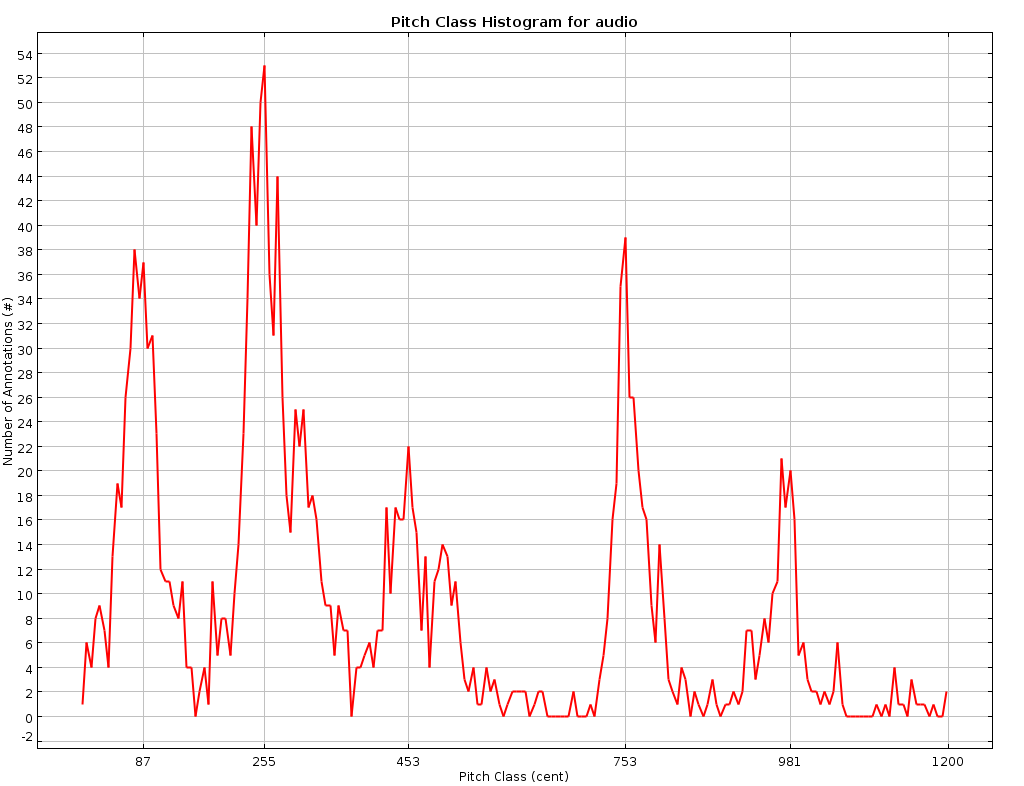
With Tarsos the scale used in the example can be found. This is the result of a quick analysis: it becomes clear that this, in fact, a pentatonic scale with an unequal octave division. A perfect fifth is present between 255 and 753 cents:
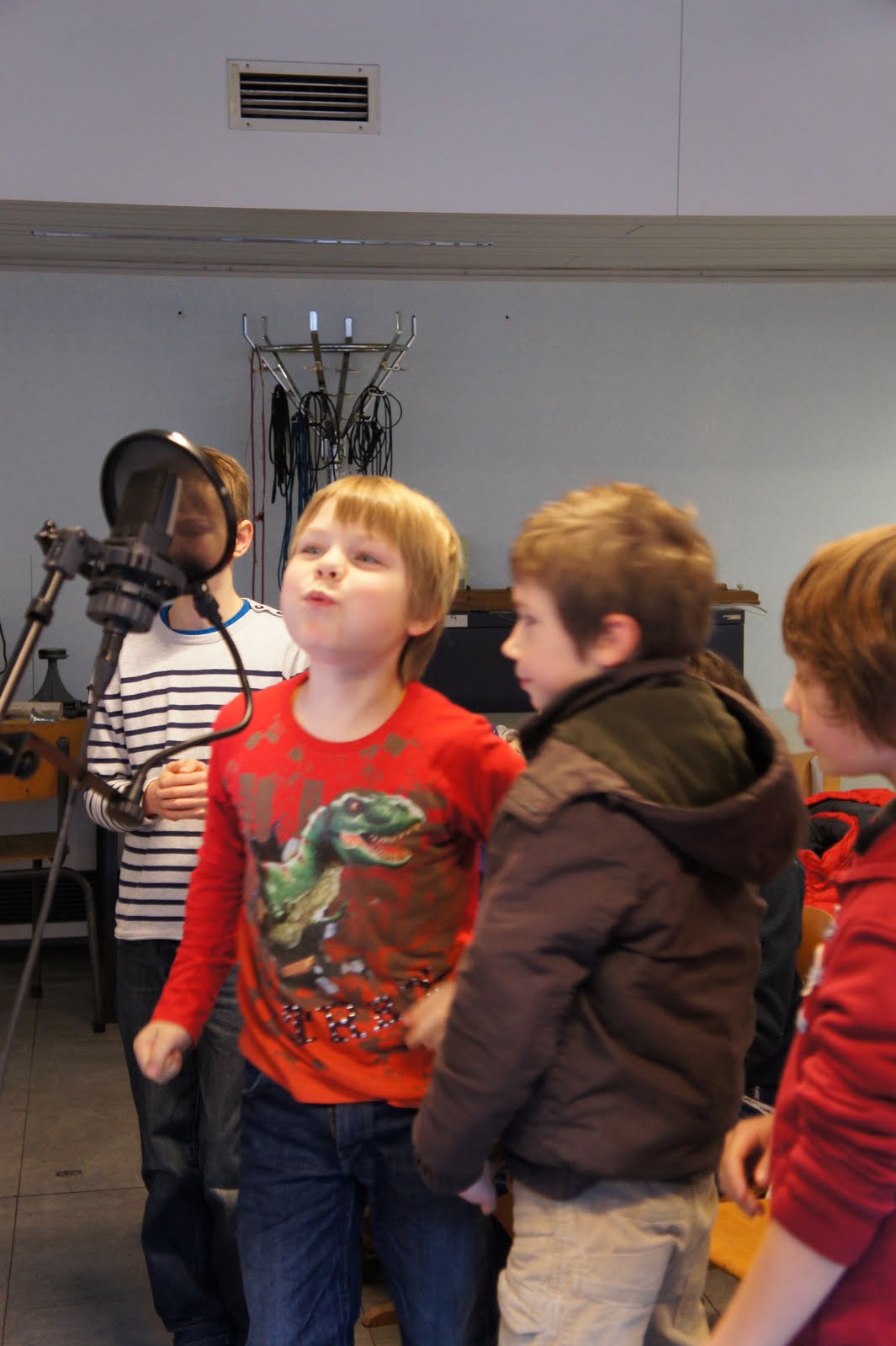
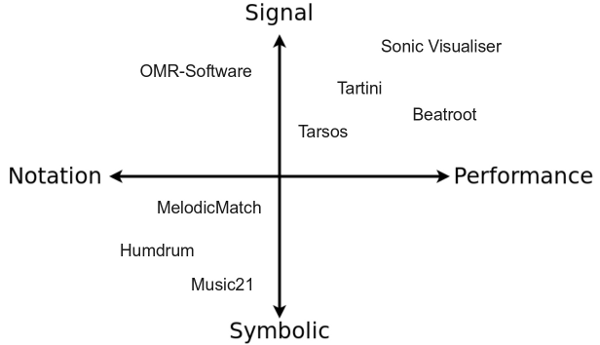
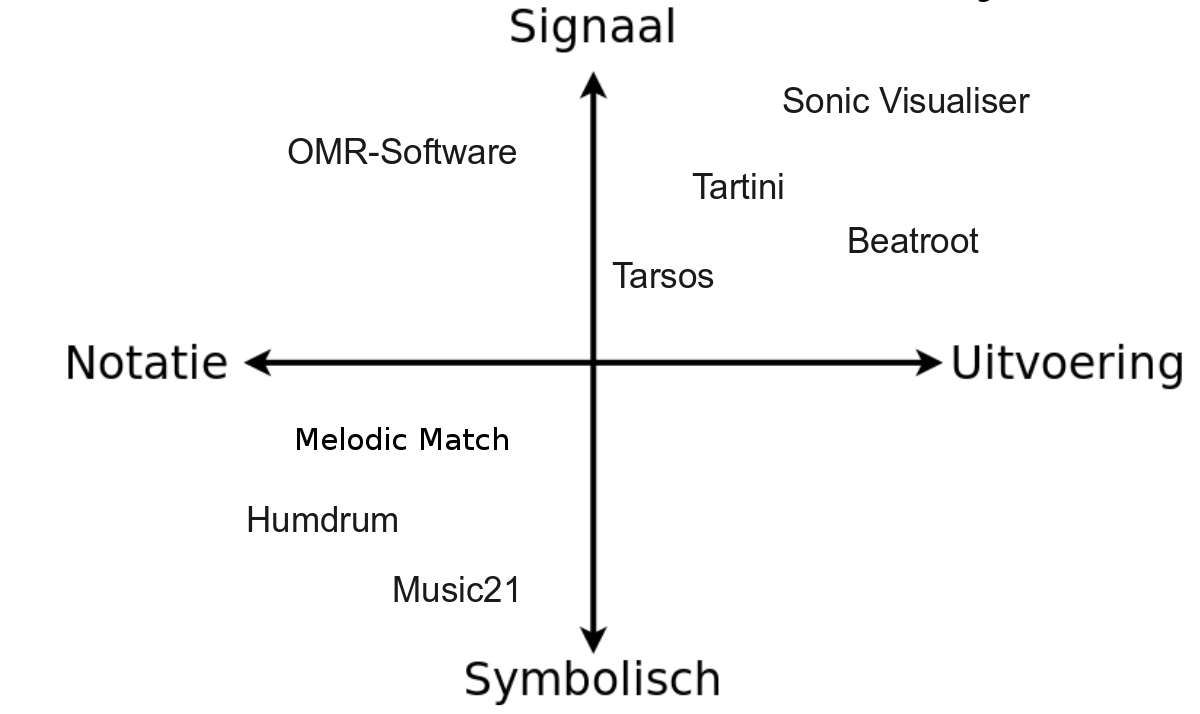
Friday the second of December I presented a talk about software for music analysis. The aim was to make clear which type of research topics can benefit from measurements by software for music analysis. Different types of digital music representations and examples of software packages were explained.
Following presentation was used during the talk. (“ppt”:[2011.12.02.software_for_music_analysis.ppt], “odp”:[2011.12.02.software_for_music_analysis.odp]):
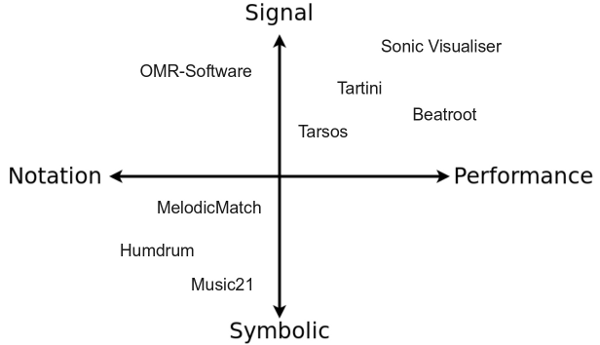
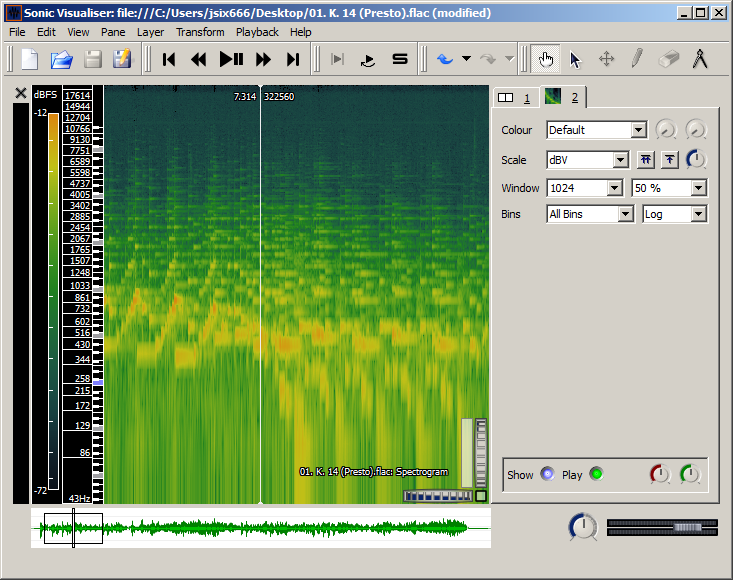
Sonic Visualizer: As its name suggests Sonic Visualizer contains a lot different visualisations for audio. It can be used for analysis (pitch,beat,chroma,…) with VAMP-plugins. To quote “The aim of Sonic Visualiser is to be the first program you reach for when want to study a musical recording rather than simply listen to it”. It is the swiss army knife of audio analysis.
BeatRoot is designed specifically for one goal: beat tracking. It can be used for e.g. comparing tempi of different performances of the same piece or to track tempo deviation within one piece.
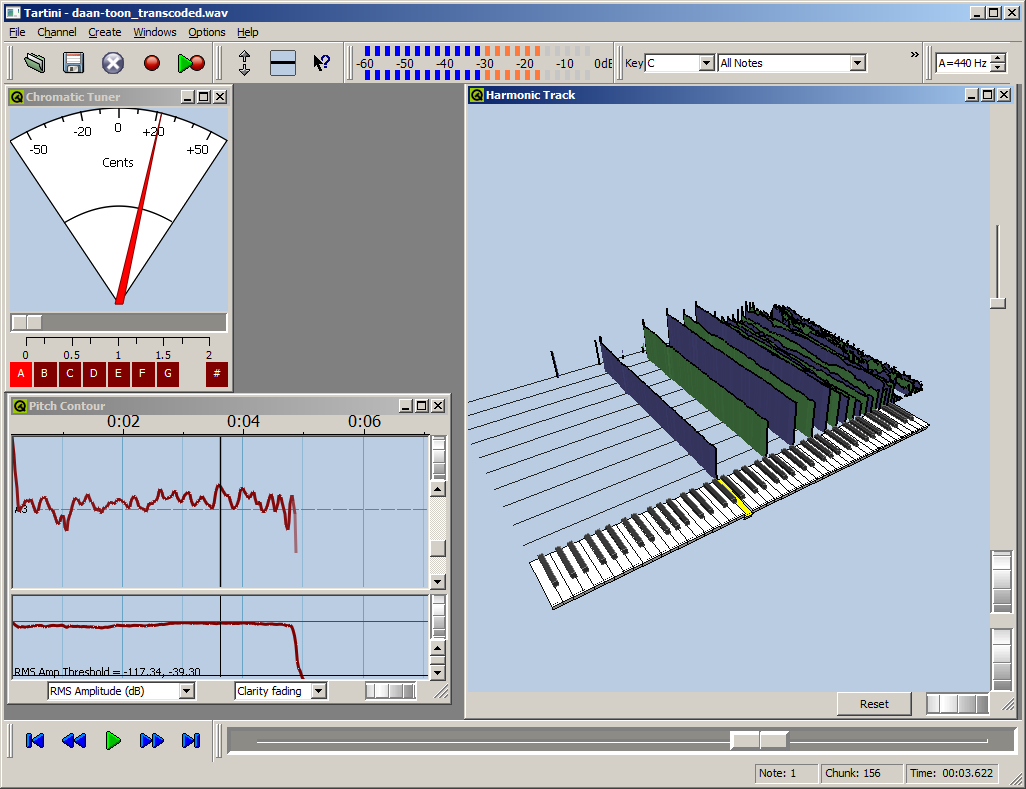
Tartini is capable to do real-time pitch analysis of sound. You can e.g. play into a microphone with a violin and see the harmonics you produce and adapt you playing style based on visual feedback. It also contains a pitch deviation measuring apparatus to analyse vibrato.
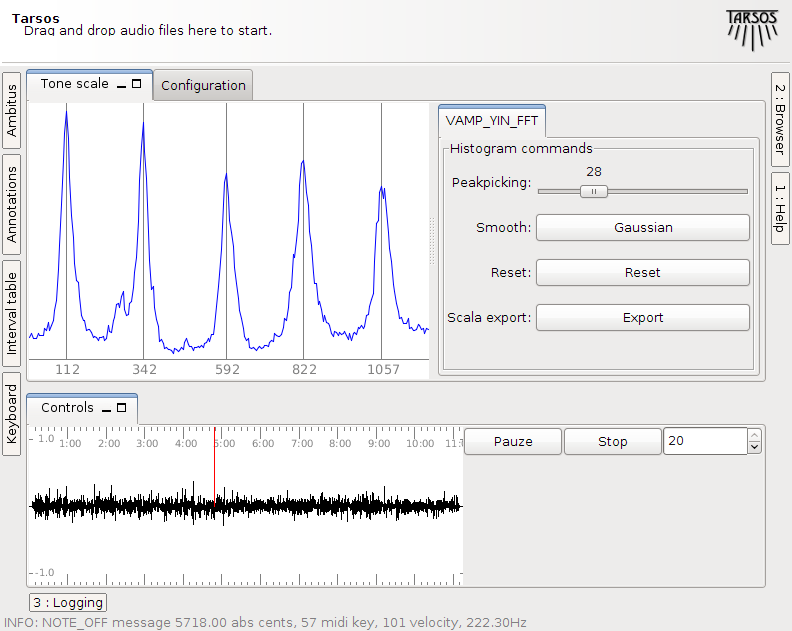
Tarsos is software for tone scale analysis. It is useful to extract tone scales from audio. Different tuning systems can be seen, extracted and compared. It also contains the ability to play along with the original song with a tuned midi keyboard .
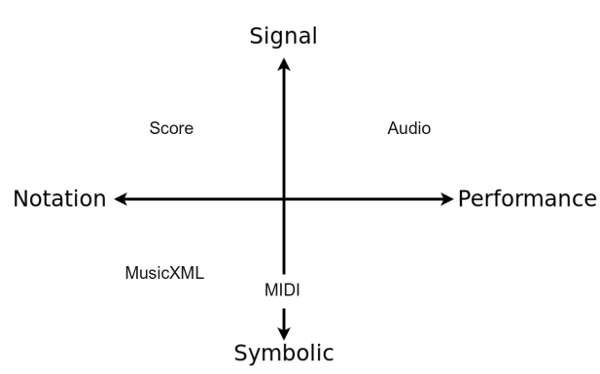
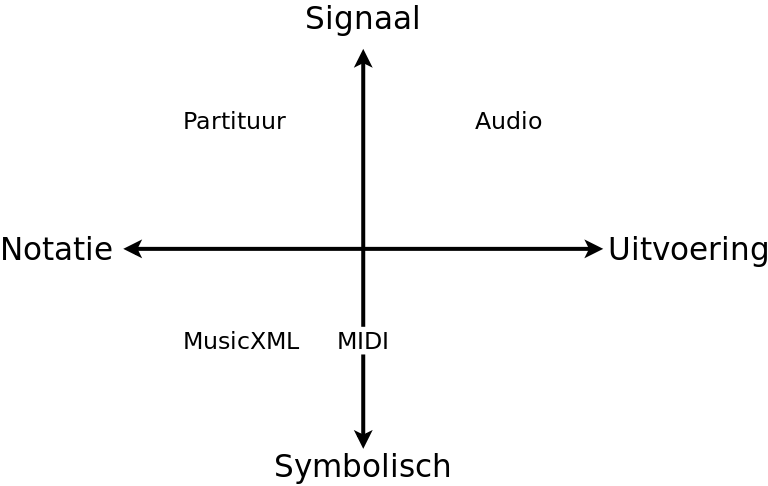
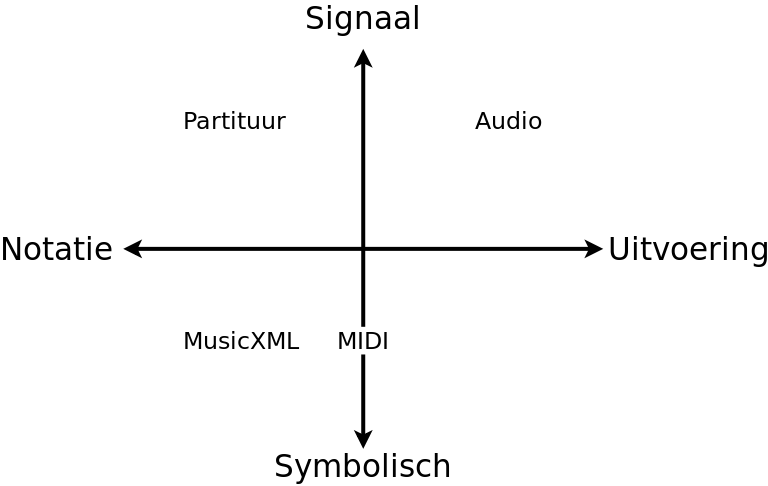
To show the different digital representations of music one example (Liebestraum 3 by Liszt) was used in different formats:
The aim of acoustic fingerprinting is to generate a small representation of an audio signal that can be used to identify or recognize similar audio samples in a large audio set. A robust fingerprint generates similar fingerprints for perceptually similar audio signals. A piece of music with a bit of noise added should generate an almost identical fingerprint as the original. The use cases for audio fingerprinting or acoustic fingerprinting are myriad: detection of duplicates, identifying songs, recognizing copyrighted material,…
Using a pitch class histogram as a fingerprint seems like a good idea: it is unique for a song and it is reasonably robust to changes of the underlying audio (length, tempo, pitch, noise). The idea has probably been found a couple of times independently, but there is also a reference to it in the literature, by Tzanetakis, 2003: Pitch Histograms in Audio and Symbolic Music Information Retrieval:
Although mainly designed for genre classification it is possible that features derived from Pitch Histograms might also be applicable to the problem of content-based audio identification or audio fingerprinting (for an example of such a system see (Allamanche et al., 2001)). We are planning to explore this possibility in the future.
Unfortunately they never, as far as I know, did explore this possibility, and I also do not know if anybody else did. I found it worthwhile to implement a fingerprinting scheme on top of the Tarsos software foundation. Most elements are already available in the Tarsos API: a way to detect pitch, construct a pitch class histogram, correlate pitch class histograms with a pitch shift,… I created a GUI application which is presented here. It is, probably, the first open source acoustic / “audio fingerprinting system based on pitch class histograms”:[AudioFingerprinter.jar].
It works using drag and drop and the idea is to find a needle (an audio file) in a hay stack (a large amount of audio files). For every audio file in the haystack and for the needle pitch is detected using an optimized, for speed, Yin implementation. A pitch class histogram is created for each file, the histogram for the needle is compared with each histogram in the hay stack and, hopefully, the needle is found in the hay stack.
Unfortunately I do not have time for rigorous testing (by building a large acoustic fingerprinting data set, or an other decent test bench) but the idea seems to work. With the following modifications, done with audacity effects the needle was still found a hay stack of 836 files :
A 10% speedup
15 and 30 seconds removed form the needle (a song of 4 minutes 12 seconds)
White noise added
Reversed the audio (This is, I believe, a rather unique property of this fingerprinting technique)
GSM reencoded
The following modifications failed to identify the correct song:
A one semitone pitch shift
A two semitone pitch shift
60 seconds removed from the needle
The original was also found. No failure analysis was done. The hay stack consists of about 100 hours of western pop, the needle is also a western pop song. If somebody wants to pick up this work or has an acoustic fingerprinting data set or drop me a line at
The 21st of October a demo of PeachNote Piano was given at the ISMIR (International Society for Music Information Retrieval) 2011 conference. The demo raised some interest.
The extended abstract about PeachNote Piano can be found on the ISMIR 2011 schedule.
A previous post about PeachNote Piano has more technical details together with a video showing the core functionality (quasi-instantaneous USB-BlueTooth-MIDI communication).
The 17th of Octobre 2011 Tarsos was presented at the Study Day: Tuning and Temperament which was held at the Institue of Music Research in Londen. The study day was organised by Dan Tidhar. A short description of the aim of the study day:
This is an interdisciplinary study day, bringing together musicologists, harpsichord specialists, and digital music specialists, with the aim of exploring the different angles these fields provide on the subject, and how these can be fruitfully interconnected.
We offer an optional introduction to temperament for non specialists, to equip all potential listeners with the basic concepts and terminology used throughout the day.
The live demo we gave went well and we got a lot of positive, interesting feedback. The presentation about Tarsos is available here.
It was the first time in the history of ISMIR that there was a session with oral presentations about Non-Western Music. We were pleased to be part of this.
Op dinsdag vier oktober 2011 werd een les gegeven over bruikbare software voor muziekanalyse. Het doel was om duidelijk te maken welk type onderzoeksvragen van bachelor/masterproeven baat kunnen hebben bij objectieve metingen met software voor klankanalyse. Ook de manier waarop werd besproken: soorten digitale representaties van muziek met voorbeelden van softwaretoepassingen werden behandeld.
Voor de les werden volgende slides gebruikt (“ppt”:[2011.10.04.bruikbare_software_voor_muziekanalyse.ppt], “odp”:[2011.10.04.bruikbare_software_voor_muziekanalyse.odp]):
De behandelde software voor klank als signaal werd al eerder besproken:
* [Sonic Visualizer](http://www.sonicvisualiser.org): As its name suggests Sonic Visualizer contains a lot different visualisations for audio. It can be used for analysis (pitch,beat,chroma,...) with [VAMP-plugins](http://vamp-plugins.org). To quote *"The aim of Sonic Visualiser is to be the first program you reach for when want to study a musical recording rather than simply listen to it"*. It is the swiss army knife of audio analysis.
* [BeatRoot](http://www.eecs.qmul.ac.uk/~simond/beatroot/) is designed specifically for one goal: beat tracking. It can be used for e.g. comparing tempi of different performances of the same piece or to track tempo deviation within one piece.
* [Tartini](http://tartini.net) is capable to do real-time pitch analysis of sound. You can e.g. play into a microphone with a violin and see the harmonics you produce and adapt you playing style based on visual feedback. It also contains a pitch deviation measuring apparatus to analyse vibrato.
* [Tarsos](http://tarsos.0110.be) is software for tone scale analysis. It is useful to extract tone scales from audio. Different tuning systems can be seen, extracted and compared. It also contains the ability to play along with the original song with a tuned midi keyboard .
* [music21](http://mit.edu/music21/) from their website: "music21 is a set of tools for helping scholars and other active listeners answer questions about music quickly and simply. If you've ever asked yourself a question like, "I wonder how often Bach does that" or "I wish I knew which band was the first to use these chords in this order," or "I'll bet we'd know more about Renaissance counterpoint (or Indian ragas or post-tonal pitch structures or the form of minuets) if I could write a program to automatically write more of them," then music21 can help you with your work."
Om aan te duiden welke digitale representaties welke informatie bevatten werd een stuk van Franz Liszt in verschillende formaten gebruikt:
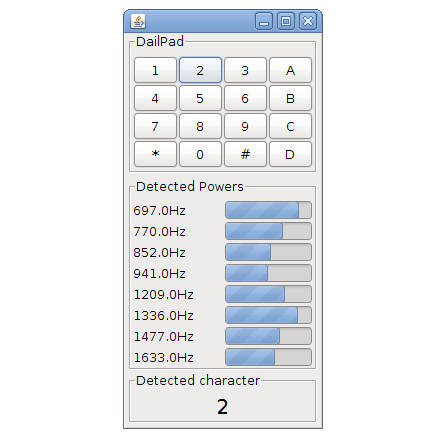
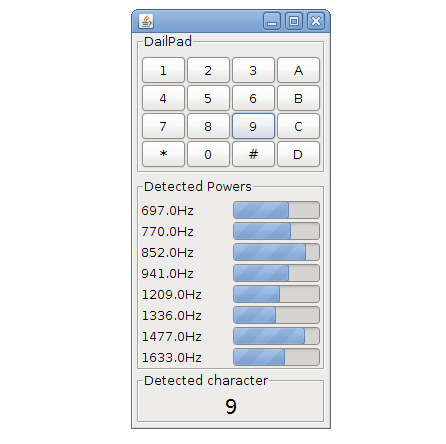
The DSP library of Tarsos, aptly named TarsosDSP, now contains an implementation of the Goertzel Algorithm. It is implemented using pure Java.
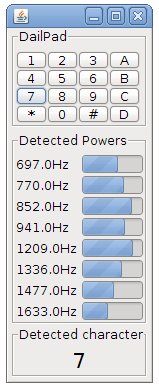
The Goertzel algorithm can be used to detect if one or more predefined frequencies are present in a signal and it does this very efficiently. One of the classic applications of the Goertzel algorithm is decoding the tones generated on by touch tone telephones. These use DTMF (Dual tone multi frequency)-signaling.
To make the algorithm visually appealing a Java Swing interface has been created(visible right). You can try this application by running the “Goertzel DTMF Jar-file”:[GoertzelDTMF.jar]. The souce code is included in the jar and is avaliable as a separate “zip file”:[GoertzelDTMF_src.zip]. The TarsosDSP github page also contains the source for the Goertzel algorithm Java implementation.
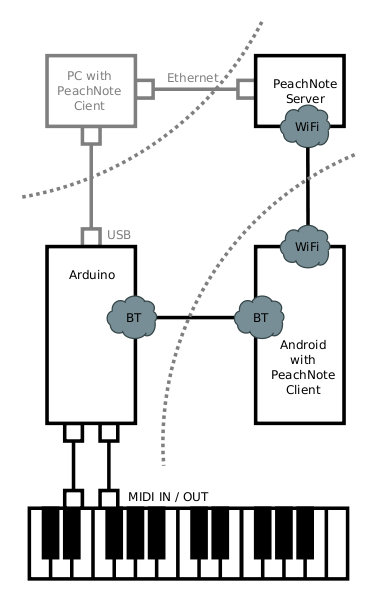
The extended abstract about PeachNote Piano has been accepted as a demonstration presentation to appear at the ISMIR (International Society for Music Information Retrieval) 2011 conference in Miami. To know more about PeachNote Piano come see us at our demo stand (during the Late Breaking and Demo Session) or read the paper: “Peachnote Piano: Making MIDI instruments social and smart using Arduino, Android and Node.js”:[PeachNote_Piano_ISMIR_Demo.pdf]. What follows here is the introduction of the extended abstract:
Playing music instruments can bring a lot of joy and satisfaction, but not all apsects of music practice are always enjoyable. In this contribution we are addressing two such sometimes unwelcome aspects: the solitude of practicing and the "dumbness" of instruments.
The process of practicing and mastering of music instruments often takes place behind closed doors. A student of piano spends most of her time alone with the piano. Sounds of her playing get lost, and she can't always get feedback from friends, teachers, or, most importantly, random Internet users. Analysing her practicing sessions is also not easy. The technical possibility to record herself and put the recordings online is there, but the needed effort is relatively high, and so one does it only occasionally, if at all.
Instruments themselves usually do not exhibit any signs of intelligence. They are practically mechanic devices, even when implemented digitally. Usually they react only to direct actions of a player, and the player is solely responsible for the music coming out of the insturment and its quality. There is no middle ground between passive listening to music recordings and active music making for someone who is alone with an instrument.
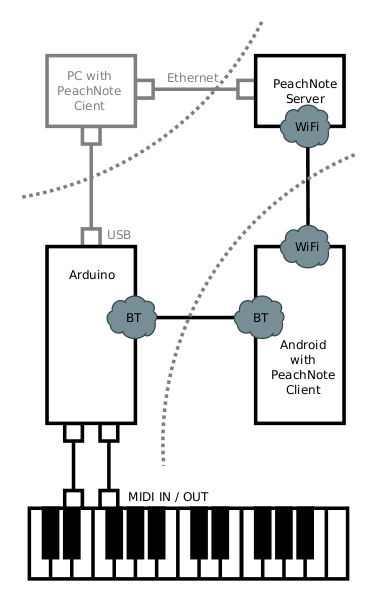
We have built a prototype of a system that strives to offer a practical solution to the above problems for digital pianos. From ground up, we have built a system which is capable of transmitting MIDI data from a MIDI instrument to a web service and back, exposing it in real-time to the world and optionally enriching it.
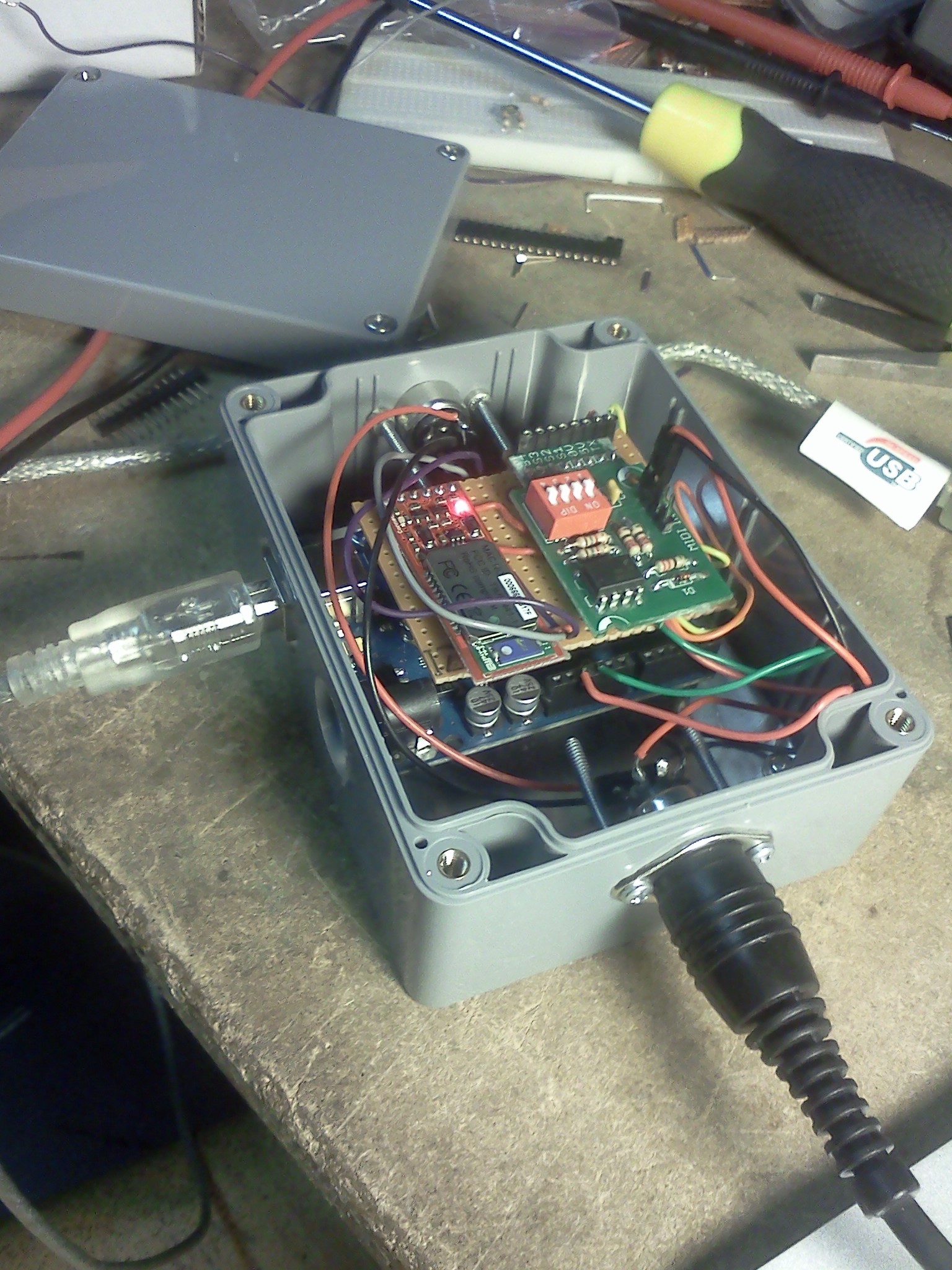
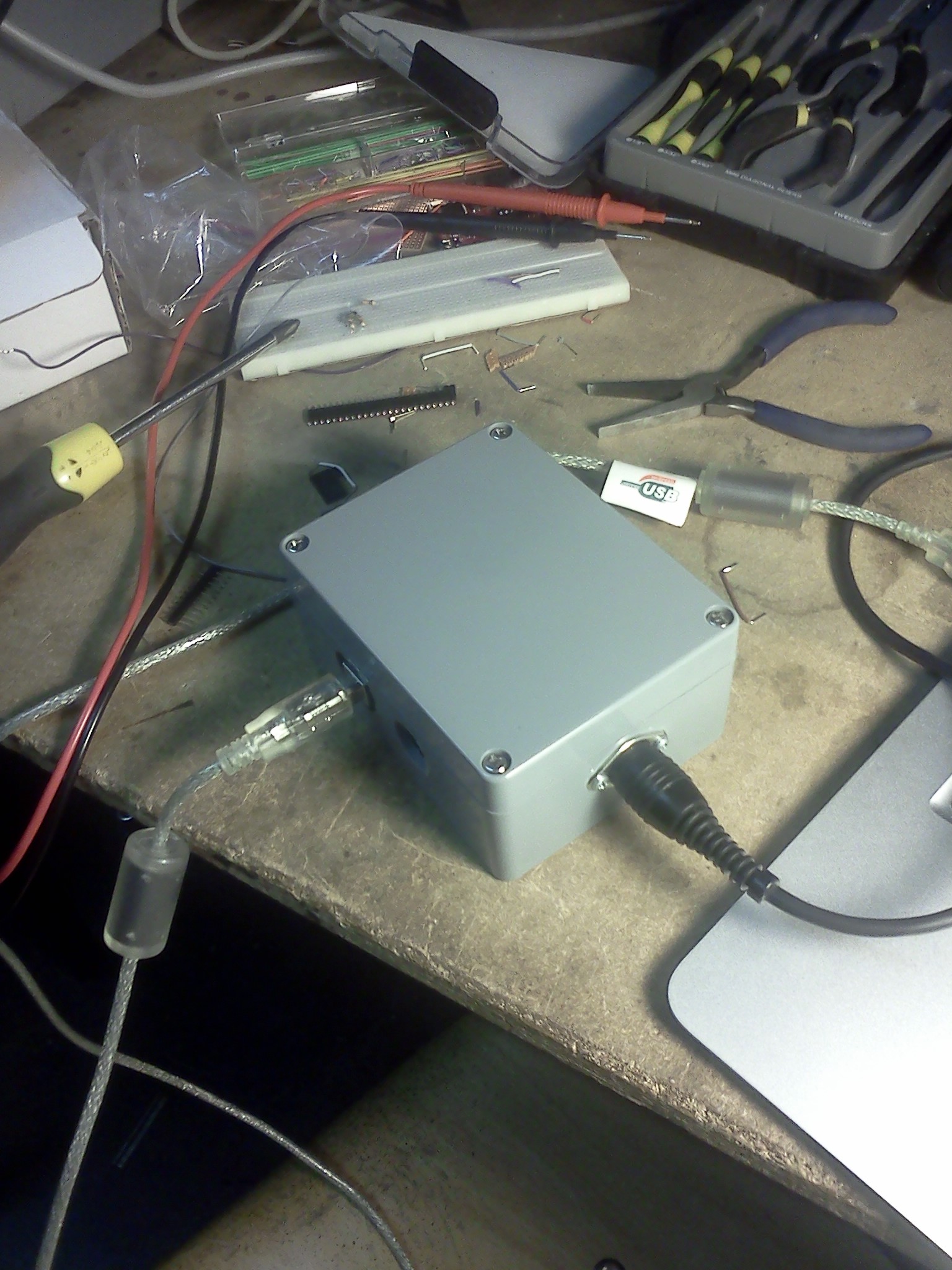
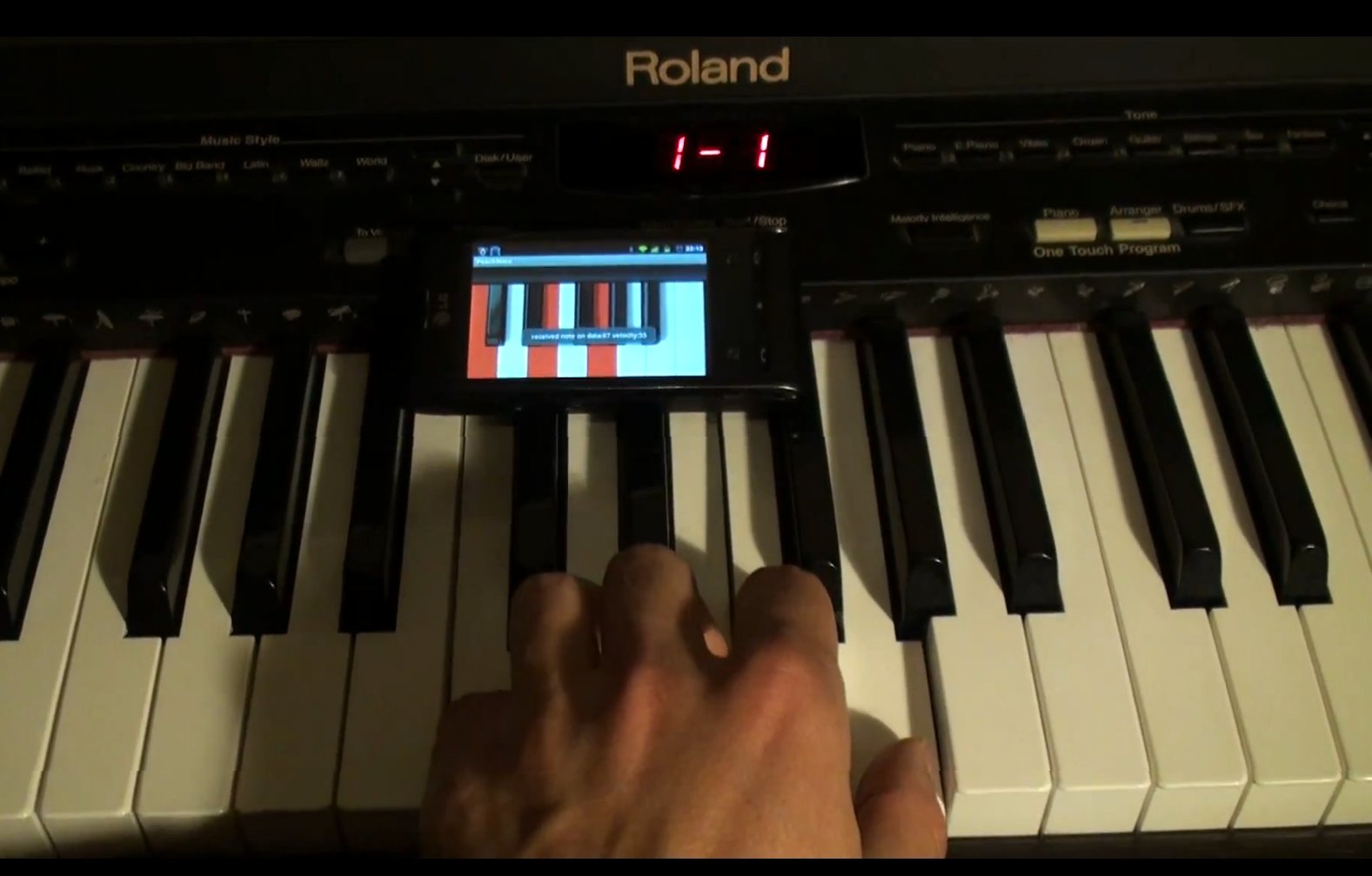
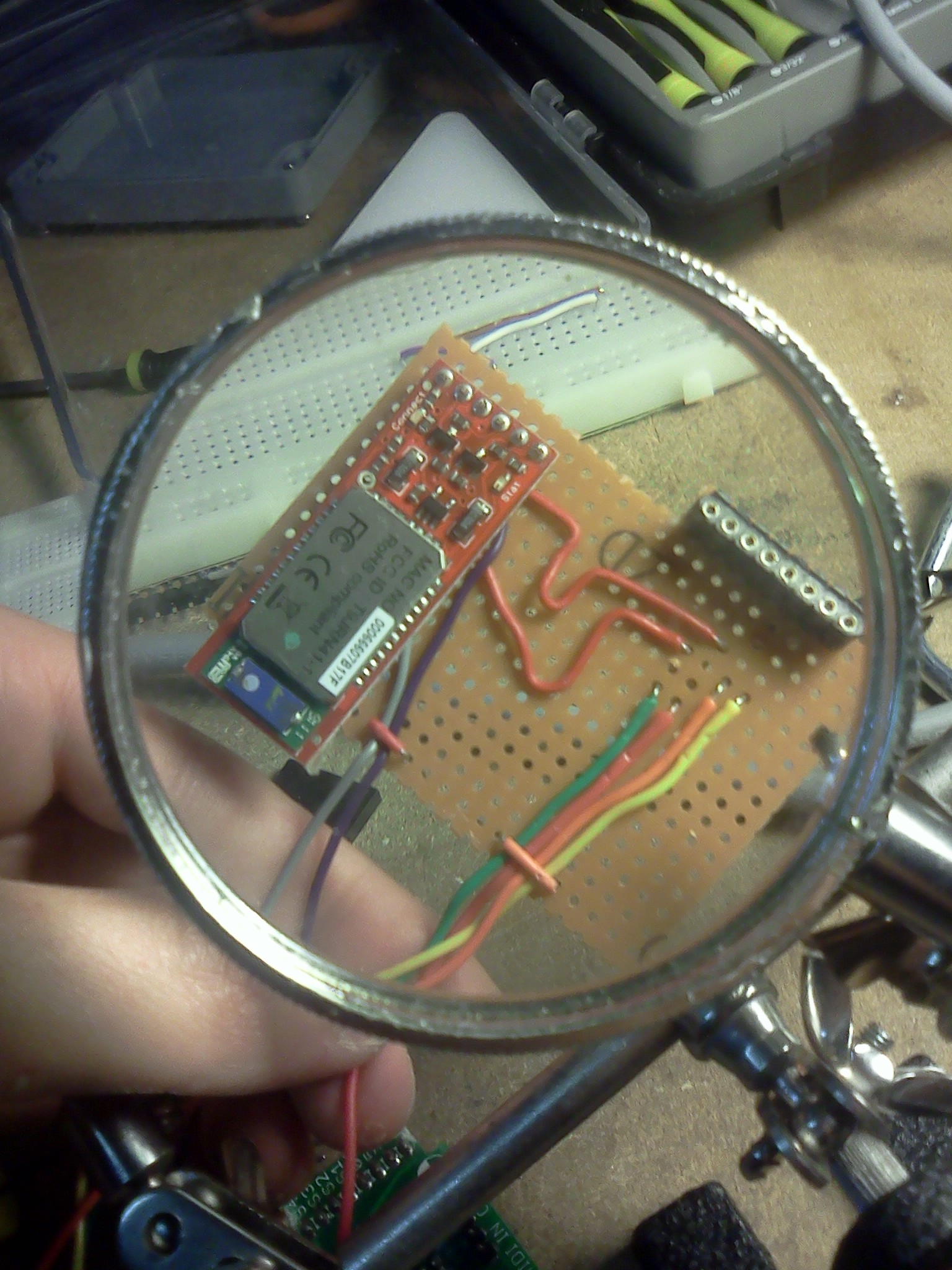
A previous post about PeachNote Piano has more technical details together with a video showing the core functionality (quasi-instantaneous USB-BlueTooth-MIDI communication). Some photos can be found below.

 What follows is about the Conference on Interdisciplinary Musicology (CIM2012) and the 15th international Conference of the Gesellschaft fur Musikfoschung. First this text will give information about our contribution to CIM2012: Revealing and Listening to Scales From the Past; Tone Scale Analysis of Archived Central-African Music Using Computational Means and then a number of highlights of the conference follow. The joint conference took place from the 4th to the 8th of september 2012.
 Research papers, Music Information Retrieval, featured, Computational musicology, Presentation, Tarsos, and HoGent
 2012.09.05-Revealing_and_listening_to_scales_from_the_past__tone_scale_analysis_of_archived_Central-African_music_using_computational_means..ppt, CIM12_Submission.pdf, and Forkeljpg.jpg
 This post is about a hack I did for the 2012
 The 29th of February 2012 there was a symposium on Music Information Retreival in Utrecht. It was organized on the occasion of Bas de Haas’ PhD defense. The title of the study day was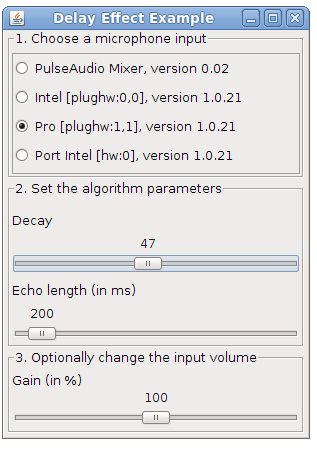

 Tarsos contains a couple of useful command line applications. They can be used to execute common tasks on lots of files.

 TarsosDSP, a small Java DSP library, has been used in a bachelor thesis:
  WORKSHOP - Muziek (ont)luisteren op de computer\
Is het mogelijk om piano te spelen op een tafel? Kan een computer luisteren naar muziek en er van genieten? Wat is muziek eigenlijk, en hoe werkt geluid?
WORKSHOP - Muziek (ont)luisteren op de computer\
Is het mogelijk om piano te spelen op een tafel? Kan een computer luisteren naar muziek en er van genieten? Wat is muziek eigenlijk, en hoe werkt geluid?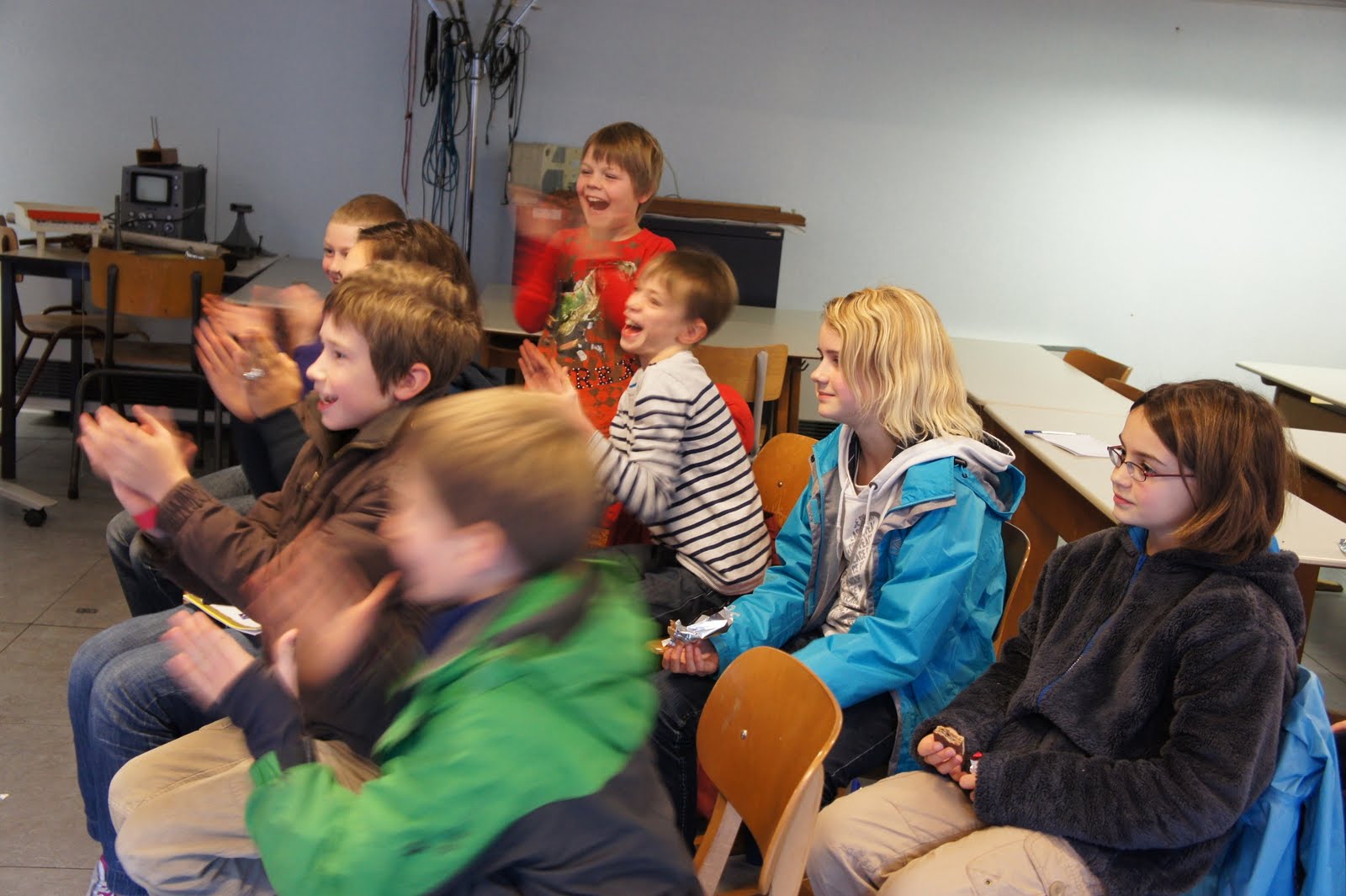



 The extended abstract about PeachNote Piano has been accepted as a demonstration presentation to appear at the ISMIR (International Society for Music Information Retrieval) 2011 conference in Miami. To know more about PeachNote Piano come see us at our demo stand (during the