TarsosDSP: a Java Library for Audio Processing
TarsosDSP is a Java library for audio processing. Its aim is to provide an easy-to-use interface to practical music processing algorithms implemented, as simply as possible, in pure...
Below you can find links to the open source software I developed during my research. It is always nice to hear how this software is used, don’t hesitate to drop me a line. Bug reports are welcomed as well.
TarsosDSP is a Java library for audio processing. Its aim is to provide an easy-to-use interface to practical music processing algorithms implemented, as simply as possible, in pure...
MI-Kit is a low-cost, open-source system for controlling music production software through body movement. Designed for creative music practice and embodied music interaction research. EMI-Kit can be used...
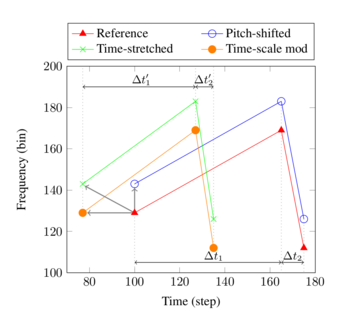
Panako is an extendable acoustic fingerprinting framework. The aim of acoustic fingerprinting is to find small audio fragments in large audio databases. Panako contains several acoustic fingerprinting algorithms...
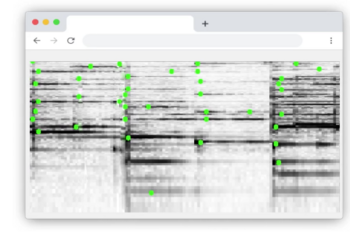
Olaf is a portable, landmark-based, acoustic fingerprinting system released as open source software. Olaf runs on embedded platforms, traditional computers and in the browser. Olaf is able to...
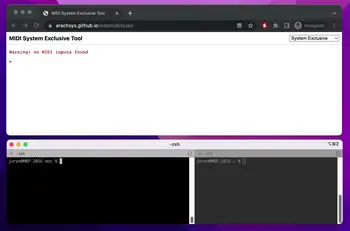
mot consists of several MIDI and OSC command line tools. These are mainly of interest to debug and check OSC messages and MIDI devices. The tools are written...
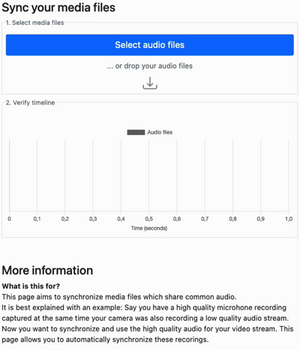
Thanks to WebAssembly it is possible to repurpose software for use on the web, even if it was originally designed with other use in mind. I have developed...
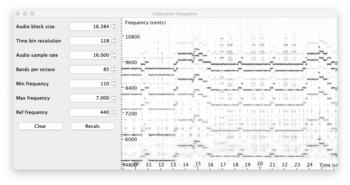
This library calculates fine-grained constant-Q spectral representations of audio signals quickly from Java. The spectral transform can be visualized or further processed in a (Music Information Retrieval) processing...
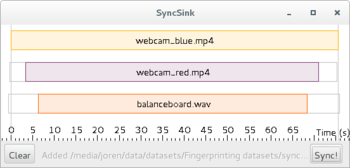
SyncSink is able to synchronize video and audio recordings of the same event. As long as some audio is shared between the multimedia files a reliable synchronization solution...
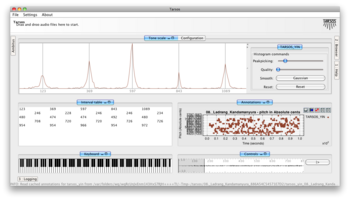
Tarsos is a software tool to analyze and experiment with pitch organization in all kinds of musics. Most of the analysis is done using pitch histograms and octave...

TarsosLSH is a Java library implementing Locality-sensitive Hashing (LSH), a practical nearest neighbor search algorithm for multidimensional vectors that operates in sublinear time. It supports several LSH families:...
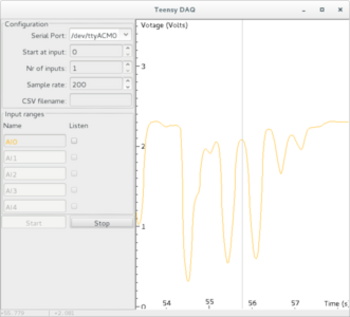
TeensyDAQ is a Java application to quickly visualize and record analog signals with a Teensy micro-controller and some custom software. It is mainly useful to quickly get an...
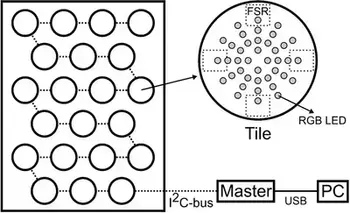
The idea behind AMPEL (by Lousin Moumdjian, Marc Leman, Peter Feys) is to combine both motor and cognitive rehabilitation in a single combined ‘embodied learning’ paradigm. To this...
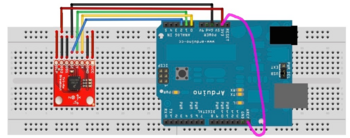
The Pidato experiment demonstrates a rather straightforward method to handle vibrato on a digital piano. It ‘solves’ the age-old problem on what to do with the enigmatic “vibrato”...
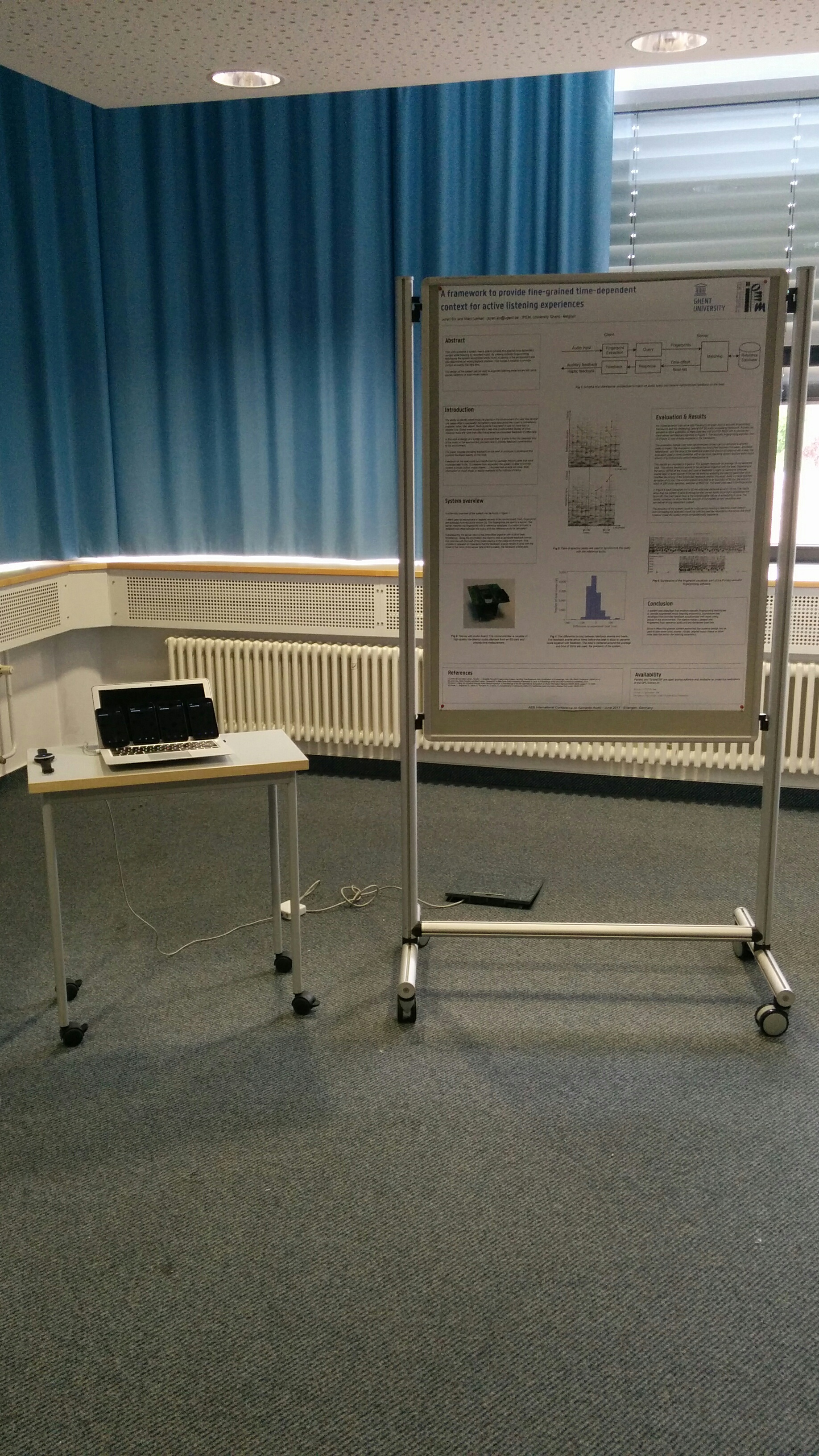
The 2017 AES international conference on semantic audio was organized at ISS Fraunhofer, Erlangen, Germany. As the birthplace of the MP3 codec, it is holy ground, a stop that can not be skipped on the itinerary of an audio engineers pilgrimage of life. At the conference I presented “ A framework to provide fine-grained time-dependent context for active listening experiences”:[2017.author.aes.pdf] with a poster (“pdf”:[aes_2017_poster.pdf], “inkscape svg”:[aes_2017_poster_2.svg]).
The “active listening demo movie”:[active_listening_demo_movie.mp4] above should explain the aim system succinctly. It shows two different ways to provide ‘context’ to audio playing in the room. In the first instance beats information is used to synchronize smartphones and flash the screen, the second demo shows a tactile feedback device responding to beats. The device is a soundbrenner pulse tactile metronome and was kindly sponsored by the company that sells these.

 Code, Music Information Retrieval, and UGent
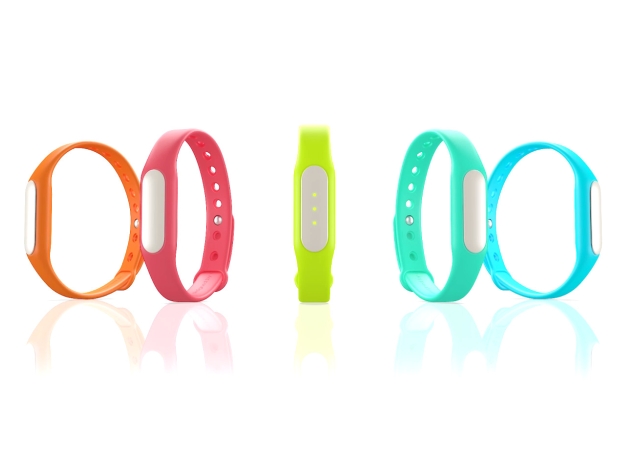
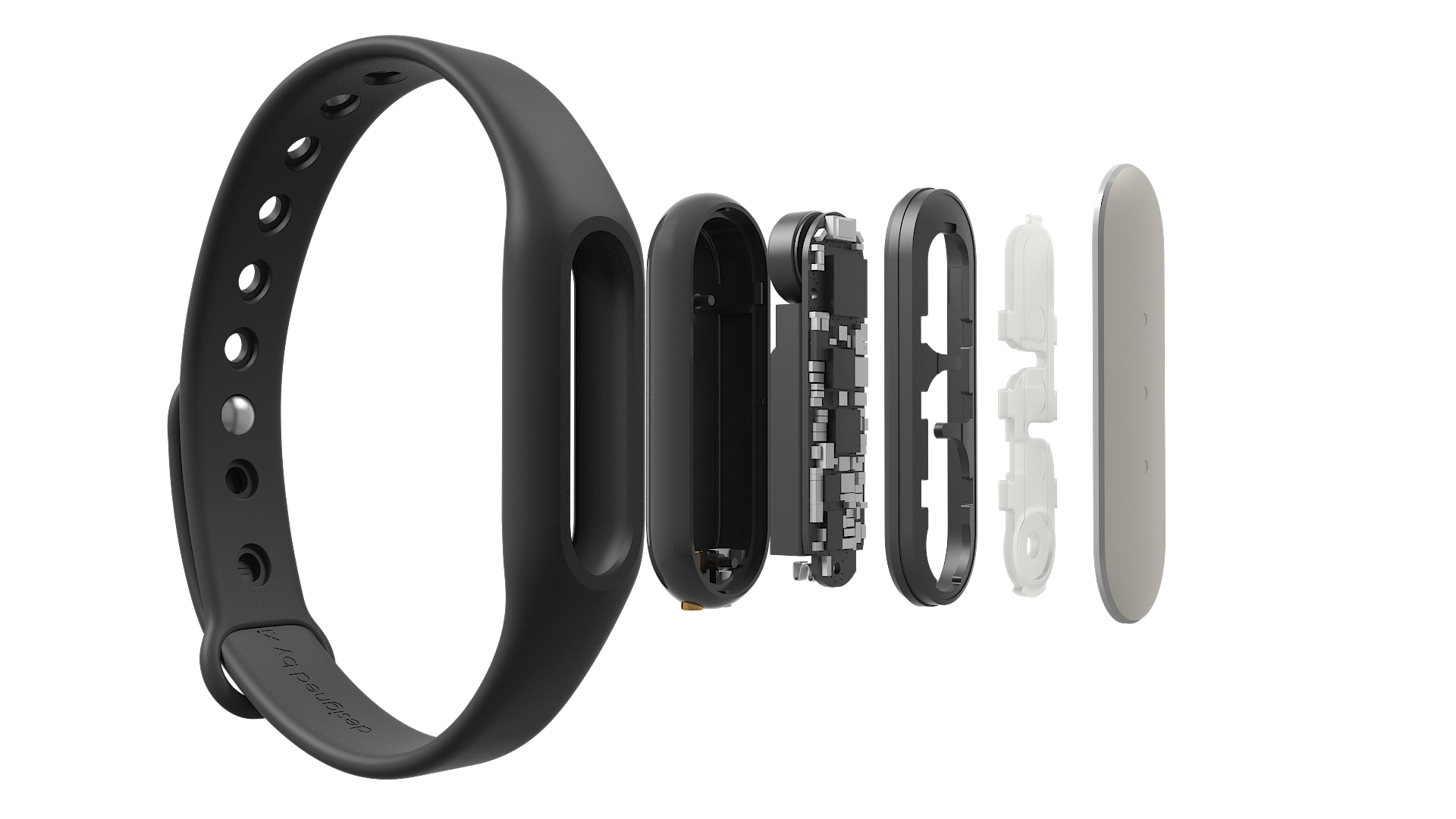
 The Mi Band is a bracelet with some sensors, three RGB leds and a vibration motor. It is marketed as an activity tracker and notifier. It is a neat little device that communicates via Bluetooth LE and has a battery life of around 30 days. It would be nice if it could be used for whatever purpose you want but alas, its API is not very open. This blog post gives pointers to useful resources and tips to make it work with your own code.
There have been some efforts to reverse engineer the Bluetooth protocol. This blog post contains some info. There are even complete implementations available of the protocol, there is a Mi Band protocol implementation in python and a Mi Band protocol implementation in Java. It is however not always clear which firmware version is targeted.
I would advise against installing the official Mi Band app, if you want to use it with custom code. The app upgrades the firmware to the latest version and it seems that Xiaomi is obfuscating the protocol more and more with each version. I was able to send vibrate and led commands to a Mi Band with firmware version 10.0.9.3. With the previously mentioned sources and the flow described to the right the device reacts to commands. I used an Android device. The flow:
Some notes: the self-test command works without the set user step. For Android the Mi Band protocol implementation in Java works well. To check the firmware version of the device, call the get device info characteristic. The last bytes, interpreted as an integer, define the version info. For my device it is 10.9.3.2:
  1
2
3
4
5
6
7
8

  Write to characteristic 0000ff05-0000-1000-8000-00805f9b34fb
    onCharacteristicWrite status: 0 characteristic 0000ff05-0000-1000-8000-00805f9b34fb
    Read firmware version
    11 value: 2
    12 value: 3
    13 value: 9
    14 value: 0
    15 value: 1
Another note: the set user info needs to be called with a 1 as type the first time the band is used. This is done with new UserInfo(20111111, 1, 32, 180, 55, "NM", 1) with the Android sdk by GitHub user pangliang. This sets and overwrites the user info. The next times you do not want to overwrite the info and the type needs to be zero.
 Code and UGent
 vibrate_flowchart__1_.svg
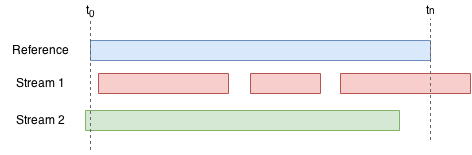
The article titled “Synchronizing Multimodal Recordings Using Audio-To-Audio Alignment” by Joren Six and Marc Leman has been accepted for publication in the Journal on Multimodal User Interfaces. The article will be published later this year. It describes and tests a method to synchronize data-streams. Below you can find the abstract, pointers to the software under discussion and an author version of the article itself.
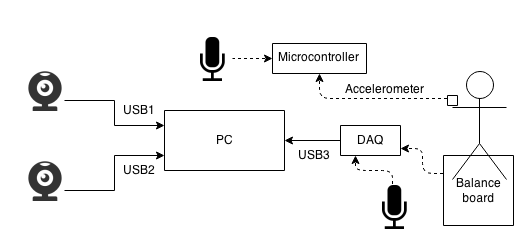
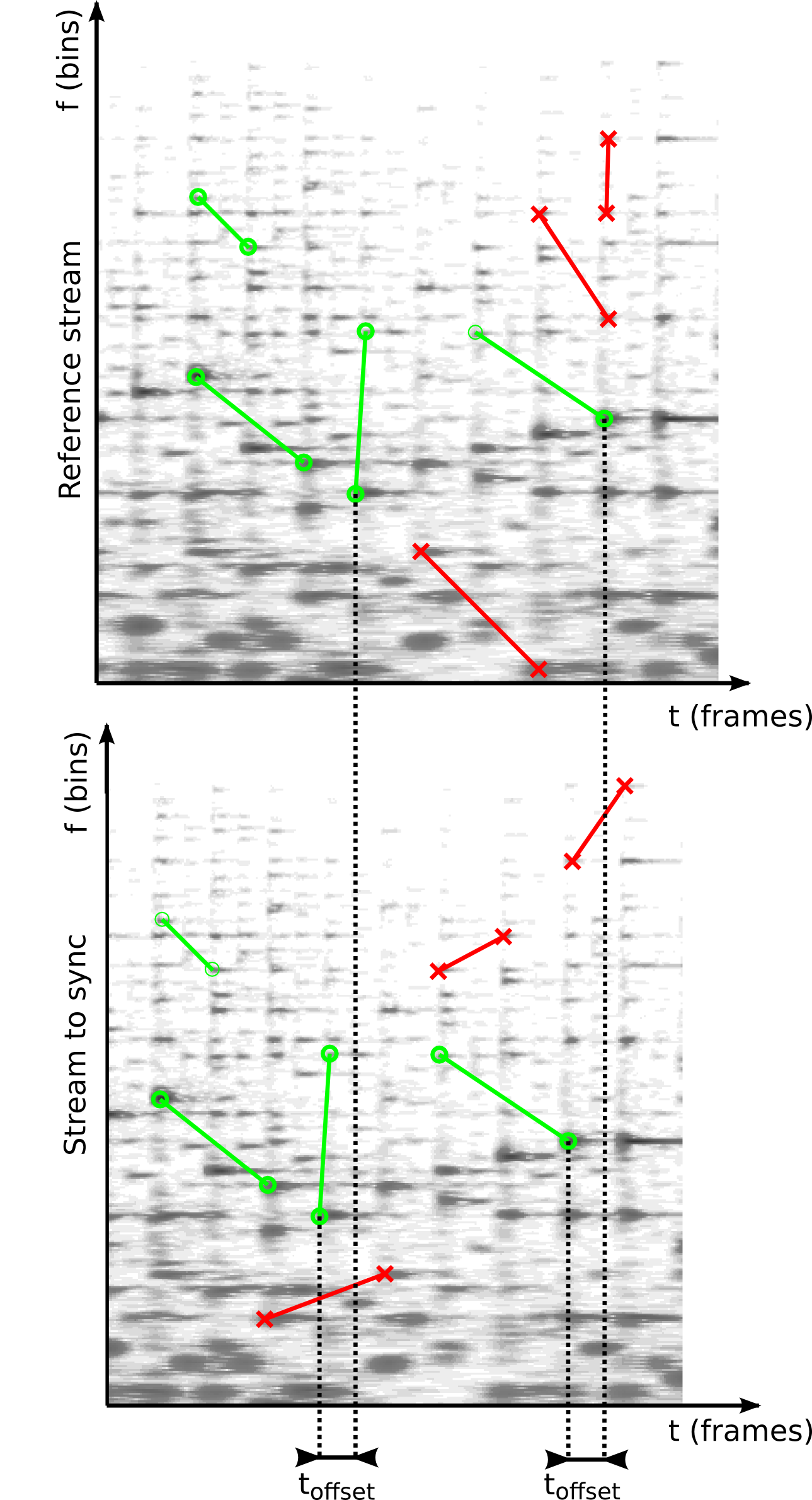
Abstract: Research on the interaction between movement and music often involves analysis of multi-track audio, video streams and sensor data. To facilitate such research a framework is presented here that allows synchronization of multimodal data. A low cost approach is proposed to synchronize streams by embedding ambient audio into each data-stream. This effectively reduces the synchronization problem to audio-to-audio alignment. As a part of the framework a robust, computationally efficient audio-to-audio alignment algorithm is presented for reliable synchronization of embedded audio streams of varying quality. The algorithm uses audio fingerprinting techniques to measure offsets. It also identifies drift and dropped samples, which makes it possible to find a synchronization solution under such circumstances as well. The framework is evaluated with synthetic signals and a case study, showing millisecond accurate synchronization.
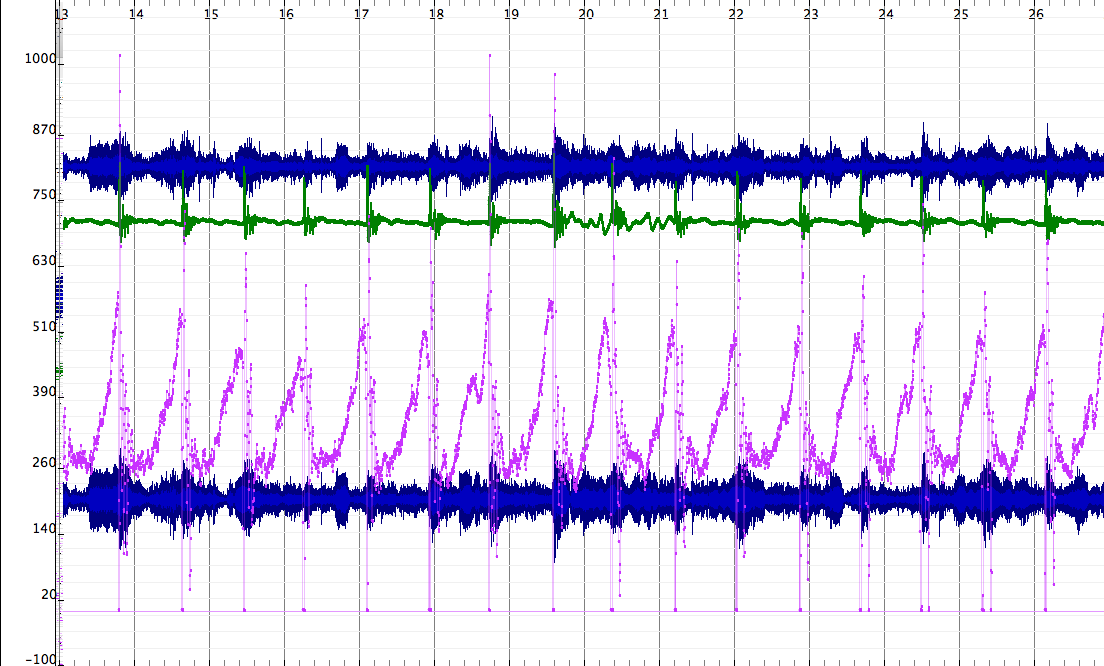
To read the article, consult the author version of Synchronizing Multimodal Recordings Using Audio-To-Audio Alignment. The data-set used in the case study is available here. It contains a recording of balanceboard data, accelerometers, and two webcams that needs to be synchronized. The final publication is available at Springer via 10.1007/s12193-015-0196-1
The algorithm under discussion is included in Panako an audio fingerprinting system but is also available for download here. The SyncSink application has been packaged separately for ease of use.
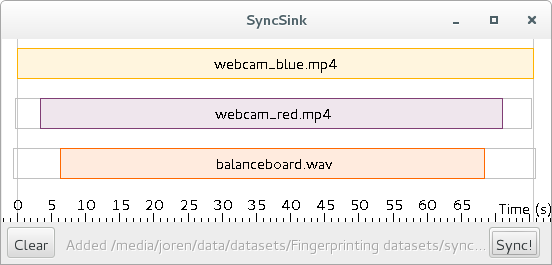
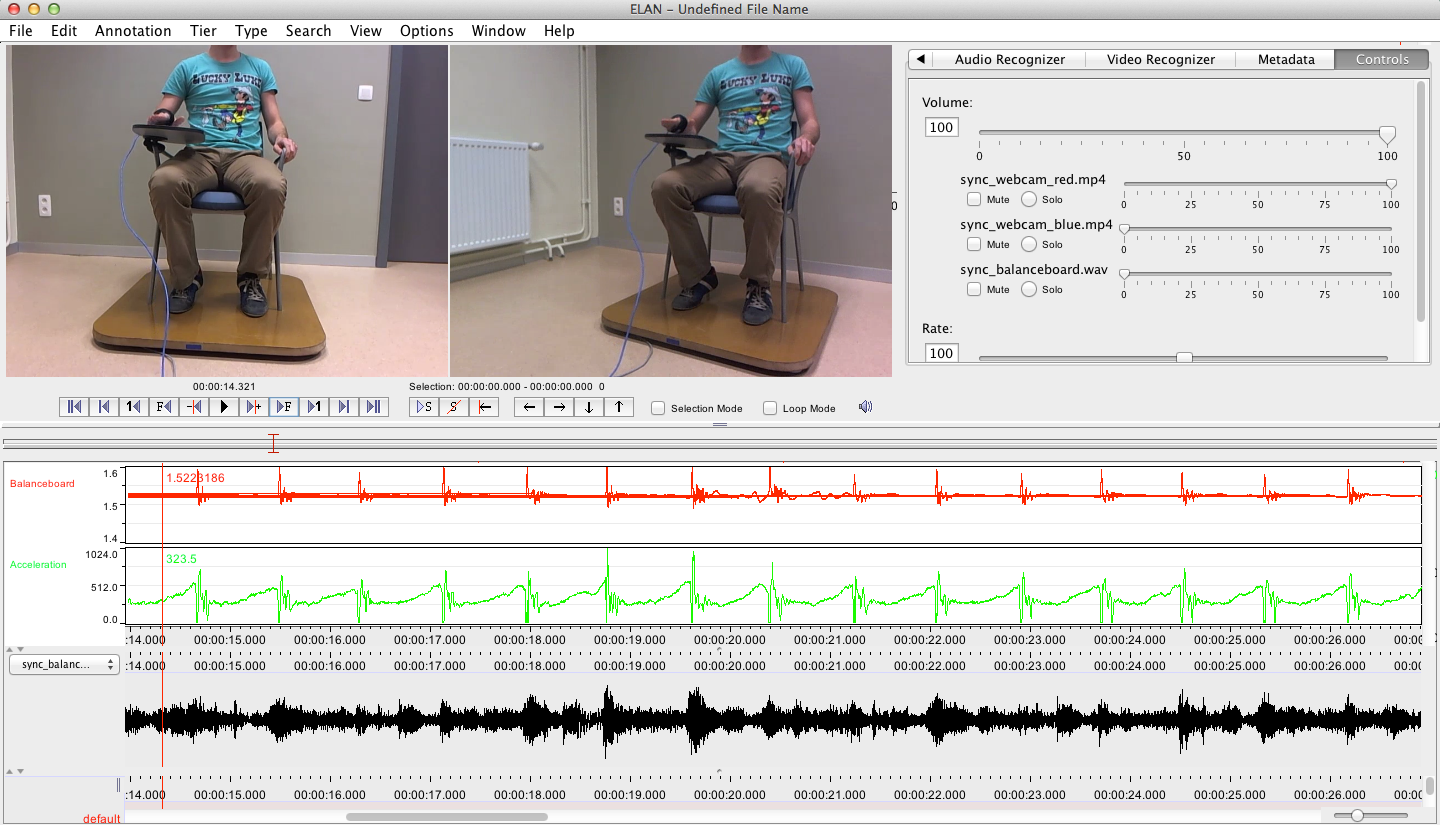
To use the application start it with double click the downloaded SyncSink JAR-file. Subsequently add various audio or video files using drag and drop. If the same audio is found in the various media files a time-box plot appears, as in the screenshot below. To add corresponding data-files click one of the boxes on the timeline and choose a data file that is synchronized with the audio. The data-file should be a CSV-file. The separator should be ‘,’ and the first column should contain a time-stamp in fractional seconds. After pressing Sync a new CSV-file is created with the first column containing correctly shifted time stamps. If this is done for multiple files, a synchronized sensor-stream is created. Also, ffmpeg commands to synchronize the media files themselves are printed to the command line.
This work was supported by funding by a Methusalem grant from the Flemish Government, Belgium. Special thanks goes to Ivan Schepers for building the balance boards used in the case study. If you want to cite the article, use the following BiBTeX:
@article{six2015multimodal,
      author      = {Joren Six and Marc Leman},
      title       = {{Synchronizing Multimodal Recordings Using Audio-To-Audio Alignment}},
      issn        = {1783-7677},
      volume      = {9},
      number      = {3},
      pages       = {223-229},
      doi         = {10.1007/s12193-015-0196-1},
      journal     = {{Journal of Multimodal User Interfaces}},
      publisher   = {Springer Berlin Heidelberg},
      year        = 2015
 }
 Code, Java, Music Information Retrieval, Panako, Research papers, and UGent
2015.synchronized-recording.pdf, SyncDataset.zip, and SyncSink-1.4.jar
Code, Java, Music Information Retrieval, Panako, Research papers, and UGent
2015.synchronized-recording.pdf, SyncDataset.zip, and SyncSink-1.4.jar
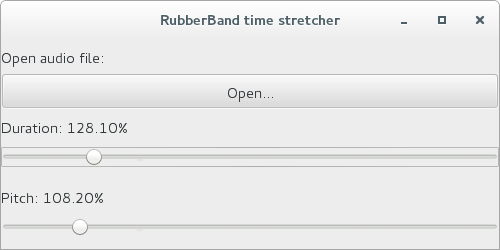
This post explains how to do real-time pitch-shifting and audio time-stretching in Java. It uses two components. The first component is a high quality software C library for audio time-stretching and pitch-shifting C called Rubber Band. The second component is a Java audio library called TarsosDSP. To bridge the gap between the two JNI (Java Native Interface) is used. Rubber Band provides a JNI interface and starting from the currently unreleased version 1.8.2, makefiles are provided that make compiling and subsequently using the JNI version of Rubber Band relatively straightforward.
However, it still requires some effort to control real-time pitch-shifting and audio time-stretching from java. To make it more easy some example code and documentation is available in a GitHub repository called RubberBandJNI. It documents some of the configuration steps needed to get things working. It also offers precompiled libraries and documents how to compile those for the following systems:
If the instructions are followed rather precisely you are able to control the tempo of a song in real-time with the following Java code:
  1
2
3
4
5
6
7
8

  float tempoFactor = 0.8f;
float pitchFactor = 1.0f;
AudioDispatcher adp = AudioDispatcherFactory.fromPipe("music.mp3", 44100, 4096, 0);
TarsosDSPAudioFormat format = adp.getFormat();
rbs = new RubberBandAudioProcessor(44100, tempoFactor, pitchFactor);
adp.addAudioProcessor(rbs);
adp.addAudioProcessor(new AudioPlayer(JVMAudioInputStream.toAudioFormat(format)));
new Thread(adp).start();
 Code, TarsosDSP, and UGent
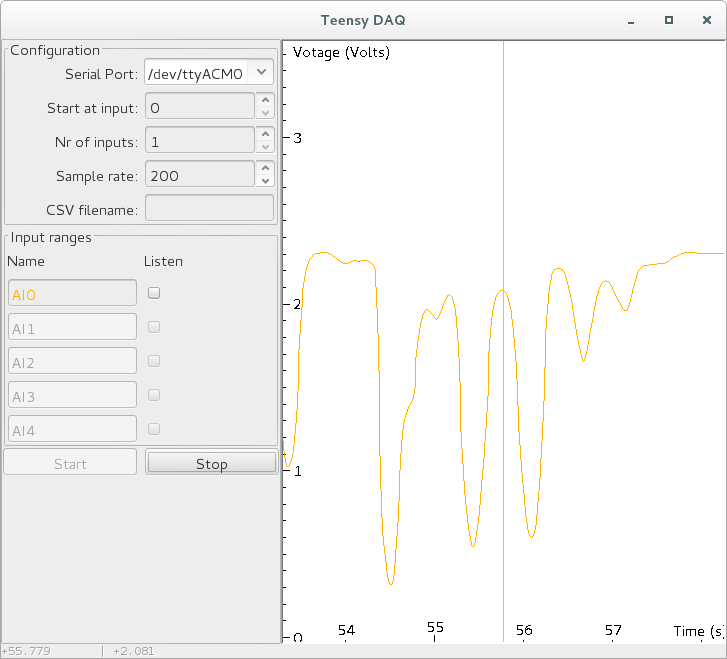
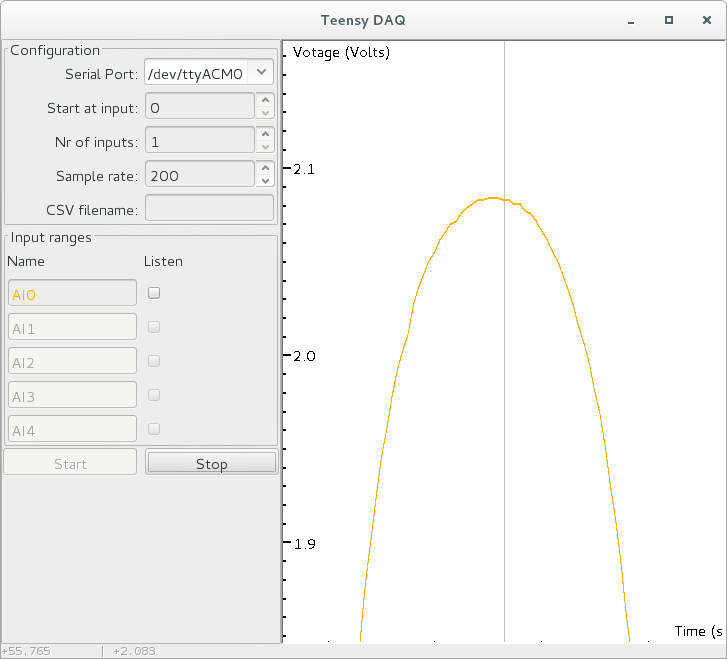
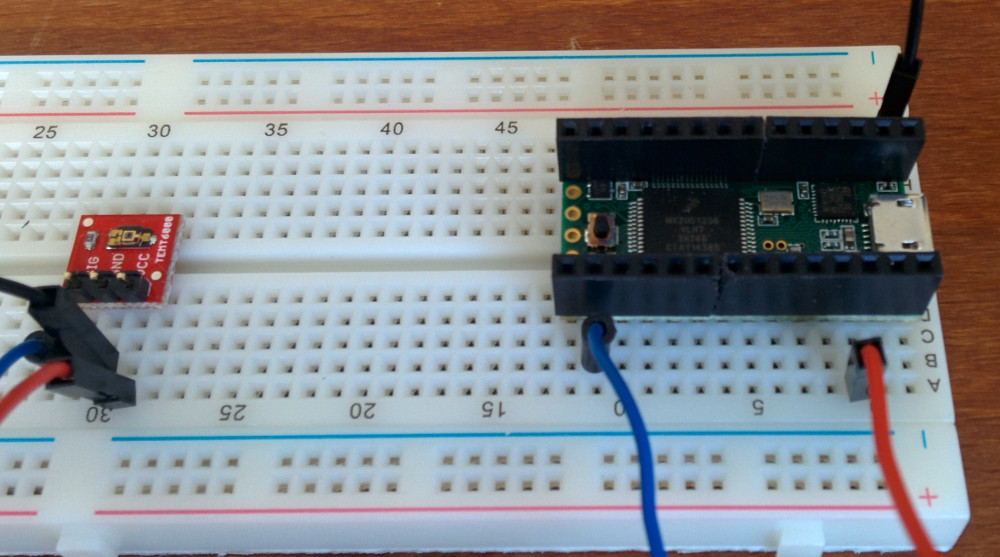
This post describes a tool to quickly visualize and record analog signals with a Teensy micro-controller and some custom software. It is mainly useful to quickly get an idea of how an analog sensor reacts to different stimuli. Since it is also able to capture and store analog input siginals it is also useful to generate test data recordings which then can be used for example to test a peak detection algorithm on. The tool is called TeensyDAQ hinting at the Data AcQuisition features and the micro-controller used.
Some of the features of the TeensyDAQ:
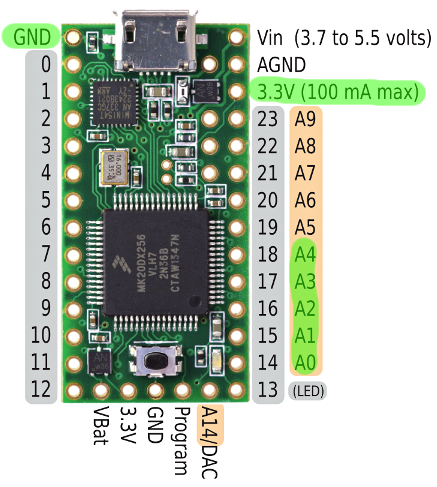
The system consists of two parts. A hardware and a software part. The hardware is a Teensy micro-controller running an Arduino sketch that ready analog input A0 to A4 at the requested sampling rate. A Teensy is used instead of a regular Arduino for two reasons. First the Teensy is capable of much higher data throughput, it is able to send five reading at 8000Hz, which is impossible on Arduino. The second reason is the 13bit analog read resolution. Classic Arduino only provides 10 bits.
The software part reads data from the serial port the Teensy is attached to. It interprets the data and stores it in an efficient data-structure. As quickly as possible the data is visualized. The software is written in Java. A recent Java runtime environment is needed to execute it.
Try out the latest version of TeensyDAQ or check out the source code on the github TeensyDAQ source repository.
 Code and UGent
TeensyDAQ-1.0.jar and TeensyAnalogRead.ino
Code and UGent
TeensyDAQ-1.0.jar and TeensyAnalogRead.ino
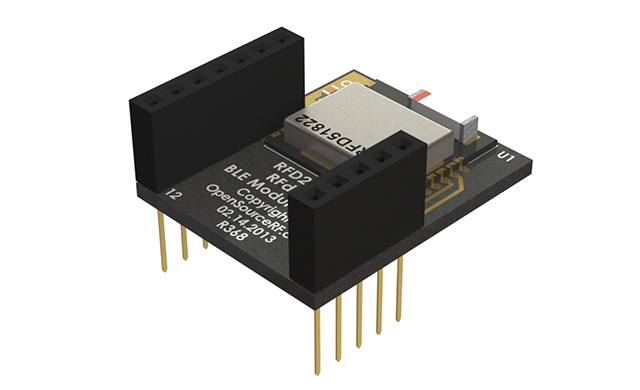 This post describes how to get notifications from a Bluetooth LE (Low Energy) or Bluetooth v4.0 device on a Linux machine. Since it took me a while to get it going it is perhaps of interest to others.
The hardware I used is an RFduino board and a Belikin mini Bluethooth v4.0 adapter. The RFduino was programmed to wait for an event with RFduino_pinWake(pni, HIGH). When the pin is HIGH a count is incremented and this number is send to any device that is listening. In my case a Linux machine. The code is essentially the same as the button example included in the RDduino software distribution.
To install the Bluetooth stack on Debian the following command is executed sudo apt-get install bluetooth bluez bluez-utils bluez-firmware. A blog post describes more about the Bluetooth tools. Some other interesting reads are Get started with Bluetooth Low Energy and this stackoverflow question. Once the stack is installed correctly the lescan utility should give an output like this:
  1
2
3
4

  $ sudo hcitool lescan
LE Scan ...
DC:87:CC:18:14:A5 RFduino
DC:87:CC:18:14:A5 (unknown)
Bluetooth LE works with the Generic Attribute Profile (GATT). A Bluetooth LE device can provide services by combining characteristics. These characteristics are the way to communicate with the device. Some characteristics are writable and are able to send notifications. To receive notifications one such characteristic (referred to with a hex handle) needs to be written. Write 0100 to get notifications, 0200 for indications (indications are notifications that are acknowledged), 0300 for both, or 0000 for nothing (default). With this in mind, the following command enables listening for notifications:
  1

  gatttool ---device=DC:87:CC:18:14:A5 ---char-write-req ---handle=0x000f ---value=0300 ---listen
With those commands working, the process can be automated with “a Ruby script to get Bluetooth LE notifications”:[bluetooth_notifications.rb]. The script essentially calls gatttool with the correct parameters and parses and reacts to its output. To make it work lescan needs to be called before starting the script:
  1
2
3
4
5
6
7
8
9
10
11

  \$ sudo hcitool lescan && ruby bluetooth_notifications.rb
LE Scan ...
DC:87:CC:18:14:A5 RFduino
DC:87:CC:18:14:A5 (unknown)
Characteristic value was written successfully
Notification handle = 0x000e value: 41 decimal value: 65
Notification handle = 0x000e value: 42 decimal value: 66
Notification handle = 0x000e value: 43 decimal value: 67
Notification handle = 0x000e value: 44 decimal value: 68
Notification handle = 0x000e value: 45 decimal value: 69
Notification handle = 0x000e value: 46 decimal value: 70
 This post describes how to connect music in your library with precomputed features. Say, for example, you are developing a DJ application and you want to facilitate mixing tracks. To provide a seamless mix you perhaps want information about beats and about the key the music in your library is in. Since vast databases of features are already available you probably want to access those, instead of using your own feature extractors and database. The problems that need to be addressed are:
To help with these task there are several open source tools and services available.
To identify music a condensed representation of musical audio is created. This process is known as acoustic fingerprinting. On the website AcoustID a tool is available to create such fingerprint. The library is called Chromaprint and the command line client is called fpcalc. Currently the latest version is Chromaprint version 1.2 and static binaries for fpcalc are available on the AcoustID website. A packages for Debian (and probably Ubuntu) can be installed by calling apt-get install libchromaprint-tools. Once this tool is correctly installed a fingerprint for a piece of music can be created:
  1
2
3
4

  fpcalc music.mp3
FILE=music.mp3\
DURATION=168\
FINGERPRINT=AQADtEmi..hADAAOCGAQghZRgQByjAEAICSMWYME\
A fingerprint by itself is not of much use. The AcoustID webservice translates a fingerprint into one or more MusicBrainz identifiers. One fingerprint can result in multiple identifiers because the same audio can be released on several albums. There is documentation for AcoustID webservice available. To use the webservice an API key is needed. Confusingly, the AcoustID service has two types of API keys. One for end-users and one for developers. The last type is needed to translate ID’s. To request a developer API key, log in on the AcoustID website and “add an application”, there you can find the correct API key. Substitute dev_api_key in the following URL. Also change the fingerprint and duration to match the information provided by the fpcalc application. The webservice should reply with a set of MusicBrainz identifiers:
http://api.acoustid.org/v2/lookup?client=dev_api_key&duration=x&fingerprint=ADORIF...LKJE6&meta=recordingids
AcousticBrainz provides features for a subset of music that has a MusicBrainz identifier. Currently about a million tracks are analyzed but more are added every day. The API for the webservice is straightforward:
  1
2

  GET http://acousticbrainz.org/96685213-a25c-4678-9a13-abd9ec81cf35/low-level
GET http://acousticbrainz.org/96685213-a25c-4678-9a13-abd9ec81cf35/high-level
The low-level features include beat positions and chroma information. For the hypothetical DJ-application this is the information that would be used.
If you find the services useful please consider contributing to MusicBrainz, AcoustID and AcousticBrainz.
A small Ruby script to “automatically fetch features”:[mbid_lookup.rb] for audio can be downloaded here. It needs Ruby and a RubyGems to parse JSON. On Debian this can be installed with apt-get install ruby and rubygems install json. Once these dependencies are installed the script can be ran as follows:
  1
2
3
4
5
6
7
8

  ruby mbid_lookup.rb example.mp3
Found 6 musicbrainz identifiers!
Not found in AcousticBrainz: 0afcd4a1-3709-499b-b76f-0d5491f839a5
Beat positions for 3d49fab8-fd08-42be-b0d2-9f1dc884d902: 0.522448956966,1.05650794506,1.57895684242,2.10140585899,2.61224484444,3.13469386101
Not found in AcousticBrainz: 448258f0-aa5a-4968-8efd-8c9348d5142e
Not found in AcousticBrainz: adcd7079-57d9-49bd-a36b-a20fa27b02b1
Beat positions for d1cd1321-0b66-4848-935e-f3afba6c7356: 0.441179126501,0.905578196049,1.369977355,1.83437633514,2.29877543449,2.76317453384
Not found in AcousticBrainz: e1f433be-af6b-4b5d-a969-4b53f014c395
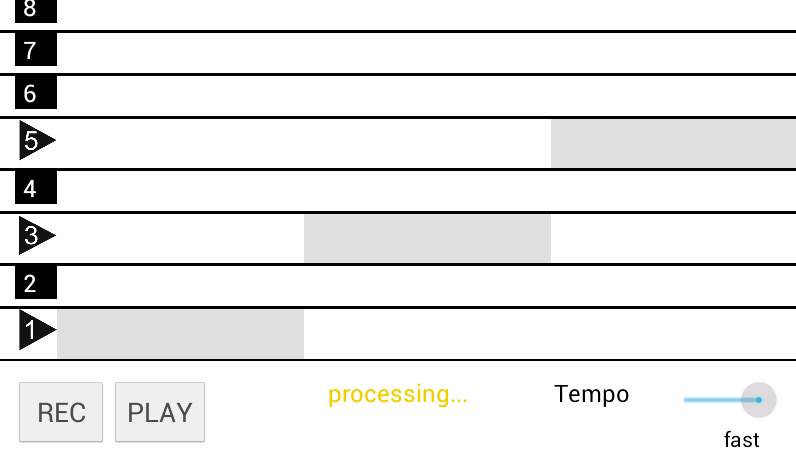
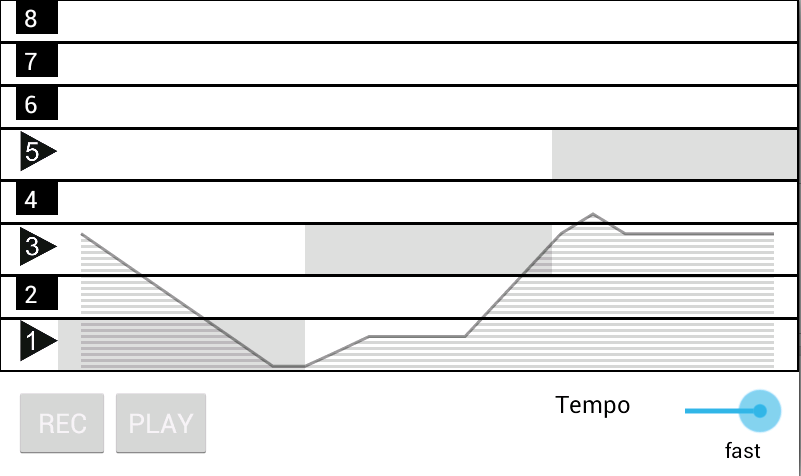
 TarsosDSP is a real-time audio processing library written in Java. Since version 2.0 it is compatible with Android. Judging by the number of forks of the TarsosDSP GitHub repository Android compatibility increased the popularity of the library. Now the first Android application which uses TarsosDSP has found its way to the Google Play store. Download and play with SINGmaster to see an application of the pitch tracking capabilities within TarsosDSP. The SINGmaster description:
“SING master is a smart phone app that helps you to learn how to sing. SING master presents a collection of practical exercises (on the most important building blocks of melodies). Colours and sounds guide you in the exercise. After recording, SING master gives visual feedback : you can see and hear your voice. This is important so that you can identify where your mistakes are.”
Another application in the Play Store that uses TarsosDSP is CuePitcher.
 TarsosDSP, UGent, Code, Java, and Muziek
singmaster_logo.png
TarsosDSP, UGent, Code, Java, and Muziek
singmaster_logo.png
 This post explains how to receive OSC in a MatLab environment. It uses a platform independent Java library which should work on 64 and 32 bit versions of Windows, Unix and Mac OS X. Using Java makes installation relatively easy compared with other solutions.
The most used method to get OSC-messages in Matlab can be found here. This method uses a library called liblo which needs to be configured (compiled) correctly on your system. Especially on Windows this can be problematic. A brave soul documented his quest to get OSC working with Matlab on Windows here. Obviously not for the faint of heart.
An alternative way leverages the Matlab facilities to run Java. Since there is a Java OSC library available (JavaOSC on github) it is relatively easy to bridge the two. To make the connection, I have written some glue code and provide an easy to use Jar-library here. Using the bridge is done as follows:
cd command points to the directory with the downloaded jar-file.Note that there are three ways to receive the payload of a message. They are returned by the Java code as either Object[], double[] or String[]. The last two are automatically understood by Matlab, so they are more easy to work with. Respectively to get the message data you need to call either osc_listener.getMessageArguments(), osc_listener.getMessageArgumentsAsDouble(), osc_listener.getMessageArgumentsAsString().
I hope this is useful to some…
  1
2
3
4
5
6
7
8
9
10
11
12
13
14
15
16
17
18
19
20
21
22
23
24
25
26
27
28

  cd('C:/dir/with/jar/file/')

% Check your java version 1.6+ should be ok
version -java
% Load the jar file
javaaddpath('javaosctomatlab.jar');
% Import the needed java packages
import com.illposed.osc.\*;
import java.lang.String

% defines the OSC port to listen to
receiver = OSCPortIn(4000);
% defines the OSC method to listen to
osc_method = String('/ECG');
osc_listener = MatlabOSCListener();
receiver.addListener(osc_method,osc_listener);
receiver.startListening();

%infinite loop, receiving all non empty messages
while(1)
struct = osc_listener.getMessageArgumentsAsDouble();
if \~isempty(struct)
struct
end
end

receiver.stopListening();
receiver=0;
 This post explains how to measure audio output latency on Android devices. To measure audio latency USB-OTG(On The Go) and an Arduino is used. In the process it documents audio output latency on an LG Nexus 5 device running the most recent version of Android, which currently is Lollipop (5.0).
Audio latency is an important aspect of a system, especially if it is used for real-time sonification or for musical applications. Audio latency is the, preferably short, delay between audio entering a system and emerging from a system. Audio output latency is the time it takes between a signal (e.g. a button pressed) and when audio emerges. For sonification purposes audio output latency is more interesting than round-trip audio latency.
Android systems are often portable, generally available and relatively cheap. Android offers an attractive platform to develop sonifications or musical applications for. Unfortunately, audio latency on Android has not been a priority in the first versions. With Android 4.1 things started to change but due to hard- and software fragmentation it is still hard to find how much audio latency is expected. Even if the exact model (e.g. Nexus 5) and software version (stock Android 5.0) is known, exact numbers are, so it seems, nowhere to be found. For more information on the internal changes that make low latency audio on Android possible, watch the talk on High Performance Audio from the 2013 Google I/O conference. Also note the lack of exact latency numbers in that talk. It is a very enjoyable talk by two Google engineers going after the culprits of high latency in true Sherlock/dr. Watson style.
Since audio output latency is generally not documented and since it is an important factor to decide if Android is a viable platform for real-time sonification or musical applications it needs to be measured. One way of measuring audio output latency on Android is documented by the people of Google. Unfortunately, the approach is not easily reproducible since it needs a custom circuit board, an oscilloscope and there is no source code available. Below a reproducible way to measure audio output latency for Android is documented.
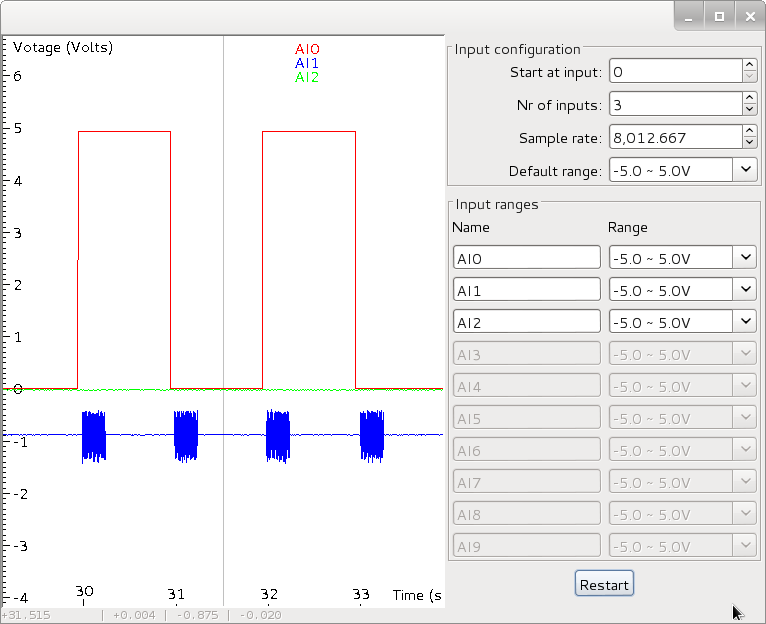
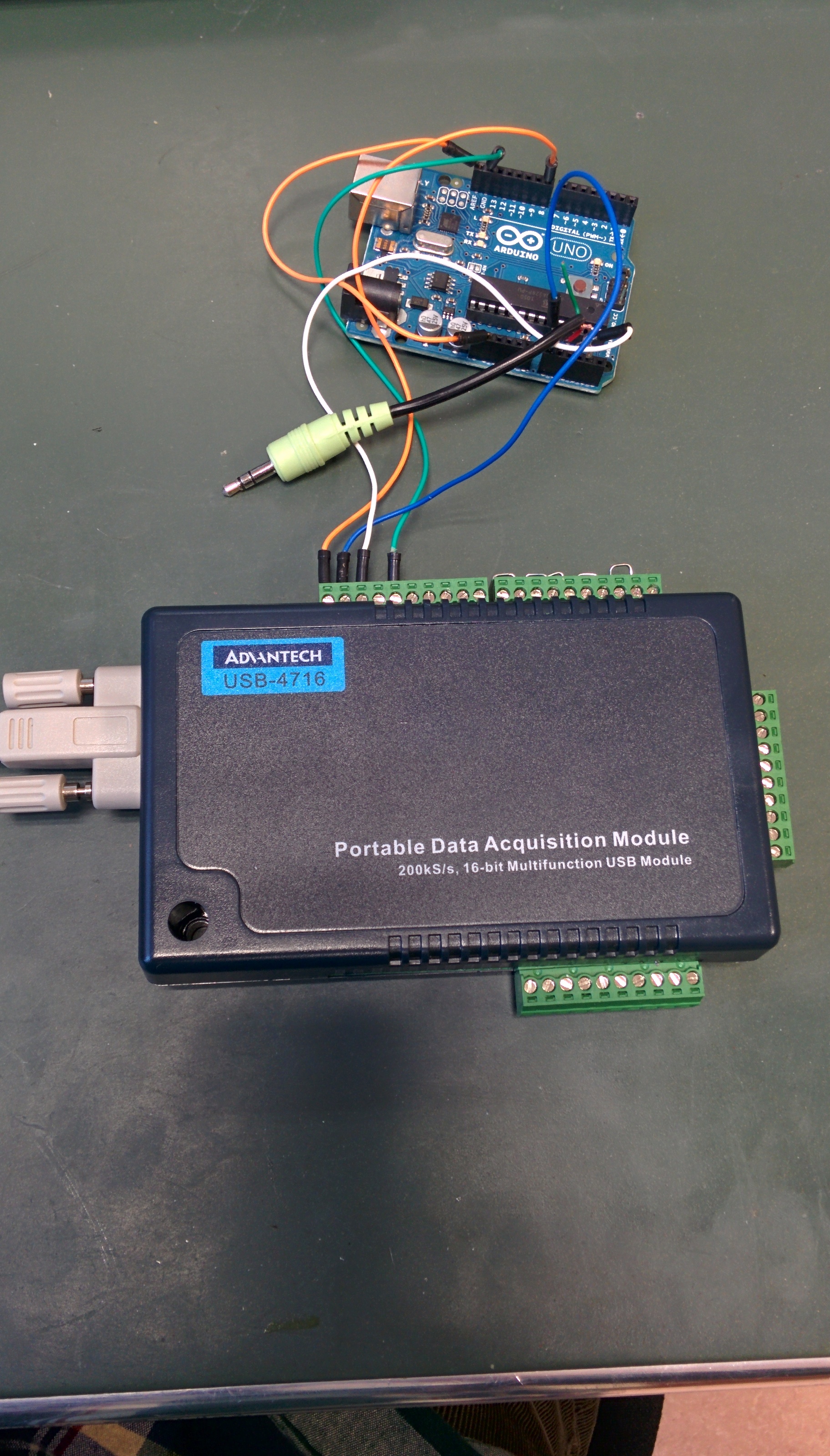
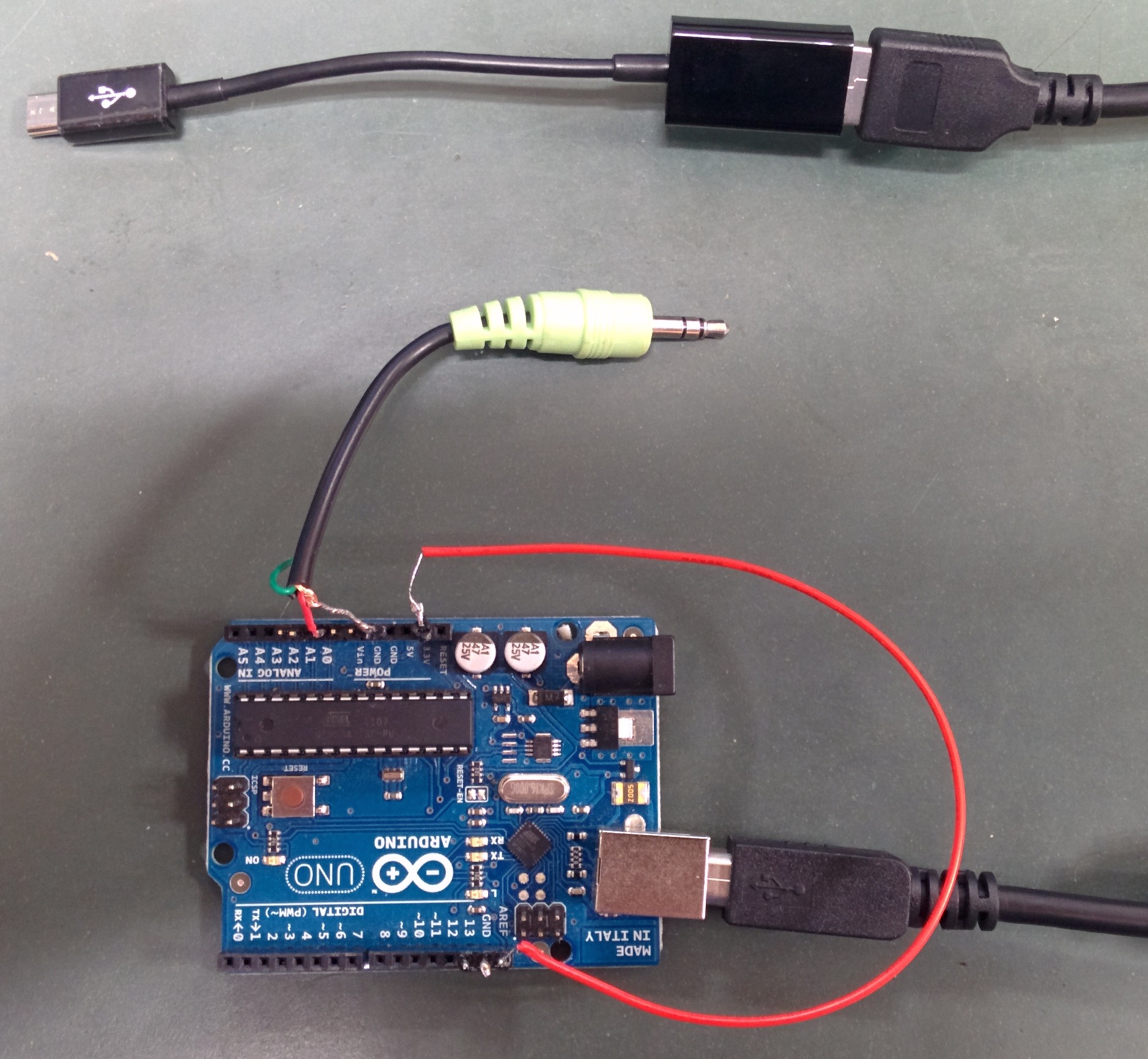
An Arduino, an Android device, an USB-OTG cable and a butchered mini-jack audio cable are needed together with the software provided here. Optionally, a data acquisition module can be used to visualize the signals. The measurement system works as follows:
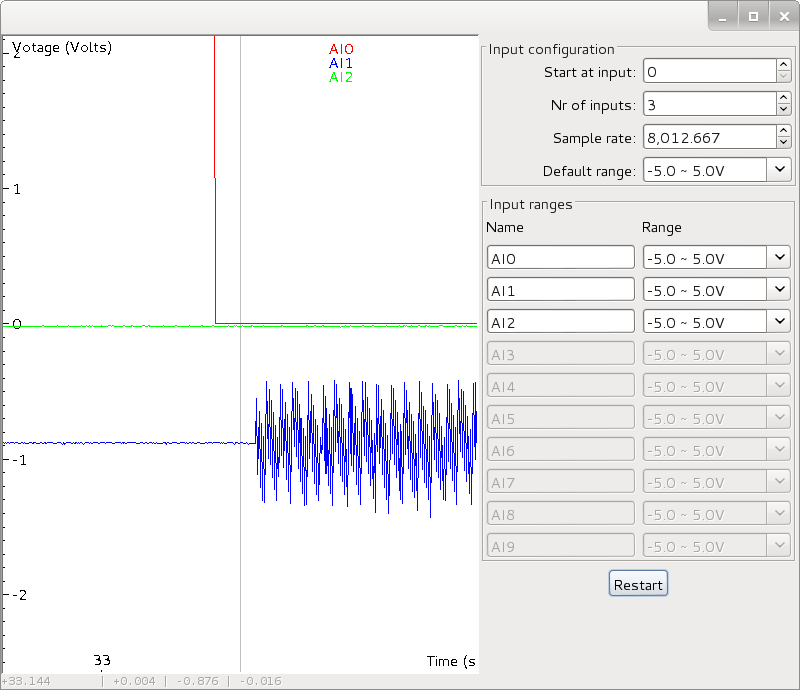
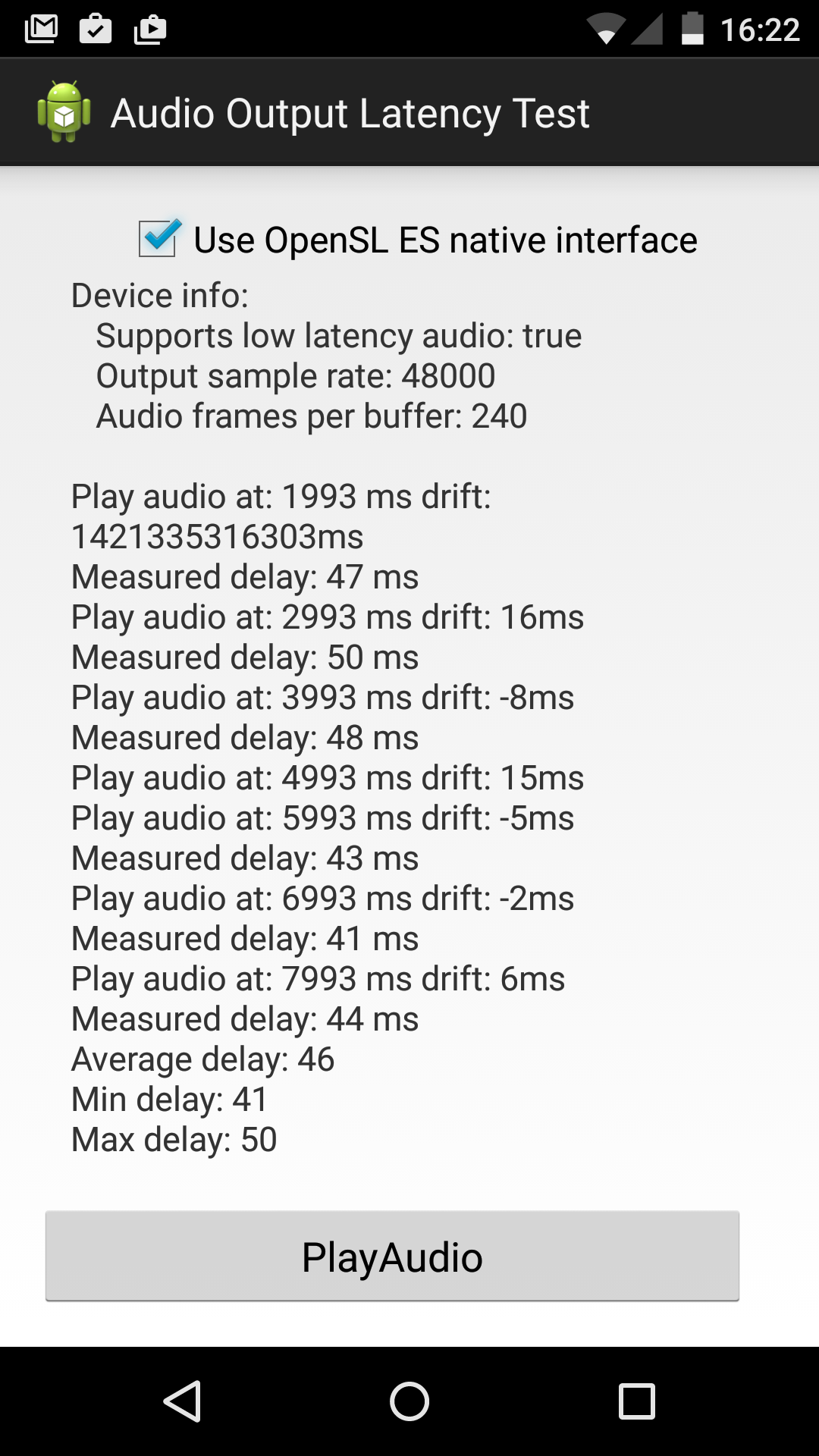
The previous steps are repeated every second to gain insights into the variability of the measurements. To generate microsecond accurate timing interrupts are used on the Arduino. For visualisation, a digital pin is toggled every time the Arduino sends a signal. The Arduino sketch is attached to this post, as is the source code for the Android application. An already compiled APK is also available. With some luck - a recent Android version is needed, your device should support USB-OTG - it might work on your device.
Using the OpenSL ES native interface on a Nexus 5 with Lollipop installed the USB input to audio output latency is on average about 48 milliseconds. There is some variability but it is usually within 15 milliseconds. For music applications this latency is not great but, depending on the application, acceptable. For expert drummers latency should be in the range of 20ms but for many sonification tasks, 50ms suffices. It is clear that Android will never be able to compete with purpose built hardware running a real time operating system like Axoloti (Audio roundtrip latency 2ms, usb-audio 1.6ms) but for a general purpose device the measured latency is significantly better than what I expected (around 100ms).
The non-native audio interface is a lot slower. I have measured an average latency of about 85ms and a much larger variability (25ms).
With this post I hope others will report the latency for their devices as well, so that buyers that are interested in a low-latency Android devices can make an informed decision.
 UGent and Code
android_lollipop_waving.png, android_latency.ino, SoundOutThree.zip, and SoundOutThree.apk
UGent and Code
android_lollipop_waving.png, android_latency.ino, SoundOutThree.zip, and SoundOutThree.apk