TarsosDSP: a Java Library for Audio Processing
TarsosDSP is a Java library for audio processing. Its aim is to provide an easy-to-use interface to practical music processing algorithms implemented, as simply as possible, in pure...
Below you can find links to the open source software I developed during my research. It is always nice to hear how this software is used, don’t hesitate to drop me a line. Bug reports are welcomed as well.
TarsosDSP is a Java library for audio processing. Its aim is to provide an easy-to-use interface to practical music processing algorithms implemented, as simply as possible, in pure...
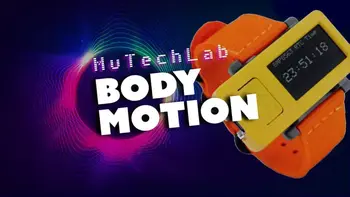
MI-Kit is a low-cost, open-source system for controlling music production software through body movement. Designed for creative music practice and embodied music interaction research. EMI-Kit can be used...
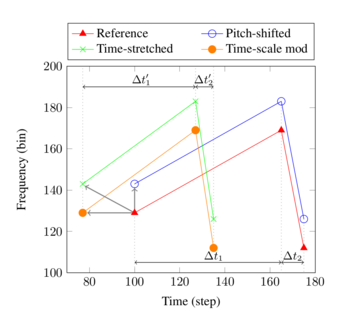
Panako is an extendable acoustic fingerprinting framework. The aim of acoustic fingerprinting is to find small audio fragments in large audio databases. Panako contains several acoustic fingerprinting algorithms...
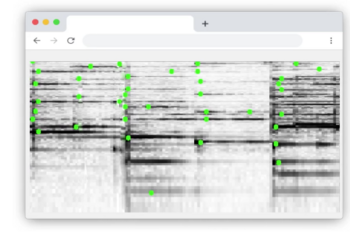
Olaf is a portable, landmark-based, acoustic fingerprinting system released as open source software. Olaf runs on embedded platforms, traditional computers and in the browser. Olaf is able to...
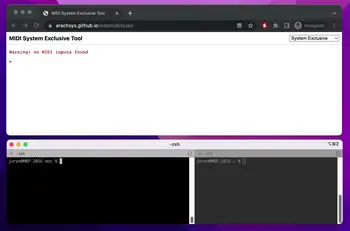
mot consists of several MIDI and OSC command line tools. These are mainly of interest to debug and check OSC messages and MIDI devices. The tools are written...
Thanks to WebAssembly it is possible to repurpose software for use on the web, even if it was originally designed with other use in mind. I have developed...
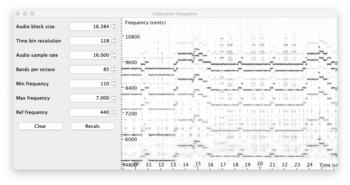
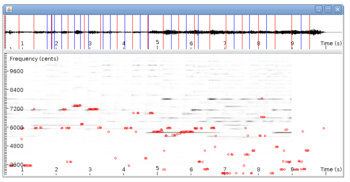
This library calculates fine-grained constant-Q spectral representations of audio signals quickly from Java. The spectral transform can be visualized or further processed in a (Music Information Retrieval) processing...
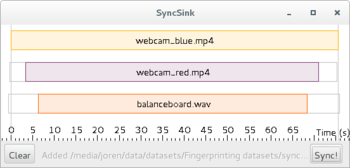
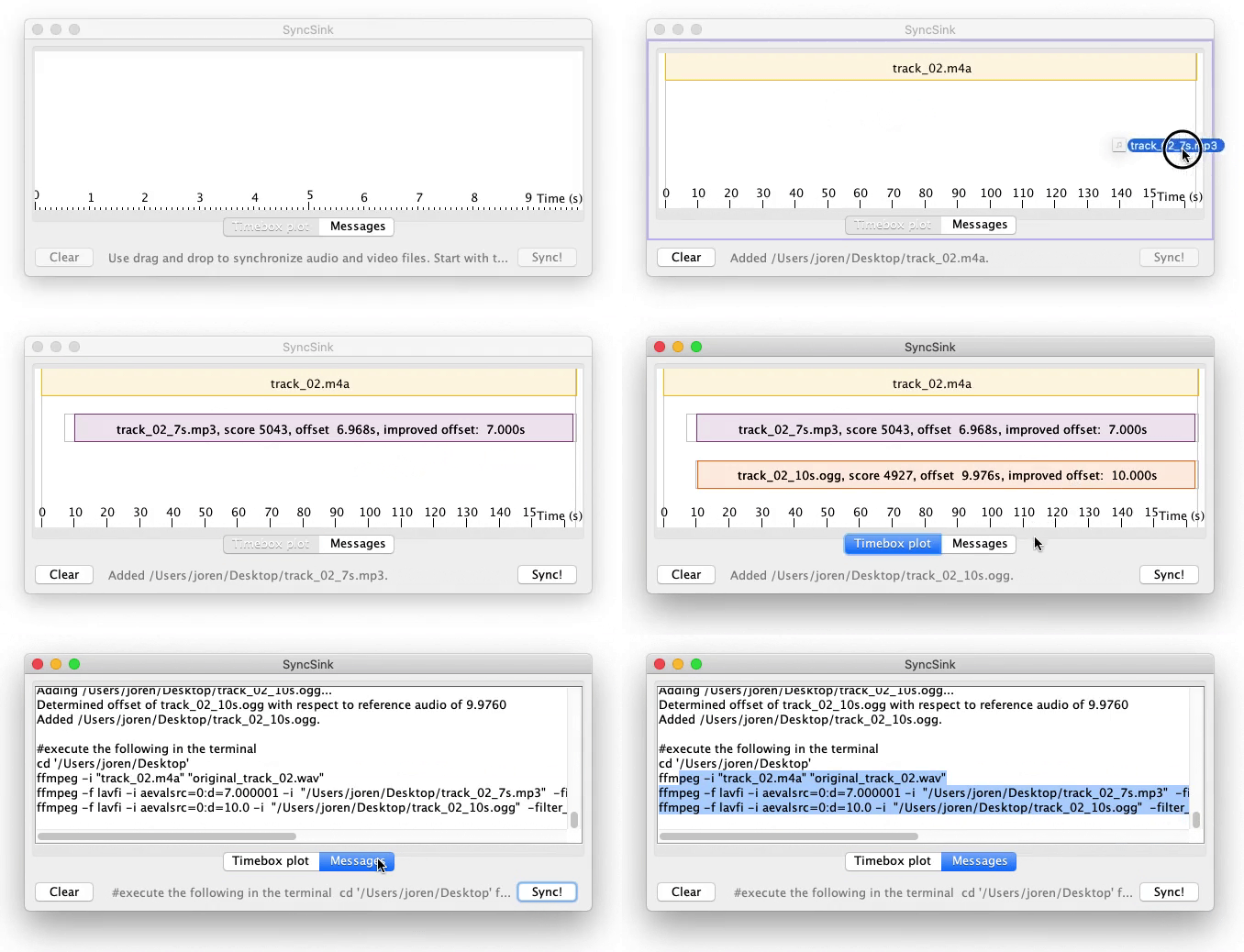
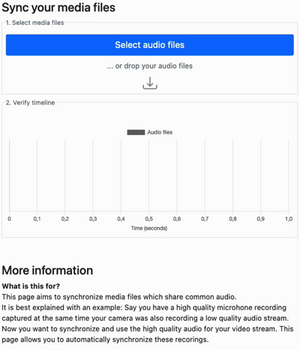
SyncSink is able to synchronize video and audio recordings of the same event. As long as some audio is shared between the multimedia files a reliable synchronization solution...
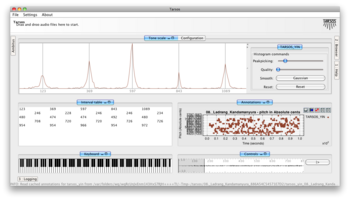
Tarsos is a software tool to analyze and experiment with pitch organization in all kinds of musics. Most of the analysis is done using pitch histograms and octave...

TarsosLSH is a Java library implementing Locality-sensitive Hashing (LSH), a practical nearest neighbor search algorithm for multidimensional vectors that operates in sublinear time. It supports several LSH families:...
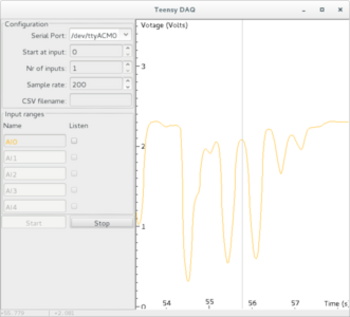
TeensyDAQ is a Java application to quickly visualize and record analog signals with a Teensy micro-controller and some custom software. It is mainly useful to quickly get an...
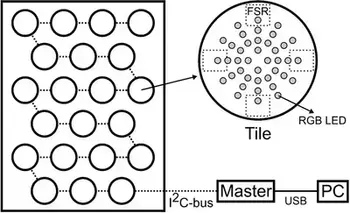
The idea behind AMPEL (by Lousin Moumdjian, Marc Leman, Peter Feys) is to combine both motor and cognitive rehabilitation in a single combined ‘embodied learning’ paradigm. To this...
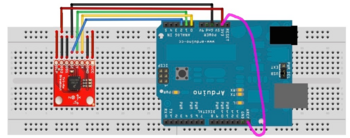
The Pidato experiment demonstrates a rather straightforward method to handle vibrato on a digital piano. It ‘solves’ the age-old problem on what to do with the enigmatic “vibrato”...
Panako is an acoustic fingerprinting system I developed a couple of years ago. With acoustic fingerprinting systems it is possible to find duplicates in digital music archives and compare meta-data or identify unlabelled audio fragments. In the margins of my post-doc project working with large music archives, I have found the time to update Panako significantly. The updates simplify, improve and speed up Panako.
 \
Fig. General content based audio search scheme.
\
Fig. General content based audio search scheme.
The main algorithms are simplified. There is also a reduction of dependencies and a refocus to core functionality. This also simplifies building the software. The retrieval characteristics are improved, mainly thanks to the use of a fine-grained Gabor transform. Also new is the near-exact hashing construct which helps with off-by-one issues when matching time bins. The key-value store used is now LMDB, which speeds up the query performance of Panako significantly. The updates should make Panako stand the test of time somewhat better.
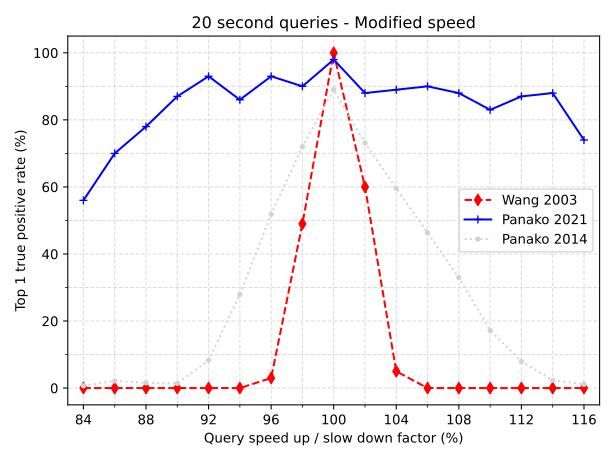 \
Fig. The top one true positive rate for 20s query fragments. The audio playback is speed modified from 84 to 116% with respect to the indexed reference audio. The original query length is 20s, if it is slowed down by 10% it takes, evidently, 22s. Note the improvement of the 2021 version of Panako (blue) vs the 2014 version (light-gray). As a baseline the standard algorithm (wang 2003) is included as well. For the 2021 Panako algorithm, audio recognition performance suffers (below 80) when playback speed is changed more than 10.
\
Fig. The top one true positive rate for 20s query fragments. The audio playback is speed modified from 84 to 116% with respect to the indexed reference audio. The original query length is 20s, if it is slowed down by 10% it takes, evidently, 22s. Note the improvement of the 2021 version of Panako (blue) vs the 2014 version (light-gray). As a baseline the standard algorithm (wang 2003) is included as well. For the 2021 Panako algorithm, audio recognition performance suffers (below 80) when playback speed is changed more than 10.
A more complete list of updates can be found below and on the Panako GitHub repository:
- The number of dependencies has been drastically cut by removing support for multiple key-value stores. - The key-value store has been changed to a faster and simpler system (from [MapDB](https://mapdb.org) to [LMDB](http://www.lmdb.tech/doc)). - The SyncSink functionality has been moved to another project (with Panako as dependency). - The main algorithms have been replaced with simpler and better working versions: - Olaf is a new implementation of the classic Shazam algorithm. - The algoritm described in the Panako paper was also replaced. The core ideas are still the same. The main change is the use of a [Gabor transform](https://en.wikipedia.org/wiki/Gabor_transform) to go from time domain to the spectral domain (previously a constant-q transform was used). The gabor transform is implemented by [JGaborator](https://github.com/JorenSix/JGaborator) which in turn relies on [The Gaborator](https://gaborator.com/) C library via JNI. - Folder structure has been simplified. - The UI which was mainly used for debugging has been removed. - A new set of helper scripts are added in the `scripts` directory. They help with evaluation, parsing results, checking results, building panako, creating documentation,... - Changed the default panako location to \~/.panako, so users can install and use panako more easily (without need for sudo rights)
 Code and UGent
I have just released a new version of SyncSink. SyncSink is a tool to synchronize media files with shared audio. It is ideal to synchronize video captured by multiple cameras or audio captured by many microphones. It finds a rough alignment between audio captured from the same event and subsequently refines that offset with a crosscorrelation step. Below you can see SyncSink in action or you can try out SyncSink (you will need ffmpeg and Java installed on your system).
SyncSink used to be part of the Panako acoustic fingerprinting system but I decided that it was better to keep the Panako package focused and made a separate repository for SyncSink. More information can be found at the SyncSink GiHub repo
SyncSink is a tool to synchronize media files with shared audio. SyncSink matches and aligns shared audio and determines offsets in seconds. With these precise offsets it becomes trivial to sync files. SyncSink is, for example, used to synchronize video files: when you have many video captures of the same event, the audio attached to these video captures is used to align and sync multiple (independently operated) cameras. Evidently, SyncSink can also synchronize audio captured from many (independent) microphones if some environmental sound is shared (leaked in) the each recording.
Fig: SyncSink in action: syncing some audio files
UGent, Code, Music Information Retrieval, and Panako
 SyncSink-synchronizing_audio.gif and syncsink-1.0.jar
This post deals with the problem of using stateful C code from multiple Java threads. With JNI (Java Native Interface) it is possible to glue C code to a Java environment. There are many helpful tutorials on how to call C code and receive results. JNI helps to reuse existing, often highly complex and computationally expensive, C code.
The introductory tutorials often stop once it is made clear how to repackage (simple) datatypes and do not mention threads. It is, however, reasonable to expect JNI code to take into account thread-safety and proper multi-threading. In all but the simplest cases it is not that straightforward to share state at the C side and allow JNI code to be called from multiple Java threads. Incorrectly sharing state can lead to memory leaks and segmentation faults (segfaults) and crashes the application. In what follows, a way to share thread-local state is presented.
It is quite common to have an init, work and dispose method to create a state, use that state and do some work and finally dispose of used resources. Each Java thread independently calls these methods and expects results. These results should not change if multiple Java threads are calling the same methods. In other words: the state should remain Java thread-local. A typical Java class could look like the code below.
With the Java code in mind, the C code should know which Java thread is used and which state needs to be used for the work. Luckily there is a way to find out: The JNI specification states that each JNIEnv is local to a Java thread. So we can use the JNIEnv pointer to identify a thread. This is the idea that is used below.
The code maps a JNIEnv pointer to a structure with (any) state information. An unordered map is used for this mapping. There is, however, still a problem: multiple threads can call the init method at once. So multiple threads potentially write to the unordered_map at the same time which leads to problems. To prevent this from happening a mutex is used. The mutex, together with a unique lock, makes sure that only a single thread writes to the unordered map. The same holds for the dispose method.
The work method does not need a unique lock since it does not write to the unordered map and reading from multiple threads is no problem.
  1
2
3
4
5
6
7
8
9
10
11
12
13
14
15
16
17
18
19
20
21
22
23
24
25
26
27
28
29
30
31
32
33
34
35
36
37
38
39
40
41
42
43
44
45
46
47
48
49
50
51
52
53
54
55
56
57

  #include <unordered_map>
#include <mutex>

const int DATA_ARRAY_SIZE = 300000 * 2;

struct BridgeState {
    jfloat *data;
};

//A hash map with a JNIEnv * as key and a BridgeState * as value
std::unordered_map<uintptr_t, uintptr_t> stateMap;

//A mutex to ensure that writes to the stateMap are synchronized.
std::mutex stateMutex;

JNIEXPORT jint JNICALL Java_init(JNIEnv *env, jobject object) {
    //Makes sure only one thread writes to the stateMap
    std::unique_lock<std::mutex> lck(stateMutex);

    BridgeState *state = new BridgeState();
    uintptr_t env_addresss = reinterpret_cast<uintptr_t>(env);

    state->data = new jfloat[DATA_ARRAY_SIZE];

    uintptr_t state_addresss = reinterpret_cast<uintptr_t>(state);
    stateMap[env_addresss] = state_addresss;

    return 1;
}

JNIEXPORT jint JNICALL Java_work(JNIEnv *env, jobject object) {
    //get a ref to the state pointer
    uintptr_t env_addresss = reinterpret_cast<uintptr_t>(env);
    BridgeState *state = reinterpret_cast<BridgeState *>(stateMap[env_addresss]);

    //do something with state->data, e.g. calculate the sum
    int sum = 0;
    for (int i = 0; i < DATA_ARRAY_SIZE; i++) {
        state->data[i] = state->data[i] + 1;
        sum += (int)state->data[i];
    }
    return sum;
}

JNIEXPORT jint JNICALL Java_dispose(JNIEnv *env, jobject object) {
    //Makes sure only one thread writes to the stateMap
    std::unique_lock<std::mutex> lck(stateMutex);

    uintptr_t env_addresss = reinterpret_cast<uintptr_t>(env);
    BridgeState *state = reinterpret_cast<BridgeState *>(stateMap[env_addresss]);
    stateMap.erase(env_addresss);

    //cleanup memory
    delete[] state->data;
    delete state;
    return 0;
}
This conceptual code has been lifted from a JNI library doing actual work: The JGaborator JNI bridge . If you need more information on how to compile and use this construct in actual code, please have a look at the JGaborator GitHub repository
Code and UGent
I have updated the JGaborator library. The library calculates fine grained constant-Q spectral representations of audio signals quickly from Java. Such spectral transform can be used for visualisation or as a front-end for audio processing or music information retrieval applications.
The calculation of a Gabor transform is done by a C library named Gaborator. JGaborator provides a Java native interface (JNI) bridge to that library. Thanks to the recent updates, the library is now automatically unpacked which makes it easy to use on supported platforms (intel macOS and x64 Linux).
The new version of JGaborator now also allows multiple Java threads to call the transform. This has the potential to speed up some audio processing chains dramatically.
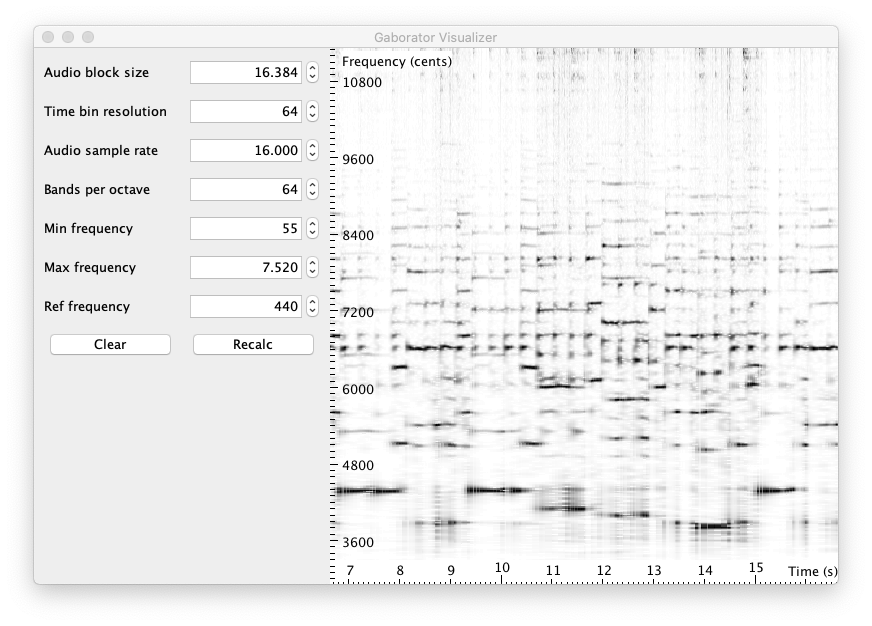
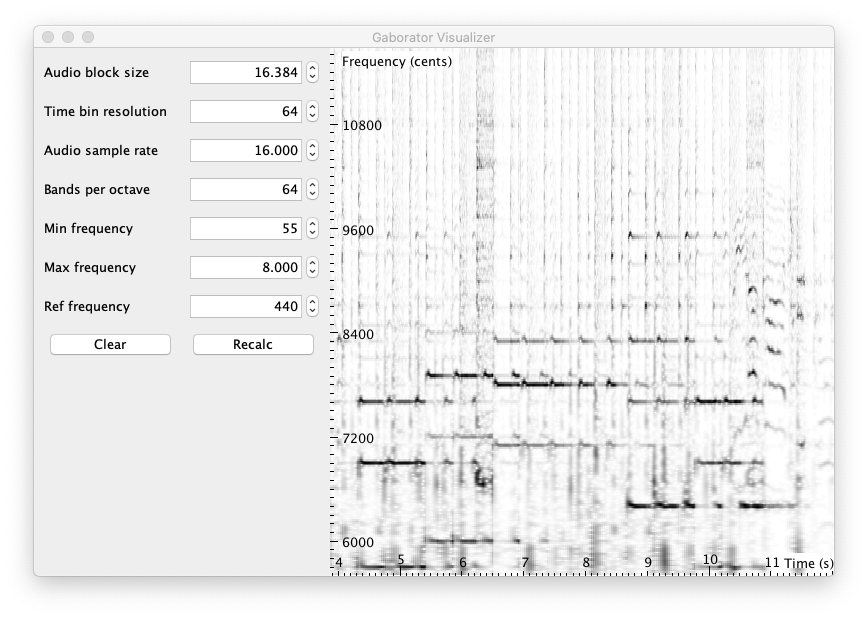
The visualisation parts of JGaborator also received light touch-ups. Below a number of screenshots can be seen with of spectral representations of several audio files. If you want to try it yourself download the “JGaborator JAR-file”:[JGaborator-0.6.jar]. Note that it should work only on intel macOS and x64 Linux with ffmpeg installed on your path. For other environments, please read and follow the JGaborator instructions to get it working.

 Code and UGent
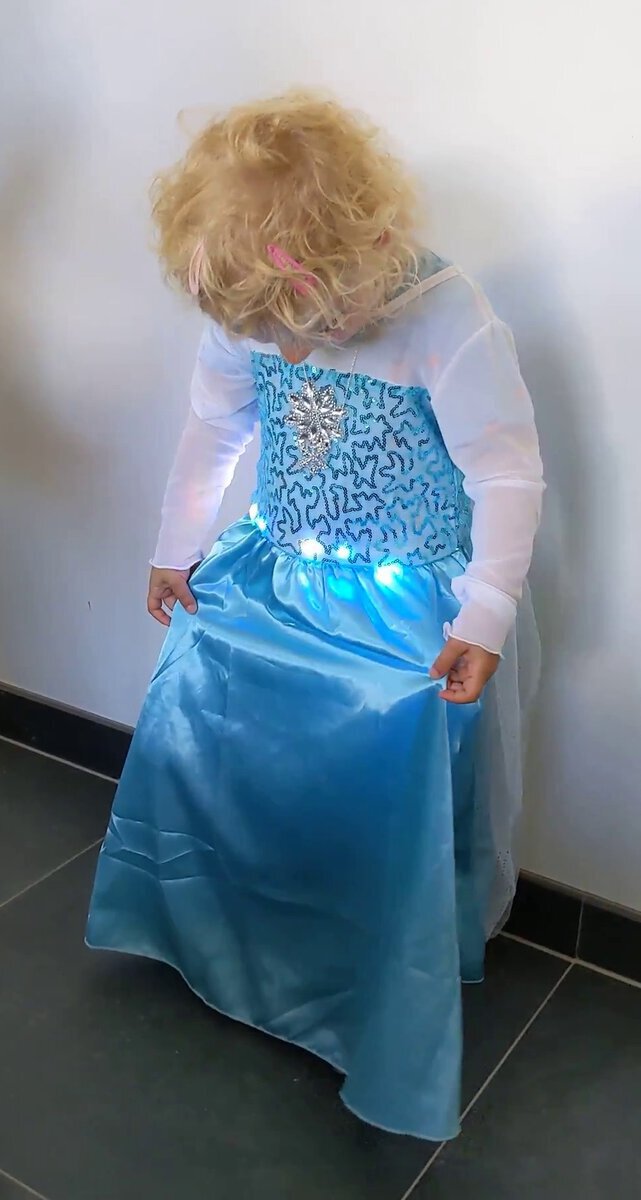 A good year ago I was asked to develop audio recognition technology for an e-costume. The idea was that lights in the costume would follow a sequence synchronised to a certain song. Only a single song should trigger the lights, all other music should be ignored. Recognition of music and synchronisation is typically done using audio fingerprinting techniques. The challenge was that the recognition needed to run on a cheap, battery-powered microcontroller with limited CPU and memory. I delivered a prototype but eventually a cheap, battle-tested, off-the-shelf, IP-cleared, alternative was found.
The prototype gathered dust for a while but the idea stuck in my head. With my daughters fourth birthday approaching during the lockdown, I decided to turn the prototype into an over-engineered birthday gift and let an ‘Elsa-dress’ react to ‘Let It Go’ from the Frozen soundtrack. With the prototype as a starting point, I ordered an RGB-LED-strip, a beefy Li-Ion Battery, an I2S digital microphone and, of course, an Elsa-dress.
I had an ESP32 microcontroller laying around and used it as the core of the system: it supports I²S, has a floating point unit (FPU), is easy to use together with LED strips and has enough memory. The FPU makes it straightforward to use the same code on traditional computers as on embedded devices: fixed-point math can be avoided.
After soldering the components together and with the help from my better half to sew in the LED strip, it all came together. In the video below, the result of our work can be seen. The video first shows a song that should not and is not recognised. Then, “Let It Go” is played and correctly recognised. After the song is stopped, the lights go on for a while and finally stop: this is by design to allow gaps in recognition. Lastly, the song is continued and again correctly recognised.
With my limited C experience the prototype code was not well organised. During my second attempt this improved enough so that I feel comfortable enough to share the code on GitHub: Olaf - Overly Lightweight Acoustic Fingerprinting.
The code went through several iterations and was expanded beyond the original scope and became a capable general purpose acoustic fingerprinting system with its many applications. Olaf performs quite well thanks to its resource friendly design and the use of PFFT and LMDB. Especially LMDB, a fast, B+-tree backed key value store with low storage overhead enables performant storage and lookups.
The GitHub does not contain an example for the ESP32. That code depends on the microcontroller, digital microphone and pins used and Olaf needs to be hacked to exhibit the requested behaviour. All in all that code is much less reusable (and sharable, testable, maintainable). I have, however, included a platformIO project for “Olaf on ESP32”:[ESP32-Olaf.zip] for reference.
Olaf, being written in ANSI C, can run in the browser thanks to the Emscripten compiler. According to its website, Emscripten ‘…lets you run C and C on the web at near-native speed without plugins’ Combining the Web Audio API and the WASM version of Olaf makes web-based acoustic fingerprinting applications possible.
Below you can try out Olaf. The exact same code is running on your browser as on the ESP32 demonstrated above. This means that Olaf is listening to recognise ‘Let It Go’ from the Frozen soundtrack. For your convenience the song can be started below on the left. On the right, you can start Olaf by allowing incoming audio to be analysed. The FFT is calculated by Olaf and visualised using Pixi.js. After a few seconds the red fingerprints should become green, indicating a match. Once you stop the song, the fingerprints will eventually turn red again. As with the video above: going from a match to no match takes a couple of seconds to allow gaps in recognition.
Olaf was featured on hackaday. There is also a small discussion about Olaf on Hacker News. A write-up of this project also ended up as a contribution to the Late Breaking Demo track of the first virtual ISMIR conference: Olaf ISMIR 2020 LBD abstract.
Code and UGent
web_embedded_olaf.jpg, embedded_demo.mp4, embedded_demo.webm, embedded_use.mp4, ESP32-Olaf.zip, and ISMIR2020_LBD_Olaf.pdf
For synchronisation between several devices SMPTE timecode data is often encoded into audio using LTC or linear time code.
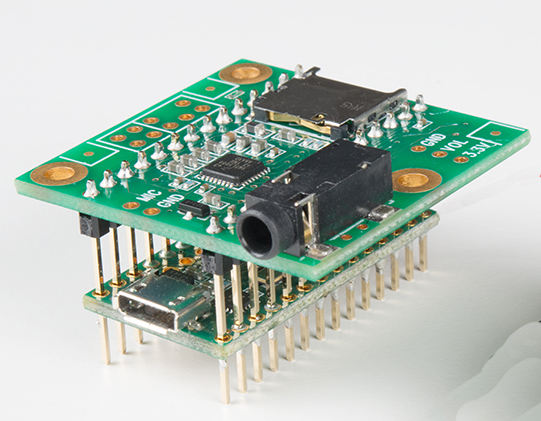
This blog post presents an LTC decoder for a Teensy 3.2 microcontroller with audio shield.
The audio shield takes care of the line level audio input. This audio input is then decoded. The decoding is done by libltc. The library runs as is on a Teensy without modification. The three elements are combined in a relatively simple teensy patch
To use the decoder connect the line level input left channel to an SMPTE source via e.g. an RCA plug.
For code, comments, pull requests please consult the Github repository for the Teensy SMPTE LTC decoder
Code and UGent
teensy_ltc_smpte_decoder.mp4 and teensy_with_audio_shield.jpg
During an experiment which monitors a music performance it might be a requirement to record music, video and sensor data synchronously. Recording analog sensors (balance boards, accelerometers, light sensors, distance sensors) together with audio and video is often problematic. Ideally standard DAW software can be used to record both audio and sensor data. A system is presented here that makes it relatively straightforward to record sensor data together with audio/video.
The basic idea is simple: a microcontroller is programmed to appear as a class compliant MIDI device. Analog measurements on the micro-controller are translated to a specific MIDI protocol. The MIDI data, on the capturing side, can then be converted again into the original sensor data. This setup has several advantages:
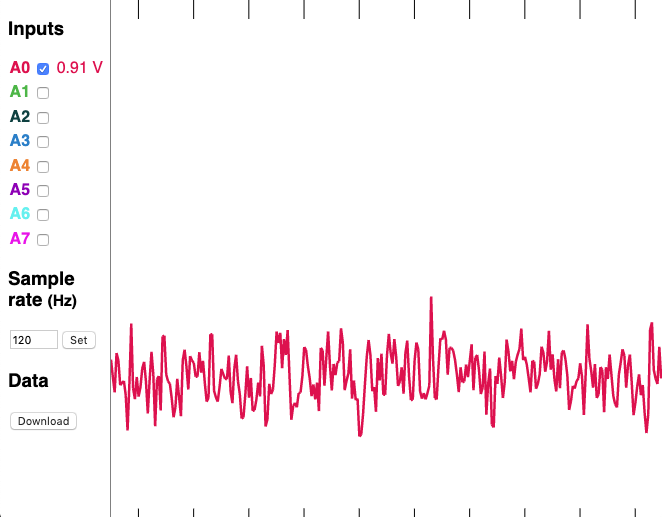
While the concept is relatively simple, there are many details to get right. Please consult the MIDImorphosis github page which details the system that consists of an analog sensor, a MIDI protocol and a clocking infrastructure.
UGent, Code, and Computational ethnomusicology
cc_viz_screen.png, cc_viz.html, and cc_viz.html
At work we have a really nice piano and I wanted to be able to broadcast a live performance over the internet with low latency to potential live listeners. In all honesty, only my significant other gets moderately lukewarm about the idea of hearing me play live. Anyhow:
I did not find any practical tool to easily pump audio over the internet. I did find something that was very close called trx by Mark Hills: trx is a simple toolset for broadcasting live audio from Linux. It unfortunately only works with the ALSA audio system and is limited to Linux. I decided to extend it to support macOS and Pulse Audio. I also extended its name to form trix.
Audio Transmitter/Receiver over Ip eXchange (trix) is a simple toolset for broadcasting live audio from Linux or macOS. It sends and receives encoded audio over IP networks, via an audio interface. If audio interfaces are properly configured, a low-latency point-to-point or multicast broadband audio connection can be achieved. This could be used for networked music performances. The inclusion of the intermediate rtAudio library provides support for various audio input and outputs.
More information on trix can be found on the trix github page.
The system can be configured for low latency use. The whole chain is dependent several different components which each add to the total latency: audio input latency, encoder (algorithmic) delay, network latency and finally audio output latency.
Thanks to the use of RtAudio it should be possible to use low latency API’s to access audio devices (ASIO on windows or Jack on Unix). This means that audio input and output latencies can be as low as the hardware allows. The opus encoder/decoder that is used has a low algorithmic delay. By default it has a 25ms delay but it can be configured to only 2.5ms (see here). The network latency (and jitter) is very much dependent on the distance to cover. On a local network this can be kept low, when using wide area networks (the internet) control is lost and latencies can add up depending on the number of hops to take. Jitter can be problematic if the smallest possible buffers are used: then dropouts might occur and this might affect the audio in a noticeable way.
 Code and UGent
I have uploaded a small piece of software which allows users to find a specific audio marker in audio streams. It is mainly practical to synchronise a camera (audio/video) recording with other audio with the same marker. The marker is a set of three beeps. These three beeps are found with millisecond accurate precision within the audio streams under analysis. By comparing the timing of marker synchronization becomes possible. It can be regarded as an alternative for the movie clapper boards.
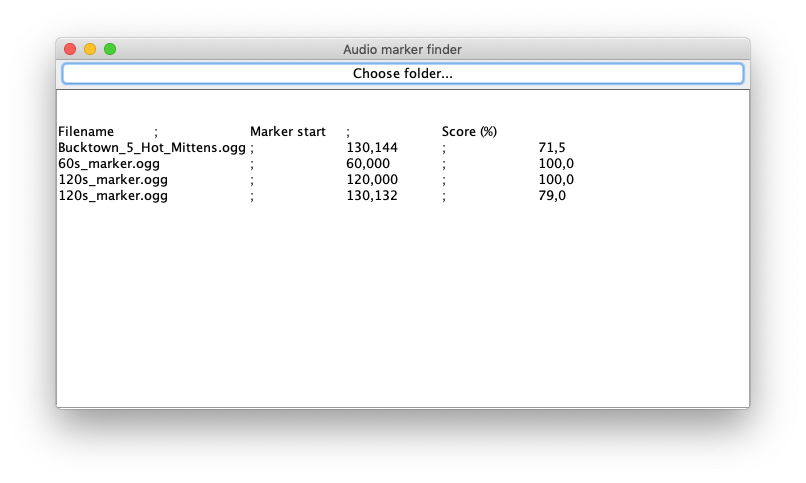
The source code for the audio marker finder is on GitHub. The software is used in the Art Science Interaction Lab (ASIL) of the Krook. Below you can download the Audio marker finder and the marker itself.
Code and UGent
screenshot.png, marker.wav, and 2019.02.19.AudioMarkerFinder.jar
Recently I have published a small library on github called JGaborator. The library calculates fine grained constant-Q spectral representations of audio signals quickly from Java. The calculation of a Gabor transform is done by a C library named Gaborator. A Java native interface (JNI) bridge to the C Gaborator is provided. A combination of Gaborator and a fast FFT library (such as pfft) allows fine grained constant-Q transforms at a rate of about 200 times real-time on moderate hardware. It can serve as a front-end for several audio processing or MIR applications.
For more information on the Gaborator C library by Andreas Gustafsson, please see the gaborator.com website or a talk by the author on the library called Exploring time-frequency space with the Gaborator
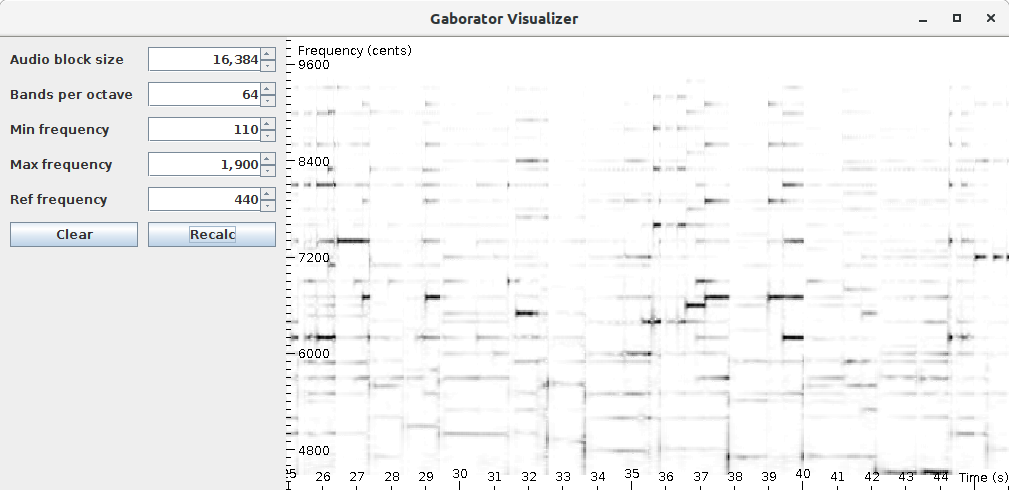
While the gaborator allows reversible transforms, only a forward transform (from time domain to the spectral domain) is currently supported from Java.A spectral visualization tool for sprectral information is part of this package. See below for a screenshot:
 Code and UGent