Claims made in many Music Information Retrieval (MIR) publications are hard to verify due to the fact that (i) often only a textual description is made available and code remains unpublished – leaving many implementation issues uncovered; (ii) copyrights on music limit the sharing of datasets; and (iii) incentives to put effort into reproducible research – publishing and documenting code and specifics on data – is lacking. In this article the problems around reproducibility are illustrated by replicating an MIR work. The system and evaluation described in ‘A Highly Robust Audio Fingerprinting System’ is replicated as closely as possible. The replication is done with several goals in mind: to describe difficulties in replicating the work and subsequently reflect on guidelines around reproducible research. Added contributions are the verification of the reported work, a publicly available implementation and an evaluation method that is reproducible.
A philologist’s approach to heritage is traditionally based on the curation of documents, such as text, audio and video. However, with the advent of interactive multimedia, heritage becomes floating and volatile, and not easily captured in documents. We propose an approach to heritage that goes beyond documents. We consider the crucial role of institutes for interactive multimedia (as motor of a living culture of interaction) and propose that the digital philologist’s task will be to promote the collective/shared responsibility of (interactive) documenting, engage engineering in developing interactive approaches to heritage, and keep interaction-heritage alive through the education of citizens.
I was kindly invited by SoundCloud to give a presentation on “Acoustic fingerprinting in research”. The presentation took place during one of the “MIR Meetups” in Berlin on Monday, April 23, 2018. Before my presentation there was a presentation by Derek and Josh (both SoundCloud engineers) detailing the state of the internal fingerprinting system of SoundCloud.
During my presentation I gave an overview of various applications of acoustic fingerprinting in a music research environment and detailed how these applications can be handled and are implemented in Panako: an open source fingerprinting system
Below the slides used during the presentation can be found:
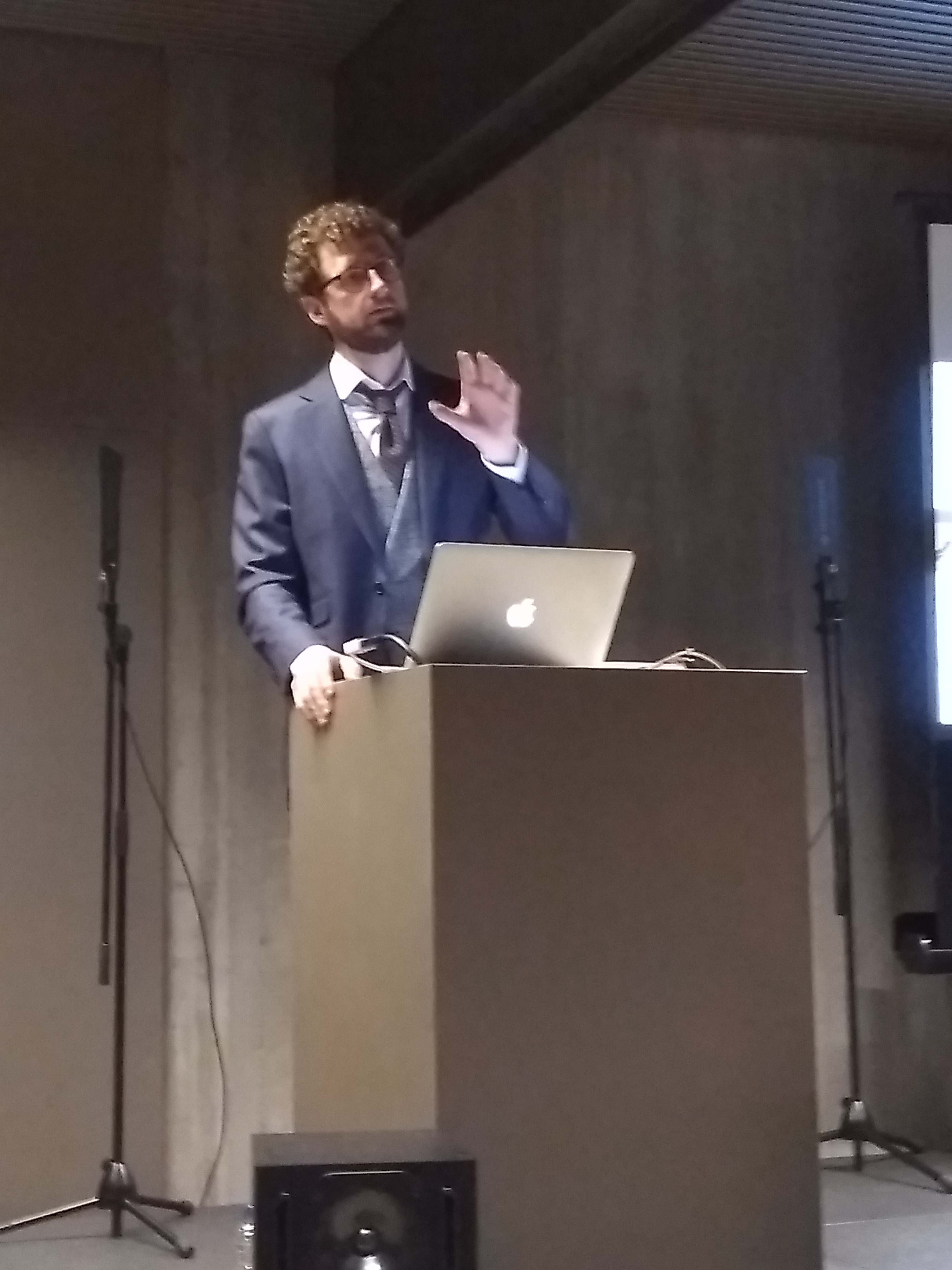
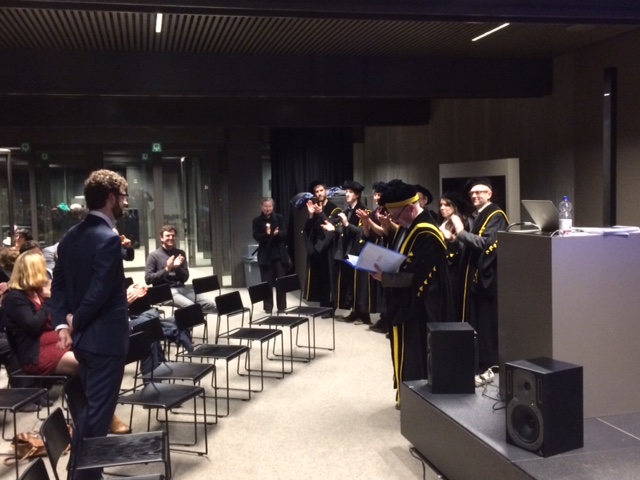
The 11th of January I successfully completed my PhD training under mentorship of Marc Leman with a public defense at de Krook in Ghent.
I also handed in my dissertation titled Engineering systematic musicology: methods and services for computational and empirical music research (version of record). The dissertation bundles several of my publications and places them in a framework in the introduction and reflects upon these in the conclusion. The publications all contribute either directly to the field of systematic musicology (e.g. tone scale research) or contributes indirectly by facilitating specific research tasks (e.g. synchronization of multi-modal research data).
The presentation during my defense was meant for a broader audience. During the presentation I gave examples of the research topics I have been working and focused on how these are connected. The presentation titled Engineering systematic musicology can be seen by following the previous link and is included below. The slide with the live spectrogram and the slide with the map need to be started by double clicking otherwise they remain empty.
The presentation is essentially an interactive HTML5 website build with the reveal.js framework. This has the advantage that multimedia is well supported and all kinds of interactions can be scripted. The presentation above, for example, uses the web audio API for live audio visualization and the google maps API for interactive maps. Video integration is also seamless. It would be a struggle to achieve similar multi-media heavy presentations with other presentation software packages such as Impress, Keynote or Powerpoint.
To present my research in an accessible way I needed a reliable way to visualize audio, audio feature extraction and processing of audio features into a higher level representation. Canvas, HTML5, javascript and the Reveal.js presentation framework offered a solution.
I often need audio and video material embedded into presentations. I have had bad experiences with powerpoint/keynote and especially the LaTeX beamer package and multimedia: audio/video material does not start playing or at the wrong moment, finicky on codecs, limited compatibility, a clunky UX (whoever came up with the idea to show multimedia controls while hovering over e.g. an audio thumbnail should be reoriented towards back-end programming) all contribute to errors while handling audio/video. Moreover the interactive capabilities are limiting.
The component above is an interactive spectrogram which combines HTML5’s web audio API capabilities with the canvas element and some Javascript to glue things together. Note that this has been tested on Chrome and Firefox only.
“Since 2005, the Italian Research Conference on Digital Libraries has served as an important national forum focused on digital libraries and associated technical, practical, and social issues. IRCDL encompasses the many meanings of the term “digital libraries”, including new forms of information institutions; operational information systems with all manner of digital content; new means of selecting, collecting, organizing, and distributing digital content…”
The 26th of January Federica presented our joint contribution titled “Applications of Duplicate Detection in Music Archives: from Metadata Comparison to Storage Optimisation”. The work focuses on applications of duplicate detection for managing digital music archives. It aims to make this mature music information retrieval (MIR) technology better known to archivists and provide clear suggestions on how this technology can be used in practice. More specifically applications are discussed to complement meta-data, to link or merge digital music archives, to improve listening experiences and to re-use segmentation data.
This weekend the University Hamburg - Institute for Systematic Musicology and more specifically Christian D. Koehn organized the International Symposium on Computational Ethnomusicological Archiving. The symposium featured a broad selection of research topics (physical modelling of instruments, MIR research, 3D scanning techniques, technology for (re)spacialisation of music, library sciences) which all had a relation with archiving musics of the world:
How could existing digital technologies in the field of music information retrieval, artificial intelligence, and data networking be efficiently implemented with regard to digital music archives? How might current and future developments in these fields benefit researchers in ethnomusicology? How can analytical data about musical sound and descriptive data about musical culture be more comprehensively integrated?
I was able to attend the symposium and contributed with a talk titled “Challenges and opportunities for computational analysis of wax cylinders”:[2017.12.Hamburg-Wax-presentation.pdf] and by chairing a panel discussion. The symposium was kindly sponsored by the VolkswagenStiftung. The talk had the following abstract:
In this presentation we describe our experience of working with computational analysis on digitized wax cylinder recordings. The audio quality of these recordings is limited which poses challenges for standard MIR tools. Unclear recording and playback speeds further hinder some types of audio analysis. Moreover, due to a lack of systematical meta-data notation it is often uncertain where a single recording originates or when exactly it was recorded. However, being the oldest available sound recordings, they are invaluable witnesses of various musical practices and they are opportunities to improve the understanding of these practices. Next to sketching these general concerns, we present results of the analysis of pitch content of 400 wax cylinder recordings from Indiana University (USA) and from the Royal Museum from Central Africa (Belgium). The scales of the 400 recordings are mapped and analyzed as a set. It is found that the fifth is almost always present and that scales with four and five pitch classes are organized similarly and differ from those with six and seven pitch classes, latter center around intervals of 170 cents, and former around 240 cents.
I have contributed to the 4th International Digital Libraries for Musicology workshop (DLfM 2017) which was organized in Shanghai, China. It was a satellite event of the ISMIR 2017 conference. Unfortunately I did not mange to find funding to attend the workshop, I did however contribute as co-author to two proceeding papers. Both were presented by Reinier de Valk (thanks again).
By Reinier de Valk (DANS), Anja Volk (Utrecht University), Andre Holzapfel (KTH Royal Institute of Technology) , Aggelos Pikrakis (University of Piraeus), Nadine Kroher (University of Seville - IMUS) and Joren Six (Ghent University - IPEM). Next to the version of record there is also an author version available of the contribution titled “MIRchiving: Challenges and opportunities of connecting MIR research and digital music archives”:[2017.DLfM.MIRchiving-author.pdf].
This study is a call for action for the music information retrieval (MIR) community to pay more attention to collaboration with digital music archives. The study, which resulted from an interdisciplinary workshop and subsequent discussion, matches the demand for MIR technologies from various archives with what is already supplied by the MIR community. We conclude that the expressed demands can only be served sustainably through closer collaborations. Whereas MIR systems are described in scientific publications, usable implementations are often absent. If there is a runnable system, user documentation is often sparse—-posing a huge hurdle for archivists to employ it. This study sheds light on the current limitations and opportunities of MIR research in the context of music archives by means of examples, and highlights available tools. As a basic guideline for collaboration, we propose to interpret MIR research as part of a value chain. We identify the following benefits of collaboration between MIR researchers and music archives: new perspectives for content access in archives, more diverse evaluation data and methods, and a more application-oriented MIR research workflow.
By Federica Bressan, Joren Six and Marc Leman (Ghent University - IPEM). Next to the version of record there is also an author version available of the contribution titled “Applications of duplicate detection: linking meta-data and merging music archives: The experience of the IPEM historical archive of electronic music”:[2017.dlfm_duplicates-author.pdf].
This work focuses on applications of duplicate detection for managing digital music archives. It aims to make this mature music information retrieval (MIR) technology better known to archivists and provide clear suggestions on how this technology can be used in practice. More specifically applications are discussed to complement meta-data, to link or merge digital music archives, to improve listening experiences and to re-use segmentation data. The IPEM archive, a digitized music archive containing early electronic music, provides a case study.
The first was a collaboration with Frank Desmet, Micheline Lesaffre, Nathalie Ehrlé and Séverine Samson. The contribution is titled “Multimodal Analysis of Synchronization Data from Patients with Dementia”:[Desmet-et-al.pdf]. It details a famework to analyze data in an experiment for patients with dementia.
For the second contribution I was the main researcher. It is the result of a project with students of the systematic musicology course at Ghent University (Laura Arens, Hade Demoor, Thomas Kint) . The contribution is called “Regularity and asynchrony when tapping to tactile, auditory and combined pulses”:[2017.escom_multimodal_async.pdf]
The presentation “details a multi sensory tapping task”:[six-escom2017-presentation.pdf] with the aim to develop an assistive technology for dancers.
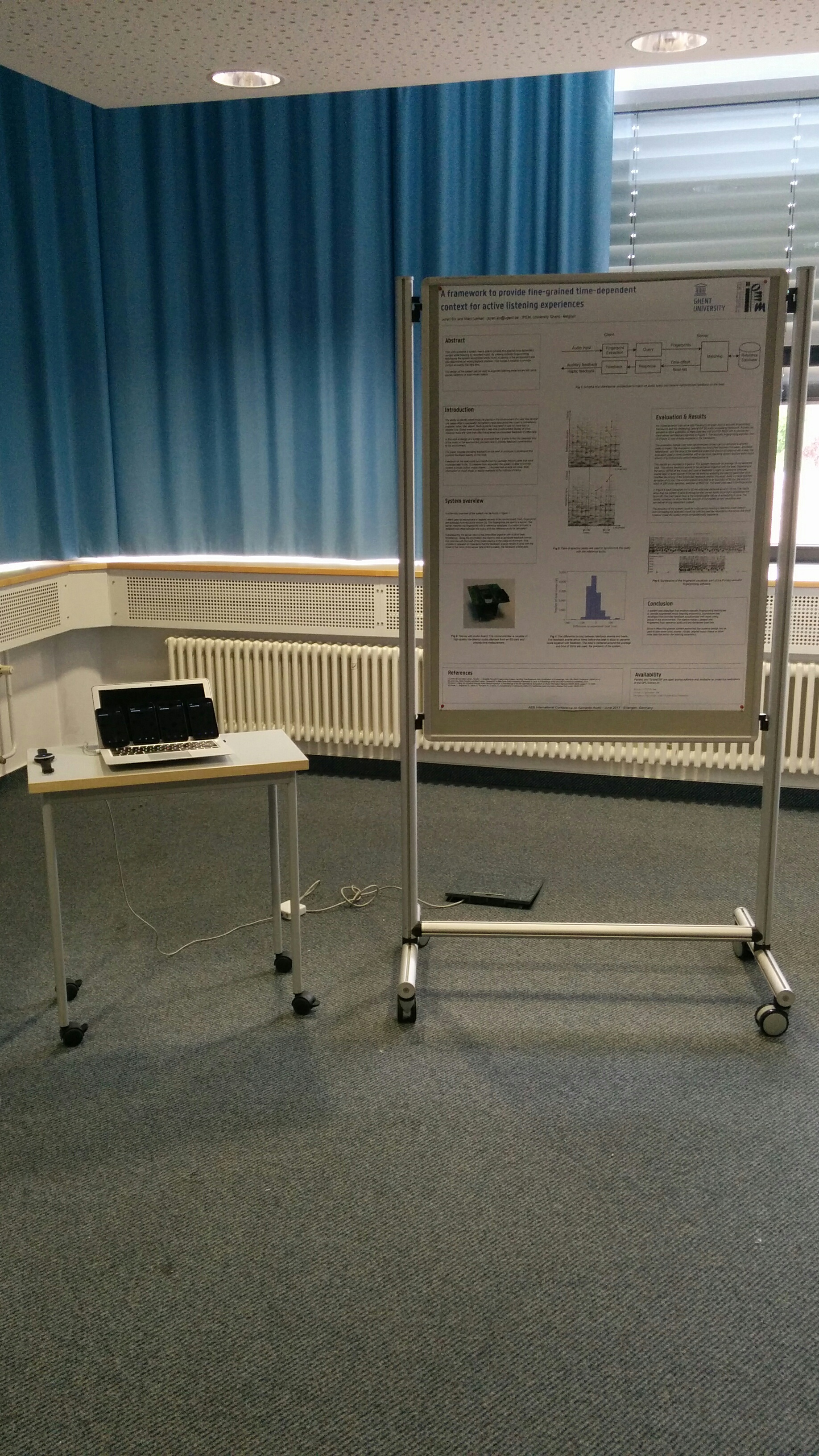
The 2017 AES international conference on semantic audio was organized at ISS Fraunhofer, Erlangen, Germany. As the birthplace of the MP3 codec, it is holy ground, a stop that can not be skipped on the itinerary of an audio engineers pilgrimage of life. At the conference I presented “ A framework to provide fine-grained time-dependent context for active listening experiences”:[2017.author.aes.pdf] with a poster (“pdf”:[aes_2017_poster.pdf], “inkscape svg”:[aes_2017_poster_2.svg]).
The “active listening demo movie”:[active_listening_demo_movie.mp4] above should explain the aim system succinctly. It shows two different ways to provide ‘context’ to audio playing in the room. In the first instance beats information is used to synchronize smartphones and flash the screen, the second demo shows a tactile feedback device responding to beats. The device is a soundbrenner pulse tactile metronome and was kindly sponsored by the company that sells these.
On Saturday the eight of April I gave a workshop on the ESP 32 micro controller at Newline, the yearly hackerspace conference of Hackerspace Ghent. The aim was to provide a hands-on introduction. The participants had to program to make the ESP execute the following:
Blink
Connecting to wifi
Sending data from the ESP32
Sending data using TCP
Broadcast data over UDP
Broadcast data using OSC over UDP
Broadcasting sensor data over UDP and OSC
Mesh Networking
At the start of the workshop I gave a “presention”:[2017.04.ESP32_intro.pdf] as an introduction.
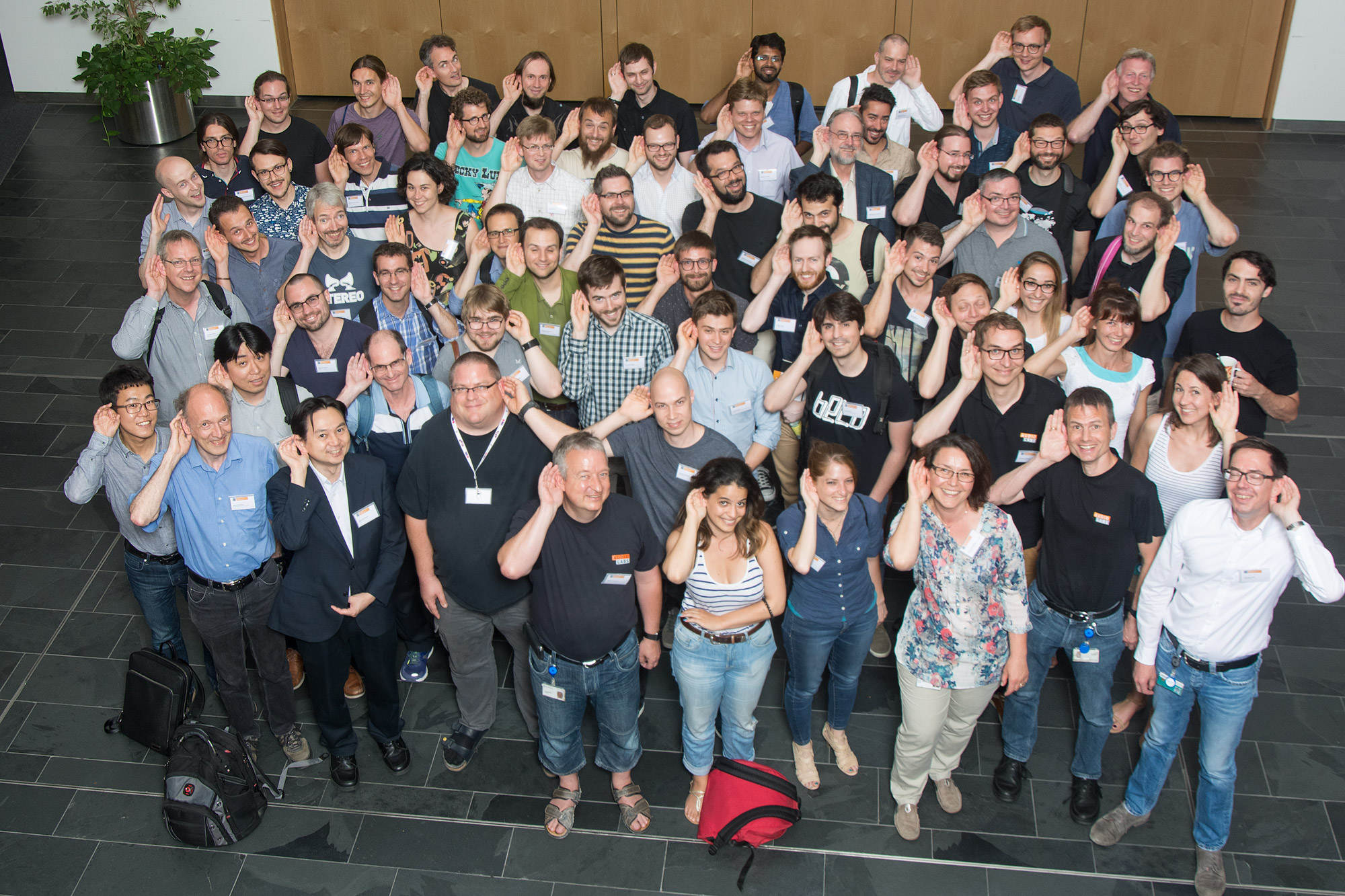
It was attended by a mix of (Ethno)musicologists, archivists, computer scientists and people identifying themselves as more than one of these categories by varying degrees. This mix ensured a healthy discussion and talks by Frans Wiering, Willard McCarthy, Emilia Gomez, and “may more”:[program.pdf] provided ample source material to discuss. These discussions ranged from the abstracts around schemata down to concrete of software tools for archive management.
On a more personal side the workshop did provide useful insights to contextualize my research and help form ideas that can be condensed in my PhD dissertation.
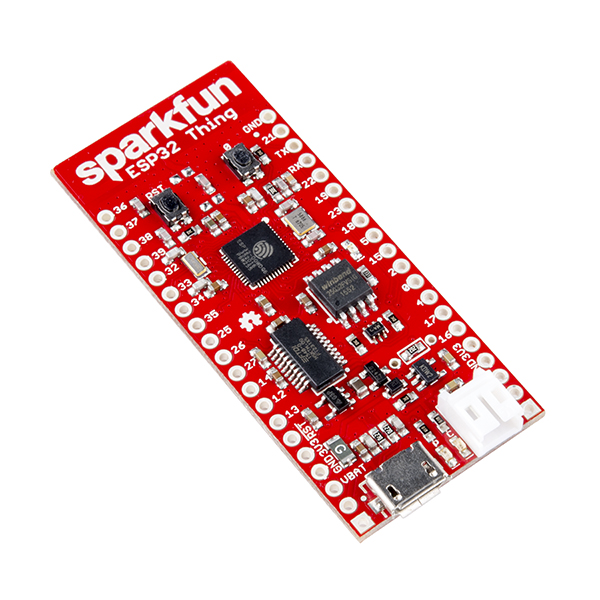
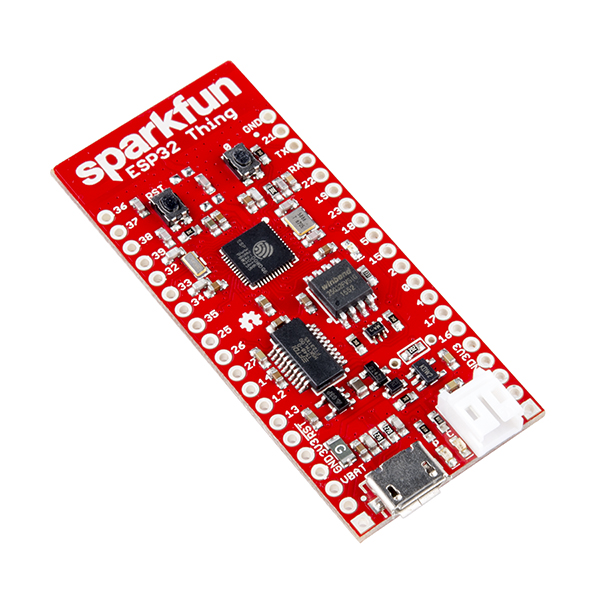
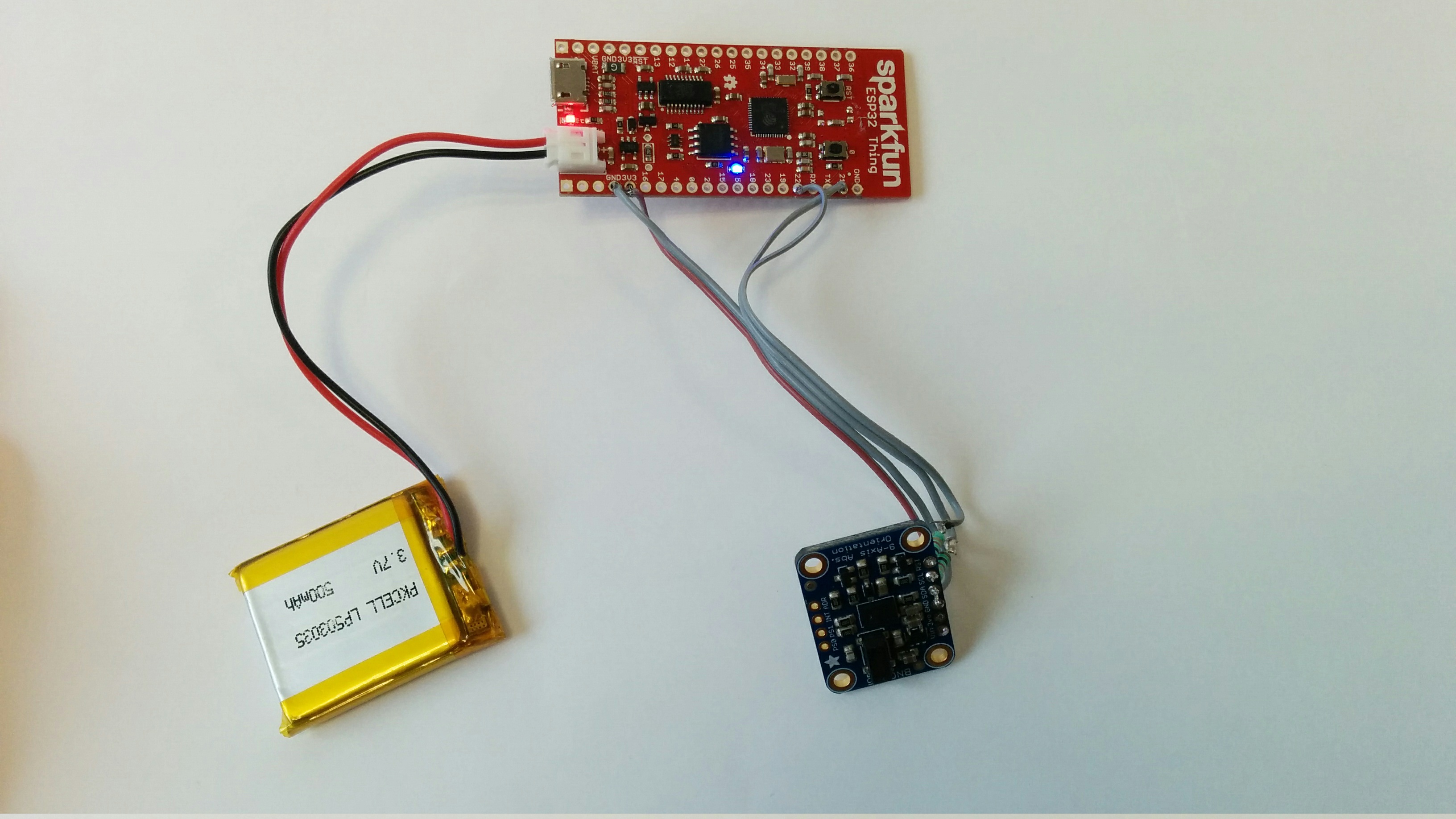
The xOSC board by x-io technologies looks like a very nice solution in many interactive wireless setups. Judging from the specifications and documentation it offers a lot of value. It is basically a small WiFi transmitter with some sensors and a battery attached to it. The board also has some drawbacks. 1) It is expensive at about € 180. This is especially problematic if you need about five or so for your application.2) It seems that it is also hard to add extra sensors via SPI or I²C. 3)The battery needs to be removed to charge, which makes it harder to build into a fixed enclosure. This post describes an alternative based on the ESP32 platform that addresses these shortcomings.
The ESP32 is a micro-controller with a WiFi transmitter which can be programmed using the Arduino environment. Sparkfun has a thing called the ESP32 Thing which contains the ESP32 chip. It can be used to build an xOSC alternative.
It costs about 20$, when you add a battery 5$ and a sensor 20$ (IMU) you end up with a 45$ price tag. The price of course depends on which exact sensor/battery you need for your application. A 500mAh lasts about two hours when sending 66 messages per second over WiFi (using UDP).
The ESP32 Thing supports the Arduino environment which potentially allows you to use all available Arduino libraries and supported sensors. However, some libraries do contain hardware specific instructions which are often not ported yet. Since the hardware is rather new - large scale production started only 3 months ago - not many libraries have been ported. Fortunately a lot of libraries simply work without any changes. At hackaday they have been testing a few: ESP32 and Arduino libraries. I had success with the BNO55 library, it did not need any changes. The OSC library did need some small changes to operate as expected.
The Thing contains a battery charging circuit. Once embedded into an enclosure the battery can stay in place. The software running on the device even keeps running when changing power sources.
Attached to this post you can find modifications to the Andriod OSC library that enable it to run on the ESP32: ESP32-Arduino-OSC-library together with a patch that sends random data over OSC. This should enable you to build an xOSC alternative.
Some drawbacks of the ESP32 is that the supporting software is quite immature. There is a Bluetooth chip on the ESP32 which is currently not supported in the Arduino environment. The setup can be somewhat challenging. The documentation can be improved. Some of the ESP32 Things seem to be unable to connect to old WiFi routers which can be problematic.
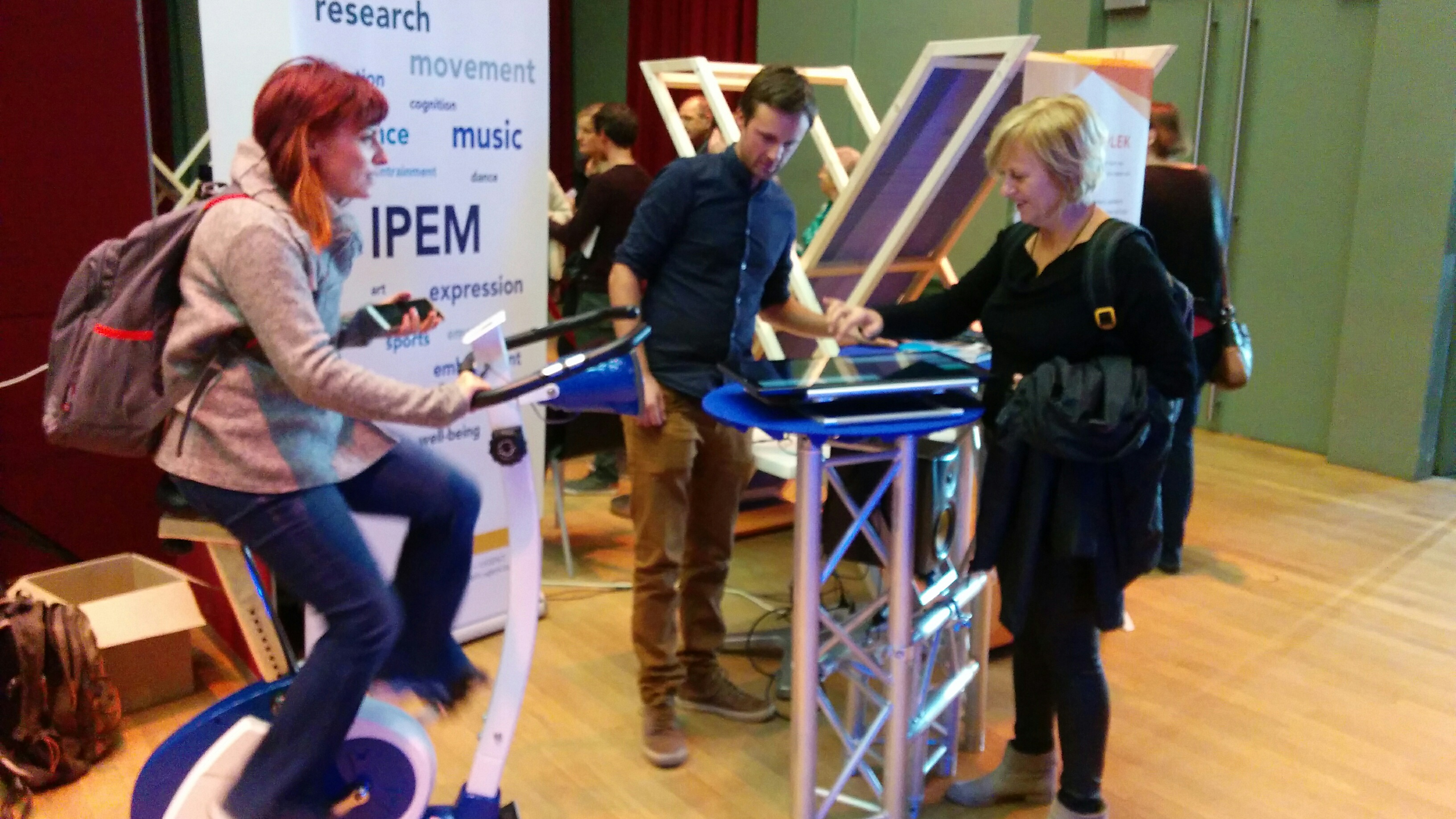
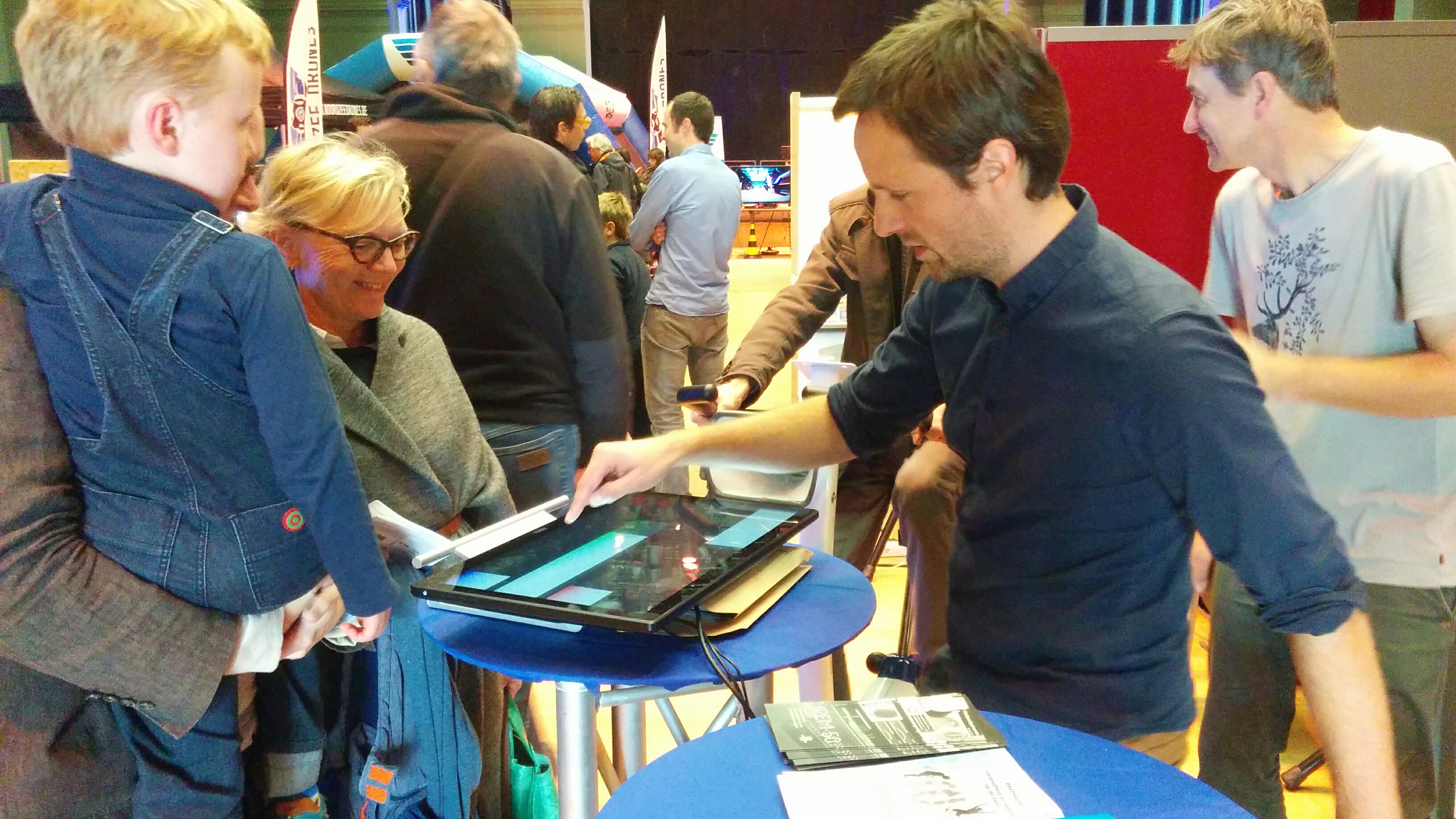
Last Saturday, October eight 2016, IPEM was present at the opening event of the digital week. A small video report was made for VRT news, unfortunately our contribution did not make the cut.
Van 8 tot en met 16 oktober 2016 loopt de elfde editie van de De Digitale Week. Plaatselijke organisaties in heel Vlaanderen en Brussel organiseren tijdens deze week diverse laagdrempelige activiteiten waarbij het gebruik van multimedia centraal staat, steeds gratis of zeer goedkoop, en open voor zowel beginners als mensen met wat meer ervaring. Daarnaast loopt er tijdens de Digitale Week een grote publiciteitscampagne die aandacht vraagt voor de thema’s e-inclusie en mediawijsheid.
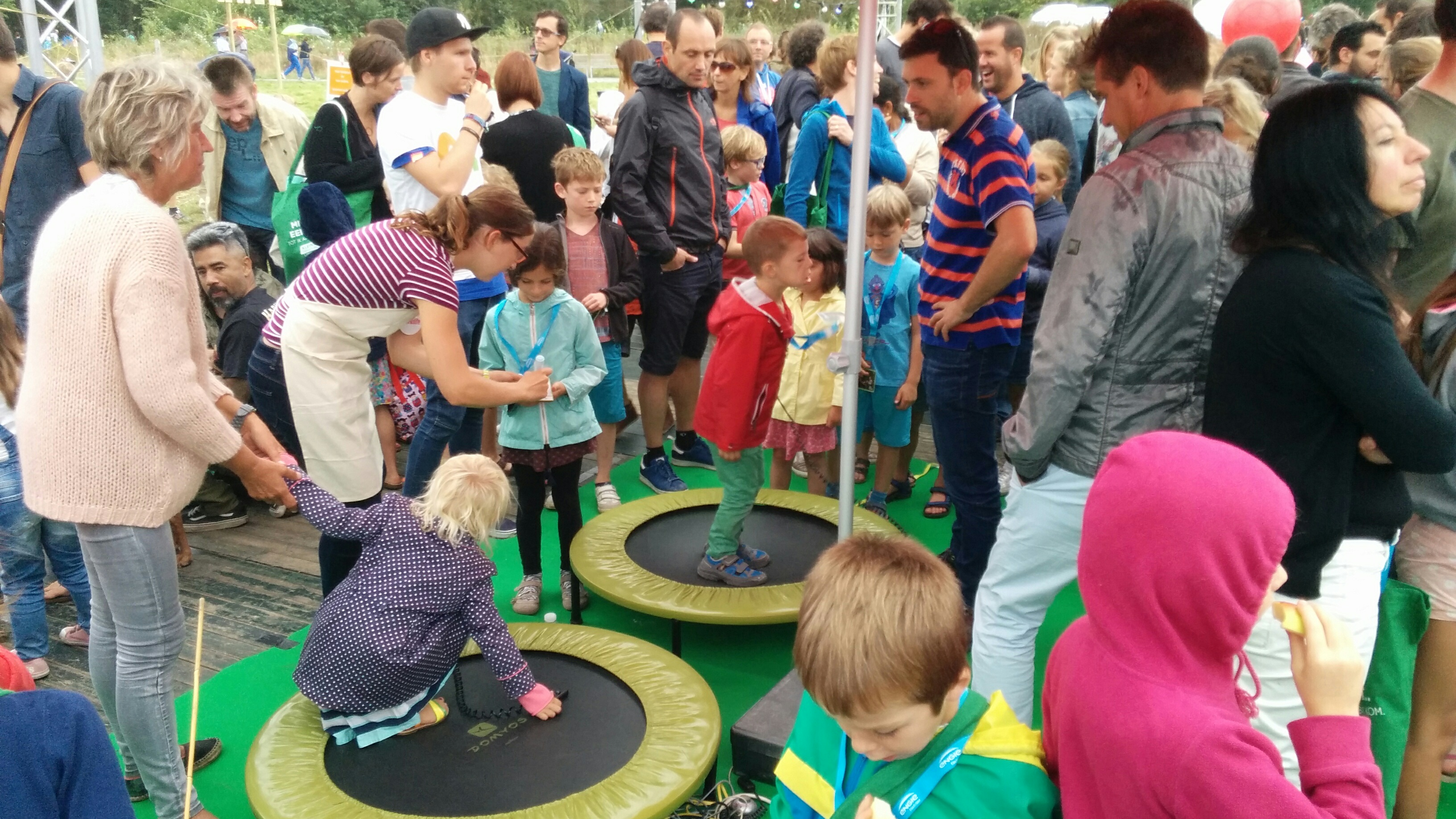
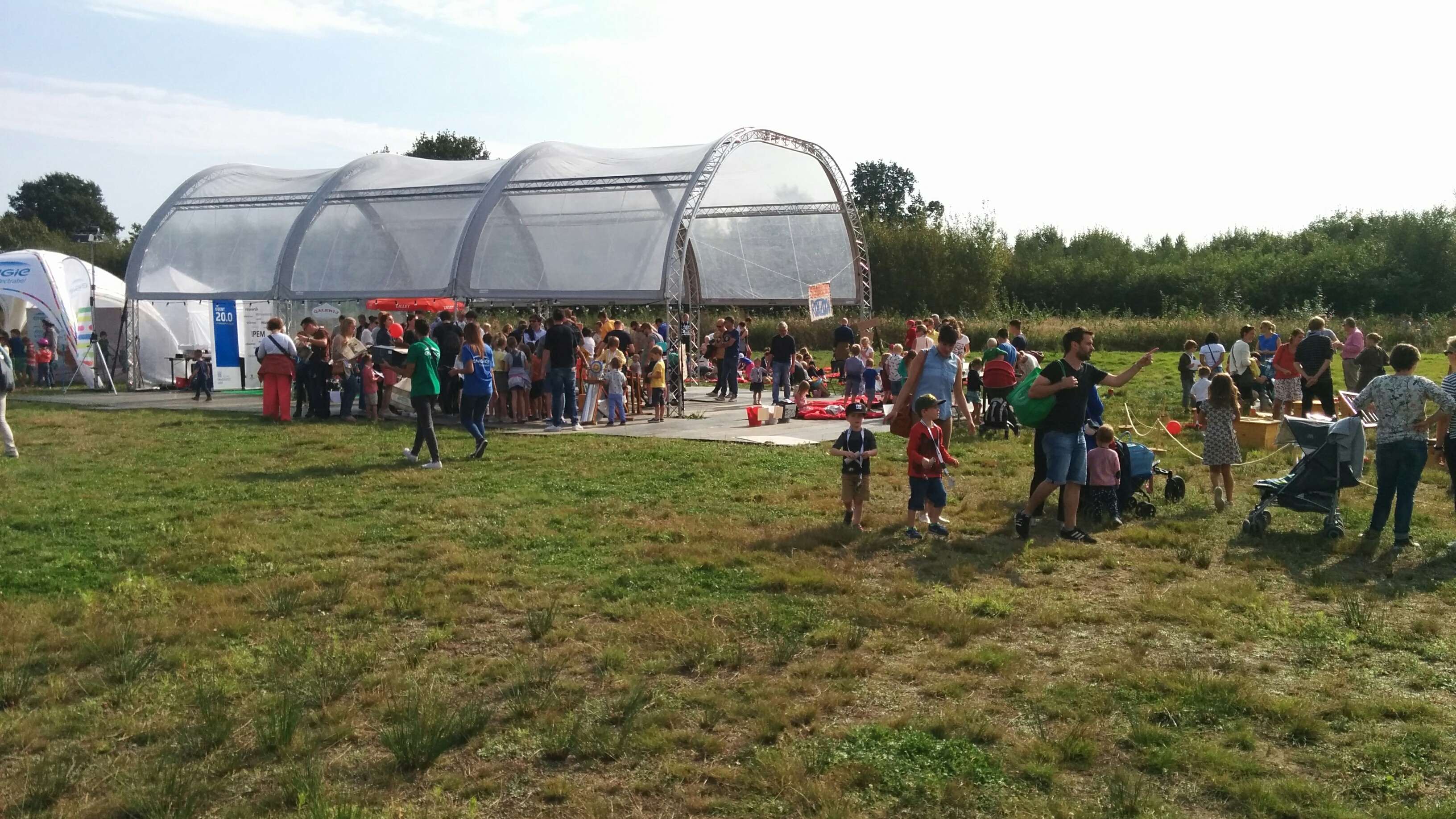
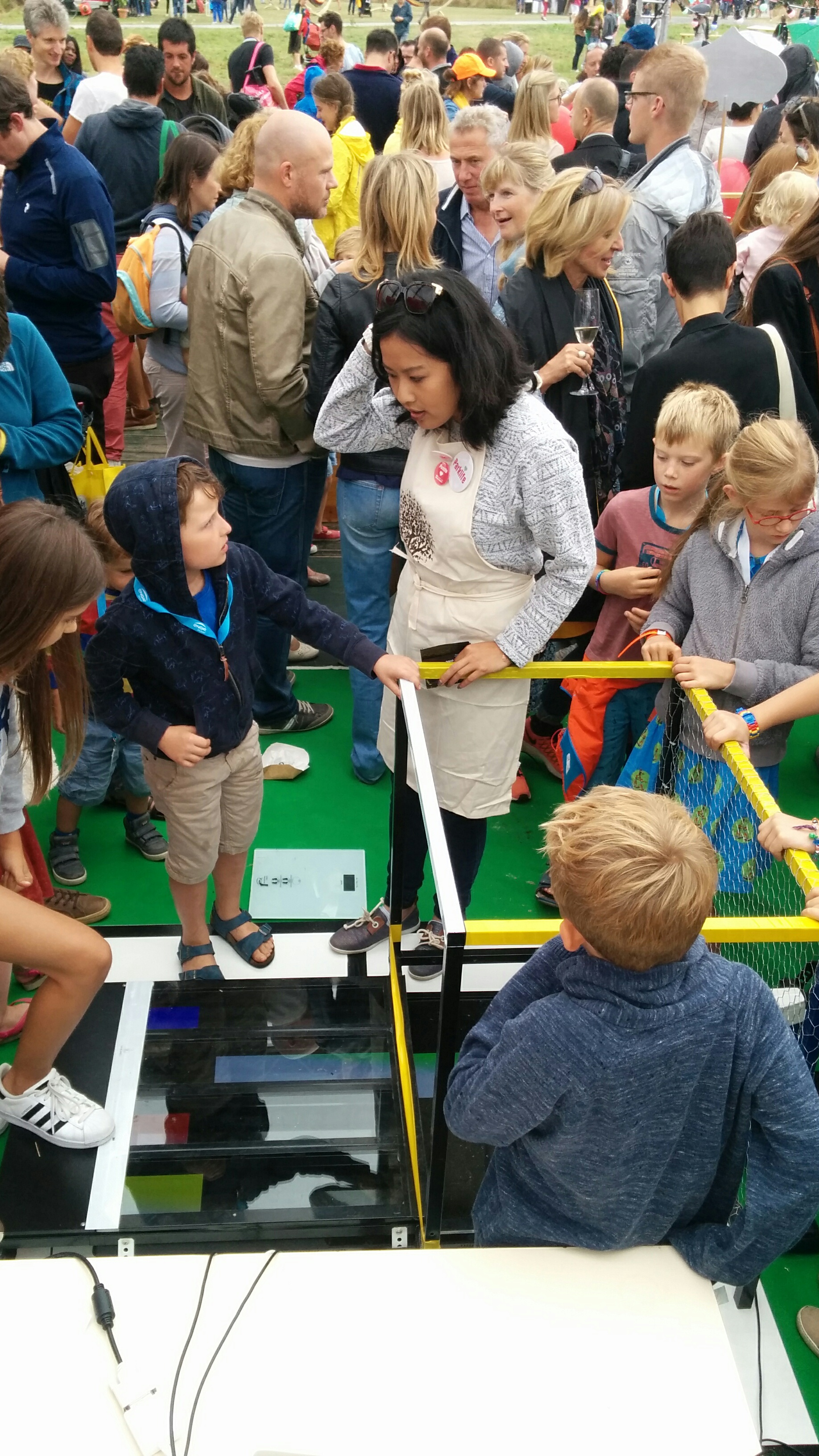
This weekend IPEM, the research institute in musicology of University Ghent, was present at Parklife 2016. Parklife is a music festival with a special focus on interactive music installations aimed at children. Two of those were provided by IPEM.
The first installation was a trampoline that triggered sounds. Two trampoline were provided with a pressure sensor. An Axoloti provides the sonic feedback. A simple but fun experience especially for younger children.
The second installation was more involved. It consisted of a bike - controlled by a first participant - that provided the speed of falling blocks that a second participant had to step on. When the second participant triggered the blocks on time a melody appeared. The video above makes it more clear.
During the last semester Ward wrote a Masters thesis titled “Real-time signal synchronization with acoustic fingerprinting”:[Van_Assche_2016_Realtime_signaal_synchronisatie_met_acoustic_fingerprinting.pdf]. For his thesis Marleen Denert and I served both as promoter.
The aim of the thesis was to design and develop a system to automatically synchronize streams of incoming sensor data in real-time. Ward followed up on an idea that was described in an article called Synchronizing Multimodal Recordings Using Audio-To-Audio Alignment. The extended abstract can be consulted. The remainder of the thesis is in Dutch.
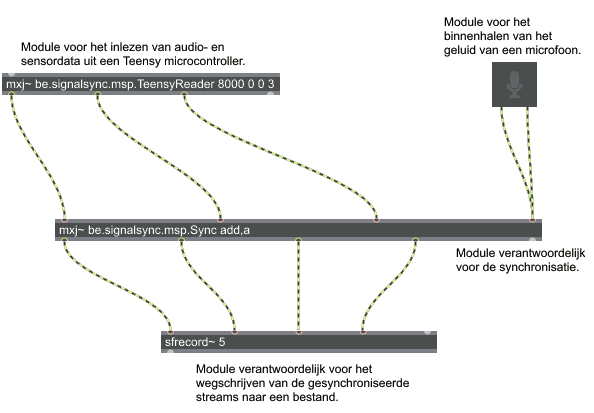
For the thesis Ward developed a Max/MSP object to read data from sensors together with audio. Also provided by Ward is an object to synchronize audio and data in real-time. The objects are depicted above.
I have given a presentation at the the Newline conference, a yearly event organized by the Hackerspace Ghent. It was about:
“In this talk I will give a practical overview on how to connect hard- and software components for musical applications. Next to an overview there will be demos! Do you want to make a musical instrument using a light sensor? Use your smartphone as an input device for a synth? Or are you simply interested in simple low-latency communication between devices? Come to this talk! More concretely the talk will feature the Axoloti audio board, Teensy micro-controller with audio board, MIDI and OSC protocols, Android MIDI features and some sensors.”
During the presentation the hard and software components were demonstrated. More concretely an introduction was given to the following:
This morning, the 30th of October 2015, I gave a lecture on Music Information Retrieval in general and two MIR-tasks in particular. The two more detailed tasks were tone scale analysis and acoustic fingerprinting.
During the lecture some live demonstrations were done with Panako and Tarsos. Also some examples from TarsosDSP were used. Excerpts of the music used is available here, this is especially interesting if you want to repeat the demos. Sonic visualizer, Music21 and MuseScore were also mentioned during the lecture.
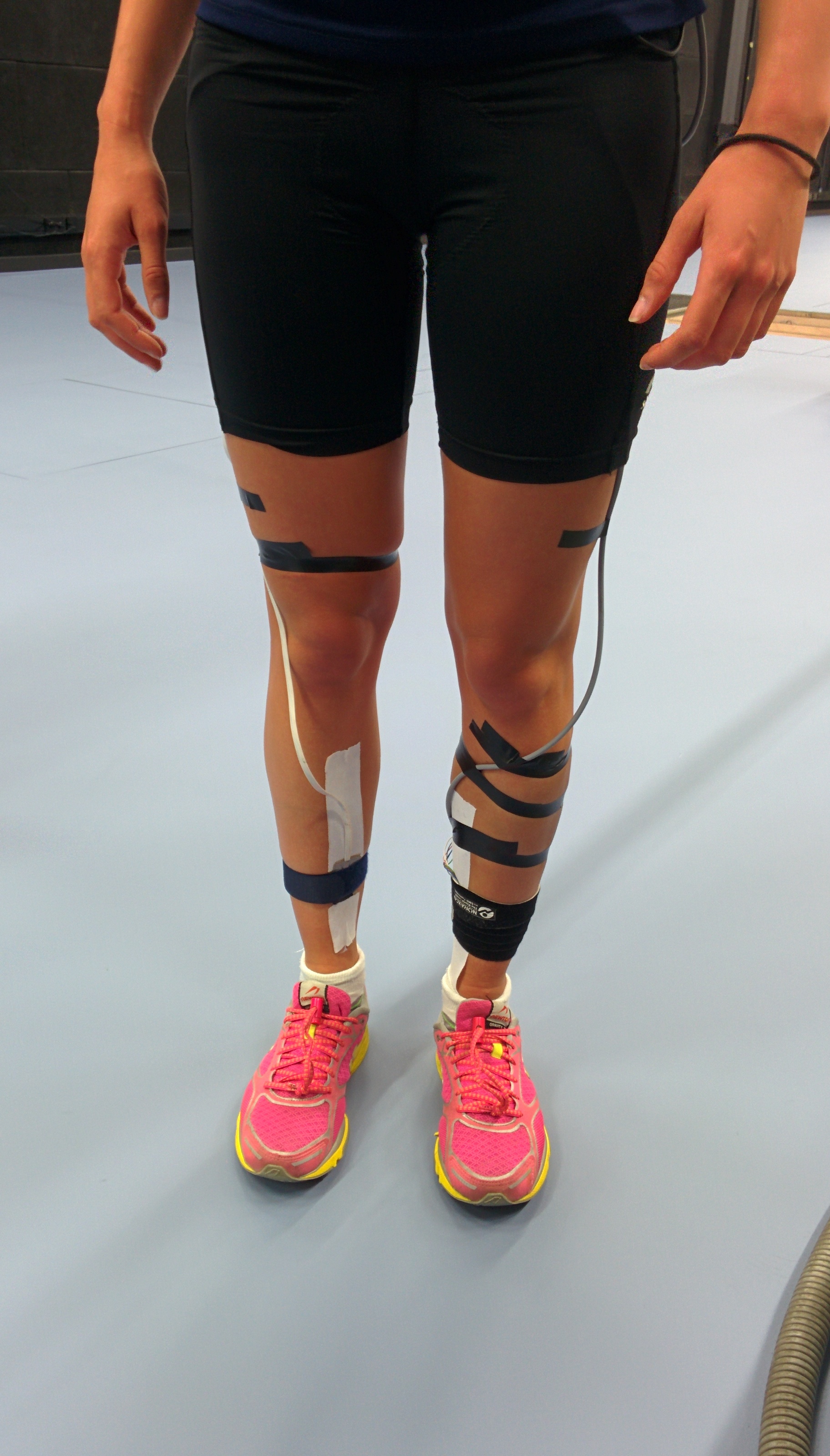
For the opening of the Sport Science Laboratory - Jacques Rogge of University Ghent I have created a demo of a system to visualize running impact. The demo can be seen starting at 45s in the video below.
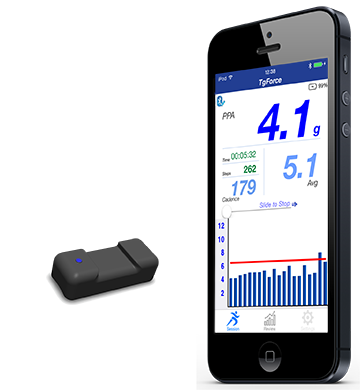
Kelsec Systems developed a nice sensor for measuring running impact, the TgForce Running Impact Sensor. The sensor comes with an IOS application but has no available counterpart on Android. To interface with the sensor on Android I needed to create some glue code. The people of Kelsec Systems were kind enough to mail some documentation about the protocol and with that information I got to work.
The TgForce Sensor Android code is available on GitHub, together with some documentation which is available below as well:
TgForce Impact Running Sensor Andoid API
The TgForceSensor repository contains Android code to interface with the TgForce Impact Running Sensor. The TgForce sensor is a Bluetooth LE device that measures tibial shock. It follows the\
Bluetooth LE standards and is relatively easy to interface with.
This repository contains Android code to interface with the device. The protocol is encoded in the source code and is documented in the readme.
Aangezien heel wat joggers met muziek trainen, wilden onderzoekers van het IPEM (het onderzoekscentrum van de afdeling Musicologie, Vakgroep Kunst, Muziek, en Theaterwetenschappen aan de UGent) nagaan of het tempo van muziek de pasfrequentie tijdens het lopen kan beïnvloeden. Eerdere studies hadden al aangetoond dat muziek een motiverend effect kan hebben op sportprestaties en dat een hogere pasfrequentie blessurepreventief kan werken.
Een neerslag van het onderzoek is te lezen in het artikel Spontaneous Entrainment of Running Cadence to Music Tempo. Het persbericht werd goed opgepikt door de media en ook de lokale televisiezender AVS vertoonde interesse. Een cameraploeg kwam langs en dit resulteerde in volgend verslag. In het verslag spelen mijn vriendin en ikzelf een figurantenrol. De hoofdrol is weggelegd voor Dieter.
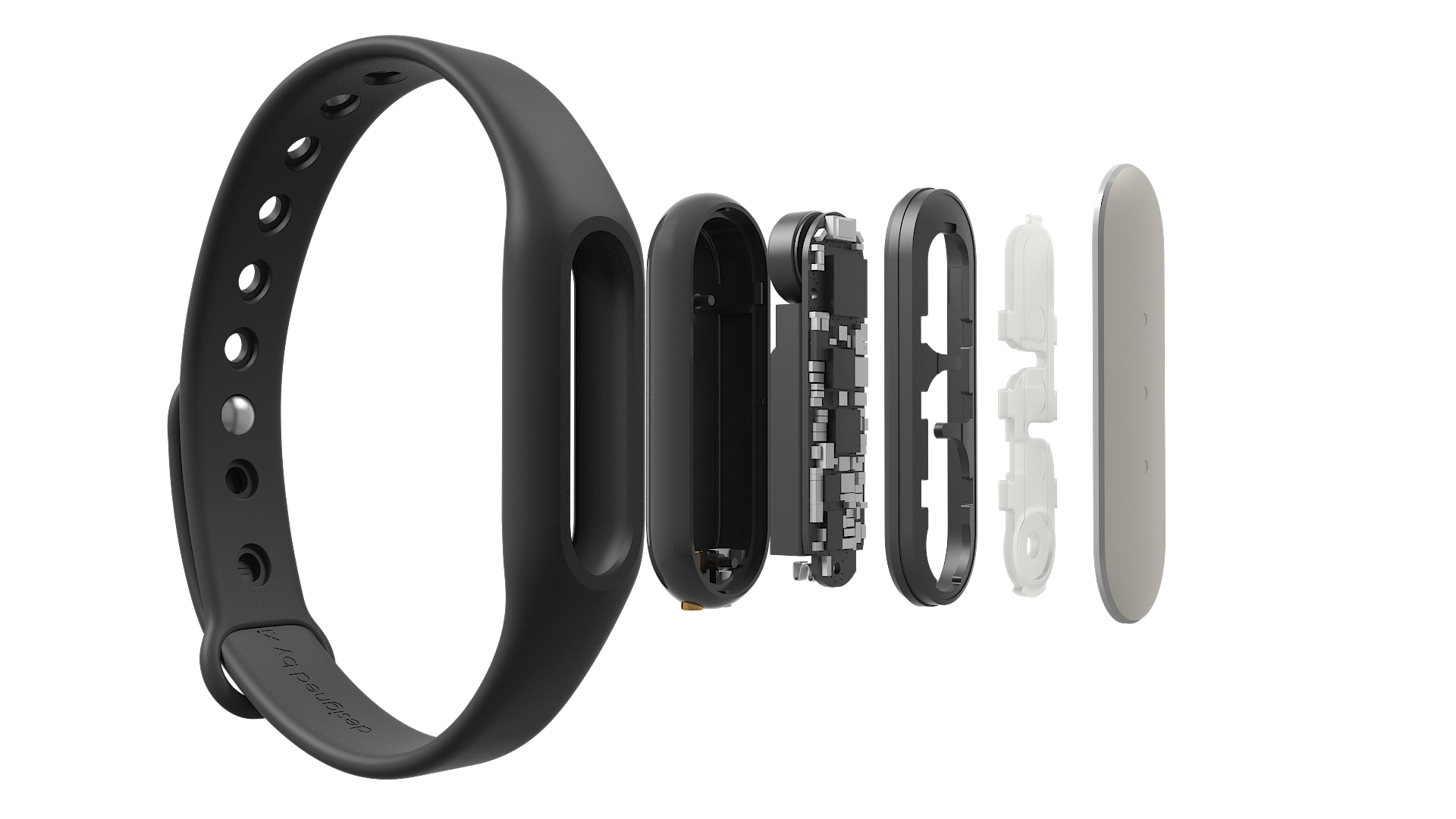
The Mi Band is a bracelet with some sensors, three RGB leds and a vibration motor. It is marketed as an activity tracker and notifier. It is a neat little device that communicates via Bluetooth LE and has a battery life of around 30 days. It would be nice if it could be used for whatever purpose you want but alas, its API is not very open. This blog post gives pointers to useful resources and tips to make it work with your own code.
I would advise against installing the official Mi Band app, if you want to use it with custom code. The app upgrades the firmware to the latest version and it seems that Xiaomi is obfuscating the protocol more and more with each version. I was able to send vibrate and led commands to a Mi Band with firmware version 10.0.9.3. With the previously mentioned sources and the flow described to the right the device reacts to commands. I used an Android device. The flow:
Pair with the Mi Band in the Android Bluetooth setting.
In your code, connect to the paired device. Save the device address, you will need it later.
Send a pair command to the device. This is part of the Mi Band protocol and has nothing to do with the previous Bluetooth pairing. If all goes well it reacts with a 2. See here
Send user info. This step is crucial and not trivial. The user info needs to be encoded in a certain way and is CRC’d with the device address. The following is an example implementation of the Mi Band user info encoding
Now you can send vibrate or other commands.
Some notes: the self-test command works without the set user step. For Android the Mi Band protocol implementation in Java works well. To check the firmware version of the device, call the get device info characteristic. The last bytes, interpreted as an integer, define the version info. For my device it is 10.9.3.2:
Write to characteristic 0000ff05-0000-1000-8000-00805f9b34fb
onCharacteristicWrite status: 0 characteristic 0000ff05-0000-1000-8000-00805f9b34fb
Read firmware version
11value: 212value: 313value: 914value: 015value: 1
Another note: the set user info needs to be called with a 1 as type the first time the band is used. This is done with new UserInfo(20111111, 1, 32, 180, 55, "NM", 1) with the Android sdk by GitHub user pangliang. This sets and overwrites the user info. The next times you do not want to overwrite the info and the type needs to be zero.
The article titled “Synchronizing Multimodal Recordings Using Audio-To-Audio Alignment” by Joren Six and Marc Leman has been accepted for publication in the Journal on Multimodal User Interfaces. The article will be published later this year. It describes and tests a method to synchronize data-streams. Below you can find the abstract, pointers to the software under discussion and an author version of the article itself.
Synchronizing Multimodal Recordings Using Audio-To-Audio Alignment An Application of Acoustic Fingerprinting to Facilitate Music Interaction Research
Abstract:Research on the interaction between movement and music often involves analysis of multi-track audio, video streams and sensor data. To facilitate such research a framework is presented here that allows synchronization of multimodal data. A low cost approach is proposed to synchronize streams by embedding ambient audio into each data-stream. This effectively reduces the synchronization problem to audio-to-audio alignment. As a part of the framework a robust, computationally efficient audio-to-audio alignment algorithm is presented for reliable synchronization of embedded audio streams of varying quality. The algorithm uses audio fingerprinting techniques to measure offsets. It also identifies drift and dropped samples, which makes it possible to find a synchronization solution under such circumstances as well. The framework is evaluated with synthetic signals and a case study, showing millisecond accurate synchronization.
The algorithm under discussion is included in Panako an audio fingerprinting system but is also available for download here. The SyncSink application has been packaged separately for ease of use.
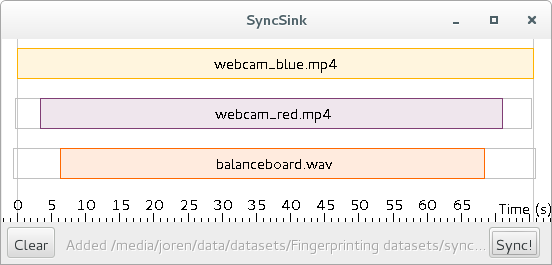
To use the application start it with double click the downloaded SyncSink JAR-file. Subsequently add various audio or video files using drag and drop. If the same audio is found in the various media files a time-box plot appears, as in the screenshot below. To add corresponding data-files click one of the boxes on the timeline and choose a data file that is synchronized with the audio. The data-file should be a CSV-file. The separator should be ‘,’ and the first column should contain a time-stamp in fractional seconds. After pressing Sync a new CSV-file is created with the first column containing correctly shifted time stamps. If this is done for multiple files, a synchronized sensor-stream is created. Also, ffmpeg commands to synchronize the media files themselves are printed to the command line.
This work was supported by funding by a Methusalem grant from the Flemish Government, Belgium. Special thanks goes to Ivan Schepers for building the balance boards used in the case study. If you want to cite the article, use the following BiBTeX:
@article{six2015multimodal,
      author      = {Joren Six and Marc Leman},
      title       = {{Synchronizing Multimodal Recordings Using Audio-To-Audio Alignment}},
      issn        = {1783-7677},
      volume      = {9},
      number      = {3},
      pages       = {223-229},
      doi         = {10.1007/s12193-015-0196-1},
      journal     = {{Journal of Multimodal User Interfaces}},
      publisher   = {Springer Berlin Heidelberg},
      year        = 2015
 }
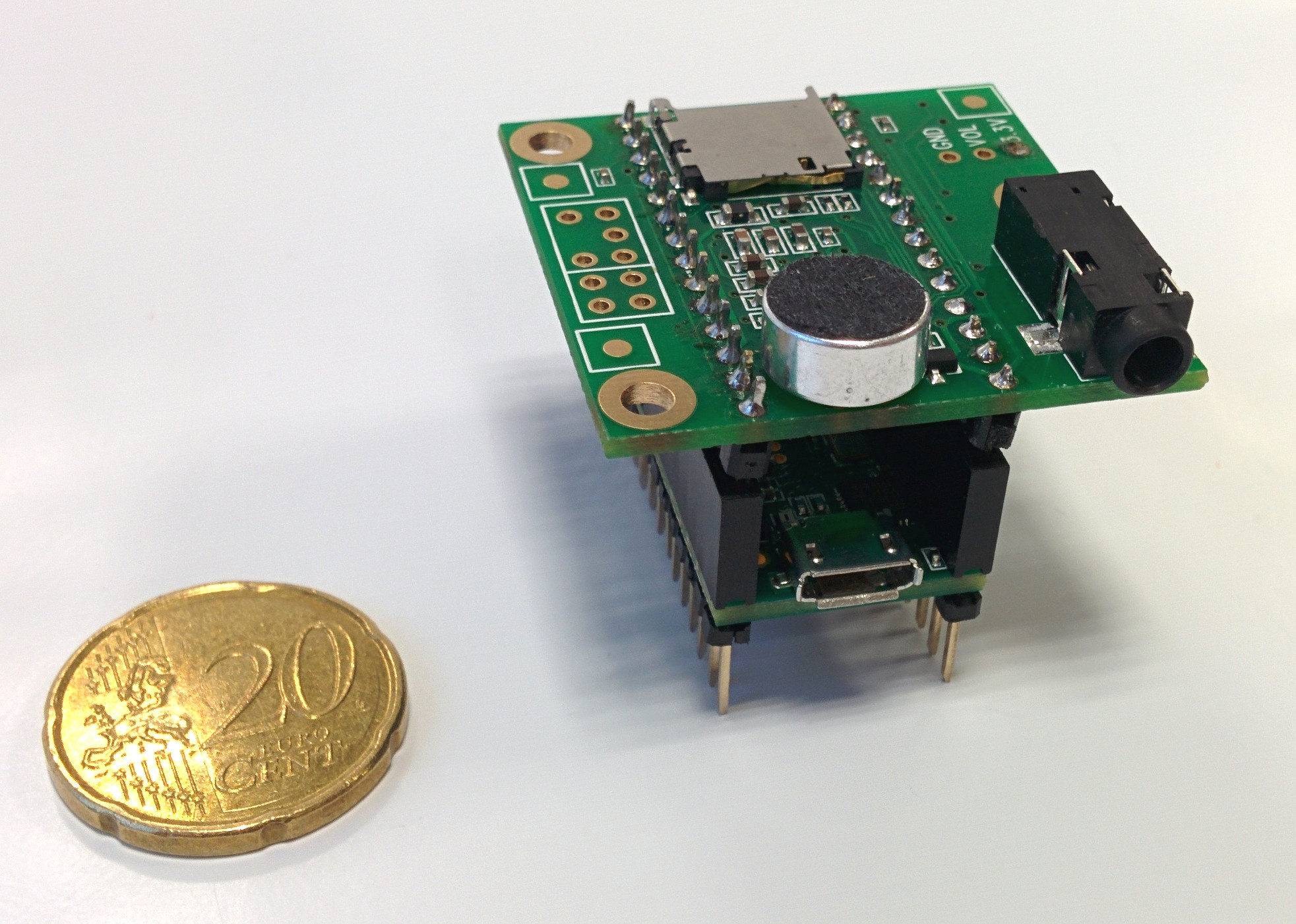
A microcontroller fitted with an electret microphone and a microSD card slot. It can record audio in real-time together with sensor data.
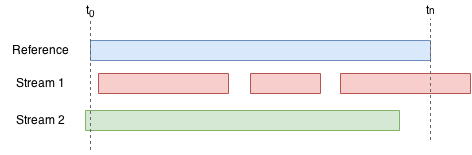
Conceptual drawing used as a basis for the SyncSync application. A reference stream (blue) can be synchronized with streams one and two. It allows a workflow where streams are started and stopped (red) or start before the reference stream (green).
SyncSink Synchronize media files. A user-friendly interface to synchronize media and data files. First a reference media-file is added using drag-and-drop. The audio steam of the reference is extracted and plotted on a timeline as the topmost box. Subsequently other media-files are added. The offsets with respect to the reference are calculated and plotted. CSV-files with timestamps and data recorded in sync with a stream can be attached to a respective audio stream. Finally, after pressing Sync!, the data and media files are modified to be exactly in sync with the reference.
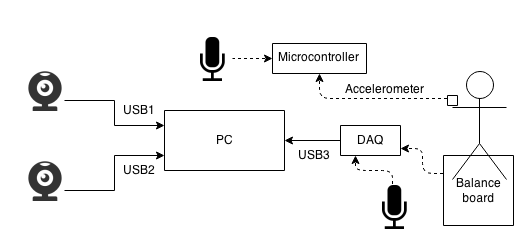
Multimodal recording system diagram. Each webcam has a microphone and is connected to the pc via USB. The dashed arrows represent analog signals. The balance board has four analog sensors but these are simplified to one connection in the schematic. The analog output of the microphones is also recorded through the DAQ. An analog accelerometer is connected with a microcontroller which also records audio.
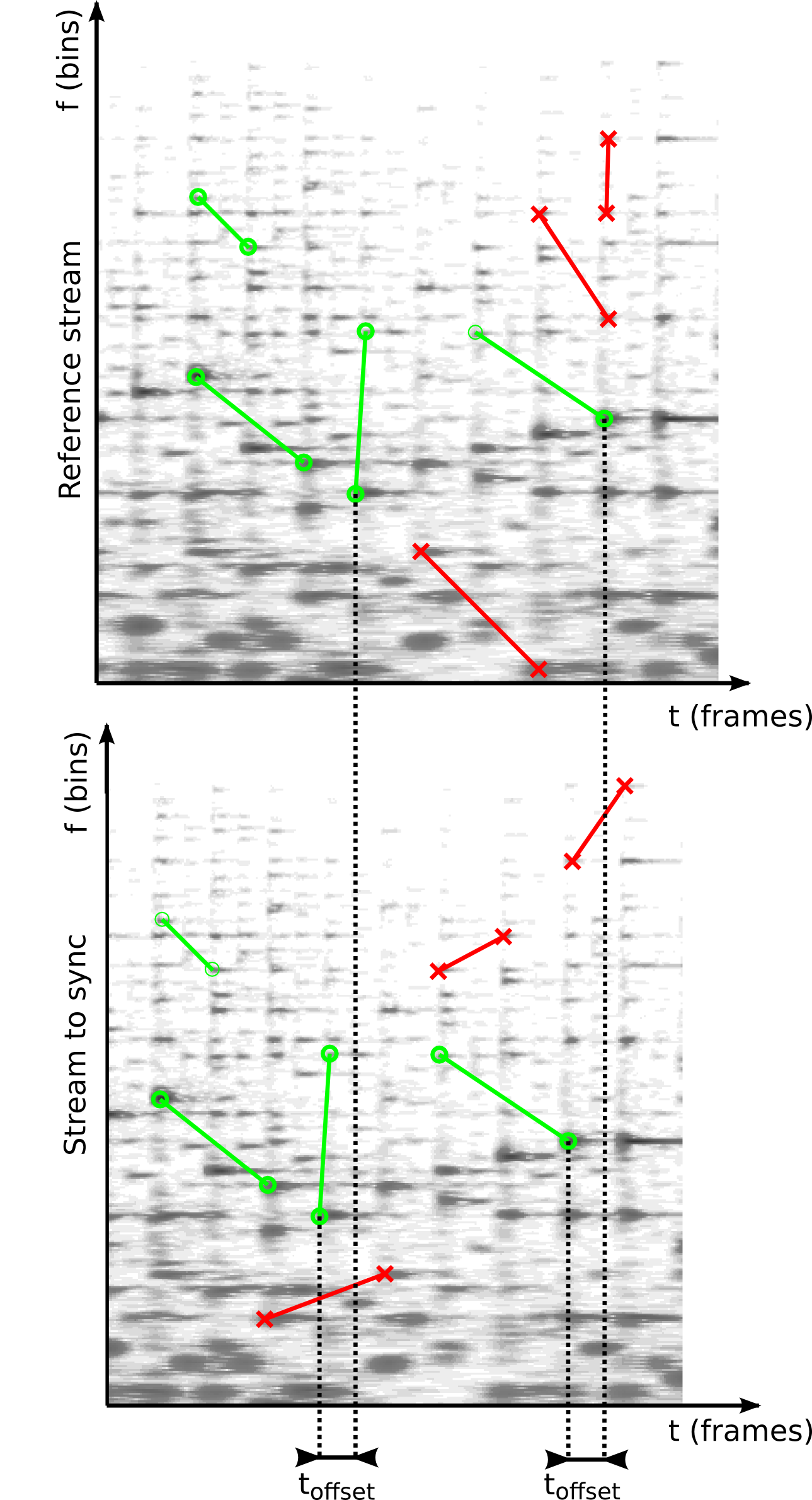
Two streams of audio with fingerprints marked. Some fingerprints are present in both streams (green, O) while others are not (red, x). Matching fingerprints have the same offset, indicated by the dotted lines.
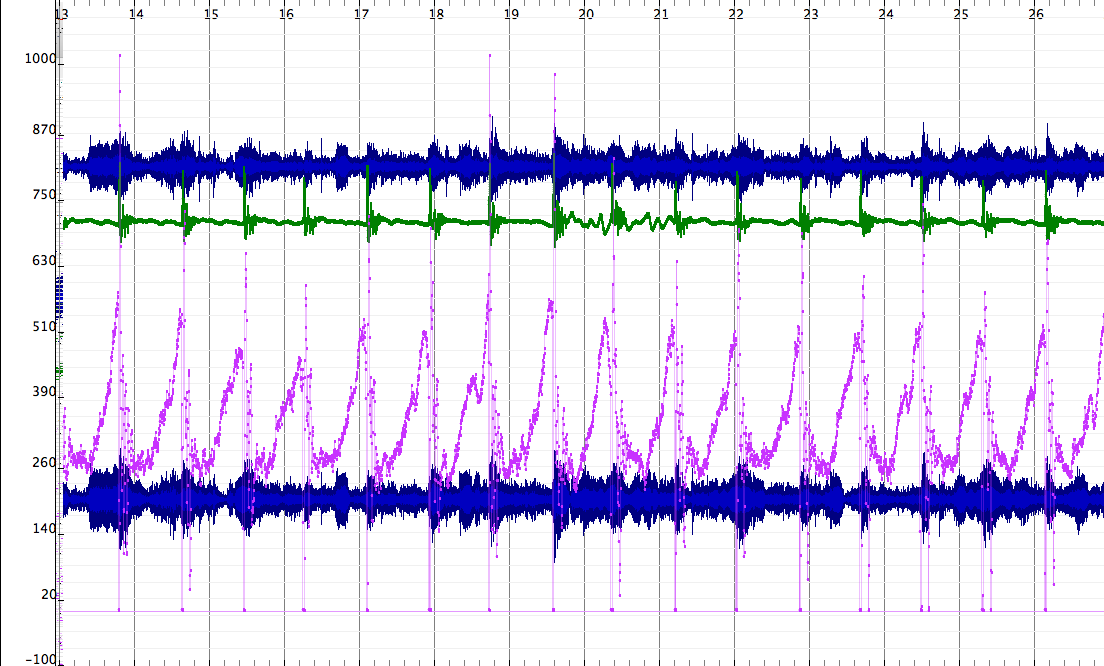
Synchronized streams in Sonic Visualizer. Here you can see two channel audio synchronized with accelerometer data (top, green) and balanceboard data (bottom, purple).
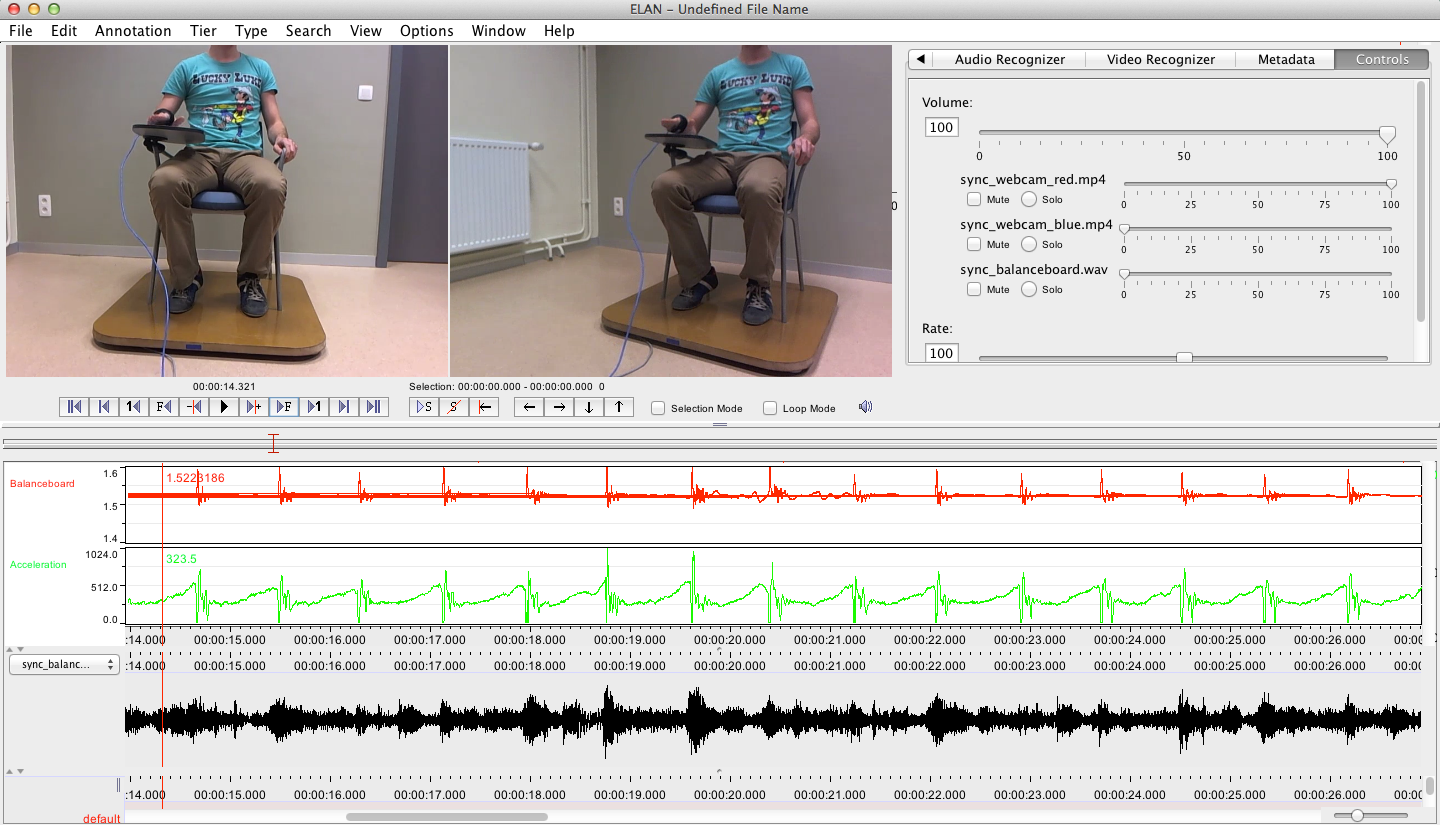
The synchronized data from the two webcams, accelerometer and balanceboard in ELAN. From top to bottom the synchronized streams are two video-streams, balance-board data (red), accelerometer-data (green) and audio (black).
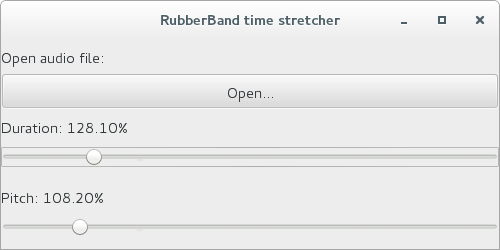
This post explains how to do real-time pitch-shifting and audio time-stretching in Java. It uses two components. The first component is a high quality software C library for audio time-stretching and pitch-shifting C called Rubber Band. The second component is a Java audio library called TarsosDSP. To bridge the gap between the two JNI (Java Native Interface) is used. Rubber Band provides a JNI interface and starting from the currently unreleased version 1.8.2, makefiles are provided that make compiling and subsequently using the JNI version of Rubber Band relatively straightforward.
However, it still requires some effort to control real-time pitch-shifting and audio time-stretching from java. To make it more easy some example code and documentation is available in a GitHub repository called RubberBandJNI. It documents some of the configuration steps needed to get things working. It also offers precompiled libraries and documents how to compile those for the following systems:
This post describes how to decode MP3’s using an already compiled ffmpeg binary on android. Using ffmpeg to decode audio on Android has advantages:
It supports about every audio format known to man. Three channel flac, vorbis with 32 bit samples, … do not pose a problem.
Extracting audio from video container formats is supported. Accessing the first audio stream from mkv, avi, mov,… just works.
Decoding audio frames is more efficient using native code than often buggy Java decoders.
Resampling and downmixing is supported. If you want to resample incoming audio to e.g. 44.1kHz and only want single channel audio this is easily achievable.
The main disadvantage is that you need an ffmpeg build for your Android device. Luckily some poor soul already managed to compile ffmeg for Android for several architectures. The precompiled ffmpeg binaries for Android are available for download and are mirrored here as well.
To bridge the ffmpeg binary and the java world TarsosDSP contains some glue code. The AndroidFFMPEGLocator is responsible to find and extract the correct binary for your Android device. It expects these ffmpeg binaries in the assets folder of your Android application. When the correct ffmpeg binary has been extracted and made executable the PipeDecoder is able to call it. The PipeDecoder calls ffmpeg so that decoded, downmixed and resampled PCM samples are streamed into the Java application via a pipe, which explains its name.
With the TarsosDSP Android library the following code plays an MP3 from external storage:
This code just works if the application has the READ_EXTERNAL_STORAGE permission, includes a recent TarsosDSP-Android.jar, is ran on one of the supported ffmpeg architectures and has these binaries available in the assets folder.
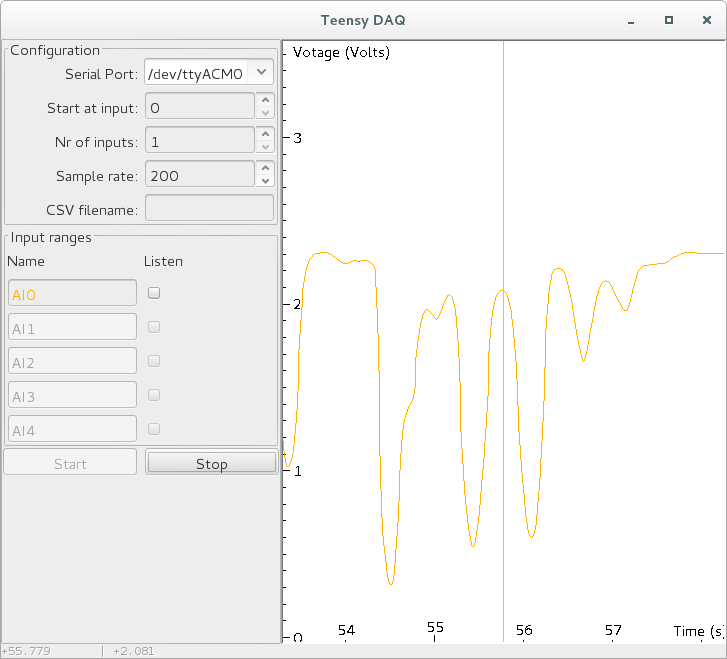
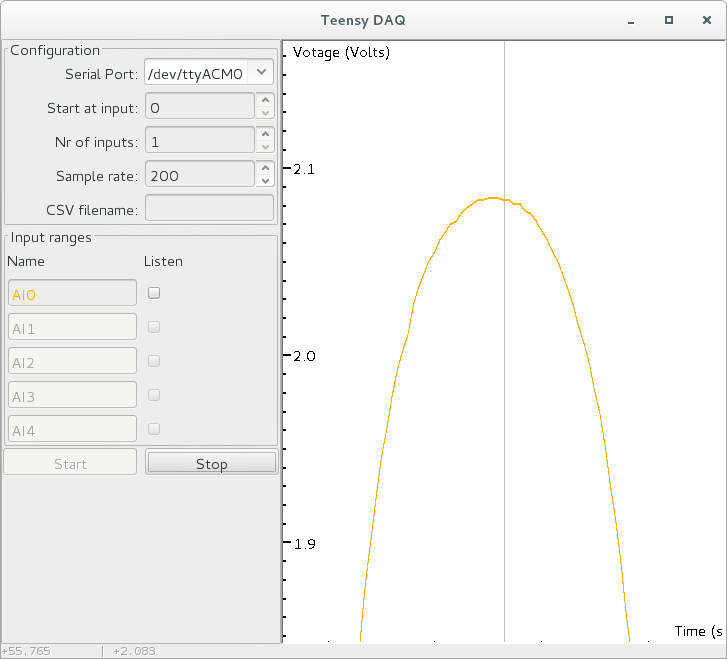
This post describes a tool to quickly visualize and record analog signals with a Teensy micro-controller and some custom software. It is mainly useful to quickly get an idea of how an analog sensor reacts to different stimuli. Since it is also able to capture and store analog input siginals it is also useful to generate test data recordings which then can be used for example to test a peak detection algorithm on. The tool is called TeensyDAQ hinting at the Data AcQuisition features and the micro-controller used.
Some of the features of the TeensyDAQ:
Visualize up to five analog signals simultaneously in real-time.
Capture analog input signals with sampling rates up to 8000Hz.
Record analog input to a CSV-file and, using drag-and-drop, previously recorded CSV-files can be visualized.
Works on Linux, Mac OS X and Windows.
While a capture session is in progress you can going back in time and zoom, pan and drag to get a detailed view on your data.
Allows you to listen to your input signal, this is especially practical with analog microphone input.
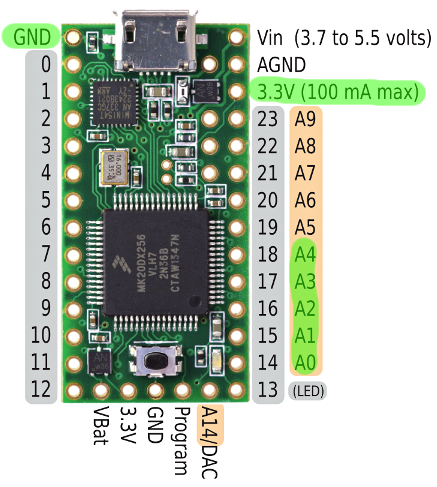
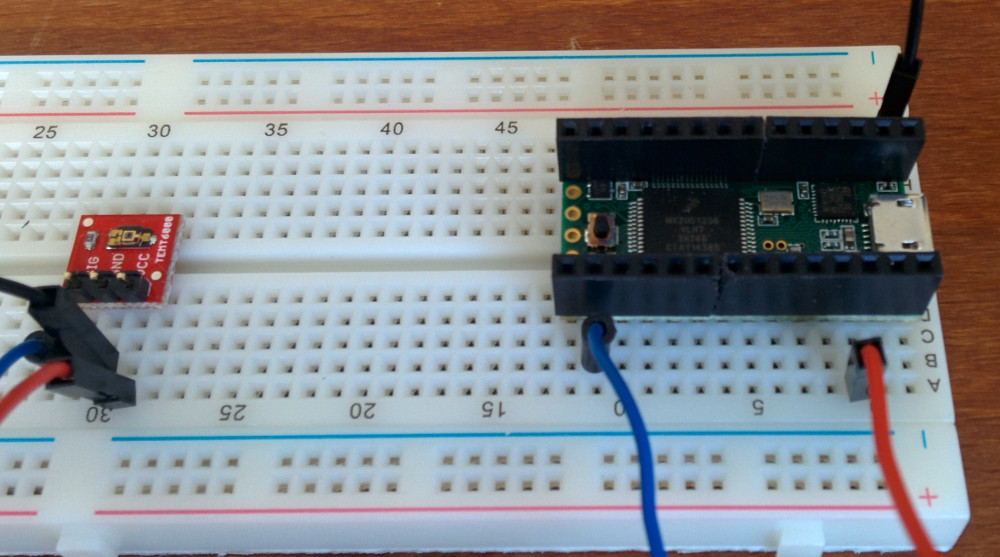
The system consists of two parts. A hardware and a software part. The hardware is a Teensy micro-controller running an Arduino sketch that ready analog input A0 to A4 at the requested sampling rate. A Teensy is used instead of a regular Arduino for two reasons. First the Teensy is capable of much higher data throughput, it is able to send five reading at 8000Hz, which is impossible on Arduino. The second reason is the 13bit analog read resolution. Classic Arduino only provides 10 bits.
The software part reads data from the serial port the Teensy is attached to. It interprets the data and stores it in an efficient data-structure. As quickly as possible the data is visualized. The software is written in Java. A recent Java runtime environment is needed to execute it.
TarsosDSP, the is a real-time audio processing library written in Java, is featured in EFY (Electronics For Your) Plus Magazine of July 2015. It is a leading electronics magazine with a history going back more than 40 years and about 300 000 subscribers mainly in India. The index mentions this:
TarsosDSP: A Real-Time Audio Analysis and Processing Framework\
In last month’s EFY Plus, we discussed Essentia, a C library for audio analysis. In this issue we will discuss a Java based real-time audio analysis and processing framework known as TarsosDSP
To read the full article, buy a (digital) copy of the magazine.
This post describes how to get notifications from a Bluetooth LE (Low Energy) or Bluetooth v4.0 device on a Linux machine. Since it took me a while to get it going it is perhaps of interest to others.
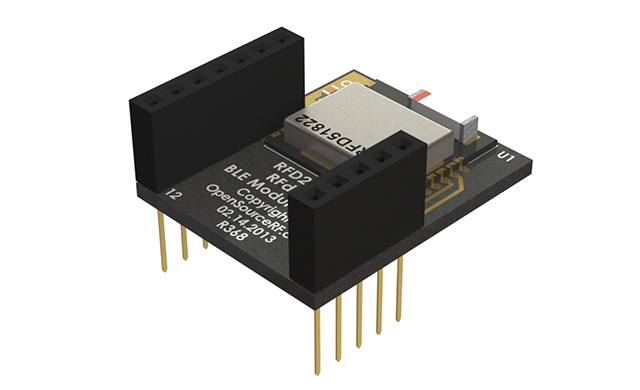
The hardware I used is an RFduino board and a Belikin mini Bluethooth v4.0 adapter. The RFduino was programmed to wait for an event with RFduino_pinWake(pni, HIGH). When the pin is HIGH a count is incremented and this number is send to any device that is listening. In my case a Linux machine. The code is essentially the same as the button example included in the RDduino software distribution.
To install the Bluetooth stack on Debian the following command is executed sudo apt-get install bluetooth bluez bluez-utils bluez-firmware. A blog post describes more about the Bluetooth tools. Some other interesting reads are Get started with Bluetooth Low Energy and this stackoverflow question. Once the stack is installed correctly the lescan utility should give an output like this:
Bluetooth LE works with the Generic Attribute Profile (GATT). A Bluetooth LE device can provide services by combining characteristics. These characteristics are the way to communicate with the device. Some characteristics are writable and are able to send notifications. To receive notifications one such characteristic (referred to with a hex handle) needs to be written. Write 0100 to get notifications, 0200 for indications (indications are notifications that are acknowledged), 0300 for both, or 0000 for nothing (default). With this in mind, the following command enables listening for notifications:
With those commands working, the process can be automated with “a Ruby script to get Bluetooth LE notifications”:[bluetooth_notifications.rb]. The script essentially calls gatttool with the correct parameters and parses and reacts to its output. To make it work lescan needs to be called before starting the script:
This post describes how to connect music in your library with precomputed features. Say, for example, you are developing a DJ application and you want to facilitate mixing tracks. To provide a seamless mix you perhaps want information about beats and about the key the music in your library is in. Since vast databases of features are already available you probably want to access those, instead of using your own feature extractors and database. The problems that need to be addressed are:
Automatically identify the music in your library without relying on incomplete meta-data (tag information).
Connect the music with a data-base of meta-data. Preferably a large and well curated database.
Fetch pre-computed features for the music. The features should be extracted using algorithms that are currently state of the art or at least perform well. The features and the audio itself should be synchronized, otherwise beat information, for example, is not of much use.
To help with these task there are several open source tools and services available.
To identify music a condensed representation of musical audio is created. This process is known as acoustic fingerprinting. On the website AcoustID a tool is available to create such fingerprint. The library is called Chromaprint and the command line client is called fpcalc. Currently the latest version is Chromaprint version 1.2 and static binaries for fpcalc are available on the AcoustID website. A packages for Debian (and probably Ubuntu) can be installed by calling apt-get install libchromaprint-tools. Once this tool is correctly installed a fingerprint for a piece of music can be created:
A fingerprint by itself is not of much use. The AcoustID webservice translates a fingerprint into one or more MusicBrainz identifiers. One fingerprint can result in multiple identifiers because the same audio can be released on several albums. There is documentation for AcoustID webservice available. To use the webservice an API key is needed. Confusingly, the AcoustID service has two types of API keys. One for end-users and one for developers. The last type is needed to translate ID’s. To request a developer API key, log in on the AcoustID website and “add an application”, there you can find the correct API key. Substitute dev_api_key in the following URL. Also change the fingerprint and duration to match the information provided by the fpcalc application. The webservice should reply with a set of MusicBrainz identifiers:
AcousticBrainz provides features for a subset of music that has a MusicBrainz identifier. Currently about a million tracks are analyzed but more are added every day. The API for the webservice is straightforward:
The low-level features include beat positions and chroma information. For the hypothetical DJ-application this is the information that would be used.
If you find the services useful please consider contributing to MusicBrainz, AcoustID and AcousticBrainz.
A small Ruby script to “automatically fetch features”:[mbid_lookup.rb] for audio can be downloaded here. It needs Ruby and a RubyGems to parse JSON. On Debian this can be installed with apt-get install ruby and rubygems install json. Once these dependencies are installed the script can be ran as follows:
ruby mbid_lookup.rb example.mp3
Found6 musicbrainz identifiers!
Not found inAcousticBrainz: 0afcd4a1-3709-499b-b76f-0d5491f839a5
Beat positions for3d49fab8-fd08-42be-b0d2-9f1dc884d902: 0.522448956966,1.05650794506,1.57895684242,2.10140585899,2.61224484444,3.13469386101Not found inAcousticBrainz: 448258f0-aa5a-4968-8efd-8c9348d5142e
Not found inAcousticBrainz: adcd7079-57d9-49bd-a36b-a20fa27b02b1
Beat positions for d1cd1321-0b66-4848-935e-f3afba6c7356: 0.441179126501,0.905578196049,1.369977355,1.83437633514,2.29877543449,2.76317453384Not found inAcousticBrainz: e1f433be-af6b-4b5d-a969-4b53f014c395
TarsosDSP is a real-time audio processing library written in Java. Since version 2.0 it is compatible with Android. Judging by the number of forks of the TarsosDSP GitHub repository Android compatibility increased the popularity of the library. Now the first Android application which uses TarsosDSP has found its way to the Google Play store. Download and play with SINGmaster to see an application of the pitch tracking capabilities within TarsosDSP. The SINGmaster description:
“SING master is a smart phone app that helps you to learn how to sing. SING master presents a collection of practical exercises (on the most important building blocks of melodies). Colours and sounds guide you in the exercise. After recording, SING master gives visual feedback : you can see and hear your voice. This is important so that you can identify where your mistakes are.”
Another application in the Play Store that uses TarsosDSP is CuePitcher.
 As an extension of the ISMIR conferences the International Society for Music Information Retrievel started a new journal: TISMIR. The first issue contains an article of mine:\
A Case for Reproducibility in MIR: Replication of ‘A Highly Robust Audio Fingerprinting System’. The abstract can be read here:
As an extension of the ISMIR conferences the International Society for Music Information Retrievel started a new journal: TISMIR. The first issue contains an article of mine:\
A Case for Reproducibility in MIR: Replication of ‘A Highly Robust Audio Fingerprinting System’. The abstract can be read here: ISMIR, Music Information Retrieval, Research papers, and UGent

 2018.01.phd.joren.six-Engineering.systematic.musicology.pdf
 I have contributed to the 4th International Digital Libraries for Musicology workshop (DLfM 2017) which was organized in Shanghai, China. It was a satellite event of the ISMIR 2017 conference. Unfortunately I did not mange to find funding to attend the workshop, I did however contribute as co-author to two proceeding papers. Both were presented by Reinier de Valk (thanks again).
 The 25th anniversary edition of the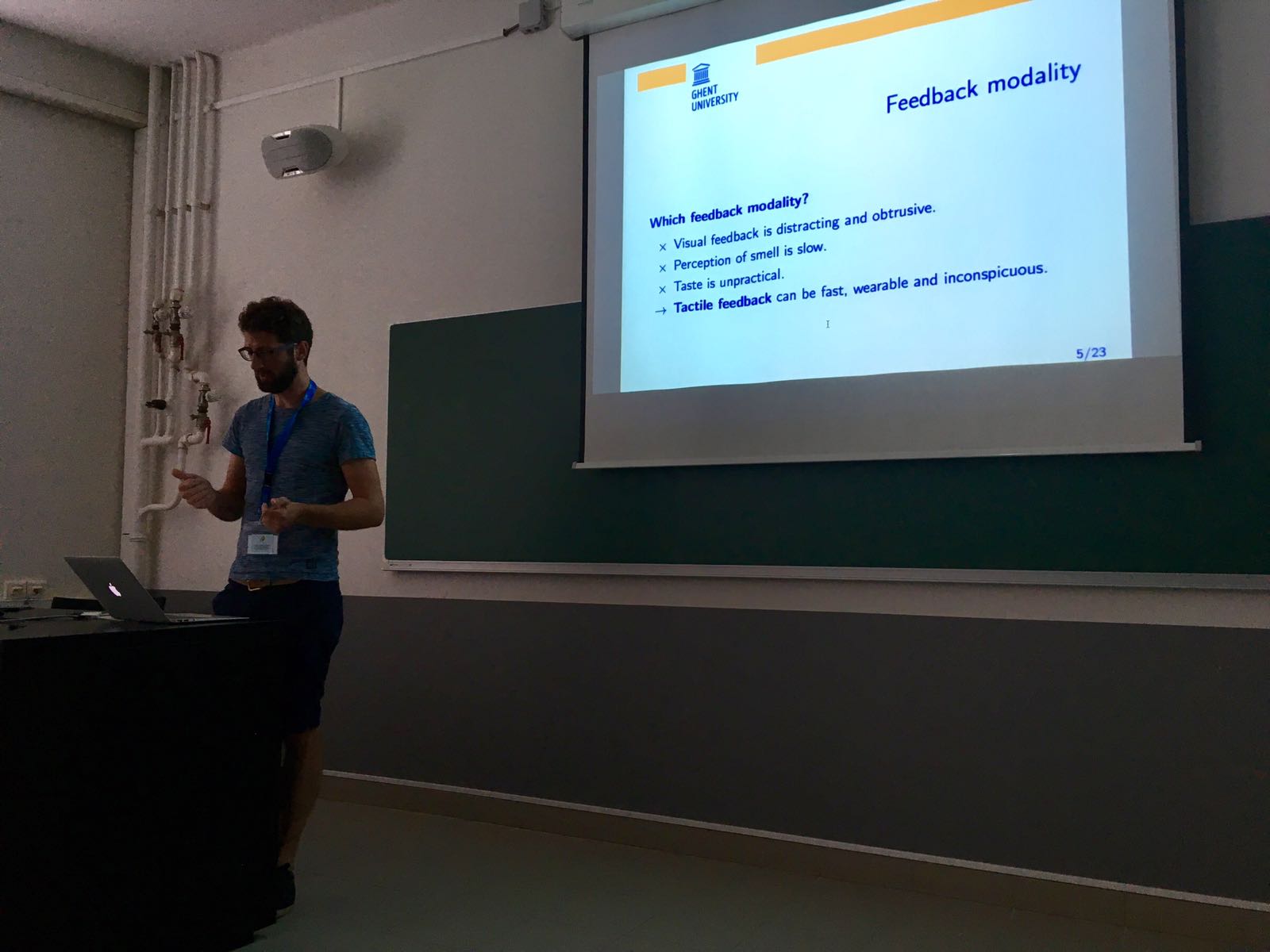

 On Saturday the eight of April I gave a workshop on the ESP 32 micro controller at
  From 27 to 31 March 2017 I have attended a workshop on
  The xOSC board by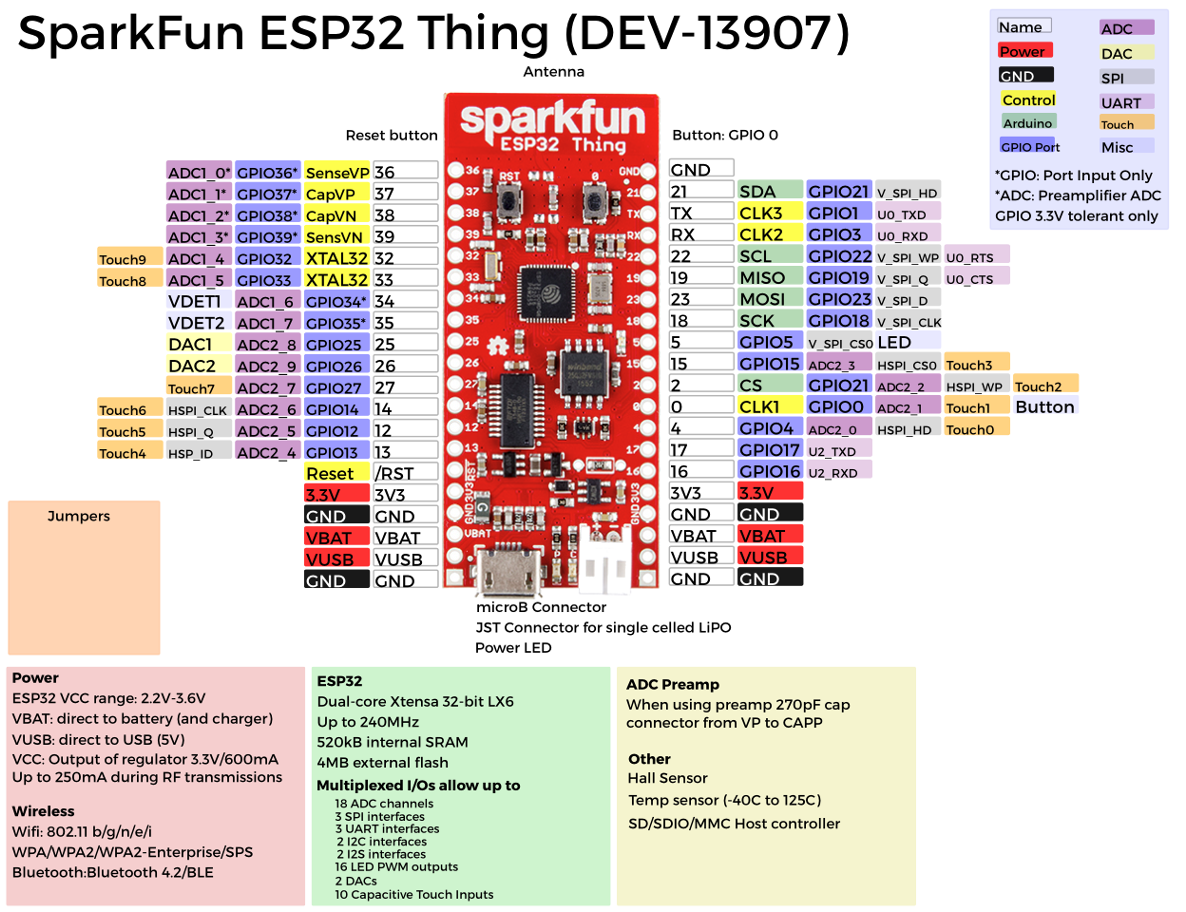
 I have given a presentation at the the
 The
The 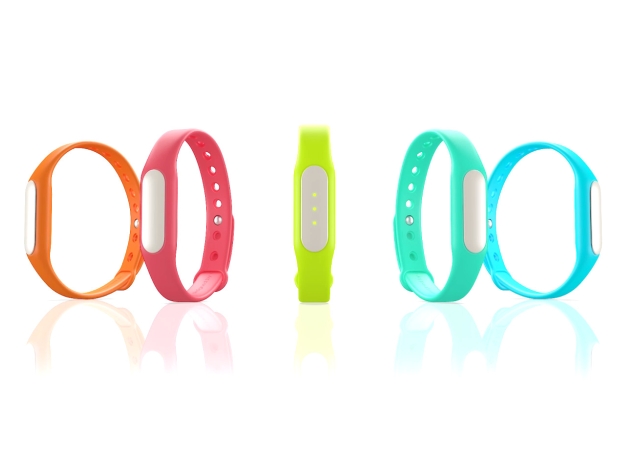
 TarsosDSP, the is a real-time audio processing library written in Java, is featured in
  This post describes how to get notifications from a Bluetooth LE (Low Energy) or Bluetooth v4.0 device on a Linux machine. Since it took me a while to get it going it is perhaps of interest to others.
 This post describes how to connect music in your library with precomputed features. Say, for example, you are developing a DJ application and you want to facilitate mixing tracks. To provide a seamless mix you perhaps want information about beats and about the key the music in your library is in. Since vast databases of features are already available you probably want to access those, instead of using your own feature extractors and database. The problems that need to be addressed are:
 TarsosDSP is a real-time audio processing library written in Java. Since version 2.0 it is compatible with Android. Judging by the number of forks of the